
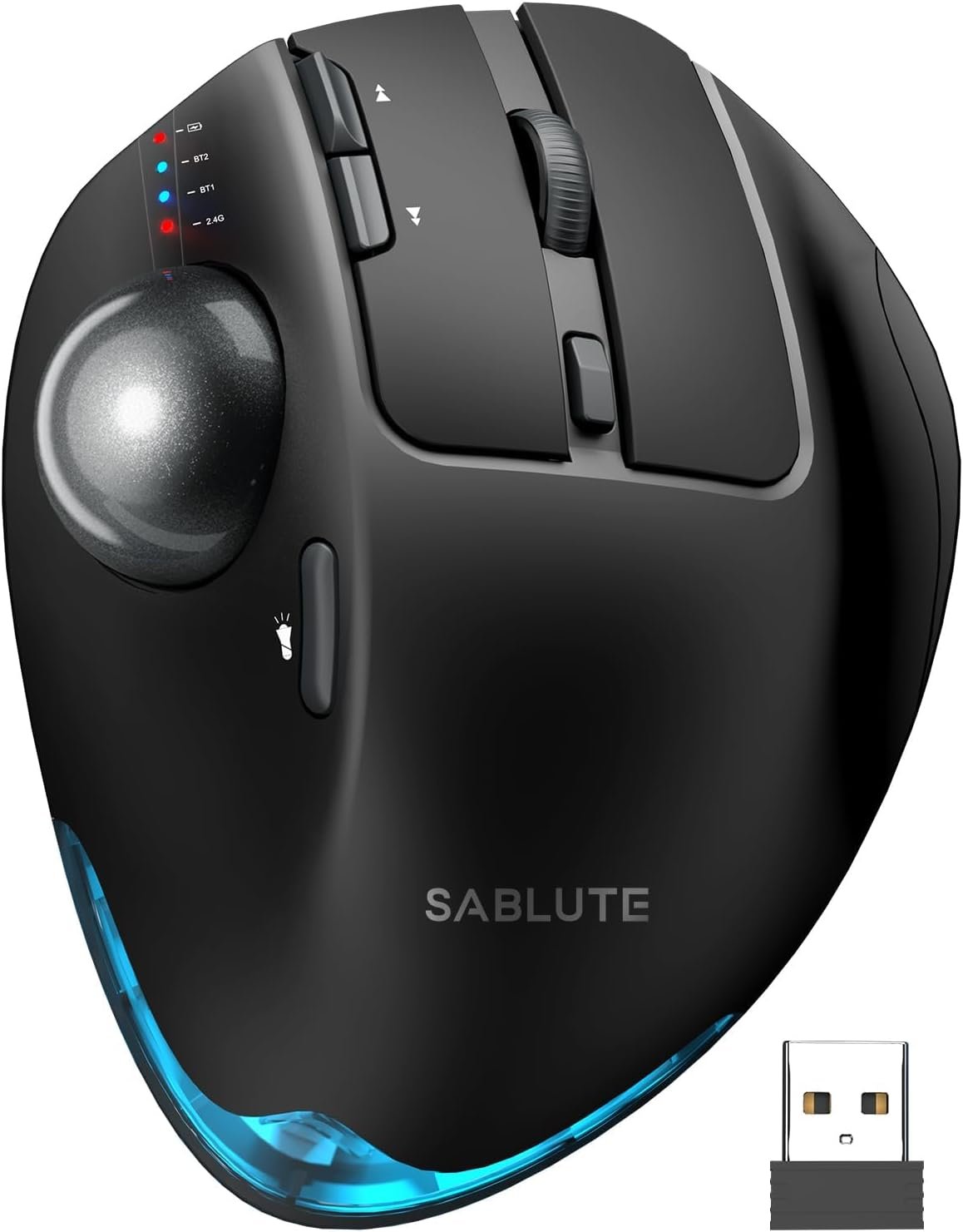
SABLUTE MAM1 Pro Ergonomic Wireless Trackball Mouse, Adjustable 0°/18° Angle, Thumb Control, Quiet Clicks, 3 Multi-Device Bluetooth & USB Receiver, Rechargeable Mouse for Office, Windows Mac
$39.99
Related Products


Product description
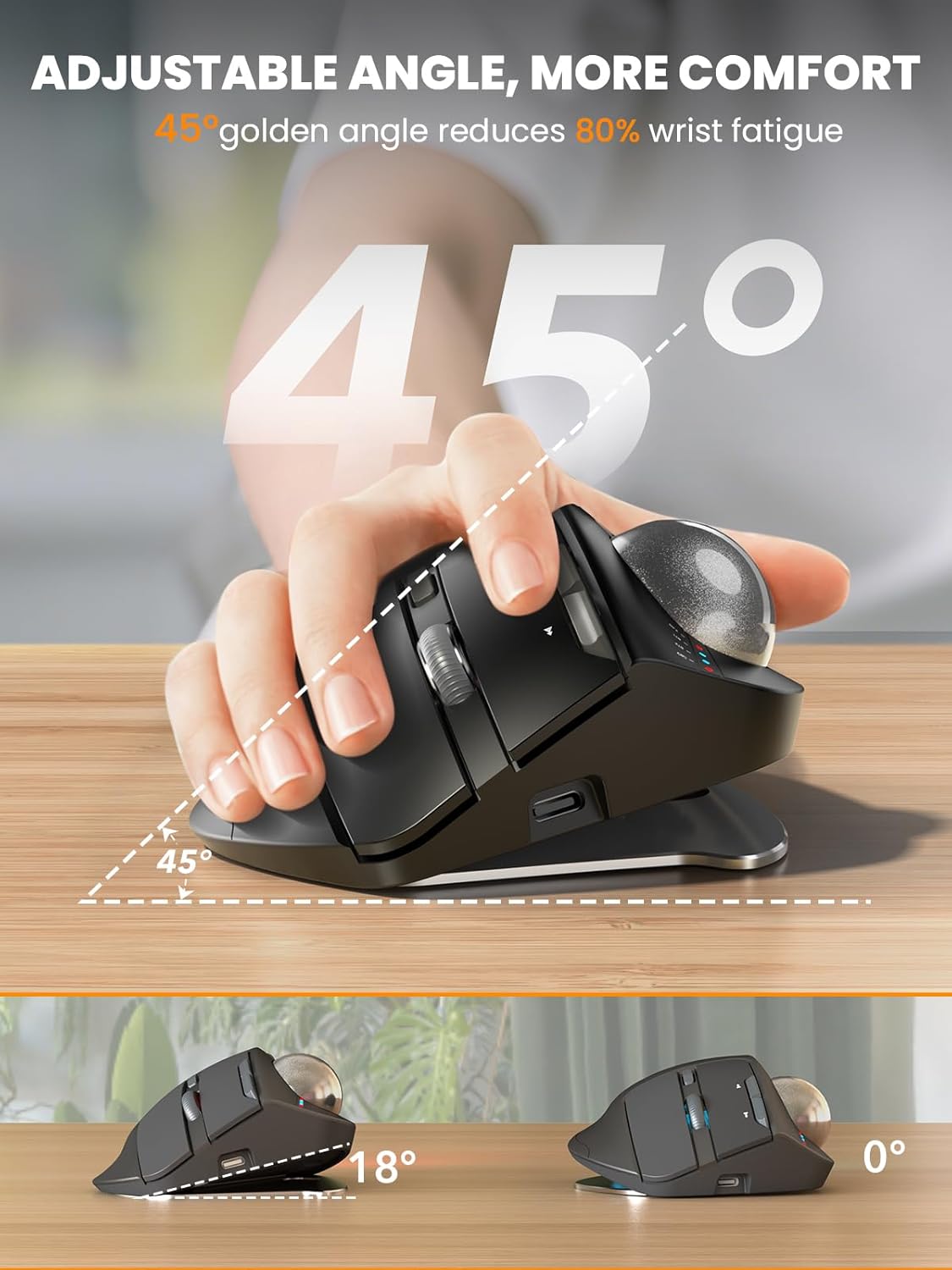
1 Adjustable Angle
2 Adaptation Time
3 Recommended Size
1 Multi Connection
2 Ergonomic Mouse
3 Saving Space
4 Adjustable DPI
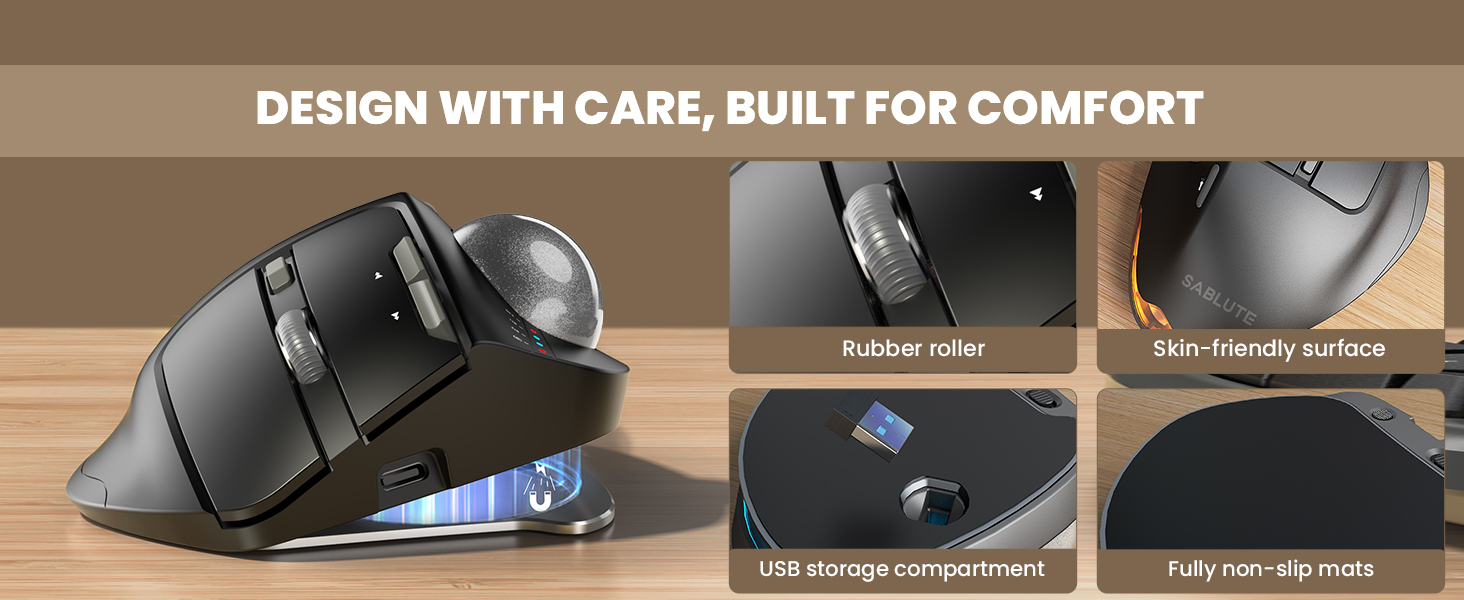
5 Quality Details
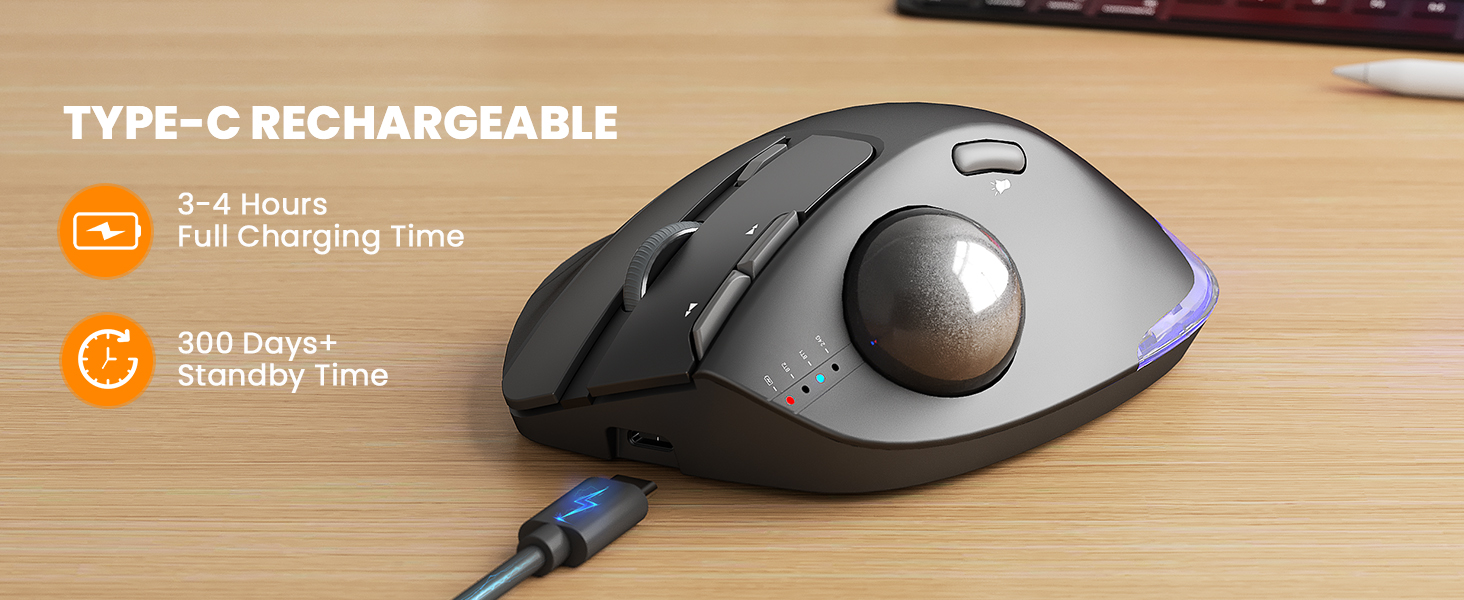
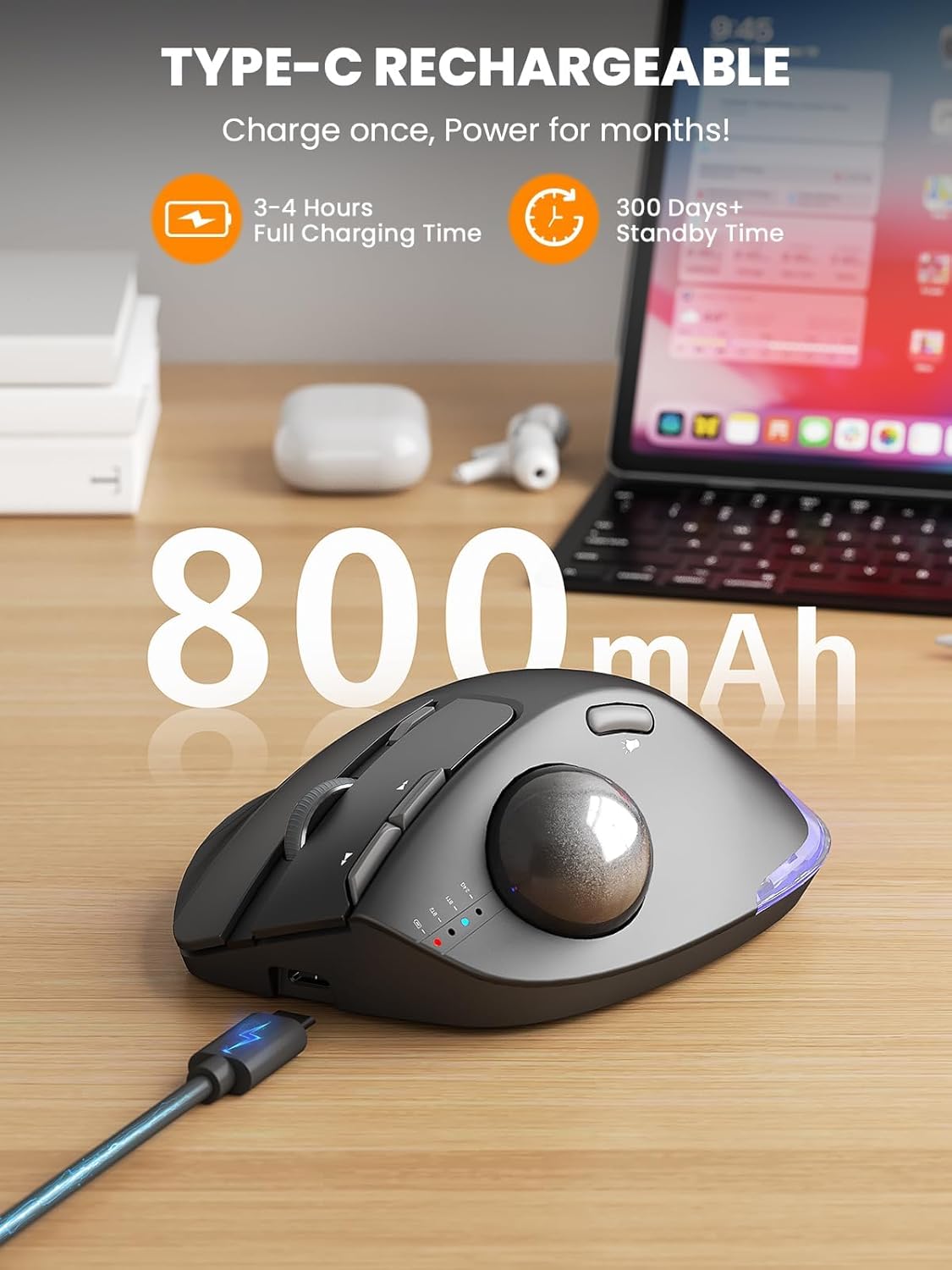
1 Rechargeable Mouse
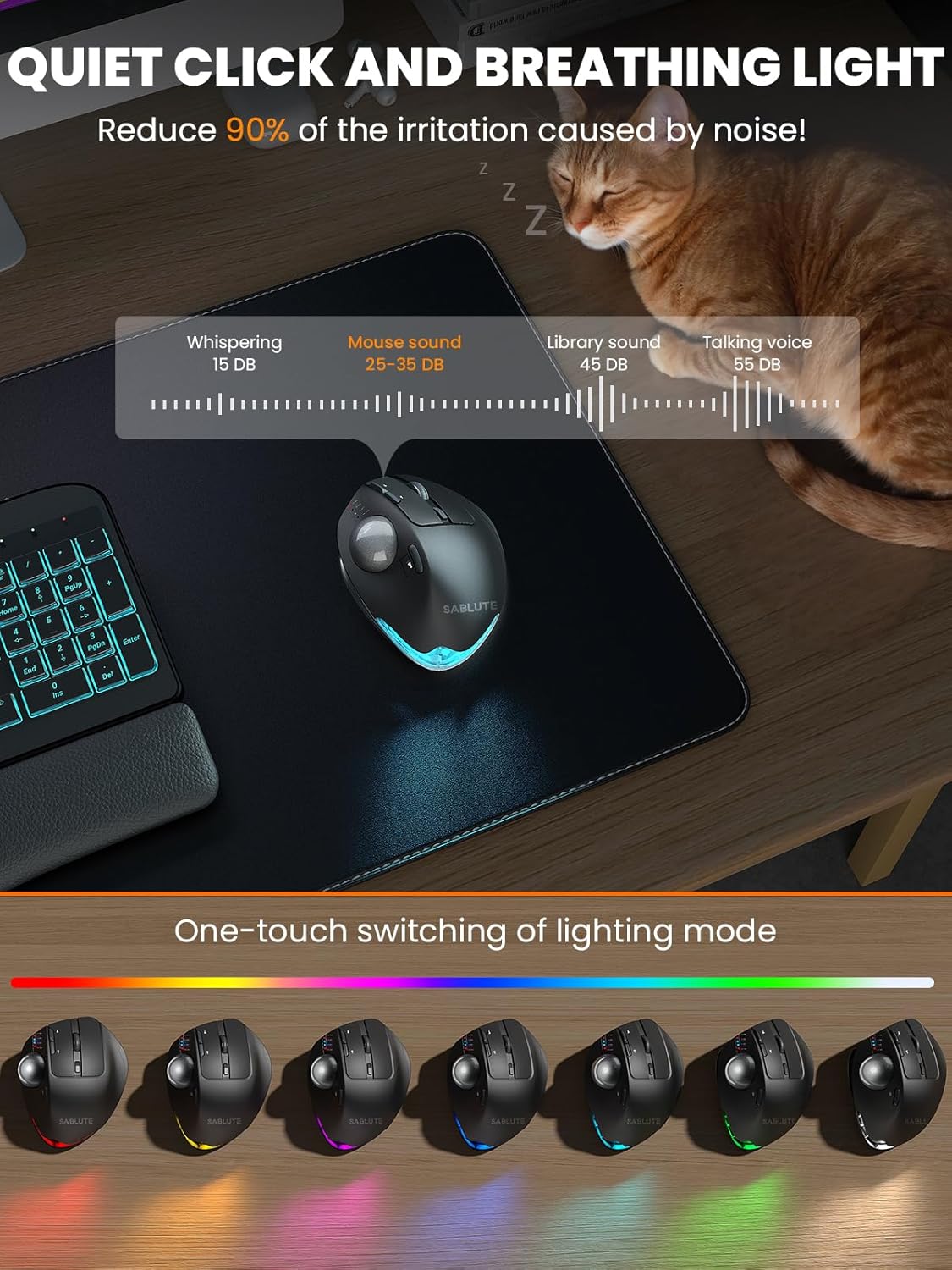
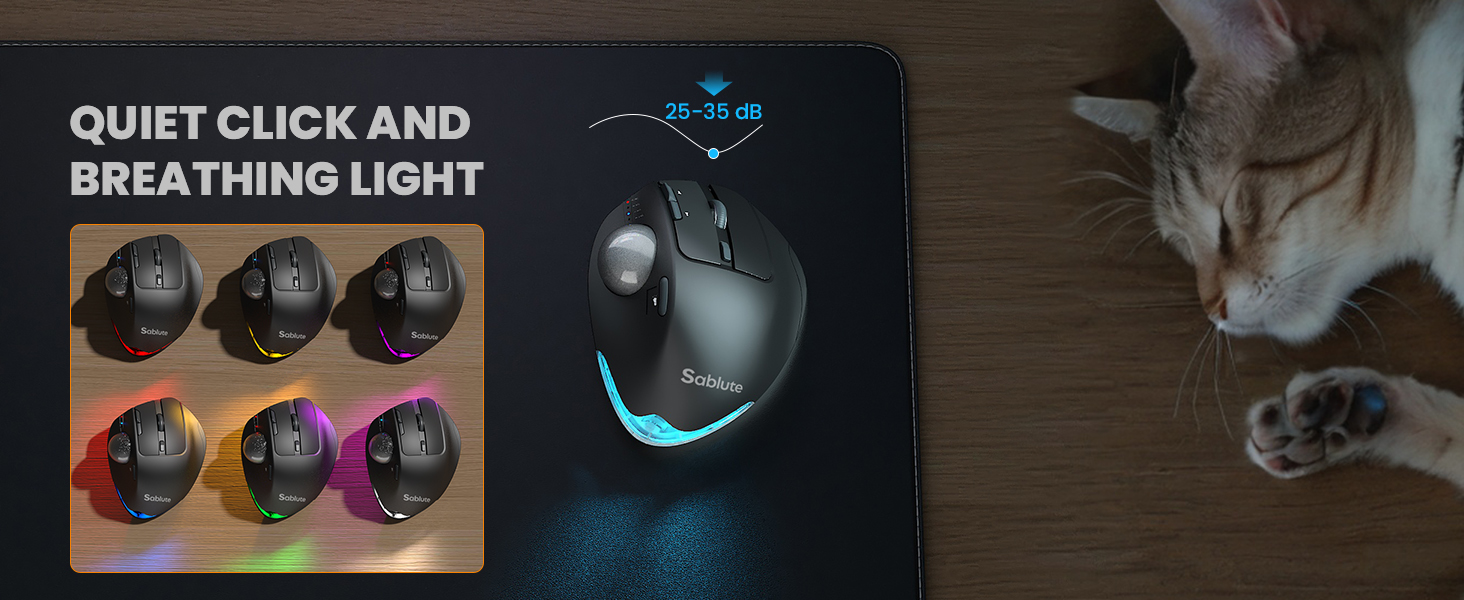
2 Quiet and Lighted
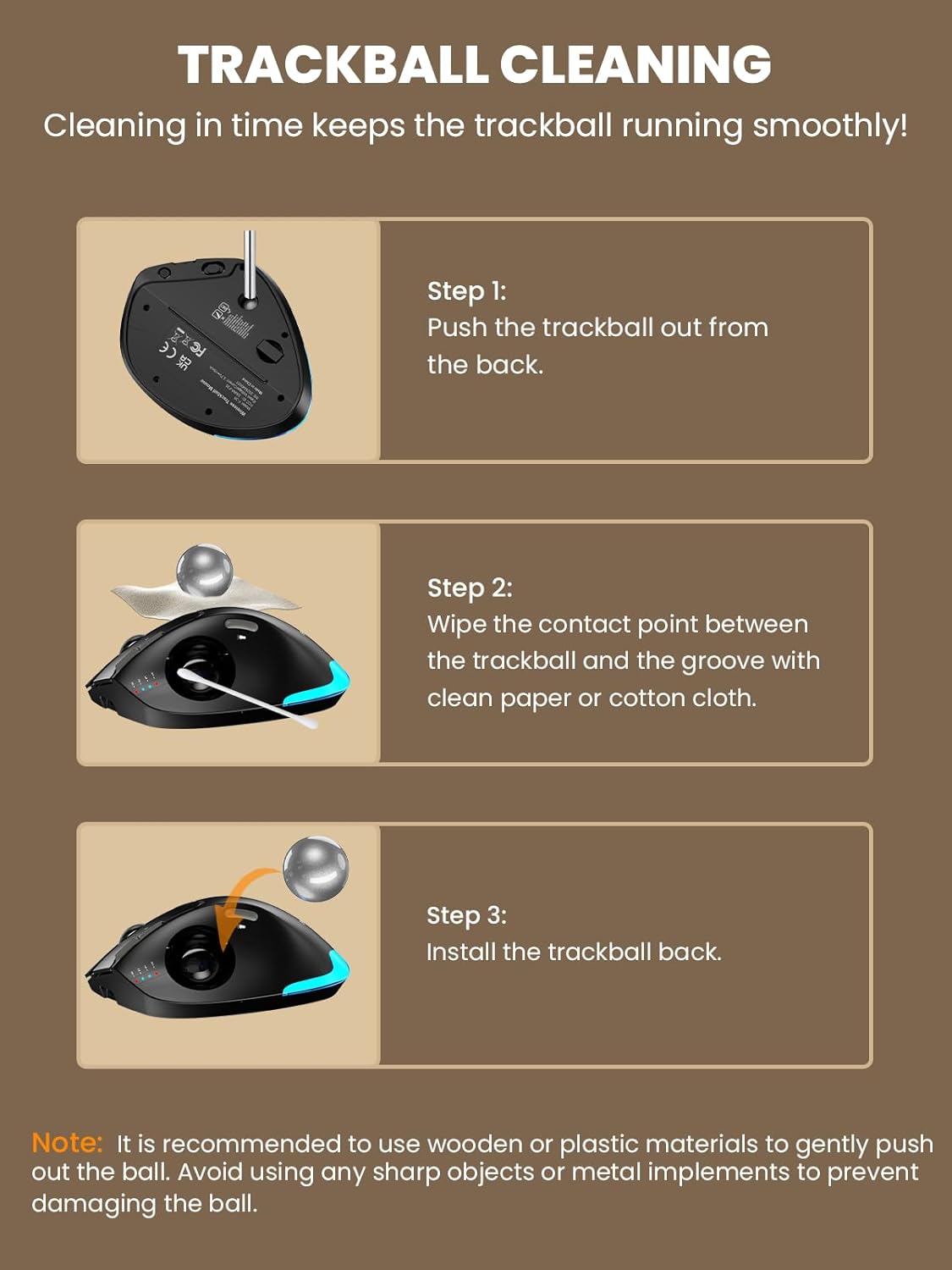
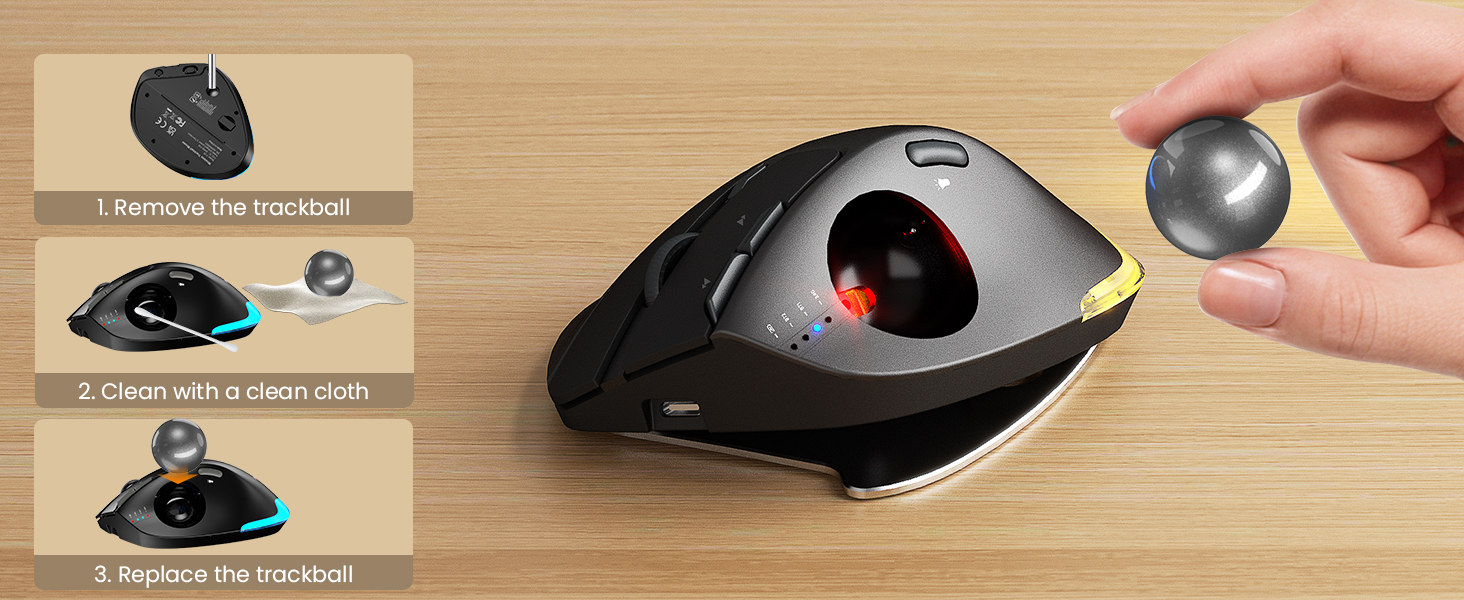
3 Clean the Ball


1 Work Partner
2 Multi-Function Mouse
3 Climate Partner
Are the buttons of this trackball mouse programmable?
1. Yes. You can download the driver from the instruction manual to customize your mouse’s button functions. (The driver is currently not compatible with Mac OS systems)
2. Forward and Backward buttons are not compatible with MAC OS.
When do I need to charge and how do I know when it is fully charged?
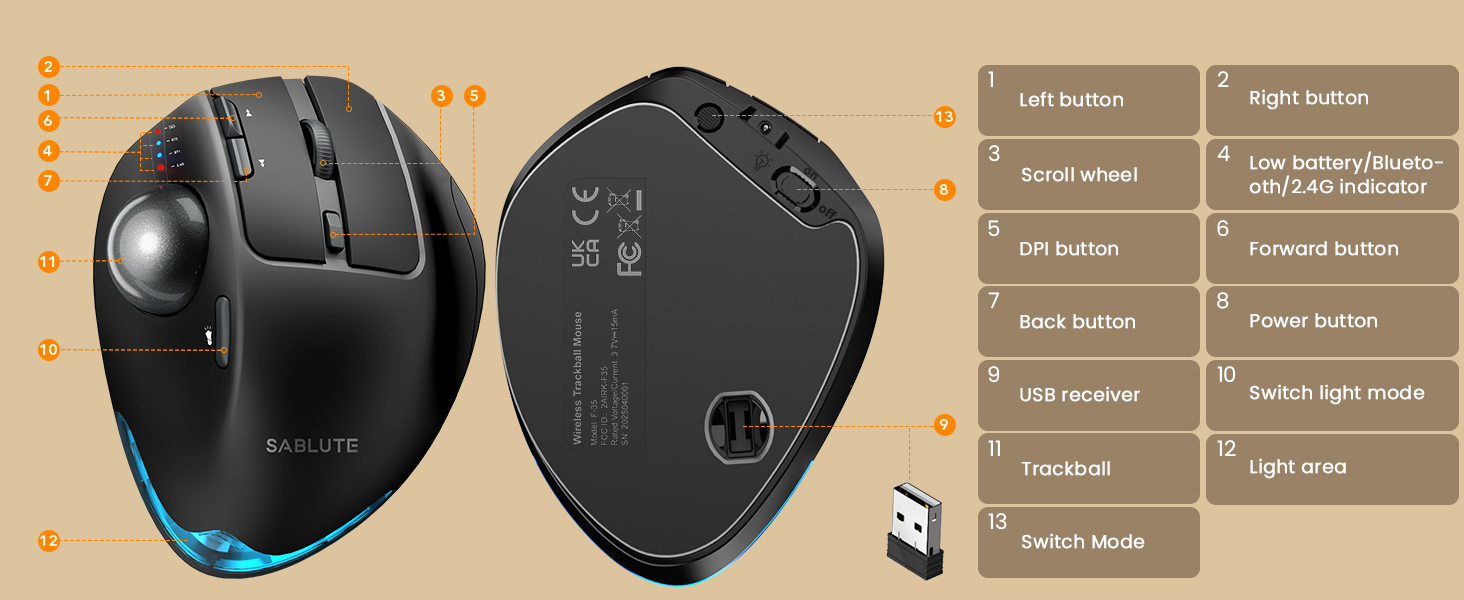
1. Low Battery Prompt: When you use mouse, the 2.4GHz indicator or the Bluetooth indicator will flash quickly once every other second.
2. Charging Prompt: The battery indicator is always on during charging, and off when the battery is fully charged.
How to adjust the DPI of the trackball mouse?
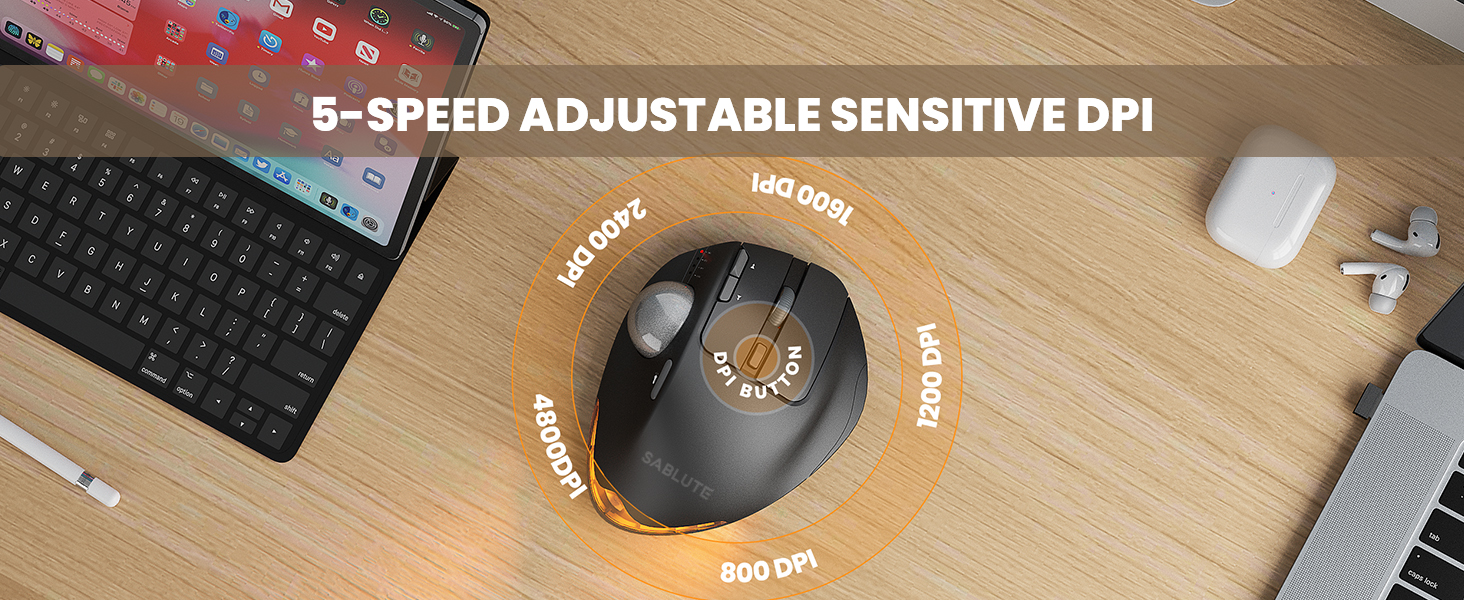
The trackball mouse has 5 DPI levels. When button is pressed, the 2.4GHz indicatororthe Bluetooth indicator will flash to indicate DPI levels, once for DPI level 1, twice for DPI level 2 and so forth.
Where is the 2.4G USB Receiver for wireless connection?
The 2.4G USB Receiver is stored at the bottom of the wireless trackball mouse.
How to wake up the trackball mouse?
If you need to use the mouse, you can wake it up by clicking the key.(scrolling the trackball or moving the mouse will not wake up the mouse)
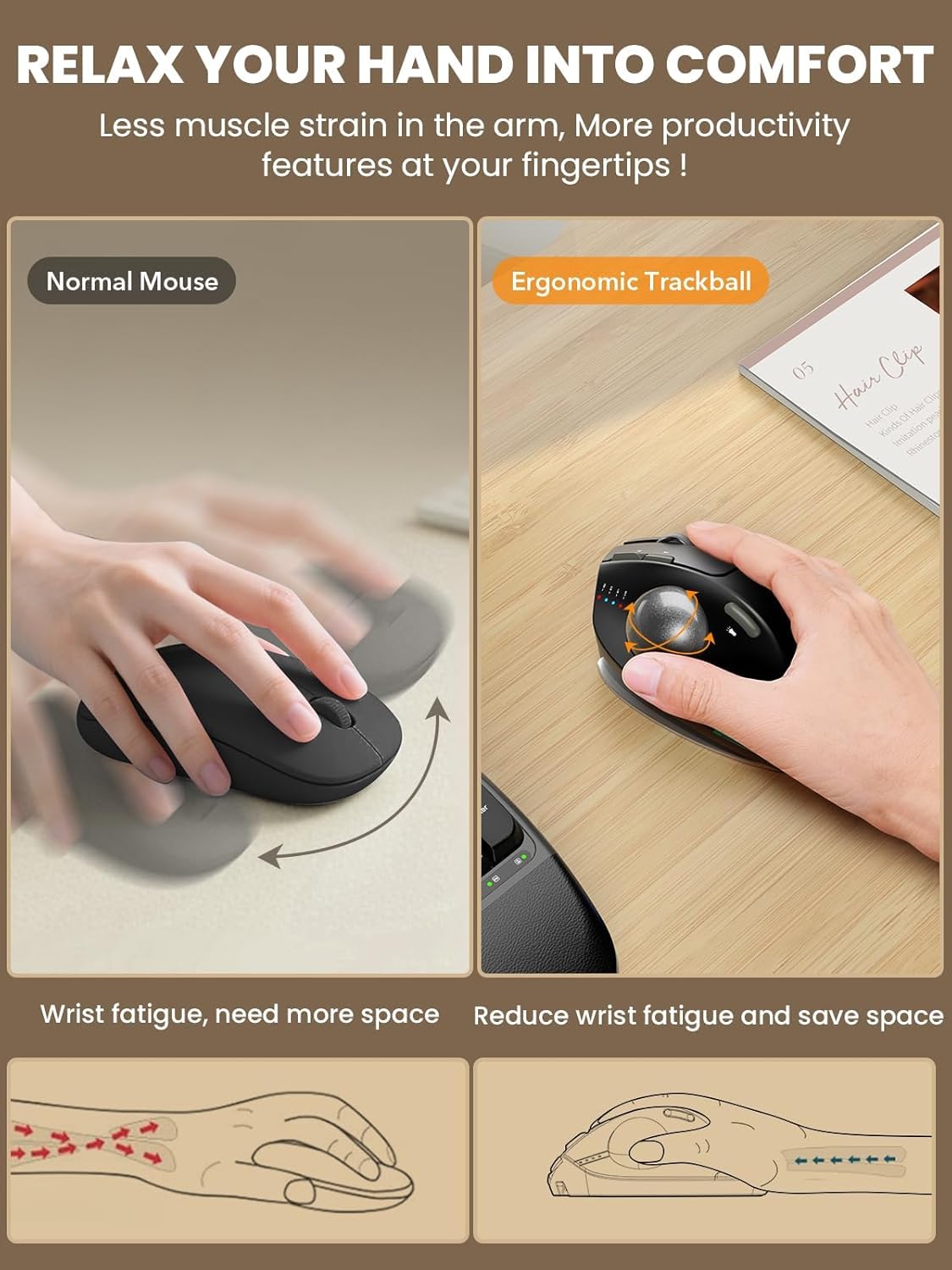
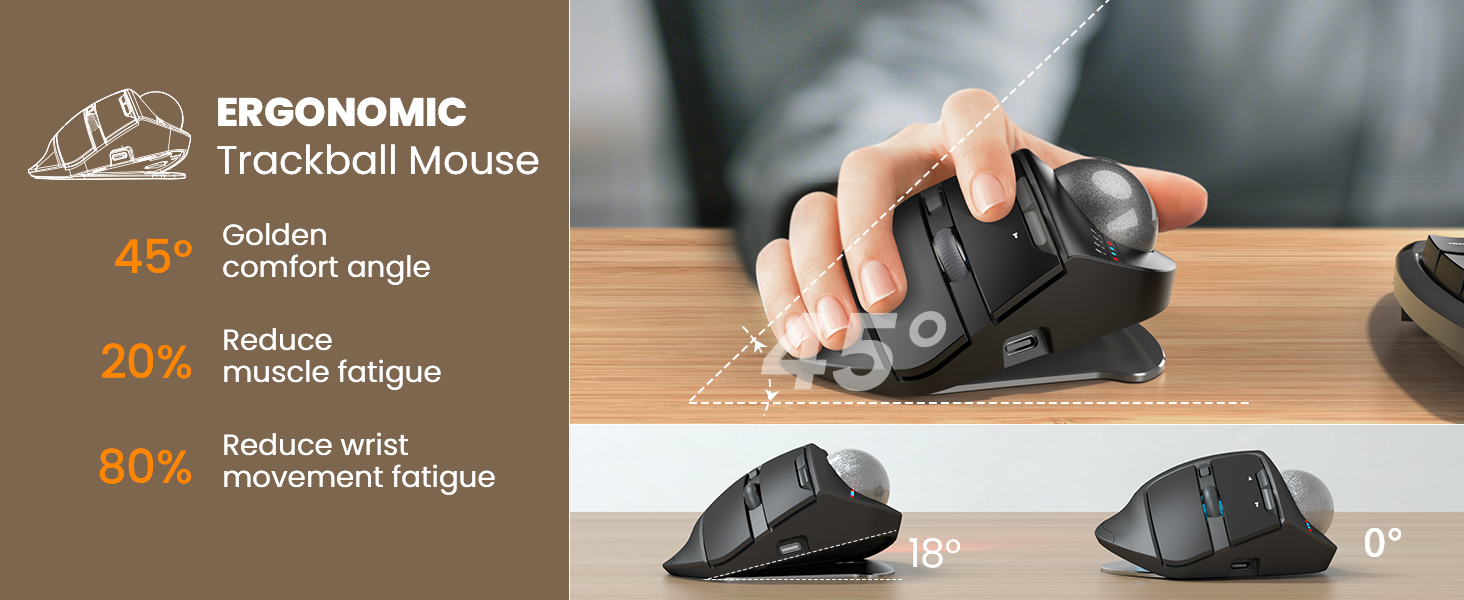
Ergonomic Adjustable Angle: 0° or 18° adjustable ergonomic tilt lets you choose a natural handshake position. The 18° angle follows the wrist’s natural resting posture, helping reduce wrist and forearm strain during long hours of work, study, or computer use
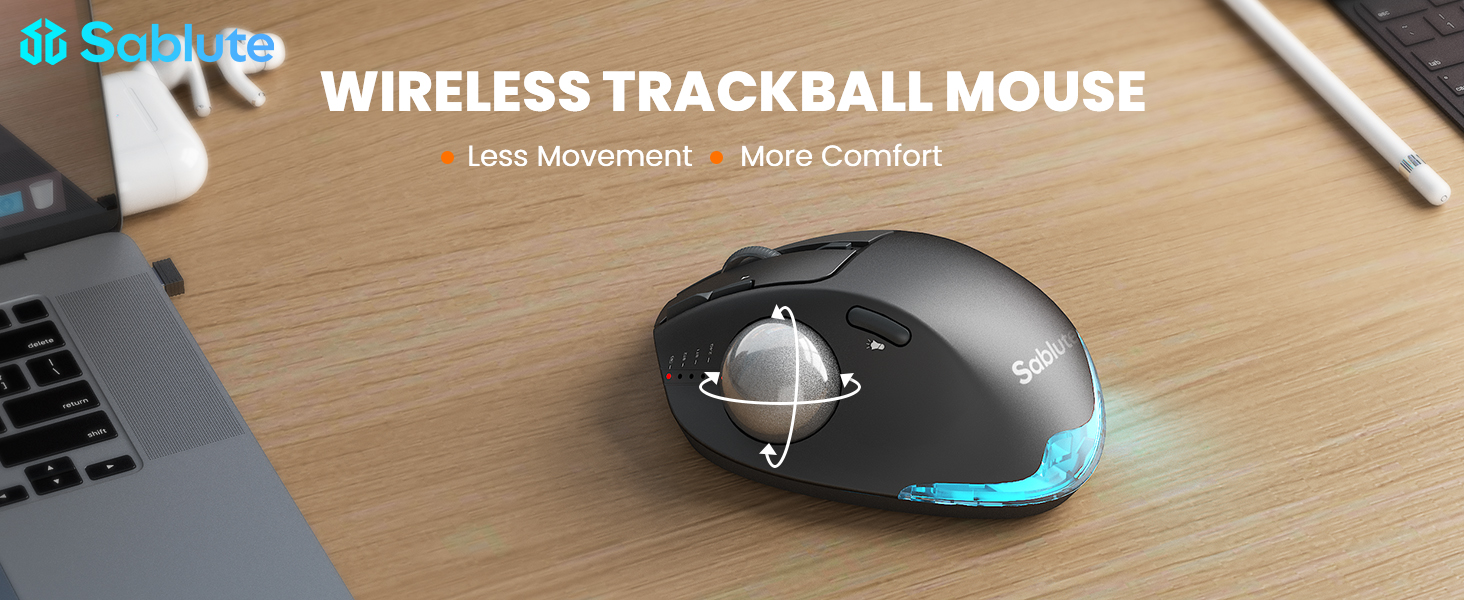
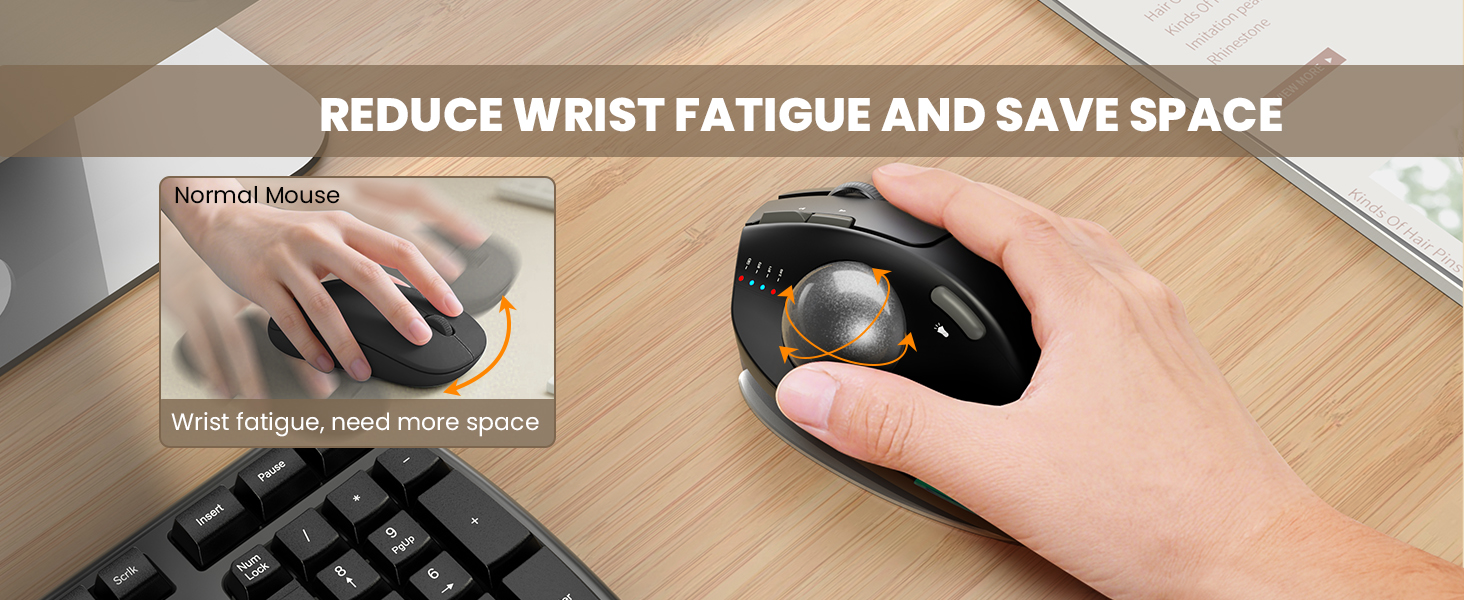
Thumb Trackball Control: Smooth thumb-operated trackball allows precise cursor control without moving your arm across the desk. Reduces repetitive wrist and shoulder movement, making it ideal for small desks, limited spaces, and long daily use
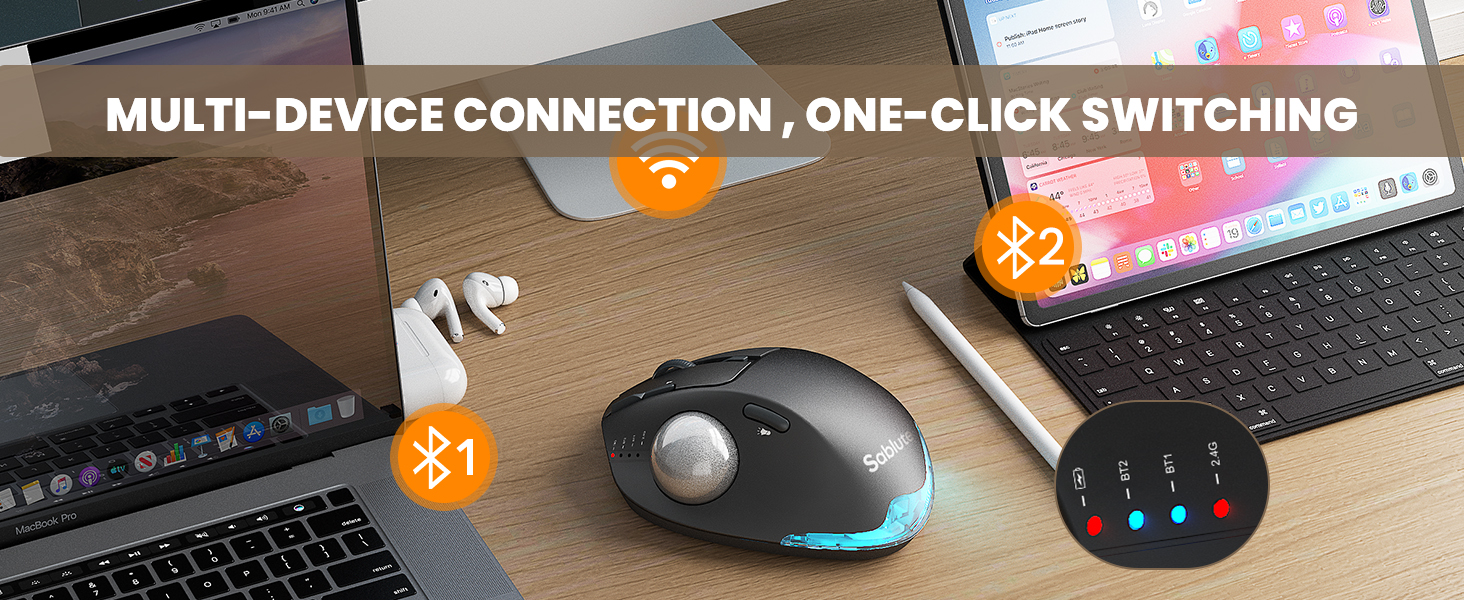
3-Device Wireless Switching: Connect up to three devices via dual Bluetooth modes and a 2.4G USB receiver. Switch instantly between your PC, laptop, or tablet with one button. Stable, lag-free wireless connection up to 33 ft (10 m)
Quiet Clicks & Adjustable DPI: Five adjustable DPI levels from 800 to 4800 let you match cursor speed to different tasks and screens. Ultra-quiet buttons with up to 95% reduced click noise keep you focused in offices or shared workspaces
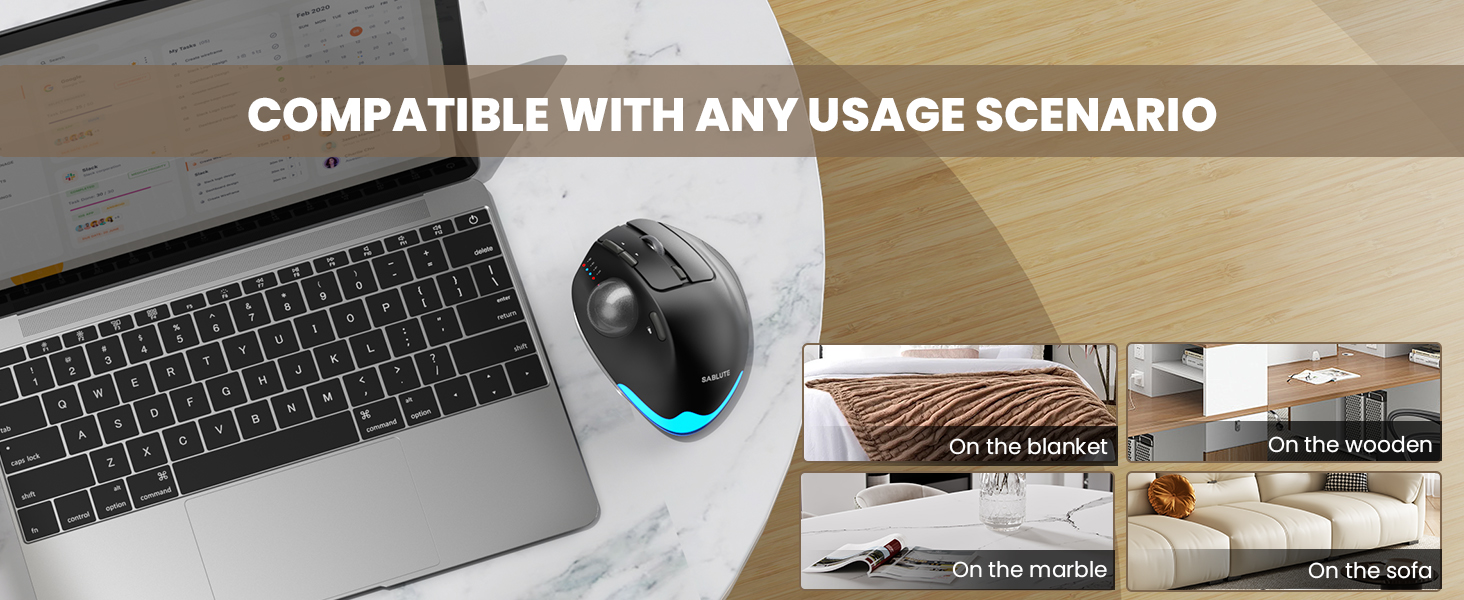
Rechargeable with Backlight: Built-in rechargeable battery with USB-C charging eliminates disposable batteries. Soft ambient backlight can be turned on or off as needed. Compatible with Windows, macOS, Android, and ChromeOS. USB receiver stores neatly in the base
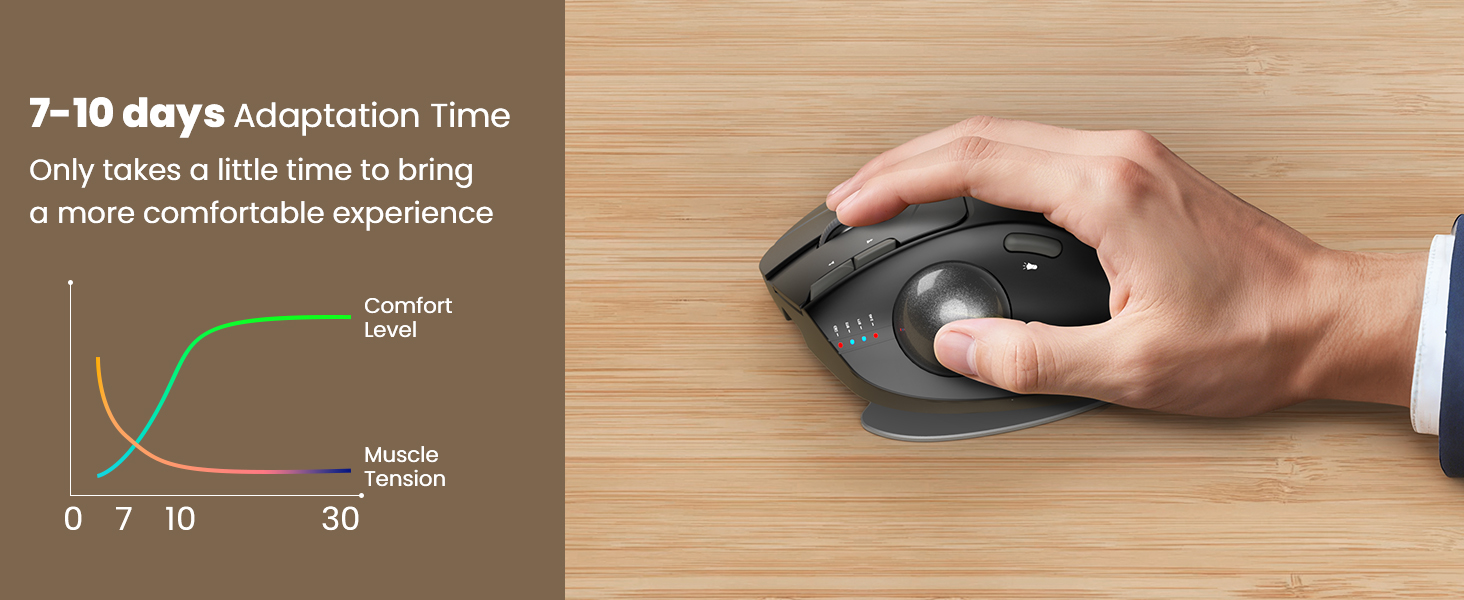
Warm Tips: If you are using a trackball mouse for the first time, it may take some time to get used to its operation. We recommend that you spend 1-2 weeks to adapt, as many users find that this helps reduce the pressure and pain on the wrist caused by long-term use of the mouse and improves comfort
You can download the driver by following the steps in the instruction manual to customize the mouse settings and fine-tune them to better suit your personal mouse preferences. (Note: This driver is not compatible with Mac OS.)
9 reviews for SABLUTE MAM1 Pro Ergonomic Wireless Trackball Mouse, Adjustable 0°/18° Angle, Thumb Control, Quiet Clicks, 3 Multi-Device Bluetooth & USB Receiver, Rechargeable Mouse for Office, Windows Mac
Add a review
$39.99
Cilla Hope –
I can’t recommend this mouse enough!
I’ve had this mouse for about 2 weeks now overall it’s a great trackball mouse! It fits comfortably in your hand, in both positions flat or the up position (my personal favorite). The magnetic plate is super easy to adjust but stays secure once you put it in place, simply press on either side of the mouse to snap it to either position.The buttons have a nice click feedback, they’re very responsive, and overall the quietest clicks out of a bluetooth mouse I’ve ever heard! The scroll wheel has a nice feedback click with a noticeable notch feeling, it rolls smoothly and functions at the speed you roll (Faster you scroll, the faster the page does). The trackball rolls smoothly and has nice tracking with no noticeable slips or dead zones that I’ve noticed so far. It’s easy to take apart to clean and goes back together smoothly.When the mouse came it was charged to 100% after using it (with the light on) for 5 days now the battery is at 97%. I’ve been blown away by the battery charge and overall connectivity of the mouse. I flipped the switch to on, connected the mouse to my 2024 MacBook Air and it automatically has connected each time I’ve turned it on since. With no drops or lagging its been very consistent.I’ve used a logitech trackball mouse and other brands before (several years ago), this mouse beats them all!If you’re looking for a trackball mouse that’s not going to break the bank, has some cool little functions (LEDS and Multiple Positions) I can’t recommend this mouse enough!Overall I’m sure that there’s higher quality mouses on the market for substantially more money but if you’re looking for a budget friendly option I don’t think you could beat this one!
Wurth51 –
Solid feel, comfortable for all day use.
I am on the verge of carpal tunnel sensitivity. Moving to this track ball design appears to have reduced my wrist fatigue.The first thing I noticed was the solid feel of this unit. It’s solid response to button and track wheel movement is a nice improvement over lighter plastic devices I have used in the past.The device has a couple of different tilt positions, find the one that works best for you.The software interface for setting this track ball is easy to use and makes adjustments to the device quick and easy. This model provides for several types of connectivity i.e. “blue tooth”, dongle, and a second “blue tooth” , making it easy to use this same mouse for both my desktop and laptop computers.
K Jones –
Great wireless trackball mouse for the $$$
Overall, a solid wireless trackball mouse. Windows has had a few updates that mess with Bluetooth, so I bought a dongle to fix that. I don’t care for what I will describe as a “clanking” sound every time I put my thumb on the trackball itself.The clanking sound I am describing is strongest when the mouse is tilted to the left due to gravity, and the ball ends up in that position. When it is tilted to the right, the ball stays in place better. I, however, preferred the left tilt, hence the “clanking” comment above.Durability seems very solid. I have complete confidence that it can handle most falls.Ever since I upgraded the Bluetooth dongle, I have had zero lag issues with the mouse.5 star for me would be zero issues, I would have said 4 star, but that clanking is driving me crazy, I can even hear it through my noise cancelling headphones. This noise significantly affects my overall satisfaction. I work remotely so I am on my laptop quite a bit, so yeah I will search for a quieter one. If that part doesn’t seem like it would bother you then it is 4-5 star product, everyone has different grading criteria.**31JAN2026 Update**: I am not a fan of whoever handles their Amazon messages at Sablute. I was offered a refund/replacement, I chose refund, then they asked me again if I was sure…….. so yeah, there was more, that was irritating, but not the point of my update. Don’t offer a refund if you don’t want to; let the customer initiate it.All that said, I am upgrading my review from 3 stars to 4 stars due to battery life and feel. I bought yet another trackball that started off AMAZING but showed its true colors with battery life after a few weeks….Now I have to charge it 3 times a week, which is super annoying for me. I just pulled the Sablute mouse out of a cabinet, and it still turned on just fine, and if memory serves right, I’ve only charged it once, maybe twice, since I bought it.The feel, I don’t know how to explain other than an almost rubber feel, yet still plastic. Most of the computer mice I have ever bought are just straight hard plastic, super smooth, which isn’t bad, but your hand never finds a normal spot. Because it feels more comfortable and has decent battery life, I have returned to using it, but I will continue my search for a 5-star trackball in the future (Again, user preference).
SCBOE –
This is going to be a weird review because I’m returning but I’m still giving 5 stars
As a kensington Orbit user I have always wondered how the other half lived. I’ve researched and been enamored by thumb trackball for years and finally pulled the trigger on this one bc I needed a second mouse when using two computers at once. I was in love the second I pulled it out of the box. The build quality, the weight and solidity of the thing was stunning and very satisfying. I can not emphasize how much I just like touching and holding this thing. unfortunately for my big dumb oft broken hands… thumb controls make my brain-and wrist-hurt. I just couldn’t get he hang of this type of trackball. I missed my finger controls. the ball was precise but my thumb was not.As a test to see if it was just something I needed to get used to I used it side by side with my orbit and I couldn’t believe how much cheaper and crappy the twice as expensive Kensington felt and how much better it was for how I use a mouse. I’ve never been so heartbroken to return a product. I want this to work for me but it just doesn’t. and from what I’ve read that’s just how trackballs are. Some people like thumbs some like fingers. there is no in between I guess. If you’re a thumb ball girl though, let me tell you that you have to give this thing a try.
Goldmoon –
Je n’ai jamais utilisé ce genre de souris mais je n’ai eu aucune difficulté à m’adapter. La batterie dure, je l’utilise depuis un peu plus de 2 semaines et je n’ai perdu que 10%. La boule roule bien et a une bonne précision. Très bon achat.
Amazon Customer –
This mouse works great. I have used the Logitech ball mouse, which is much better. It’s also a good price.
Chris –
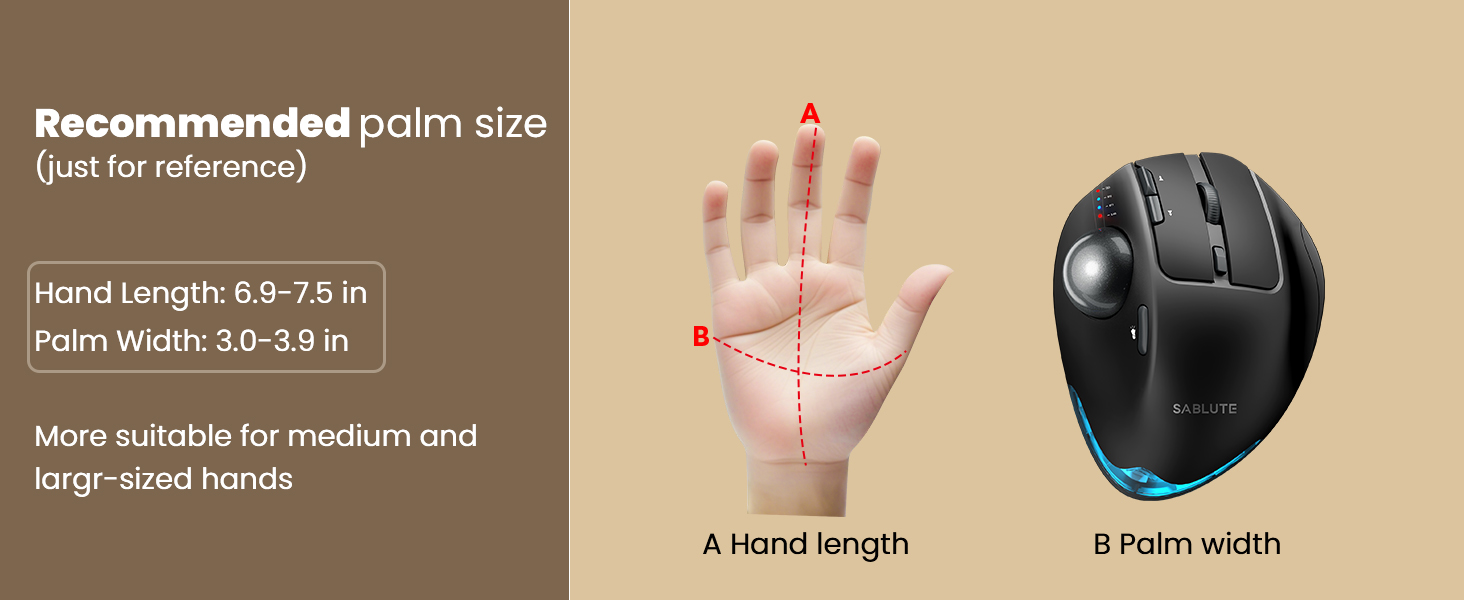
I thought I’d try this SABLUTE Wireless Trackball Mouse, I’ve never used a trackball mouse before and thought it would be a good option when using my laptop.First thing I noticed when I took it out of the box was the size and weight of it. It is much larger than any other mouse I’ve used, I’m sure it would work well for someone with larger hands. The weight will keep it from sliding around and it has a good grip pad on the bottom.There is a storage dock for the dongle when not in use so it’s less likely to get lost in the clutter on my desk.The on/off switch is on the bottom.It connected immediately.Easily rechargeable although it did work right out of the box.There is a nice feeling of it in the hand. Meant for right-handed use.I have never used a trackball mouse before and I am still getting used to it. It has been second nature to try and move the mouse around since that is all I’ve ever known. It felt weird to feel resistance when I subconsciously went to move it.I have found it is very sensitive to subtle movements of my thumb on the trackball which l am sure I will figure out with practice. *EDIT* I just realized that I will be able to adjust the sensitivity of the trackball so that might help*It is absolutely silent; there is no sound of ‘clicking’.Overall, this feels like a sturdy, well made piece of equipment.For people who are used to using this form of mouse I believe it will be a great option.
HonestReviews –
5 out of 5 Stars (5)⭐⭐⭐⭐⭐[REVIEW UPDATES][TL;DR][QUALITY] (5/5)[VALUE] (5/5)[EASE OF USE] (5/5)[MET EXPECTATIONS] (5/5)[PACKAGING] (5/5)[REVIEW REMARKS]This is a decent trackball mouse that rivals the more known brands.With all the features of many other trackballs, this one has all the features that you need and some that are a pleasant surprise. The adjustable DPI is very handy, especially when you are just acclimatizing to using a trackball. The DPI is a control that makes the movement of the trackball more precise. This also is great if you are working on something that requires a little more precision.The connectivity is great when using the included USB dongle. The Bluetooth connection was not stable on Windows 11, but worked well on my Android devices. Thankfully, it comes with a dongle, relying on USB would be a nightmare.Ergonomics is the forefront of this trackball. The adjustable baseplate allows for two (2) angles for your comfort. I do like the slight tilt. The weight of this mouse is also to be recognized. It has a good heft to it and it stays in place on my desk. I appreciate this, I am going to say the weight comes from the metal baseplate.Battery life is excellent and there are lights to warn you when the battery is low. Charging the unit is as simple as connecting a USB-C cable to mouse and charge for a few hours. The battery lasts weeks with heavy daily use.One feature that is really cool, but needs to be updated, is the RGB lighting. This really does add to the cool factor. You can turn it off or on, which is great. The lighting effects are minimal and you cannot change the light colour to a solid colour of your choice. I do wish it had this built into it. I am not big on the ‘breathing effect’ and the solid colour is red…red…or…red. The breathing cycles through many colours, but none are addressable to be set as solid.As a trackball user since they came out a few decades ago, I find this to be an excellent product. I like the features and connectivity options. The trackball is easy to use and for beginners, it should be easier to adjust to than other options. The value is great and the quality is excellent. The time using this mouse has been delightful.Recommended based on ease of use, quality, value and features.In the event that experiences change or evolve, updates may be made to this review to address such developments.
Keith –
I’ve always preferred trackball mice over the standard “move your hand all around” mice. Back in the mid-nineties, I got my first trackball mouse that was wired, and I knew this was a better style of mouse for me. I then upgraded to a wireless trackball mouse in the naughts, which was huge: no more cord! Since the early tens, I been exclusively using Logitech’s mice, starting with the M570, upgrading to the M575, then upgrading again in 2024 to the M575S. I currently have a combination of six M575/S mice in total, that I use to control my PCs & Stream Boxes throughout my house and apartment. After 30 years, I’m a pretty avid and experienced user of trackball mice. Even though I’ve been loyal to Logitech for many years, after reading the description for this Sablute wireless trackball mouse, I knew I had to try it. Comparing the two head-to-head, one might not notice the subtle differences, as they both offer most of the same features. They both have left and right buttons; they both have forward and back buttons; they both have scroll wheels that you can click; and they both have trackballs. However, the Sablute does have a couple more offerings than the M575S. Firstly, they both come with 2.4GHz dongles, to plug into a USB-A port, as well as a Bluetooth connection, to connect to a second device. However, the Sablute offers a second Bluetooth connection, allowing you to connect to a third device. You can easily switch between all three connections via the push button on the bottom of the mouse. As well, there’s a small row of four LED lights, to the front of the trackball, with three different LEDs, one for each connection, that light up temporarily, to let you know which device you’ve selected. Plus, the fourth light illuminates when you’re charging your built-in 800mAh rechargeable battery, with the included USB-C cable. You can recharge this mouse in 3-4 hours and get over 300 days of standby time. I’ve been using this mouse daily for about a month now and the battery is still almost full. This is the second difference compared to the competition, as my other mice all need a single AA battery to operate. The third difference is the two extra buttons on the top of the Sablute. The one, just below the scroll wheel, allows you to change your DPI on the go, offering you five different speeds. The other extra button, is located just above the trackball, that lets you turn on and switch colours of the mouse’s tail atmosphere light, at the bottom rear. A fourth feature is the bottom metal plate, that adds a bit of weight to the mouse, but also makes it more stable and stationary. This plate is also how you adjust the tilt that the mouse sits at. You get two positions: with either the mouse flat at 0°, or you get an 18° tilt to the right, letting your hand sit at a more comfortable 45° angle. Unfortunately, both brands of trackball mice are for right hands only. You will need to search for a left hand mouse, otherwise you’ll be operating the trackball with your pinky finger. As previously mentioned, both mice are almost identical in features and buttons. They are also of similar size and they both have a smooth, quality feel to them. The trackballs and scroll wheels also glide nice and precise. The only noticeable difference is the Sablute weighs a bit more, thanks to it’s metal plate. Unfortunately, if you remove this plate, the mouse won’t sit flat. But since the mouse stays stationary to operate, the extra weight is not a hindrance. If anything, it ensures the Sablute is less likely to move around, if you accidentally knock it. After using the M575 for so many years, you’d think I’d notice a difference while operating the mouse, but I don’t. Whether the Sablute is sitting on my stand-up table or lying on my bed next to me (when controlling my stream box, or watching YouTube videos on TV, via my PC), it sits comfortably in my hand and has performed flawlessly. If you are somewhat familiar with the Logitech trackball mouse, the Sablute will feel right at home. Both are great mice, but these extra features make it a little more useful. And, if you’ve never had a trackball mouse before, this is the one to get. Not only are they easier on your hand, but they need less space on your desk to operate. Plus, a mouse pad isn’t necessary. After being a market leader for decades, someone needs to add some improvements on their next update, just to keep up with this Sablute wireless trackball mouse! It’s probably the best mouse I’ve ever had.