
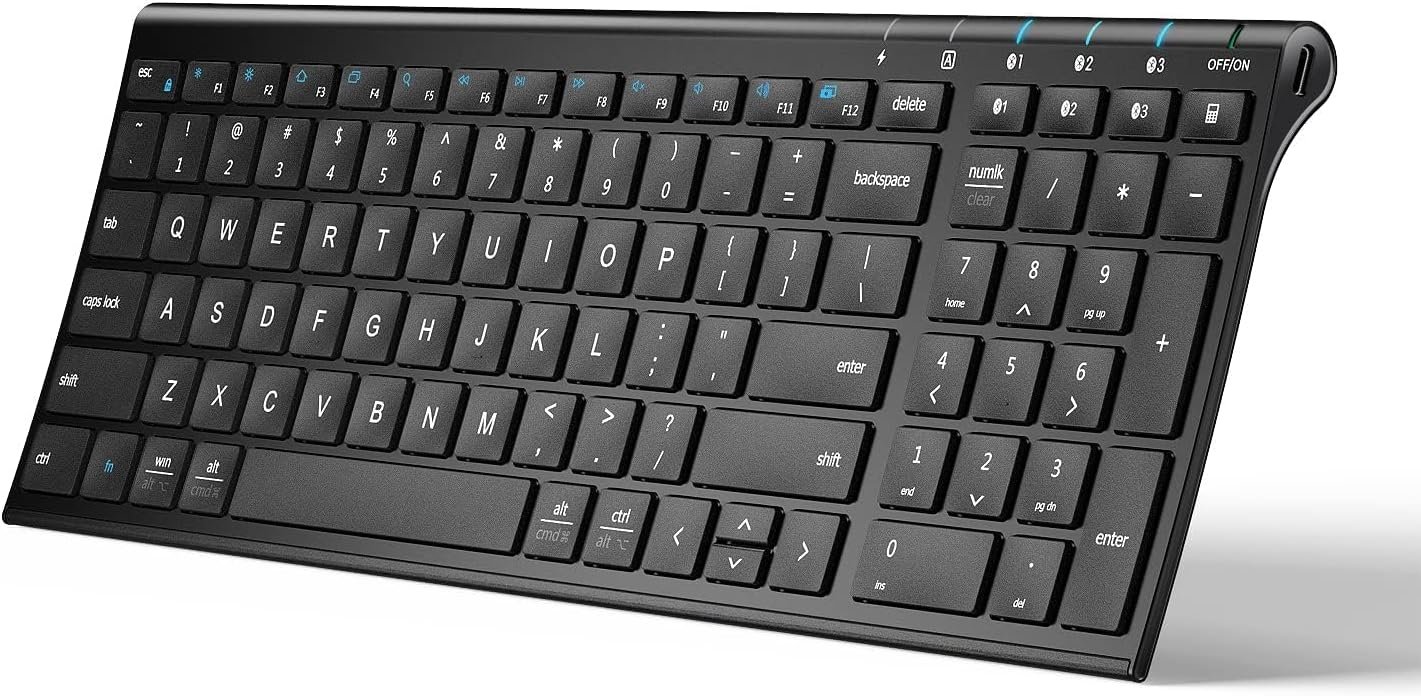
iClever BK10 Bluetooth Keyboard, Universal Bluetooth 5.1 Wireless Keyboard with Number Pad, Ergonomic Design, Multi-Device Compatibility, Stable Connection for Mac, iPad, iPhone, Android, Windows
$28.49
Related Products
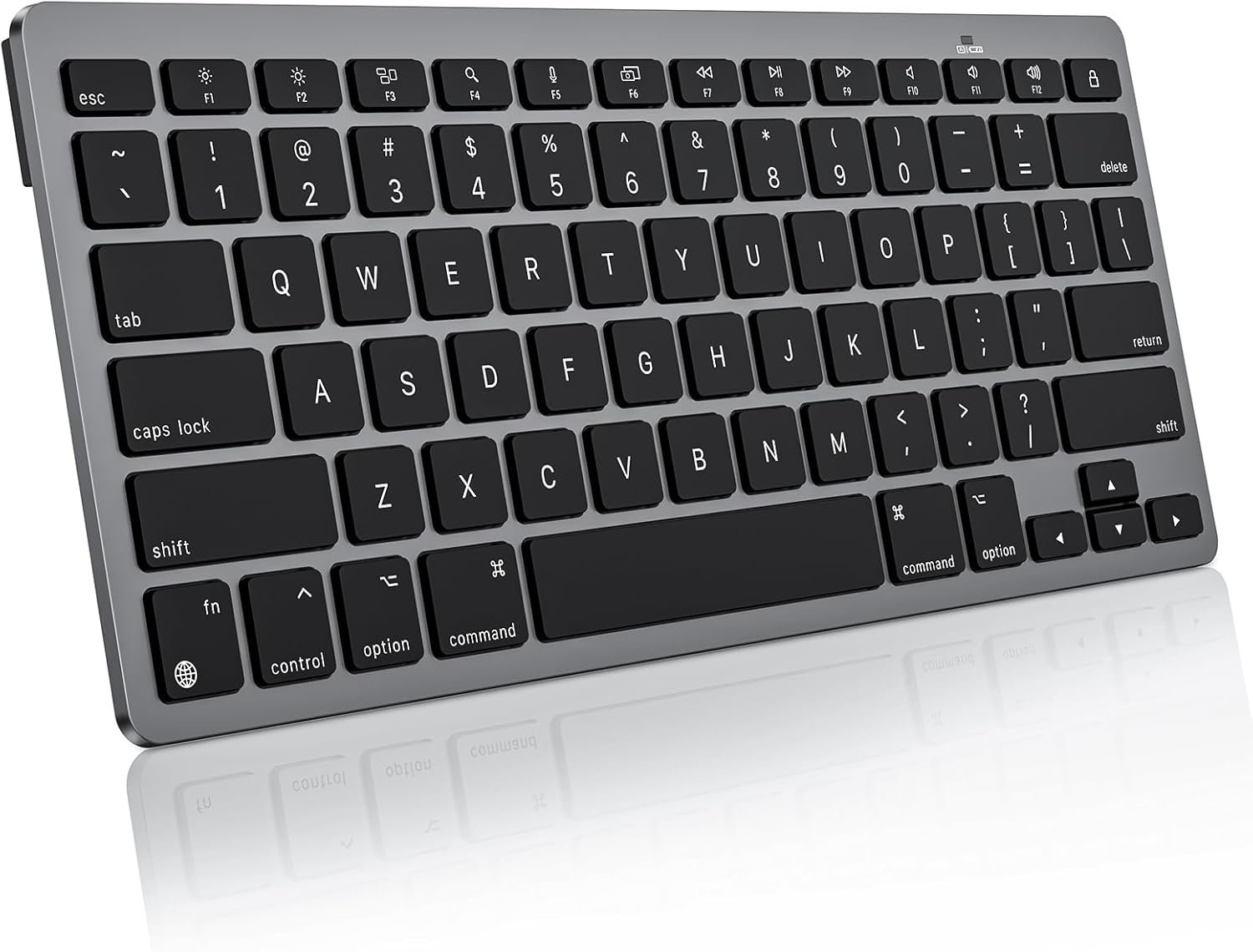
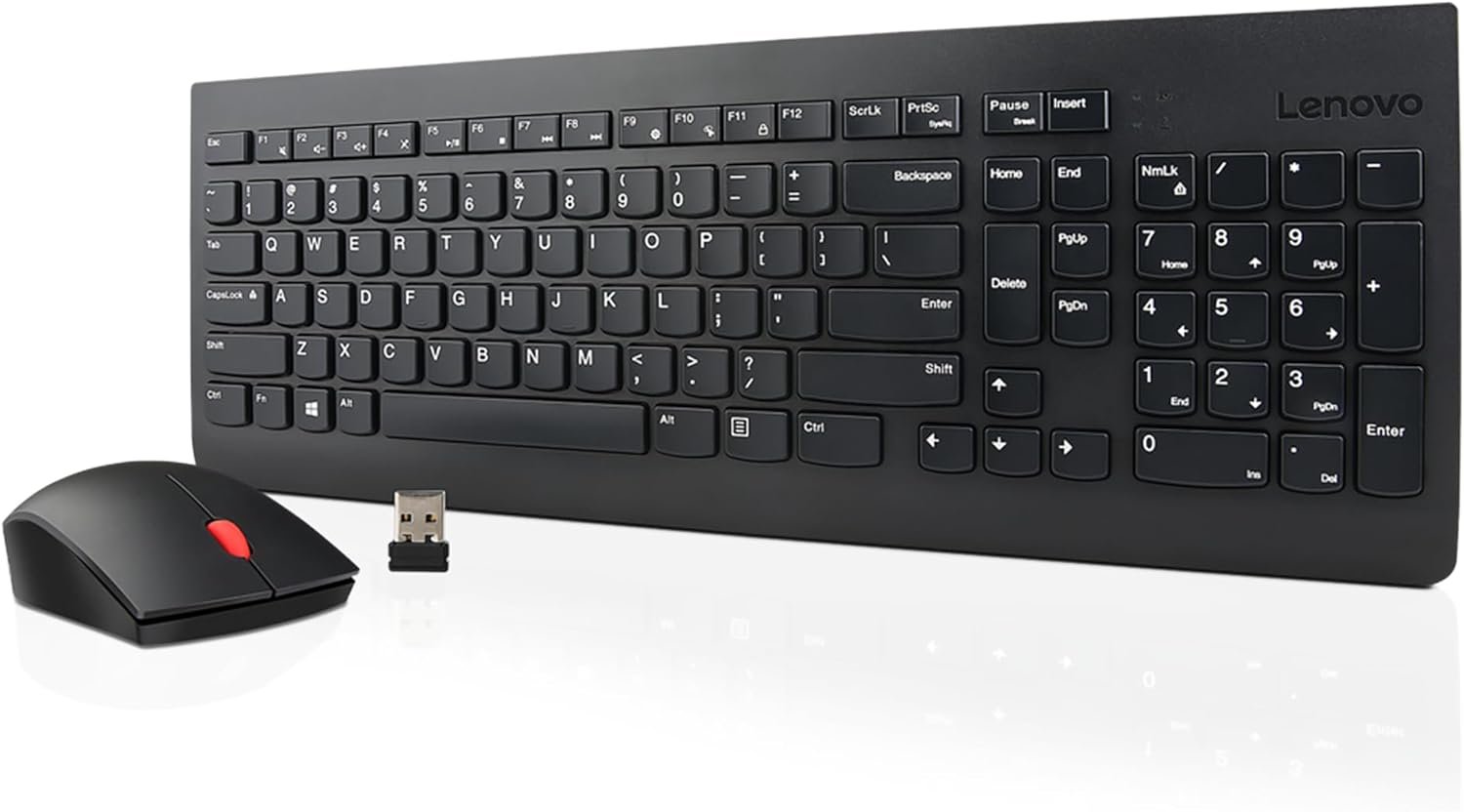
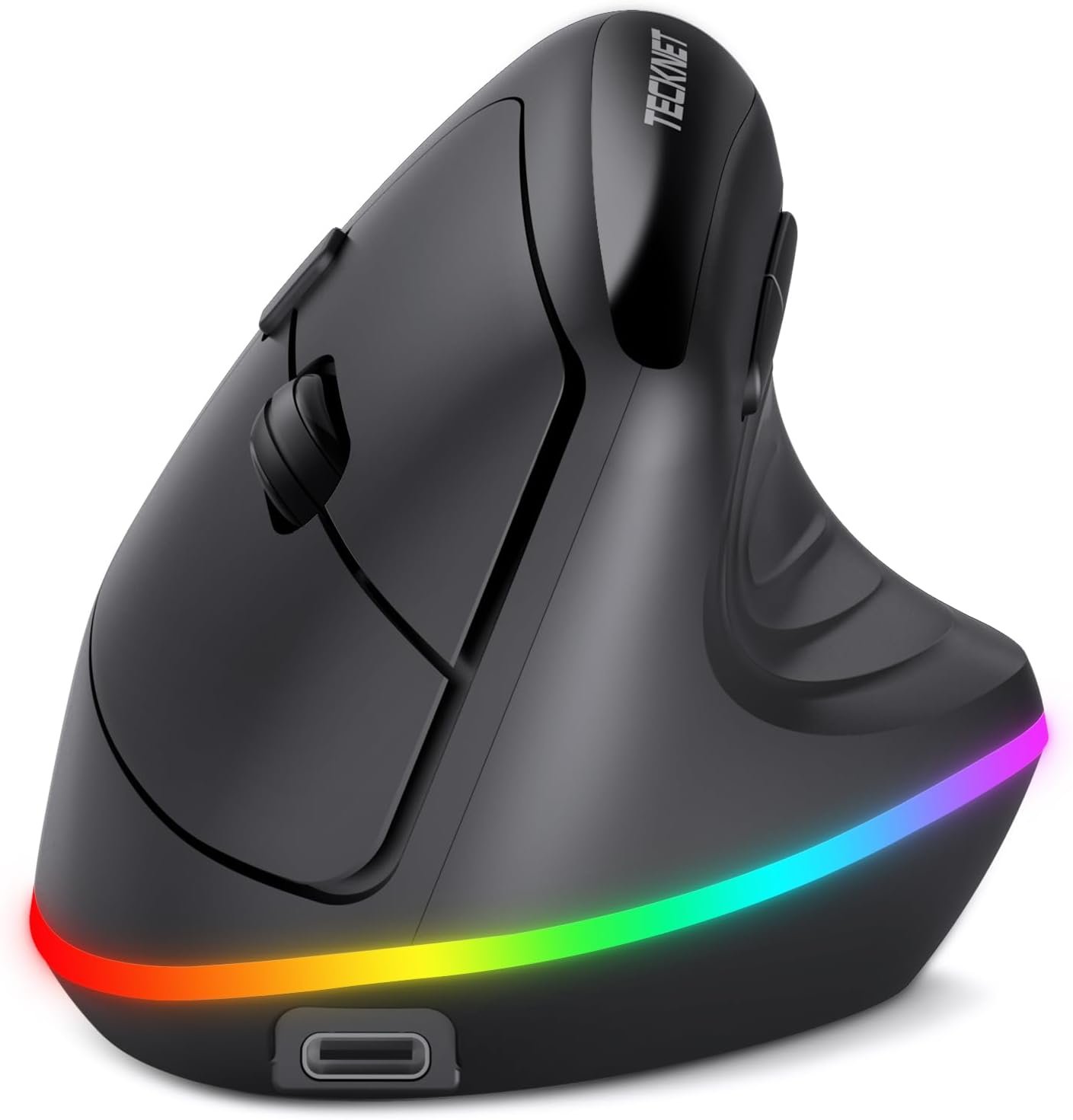




Product description
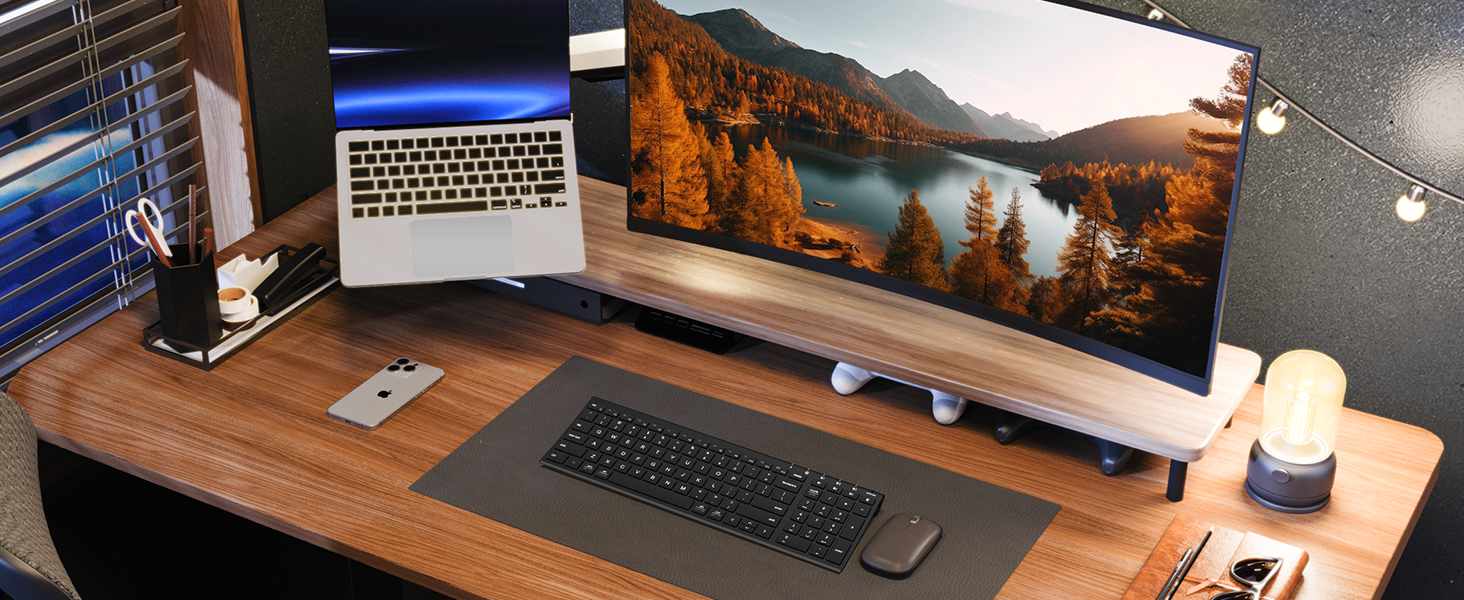
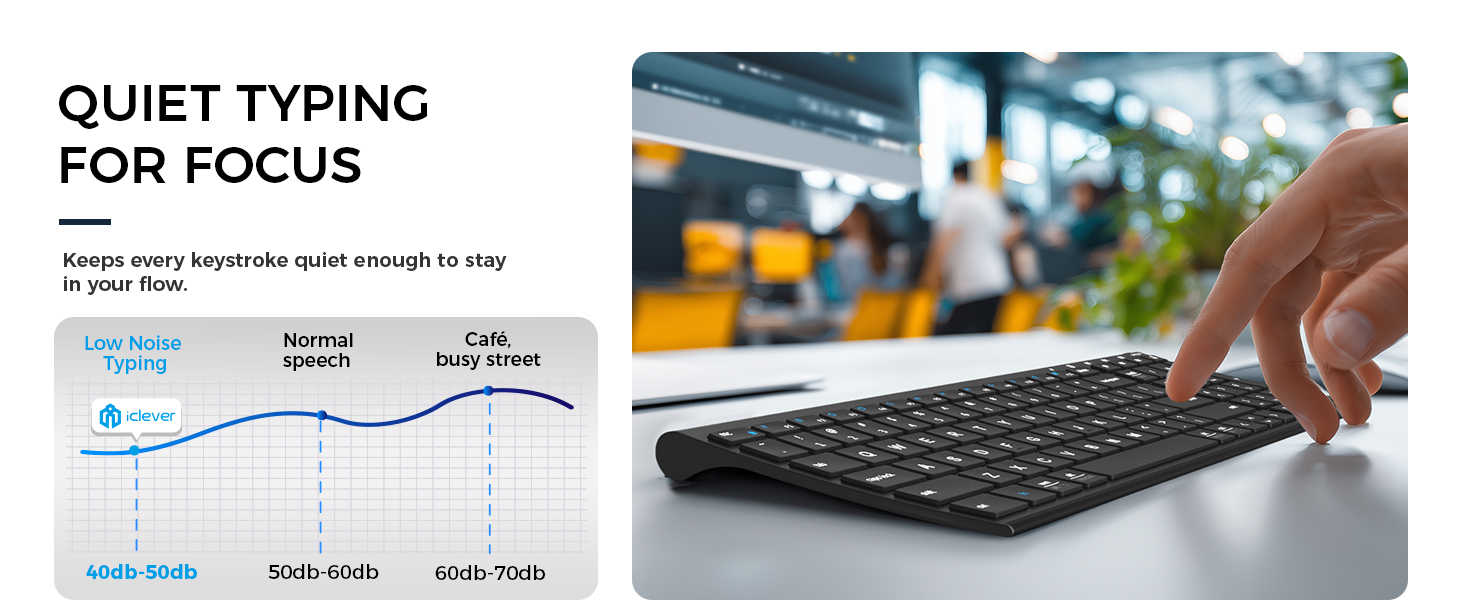
Quiet. Sleek. Smooth Typing. 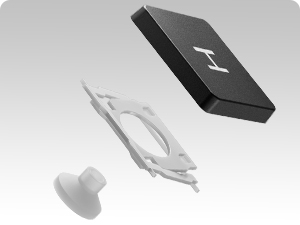 Quiet Scissor-Switch Keys
Soft, precise, and stable typing for effortless comfort.
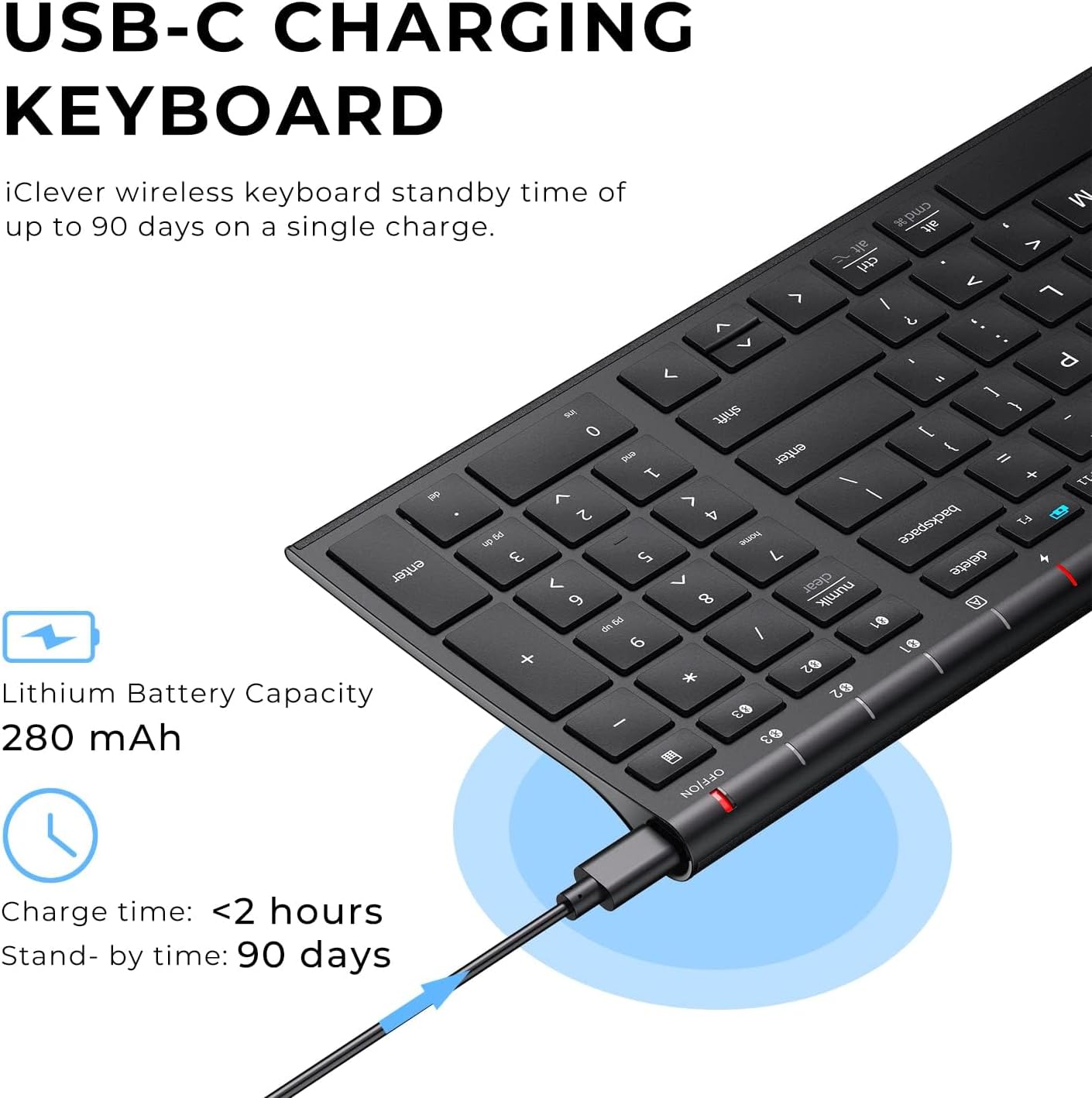
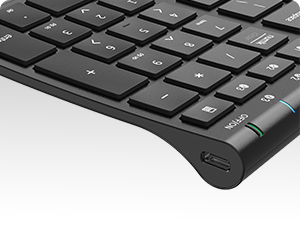 USB-C Rechargeable Power
Power-efficient USB-C charging lasts up to 90 days.
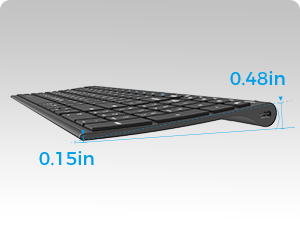 Slim Metal Build. Modern Feel.
Slim Metal Build. Modern Feel.
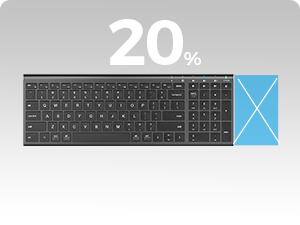 Compact Size. Full Function.
Saves 20% desk space while keeping a full numeric keypad and essentials.
 One Keyboard for Every Workspace.
Effortless switching across laptop, tablet, and desktop — perfect for home setups.
 Made for Multi-Device Workflows
Move between devices instantly to keep meetings, emails, and multitasking running smoothly.


Upgraded BK10 Bluetooth Keyboard Series
Add to Cart
Add to Cart
Add to Cart
Customer Reviews
4.2 out of 5 stars 6,636
4.5 out of 5 stars 26
4.8 out of 5 stars 25
4.3 out of 5 stars 28
Price
$28.49$28.49
$32.39$32.39
$29.99$29.99
$35.95$35.95
Connection Type
3* Bluetooth
3* Bluetooth (Upgraded)
3* Bluetooth (Upgraded)
3* Bluetooth (Upgraded)
Layout
Full Size layout with numpad
Full Size layout with numpad
Full Size layout with numpad
Full Size layout with numpad
Compatible Devices
Up to 3 Devices
Up to 3 Devices
Up to 3 Devices
Up to 3 Devices
System Compatibility
macOS, Windows, iOS, Android
macOS, Windows, iOS, Android
macOS, Windows, iOS, Android
macOS, Windows, iOS, Android
Key Mechanism
Scissor Switch
Refined Scissor Switch
Refined Scissor Switch
Refined Scissor Switch
Backlight
✘
✘
✘
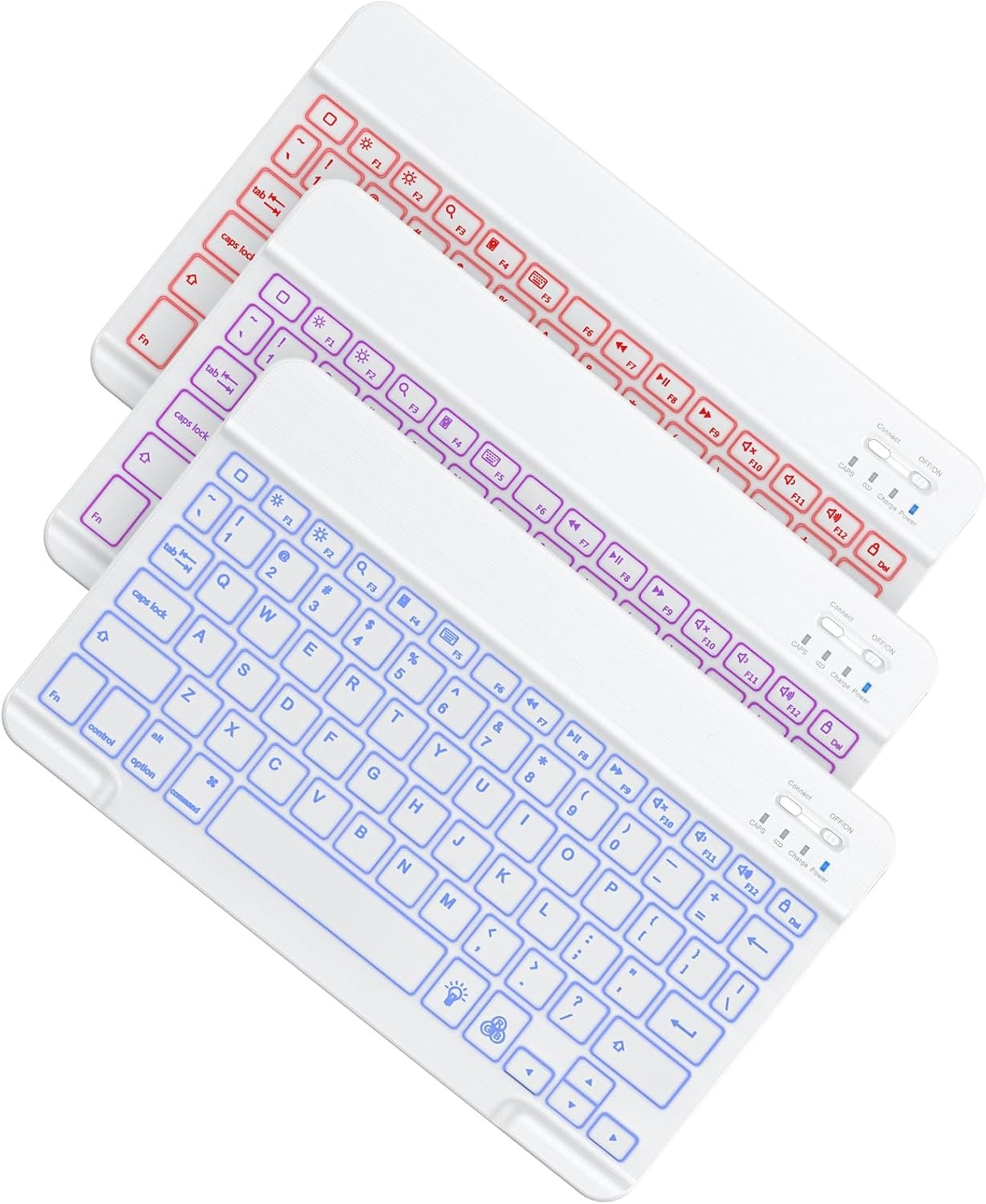
✔
Keyboard Backlit Color
✘
✘
✘
7 Colors
Keyboard Dimensions
14.4 x 4.9 x 0.66 inch
14.25 x 5.15 x 0.7 inch
14.25 x 5.15 x 0.7 inch
14.25 x 5.15 x 0.7 inch
Keyboard Weight
0.83 lb
0.81 lb
0.81 lb
0.81 lb
Why won’t the keyboard connect to my device?
BK10 works with devices that support Bluetooth HID. It does not work with Windows 7, Smart TVs, Mac mini without Bluetooth HID, Steam Deck, or some third-party adapters.
Why can’t I connect it to my iMac or MacBook?
Delete old pairings in macOS Bluetooth settings and reconnect as a new device. To enter pairing mode, hold the Bluetooth switch key for three seconds until the light flashes.
Can I use this keyboard to enter passwords or BIOS?
BK10 is Bluetooth only, so it works after your device loads Bluetooth. For BIOS menus or early password screens, you will need a wired keyboard or one with a USB receiver.
Why does the keyboard feel different from my old keyboard?
BK10 uses a compact 99-key layout to save desk space. Some keys are positioned differently from full-size desktop keyboards and may need a short adjustment period.
Why do keys delay, skip, or double-type sometimes?
Interference is the main cause. Keep the keyboard within 10 meters, fully charged, and away from speakers or other wireless devices. Reconnect if lag continues.
Sleek & Wireless: Stainless steel & Abs construction with a 10 tilt. Allows for cluster-free operation on your desktop, making it an ideal choice for office use.
Multi-Devices & Multi-OS: Seamlessly switch among 3 devices with BT 5.1 tech. Automatically recognizes different operating systems and layouts. Supports Windows PC/Laptop, iMac/Macbook, iPhone/iPad, Android smartphone/tablet.
Responsive & Low-Profile: The scissor key mechanism enhances feedback and stability. The optimized key-travel, and anti-slip tapes make typing more comfortable, quiet, and precise.
Compact & Efficient: Built with a standard numeric keypad. Features hotkeys, Calculator, Fn lock, Mute, Volume up and down, etc., to increase your workflow and productivity.
USB-C Rechargeable & Energy Saving: The rechargeable battery provides 45 days of use after 2 hours of charging.Power-saving takes the keyboard to sleep after 30 minutes of inactivity. (Press any key to wake up.)
Attached silicone cover for key protection.
10 reviews for iClever BK10 Bluetooth Keyboard, Universal Bluetooth 5.1 Wireless Keyboard with Number Pad, Ergonomic Design, Multi-Device Compatibility, Stable Connection for Mac, iPad, iPhone, Android, Windows
Add a review
$28.49
Newbomb Turk –
Bluetooth Setup Was Glitchy, Keyboard Action Lacking. iClever Support is Awesome
Update: Nov. 17th, 2020I’ve had this keyboard for more than 30 days and struggled with it quite a bit. The lack of tactile feedback was difficult to get used to. To “correct” that I installed a keyboard clicking app for my Ubuntu Linux 20.04 workstation that this keyboard is connected to. Hearing the “clicking” feedback from my speakers helped more than I thought it would and I actually began enjoying using this keyboard. My fingers “stopped tripping over themselves” and all in all, I’d say it’s been a pleasant experience with this keyboard.And then … the battery stopped charging. No matter what I did, the battery refused to charge. I’d plug it in for a few hours, the battery meter would read 100% and then drop to 10% when I unplugged the keyboard. I was three days past the return date of the keyboard when it happened, so I contacted iClever support. They responded in less than 12 hours and successfully remediated the issue to make me happy. I have to say, their response and support in my case was world-class. I’m disappointed that the keyboard failed as I was finally beginning to enjoy using it and with that said — I’m going to give it another try and purchase another. I very much appreciate their Customer Service and am happy to give their product another chance as a result. I like to support companies with excellent customer service and iClever’s support is awesome. Nice job!!Original Review:I bought this keyboard to replace an Apple Magic Keyboard (Aluminum, bluetooth model) because a few keys broke on it due to wear and tear and finding replacement keys was very problematic. Placed multiple orders with multiple vendors only to be told after the fact parts were backordered because of the tarrif’s and such with China.So I opted to buy this keyboard instead and hey why not, it was actually cheaper than replacing the keys on my Apple Bluetooth keyboard.Aesthetically, this is a very pleasing keyboard. It matches my blacked out workstation and I like the fact it’s laid out like a 101k keyboard with the number pad off to the right. It’s a sturdy keyboard, there is no “flex” when I type on it and it appears to be very well thought through and constructed. 10/10 for that.Getting it to connect to my Bluetooth 4.x on my Ubuntu Linux workstation presented a few issues to overcome.First was that it wasn’t visible to my bluetooth. It seemed to take a very long time to be discoverable. Minutes and minutes long. Once found, I connected they keyboard via the first channel. Nothing happened until after another lengthy delay it started repeating the “d” character despite my not touching the keyboard. I had to turn the keyboard off to make it stop repeating “d” and then removed the keyboard from the list of bluetooth devices in Ubuntu.I repeated the setup instructions documented and the same thing happened. Examining the keyboard the “d” key appeared fine and didn’t appear stuck, so I tried pairing the keyboard with my Ubuntu workstation again, this time on the second channel. It worked. No repeating “d” character, the keyboard functioned as normal.For giggles I removed the keyboard from my bluetooth devices and again followed the instructions to connect on the first channel, only to see the “d” key repeating itself again. Dropped the bluetooth connection to the keyboard, re-setup on channel 2 and it’s working like a champ. Not sure what’s wrong with the first channel, it’s definitely kaput. That doesn’t matter to me, I’m only connecting this keyboard to one device so that’s a non-issue for me and not something I’d return the keyboard for.My last comments are specific to the action in the keys and the feedback they provide while typing. I typically clock anywhere from 95 – 110 wpm on every keyboard I own, whether it’s an old IBM CLICKY keyboard (my favorite) an old Logitech K570 and my beloved Apple Wireless bluetooth keyboard. I’m used to the response action on all these keyboards and can switch pretty seamlessly.On this keyboard the action is lacking. The response from the time I press a key to it reverting back to it’s resting state seems lacking to me. I expected the action to be similar to that of my Apple wireless bluetooth keyboard. It’s not. If that’s what you’re expecting with this keyboard, do not buy it.The last thing I want to say is that the lack of keyboard “action” for me inhibits how quickly I can type on it. I’ve found my fingers “tripping over themselves” trying to type on it. That means more mistakes and backing up to correct. As I typed this review, I switched back and forth between my Apple bluetooth keyboard and this one. The difference in the keyboard action and my ability to type so much faster on my Apple keyboard vs. this one is absolutely noticeable. I’m going to give myself a little more time to get used to this keyboard and if that doesn’t do the trick then I’ll be sending it back. The “dealbreaker” for me isn’t the bad bluetooth channel it has, it’s the keyboard action and not being able to go as fast as I can on my Apple bluetooth keyboard which has a similar layout and key spacing (I measured the gaps between the keys on both keyboards, they’re identical.)About me: I’ve been in the Information Technology field for 35 years. Yep, I’m an old fart. I write reviews for products I buy because I like to share what I find, both good and bad. I also read others reviews before I purchase a product and rely on the truthfulness of those reviews. If you found my review helpful, please indicate such. Thanks for reading.
Good Customer –
Excellent, until it just died after 7 months of use.
Update April 9 2026: Though the device died 7 months after buying it, the seller reached out and refunded my money. I updated to 5 stars. I cannot blame a seller for faulty hardware, but I can praise them for standing behind the products they sell. I recommend this product.****Original Review:After 7 months of daily use, it just died.All in all it was a great keyboard, until it died for no reason. The weight is substantial enough to not bounce around when typing. Keys have a good feel. It has a perfect, slight angle that makes it easy on the hands. I used it on 3 laptops, switching the bluetooth from screen to screen without any issues (a great feature).Unfortunately I cannot recommend.
Rye –
Very good keyboard. Hard to find.
This full-size bluetooth keyboard works very well. It is easy to pair with my computers (macs and PCs) through the USB dongle. I haven’t had any issues with the dongle. The keyboard charges well, and holds a charge for a good while.A crucial selling-point for me is the easy switch mechanism that allows the keyboard (and its keyboard shortcuts) to work with both macs and PCs. Some keyboards make this challenging.I like the form-factor and the design of the keyboard. I was initially skeptical, but it seems very solid.One thing I do to help ensure that dust and dirt do not buildup on/in the keyboard is to cover it, or put it in a drawer, when not in use. Keyboards of this style can be more prone to accumulate buildup under/between the keys, which can start to affect use.
J Christopher –
Bluetooth keyboard that does it all pretty well – with NO Bluetooth Dongle!
I purchased this so I could put my laptop on a stand at eye level and then push if back a bit away from me. The main keyboard (excliding the number keys) is the same size as my 14″ Dell laptop keyboard, so my figers don’t notice the difference much. This comes with no extra dongle to plug in to a USB port. So if you have regular USB or USB-C, it won’t matter. This connects – more like you would connect a headset. You start the B.T. scan, find the keyboard, and add it. I’ve had it for a couple of months now, and have yet to have to replace any batteries. Lastly – it does lay a little too flat for me. So I bought a little stick on that allows me to adjust the keyboard angle at 3 different levels. That caused the keyboard to ‘rattle’ on my glass desk top – but great news! They send a little keyboard over-lay (like a spill-proof cover) that you can use, or not. I cover my keyboard with it while I’m away, but use it as a cushion – when I’m typing – to get rid of the keyboard on glass vibrations. So – no problem! It’s a great keyboard and very cool to have the number keys. I trade the stock market – and number key’s are important for data entry. And the cool thing is in addition to my computer – I can pair the keyboard to 2 OTHER devices, walk across the house and talk to other things – all from the same keyboard, by picking Bluetooth #2 or #3. They pretty much though of everything. Looking forward to using this keyboard for years to come!
E. Andaluz –
Best customer service. Best keyboard
I was able to set it up in seconds. I love that I can have the keyboard programmed for my mac mini, iPad and a Windows laptop. About 9 months after I bought it the keyboard was having problems. It would keep disconnecting and typing out gibberish instead of what I wrote. I contacted iClever customer service. It was still under warranty. They shipped me a replacement keyboard very quickly. Their customer service is impressive. I would definitely buy this brand again
Jose Luis –
Primero no tiene la n con tilde ya que es americano y segundo mis teclas numericas fallan y no se porque, me arrepiento de haberlo comprado
Michael –
Its really good for the price. Only been using it for 2 days but no complaints.
Sree –
Pros:> Has full keys, yet portable since avoiding keys between alphabets and numpad> Looks beautiful, sturdy, and is lightweight. Will not move while typing.> No delay between typing and appearing in screen. Since 2.4 Ghz adpter, it will outperform bluetooth keyboards.> Provided a protection sheet, which protects from dirt and water. It will not move even we type very fast> Has function lock (Fn + Esc). This will help to switch between shortcut keys and function keys. This is a life saver if we use for work from home and debugging code. This is not available in most of the portable keyboards.> Working perfectly fine with Android phone & tablet. Use the given type A to C adaptor for connecting wireless receiver to phone.> Has all enough indicator lights – capslock, numlock, Fn lock, and chargingCons:Nothing found as a drawback. One thing noticed is, if we use protection sheet (rubber) and typing very fast (80+ wpm), we feel some restriction to move fingers. But that is absolutely fine & expected and can’t list as a drawback! Also, the charging port is micro USB, not type C. That is also can’t be listed as a drawback since micro USB cable is given and we can connect it to our existing charger.This keyboard will be best if you need a portable, yet full keyboard for working and for general purpose. Use with Android devices, but quick switching is not needed. Need to use function keys without constantly pressing down ‘Fn’ keys (this is the case for most quick-switch blootooth keyboards).In brief – light weight, beautiful, full functioning, perfect keyboard!
Carlos Magno Carneiro da Silva –
o produto ao chegar no brasil eu tive que pagar taxa de importação…nao gostei disso pois nao fui avisar ao vendedor na hora da compra
Elke aus Berlin –
Leider stand im Text nicht, dass sie eine englische Tastaturbelegung hat. Auch der Versand aus einem Nicht-EU-Land (GB) und damit steuerpflichtig, wurde nicht erwähnt. Für den Rückversand wird zwar ein Rücksendeschein angeboten, aber den kann man nur als Bild ausdrucken und Porto muss man erstmal selber zahlen. Diese Einschränkungen gehören in die Beschreibung. Keine Kaufempfehlung für Otto-Normalverbraucher.