
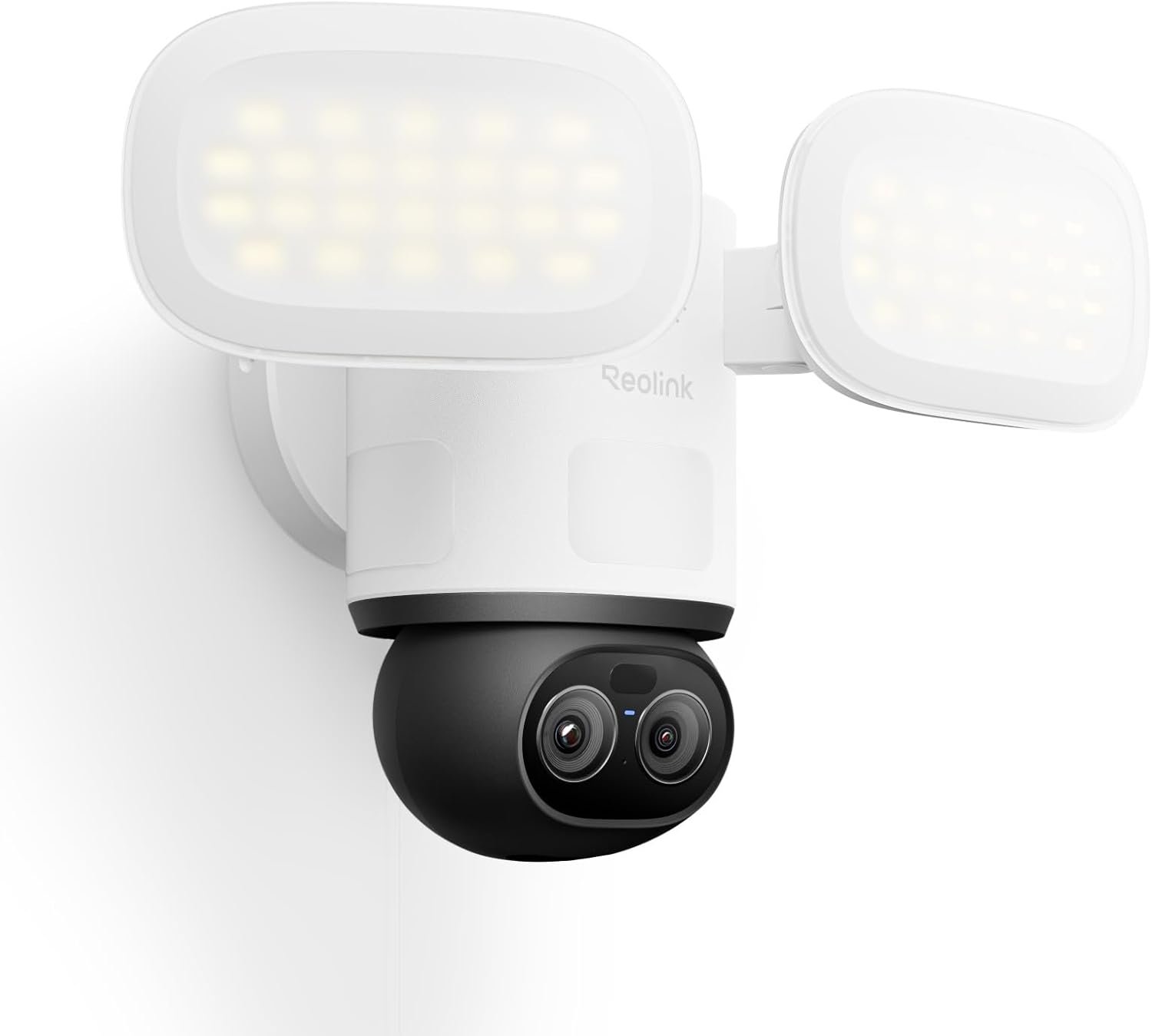
REOLINK TrackFlex Floodlight WiFi, 4K Dual-Lens Floodlight Camera, 3000 Lumens, 360° PTZ 6X Hybrid Zoom, Auto-Tracking, Privacy Focused Local AI Video Search & Storage, Dual-Band Wi-Fi 6, AC Hardwired
$259.99
Related Products




From the brand


4K PTZ Floodlight Camera
4K Dual-Lens Floodlight Camera
16MP Dual-Lens WiFi Camera
Elite WiFi
REOLINK Outdoor WiFi Cams
New Releases – WiFi Systems
REOLINK Indoor WiFi Cams
REOLINK Battery Powered Cams
REOLINK PoE Cameras
PoE Systems, Plug and Play

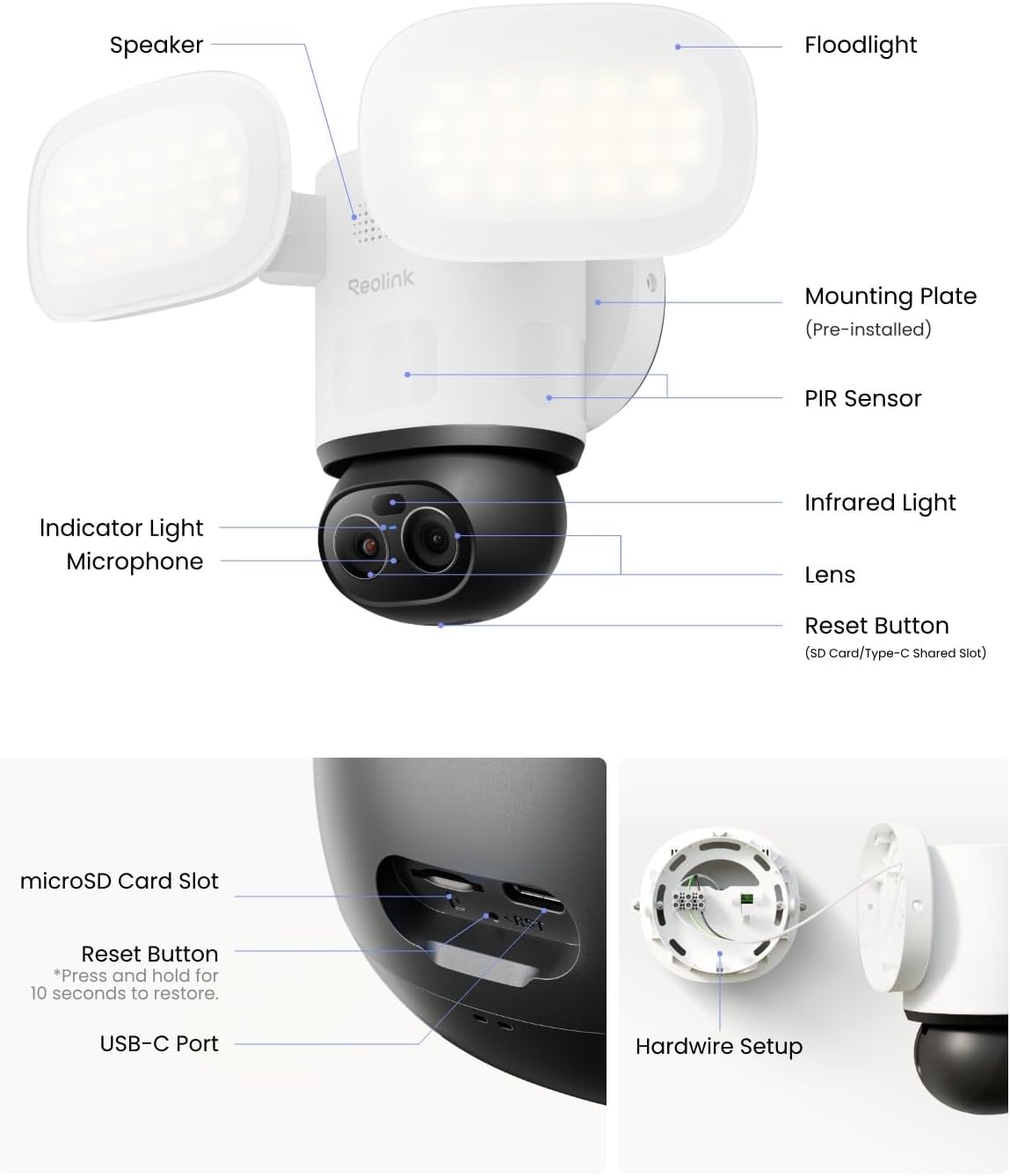
【4K UHD Dual-lens with 6x Hybrid Zoom】4K ultra-clear wide-angle lenses provide a wide field of view, while the tracking lens with 6x Hybrid Focus captures clear close-ups and even distant details, making it ideal for monitoring driveways, front and back yards, or pets.
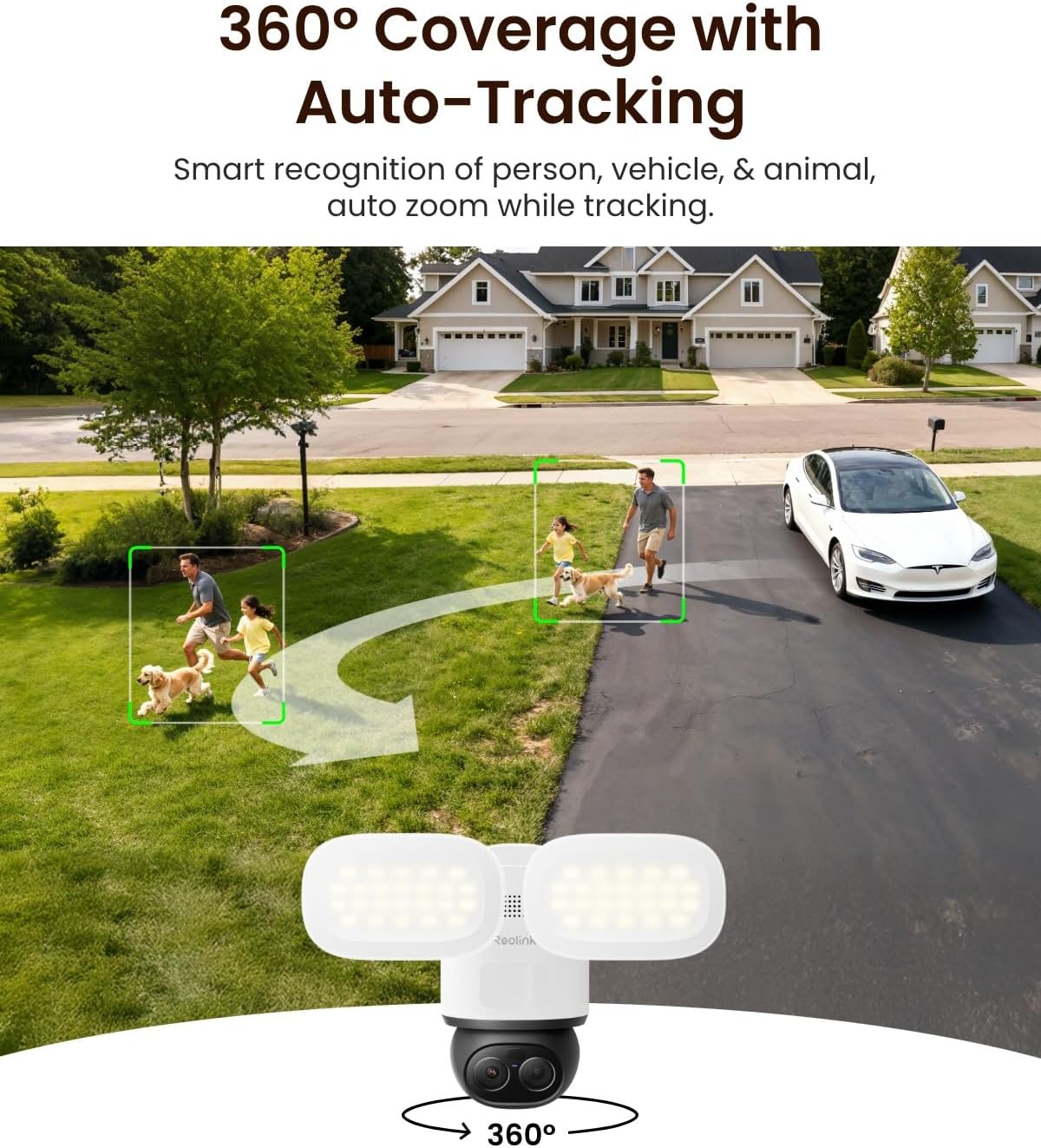
【360° Coverage + Auto-Tracking】355° pan + 50° tilt delivers near-perfect coverage, accurately capturing every inch of the action. Equipped with AI recognition technology and 270° PIR detection, it automatically detects people, vehicles, and animals even outside its field of view, instantly triggering tracking and locking onto them.
【Private Local AI Search and Data Control】Private Local AI Search and Data Control: AI analysis and search processing run locally on the device, ensuring privacy and no additional fees. Enter descriptive text, such as “person wearing a hat,” to quickly search for the target in locally stored alarm footage, improving security response speed and decision-making efficiency.
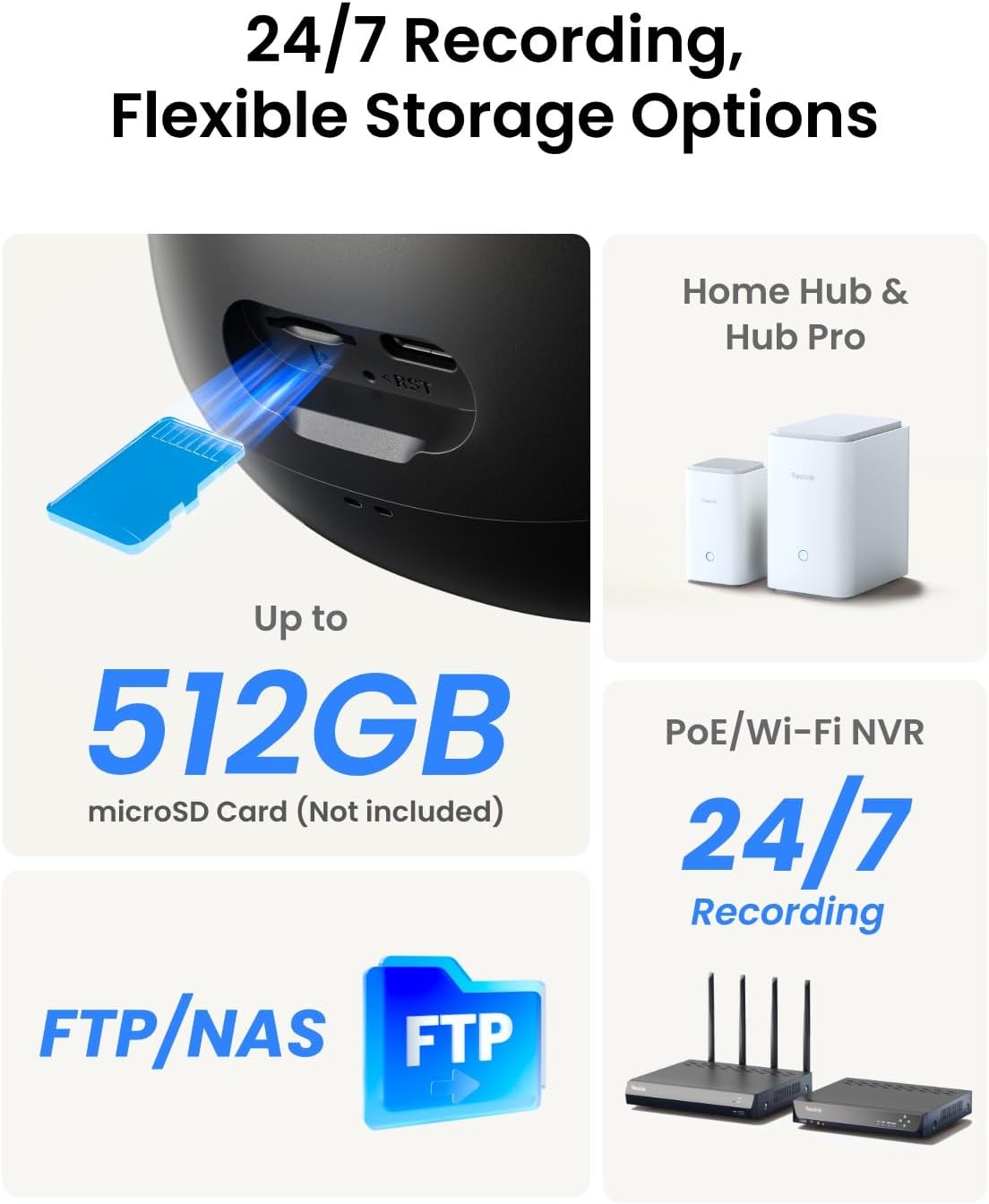
【24/7 Continuous Recording with Secure Local Storage】Supports a variety of storage options, including microSD cards (up to 512GB), Reolink NVR & Reolink Home Hub/Home Hub Pro, FTP/NAS. Footage remains in private local storage without a required cloud subscription or monthly fee.
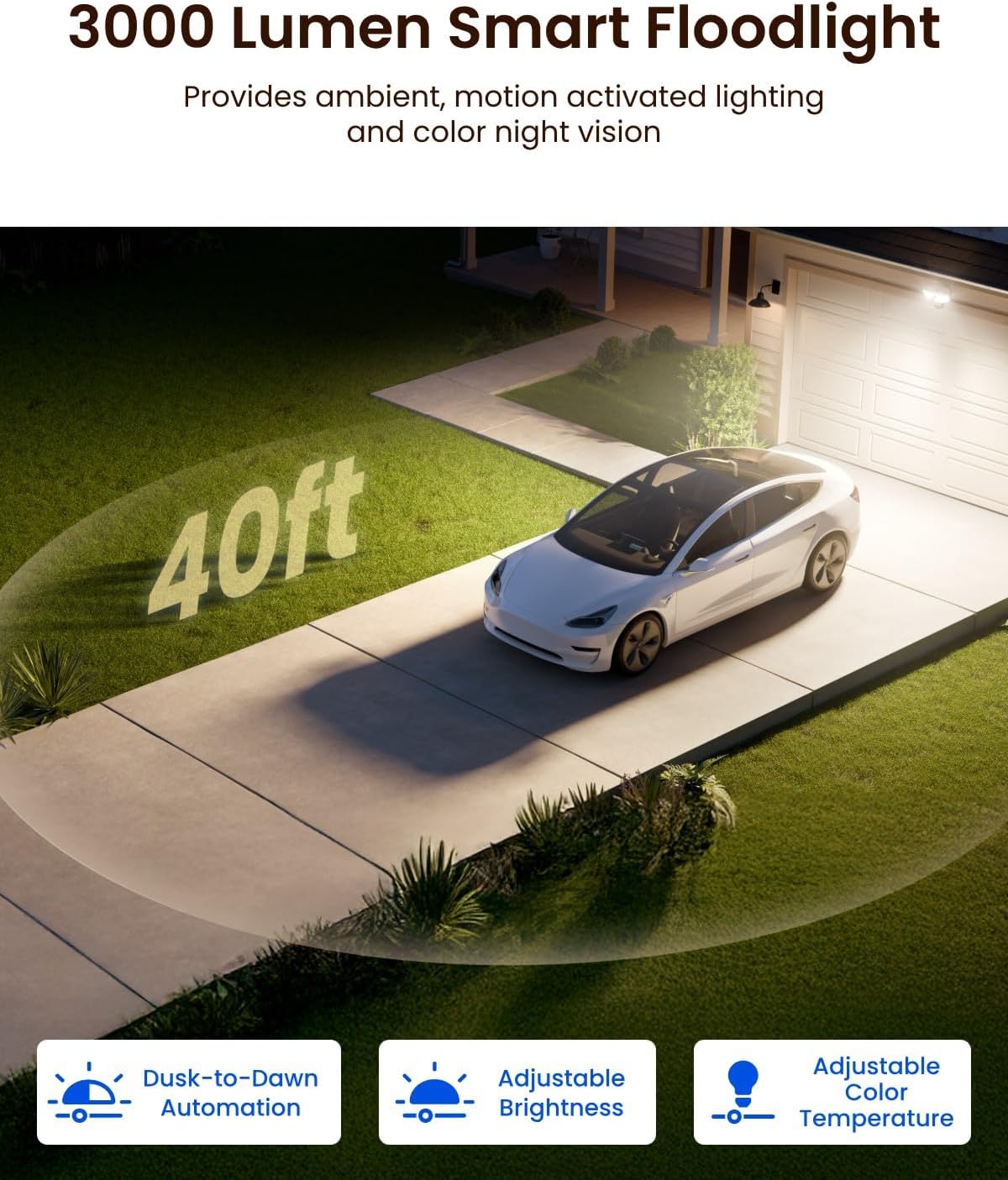
【Smart Floodlight System】 Equipped with a 3000-lumen ultra-bright LED and infrared light, it delivers clear night vision in a variety of environments. Its diverse lighting system settings include adjustable brightness, color temperature, timed on/off, and low-brightness.
【Dual-band WiFi 6 with Easy Installation】 Using dual-band WiFi 6 technology, it provides a faster and more stable network connection, easily achieving 4K high-definition live view. Supports hardwired installation within the AC 100–240V voltage range, compatible with most household junction boxes, plug-and-play, and easy to install.
10 reviews for REOLINK TrackFlex Floodlight WiFi, 4K Dual-Lens Floodlight Camera, 3000 Lumens, 360° PTZ 6X Hybrid Zoom, Auto-Tracking, Privacy Focused Local AI Video Search & Storage, Dual-Band Wi-Fi 6, AC Hardwired
Add a review
$259.99
Paul Cardelli –
Nice floodlight camera, better then my ring floodlight cameras
Really like this tracking floodlight camera, now thinking about replacing my ring floodlight cameras at another property. Was pretty easy to install, water tight, and easy to pair with the app. I do like the ability to see further out and close up view at the same time. The quality of the materials is great, and it has motion detection sensors all around it that are pretty sensitive: connectivity to my network has been great so far.
LP –
Great camera.
Love this floodlight. It works great; we’ve had it up a couple moths. The motion tracker works very well and after moving, the camera will reset its position back to the “monitor point” where you have set it. Very clear night vision. Tons of settings/fine tunings. Love Reolink cameras.
AmazonBandit –
there plenty of room for improvement. but it still pretty OK
UPDATE 2: Well that was fast. moved my stars to 4 stars. not sure if it was my suggestion or if it was in the works all along but Reolink has made the presets available in Home Assistant which is a game changer in controlling the PTZ based on time or whatever you desire. IF only Ubiquiti would do this. Now once Reolink do something with the Privacy Mask and Non Detection zone once the out of view detection or preset view changes this camera will be hard to beat. I will try to figure something out with Line crossing and HA so I can turn off the privacy and non detection zone and use the preset through HA once triggered so I’m not feeling like I’m spying on my neighbor.UPDATE: Reolink responded to my feedback and stated that this camera is only recommended to be installed. 6′ to 10′ high. So basically at porch light height and not floodlight height and not for anyone with existing floodlights on a 2 story house. Even though one of the pictures in the listing shows the camera up high. Now sure you can use it at porch light height but at 6′ this will be easy for someone to take or manipulate since they use basic phillips head screws and NO security screws or locks to mount. So 3 stars are warranted. I included images of what happens with privacy mask and non detect zones when out of view detection is activated and you use those features. Also camera does rotate 90° now.I want to give it 3 and a half stars but we can’t on Amazon. I installed it under my eaves 20′ in the air on a ladder and contrary to some of the other reviews it was pretty for me. I use wagos and not the weird terminal they have in the mounting bracket. The wires on the camera are too short but using wagos made it a non issue. the setup was easy in the app. I haven’t notices in lag in unifi protect outside the normal unifi issues. The video quality is not the best 4k image but it is a good picture. I found tracking to be smoother by changing it to PTZ tracking first and that made it 90%+ accurate with people tracking. I don’t track animals or cars. Camera was added to unifi protect using an AI port but it did not show up without it. be that could be just my setup. Now here are my issue and suggestions that would make this a 5 star rating if they were fixed but the reason for the 3 and a half stars. I also sent this to ReolinkA functional limitation with the TrackFlex WiFi Floodlight that appears to stem from how several features interact in the firmware.The issue involves the interaction between:• Out of View Detection• Privacy Mask• Non-Detection Zones• PTZ movementCurrently, Privacy Masks and Non-Detection Zones move with the PTZ position. While this behavior makes sense for a static camera, it creates a conflict for PTZ operation. When Out of View Detection triggers and the camera rotates, the masks and detection zones rotate with the image. This can result in important areas being blocked or excluded from detection after the camera moves.In practice, this makes Out of View Detection difficult to use because areas that should be monitored may end up inside a privacy mask or non-detection zone after the camera pans.Possible solutions that would significantly improve functionality:Privacy Masks and Non-Detection Zones remain fixed relative to the home position coordinate system, not the PTZ view.Alternatively, automatically disable masks and non-detection zones when the camera leaves the home position and re-enable them when the camera returns.I also noticed that Out of View Detection appears to rotate the camera only about 45° from center when the left or right PIR sensor is triggered. Ideally, the camera should rotate closer to 90° toward the triggered PIR zone so the viewing direction aligns with the detected motion or the configured Auto Tracking limits, which would give users control over how far the camera can rotate.Feature request:An ideal implementation would be preset-based configuration, allowing Privacy Masks and Non-Detection Zones to be defined independently for each PTZ preset.It would also be very useful if PTZ presets were exposed through the Home Assistant integration, allowing users to automate preset positions with schedules (for example, facing one direction during the day and another direction at night).Finally, my camera is mounted approximately 20 feet above ground, and the PIR sensors cannot be angled downward. Adjustable PIR sensor angles would greatly improve detection performance for elevated installations and may be worth considering for a future hardware revision.The camera has great potential, but these firmware and feature limitations reduce the effectiveness of the PTZ and Out of View Detection functionality. Addressing these interactions would make this an excellent product.
D. Seeley –
Nice Upgrade
I recently bought the Reolink TrackFlex Floodlight 4K to replace an older Eufy Floodlight Pro camera and I must say that I’m quite impressed. The dual lens with 4K capability and simultaneous hybrid zoom works really well. There’s significantly more settings in the RL than the Eufy, but it does allow for more customization of the installation. I’m also glad for the dual band WiFi capability (both 2.4 and 5GHZ). My camera is mounted on the front of my home facing the street and the motion detection is very sensitive but perhaps a little too sensitive. I’ve turned down the motion sensitivity and setup a “non-detection” zone, but I still receive a lot of motion detection alerts from this zone. It’s a minor annoyance but overall, the RL is a huge upgrade from the Eufy and I’m quite pleased with my purchase.
172pilot –
Really nice camera.. Has it’s quirks, but would definitely recommend..
This camera had a few quirks when I set it up, but to be fair, I was mostly interested in getting it working with Home Assistant AND Ubiquity Protect. I did get both running, and doing great now, but just be aware that you can’t do any streaming via web while it’s plugged in with the USB for temporary power/setup. In fact, you can’t log into the web server with USB power, so just get it configured for your WiFi, then install it, and it’ll be fine. I am attaching a live screenshot from my Home Assistant / Frigate config, where it does expose all of it’s motion and AI features to me so I can trigger automations in Home Assistant. I am also including 2 quick video captures from it, once from night, when we caught a little visitor (Possum) so you can see how good the lights work at night, and then another video from later that morning when it found, and followed a neighbor’s cat as they walked through my yard. It would only let me upload one video, so I concatenated them into one MP4 file. These videos were both captured internally to the camera without anything added. I downloaded them from the SD card using the Reolink Windows app. I was also able to get the camera recognized into Ubiquity Protect, although in Protect, I dont have any of the “AI recognitions”, but that’s a Ubiquity limitation, not the fault of the camera. So far, I am so happy with the camera I have ordered 2 more.
Emily Giezen –
Extremely easy to install and great build quality.The all could do with some improvements as some of the settings are hard to find but otherwise I’d definitely recommend
Nicole –
Decent camera for the cost. Paired with the home hub it’s worth the money. Picture is as clear as can be expected
syl –
En acheter une Reolink , c’est se débarrasser de tous les autres marque
Eric –
Pros:* Very good image quality* Target tracking is very cool* I could not think of a configuration option that was not in the app* The floodlights color and brightness can by adjusted and are very bright at max brightnessCons (as of 2026-03-21):* Doesn’t integrate well with Google Home (no video feed, only the lights)–> UPDATE (2026-03-27): the floodlights do not appear as online anymore in tne Google Home app aven after re-linking, so now integration with Google Home is completely absent* Detection and tracking of people is inconsistent (but OK most often than not)* Notifications are not always lightning fast* Sometimes my phone can’t connect to it via wi-fi but it can via the cellular network… It could be a network configuration problem on my part, but it’s intermittent and I don’t have such problems with my Nest cameras (this is my first and only Reolink camera so far).* There are two lenses; the one that can zoom rarely zooms in on tracked objects as one would expect.* UPDATE (2026-03-27): I vcould not connect to the camera in any way this morning; after a reboot it was OK again. So, some stability/reliability issues here…?–> Let’s hope future firmware updates will fix those issues…Noteworthy: The screws that came with it were not compatible with my existing junction box.UPDATE (2026-04-02): Reolink contacted me and offered me to return the camera, but I refused since the camera was generally OK and the problems I had are mainly firmware/software bugs I hope will be fixed in the future. They then pushed an update on my camera (firmware v3.2.0.5943_2603), and since then I had no connection issues whatsoever, and object tracking and zooming have greatly improved, as well as notification speed. However, still no luck on the side of Google Home integration: still no floodlight control (appears offline) and no video feed (although cameras appears online). Customer service first told me I should be able to see the video feed within the Google Home app, then they backtracked and told me that, no, it was not possible, but I could see the feed from a Google smart display or via Chromecast, but I have both, and none work either. I don’t see the point of allowing adding the camera to Google Home if you can’t do anything with it.UPDATE (2026-04-07): Finally, customer service told me to disable then re-enable Google Home integration within the Reolink app, and after relinking within the Google Home app, floodlight control returned, and then I could see the feed on my Google displays and Chromecast. They should really add the feed to the Google Home app, though, but with all the improvements it was enough for me to upgrade my review from 3 to 4 stars.
Bellyroy –
If you want a serious all‑in‑one security upgrade, this floodlight camera delivers. Dual-lens 4K video, bright lighting and smooth 360° tracking make it feel like a big step up from a basic outdoor cam.❌ Cons:Motion detection can be overly sensitive – even bugs can trigger alerts at sensitivity 30%Requires hardwiring and possibly extra planning for power cable lengthNot plug‑and‑play like a simple WiFi camera or basic floodlight unit✅ Pros:Dual-lens 4K setup offers excellent coverage and sharp image quality360° auto-tracking reliably keeps people and vehicles in frame3000-lumen floodlight is very bright and a strong visual deterrentColour night vision with the light on shows far more detail than typical IRAI detection for people/vehicles works well and cuts down most false alertsLocal storage with smart video search (no mandatory subscription)Reolink app is intuitive with lots of custom options (alerts, tracking, lighting, recording)Setup is straightforward for a hardwired unitWiFi 6 (dual-band) connection has been stable once installedEasier to set up and connect over WiFi than the Reolink PT Ultra