
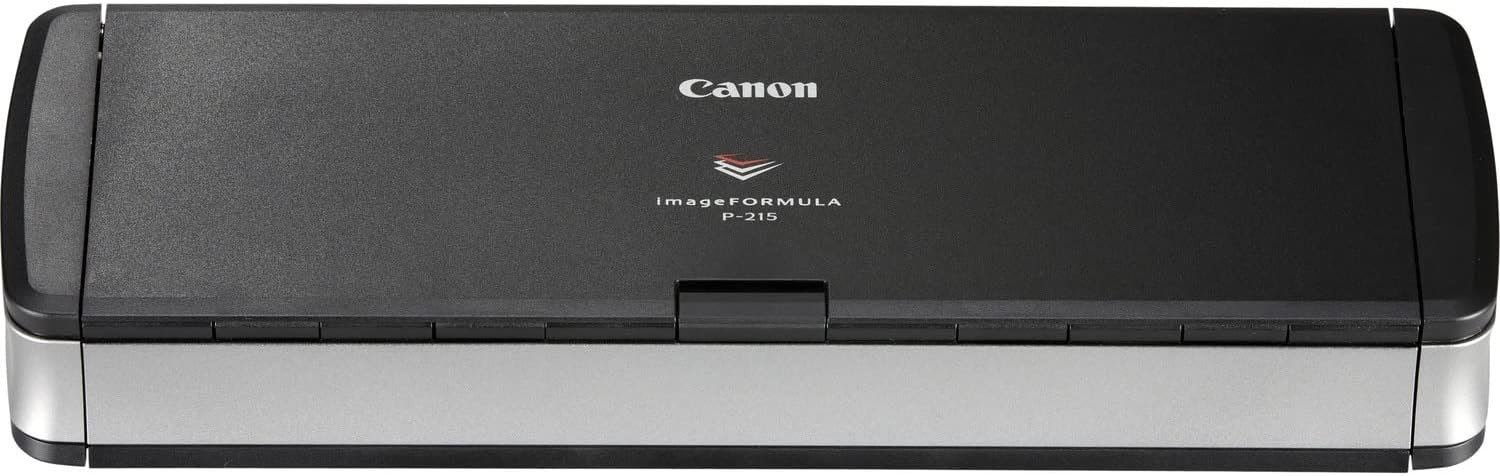
Canon imageFORMULA P-215II Mobile Document Scanner, Black, 1.6″ x 11″ x 3.7″
$212.80
Related Products


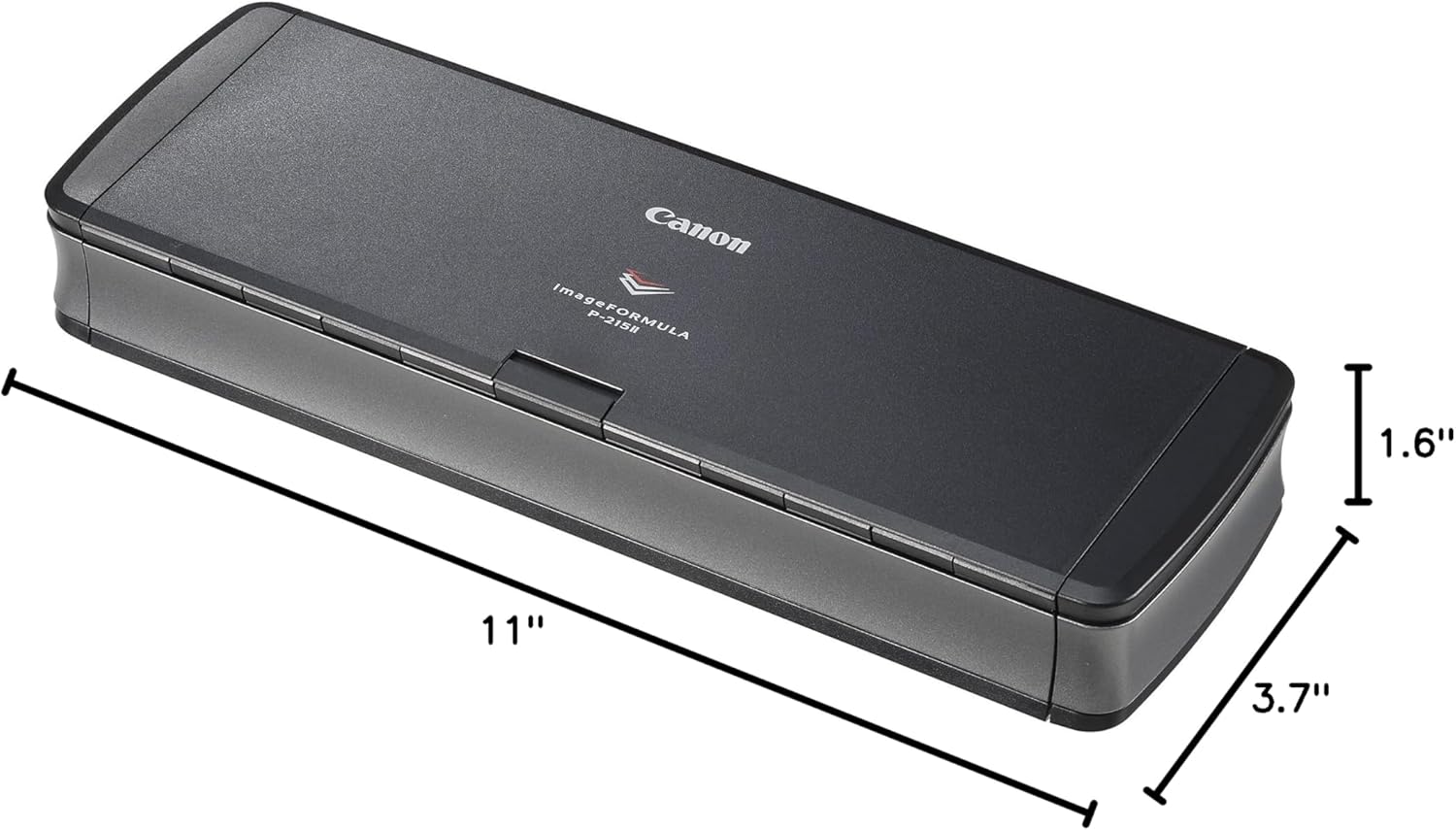
The imageFORMULA P‐215II Scan‐tini mobile document scanner is an ideal solution for both Windows and Mac environments. Complete with a built‐in card scanner, the P‐215II scanner’s compact size, simple use, and high‐quality imaging bring sophistication to mobile information capture, storage, and collaboration.
Stay organized: Easily covert your paper documents into digital formats (searchable PDF, JPG, and more) or scan directly to the cloud (Dropbox, Google Drive, OneDrive, Box, QuickBooks Online, Evernote, SharePoint, and more)
Convenient and portable: Use anywhere, from home offices, classrooms, remote offices, and anywhere in between
Handles many different document types: Receipts, photos, business cards, plastic or embossed cards, reports, long documents, and more
Fast and efficient: Scans both sides of a document at the same time, in color, at up to 15 pages-per-minute, with a 20 sheet automatic feeder
Bundled software: Powerful, yet easy-to-use scanning software, as well as a business card organizer and a document manager
Backed by a one-year warranty and US-based technical support
9 reviews for Canon imageFORMULA P-215II Mobile Document Scanner, Black, 1.6″ x 11″ x 3.7″
Add a review
$212.80
J. Garrison –
Outstanding scanner!
I purchased this scanner to save my receipts. It dose an excellent job and copies both sides at the same time. It also automatically will straighten a crooked scan and will automatically rotate the image upright if it is upside down, if you choose that option when you set it up. The one thing I was disappointed in was if the receipt is over 11″ long the scanner thinks there is a jam. Simple solution just fold the receipt over on itself and the scanner will automatically scan both sides and correct the text being upside down.I have owned a lot of Epson & HP printers and always had trouble with them. I purchased a Canon Printer 20 years ago and I have never had an issue, So, I decided that I would try this Canon scanner. I have not been disappointed. the software is very intuitive and easy to set up. If you need a portable scanner or a scanner that does not take up a lot of space, buy this one!
Shelly galland –
I LOVE this item!
I run a rental business in addition to a having a full-time job and family. Initially, this item was purchased to make paperwork associated with signing leases (and other rental associated paperwork) easier. Now I use it for everything, business and personal – don’t even turn on my other scanner anymore. This one is easy to use, easy to direct documents once scanned, presents high quality 2-sided scanning, lightweight and easy to carry with me and then set up with home computer again! I cannot say enough about how much this product has helped take what used to be difficult document shuffling and made it a simple part of my day! And this is coming from someone who is NOT tech savvy AT ALL!!! I typically have great difficulty with computer and technology related items. This scanner is simple and convenient. Very reasonably priced for the quality, too.
Peter –
“Some Assembly Required” on Windows 8.1
*** 8/30/2015:I take back my former rant. Yes, the CD is loaded with crapware and the manual does a lousy job of saying what is needed and what you can do without. It turns out the P-215II CaptureOnTouch program is all I need. The rest of the programs are crapware “managers” that have less function than Windows Explorer. They are not mandatory.I was going to complain that I can’t get it to scan one image per page. It turns out that simply switching to a format other than PDF accomplishes that. And maybe the “Multistream Scanning” check box buried in the document settings would do it for PDF. Since my bank requires JPEG I no longer care…I left my whining below for your entertainment.*** Original Post:”Some Assembly Required.” If I bought a blender and it came as a bunch of screw and parts, and a spool of fine wire so I could wind the motor’s rotor, with no instructions, I would say the experience is similar to getting the advertised functions of this scanner to work. I would expect it to come with detailed instructions or a link to detailed instructions on a website. I have not found such.I really, really, want this scanner to work. Has anyone succeeded with it on Windows 8.1 Pro? How?It is advertised as scanning with OCR to produce searchable PDFs. It comes with the usual vague instructions: Put in the disk, install. But install doesn’t seem to configure anything, including appropriate shortcuts on Windows 8.1. It’s like I’m back to setting up video games on Windows 3.1! The application appears to be made up of a number of un-integrated software items from numerous manufactures. The printer has a switch marked “Off” and “On” and, as near as I can tell, this controls whether the printer uses Twain and or some proprietary protocol. Darned if I know which is Twain, “On” or “Off”. The gist of documentation I find seems to indicate that the switch must be “Off” to do OCR. Why? There are several drivers, none of which work on Windows 10 (engineering agrees), so I am trying Windows 8.1 with no luck. There is an “ImageView” that doesn’t produce searchable PDFs. After rebooting it says, “Scanner is Locked.” Why is it there when it can’t produce PDFs? Locked by what?There is a “PaperPort” program from Nuance that is about as self-explanatory as Microsoft Access application form development. But it is promising: It has a scan option for “PDF Searchable Image.” But it can’t talk to this scanner or any other scanners, as near as I can tell (I have a printer scanner and a photo scanner. They also don’t work.) The program is a sphinx. If you manage to find the way to ask it to set up the scanner, it “guides” you through some twisty passages until finally you get to “test” the scanner (geez, I can’t find it again.) Regardless of the switch setting, it says something like “cannot communicate with the scanner.” Why?I am a confident DIYer. I have dropped trannies and changed clutches. I do my own cellphone repairs. I build PCs. I have replaced the roof of my house. But I can’t for the life of me get this to work. I will probably send it back to amazon because it isn’t worth the frustration.
EJ Evans –
If you’re looking to save time – don’t waste it on this
I bought this because as a child of the 80s and 90s I have a TON of actual photos, in boxes, in albums, stuffed in random places…and I wanted to make them all digital so I could “Marie Kondo” them and their various containers out of my physical space.This things pros: Small, portable, easy to set up.But the cons…oh wow, how much time do you have?The fact that it doesn’t come with it’s own power adapter and you have to purchase it separately is RIDICULOUS, yes it *can* get power from a computer, but it’s mind numbingly slow that way, however it does let you get started right out of the box…so off I went.Scanned 50 photos and saved no problem (with their software CaptureOneTouch Lite), came back later to do some more, got 50 more scanned on a continuous loop but had not clicked “finished” which I didn’t know you had to do, in order to save what I’d spent 40 minutes scanning – only to find out that when this thing crashes, and it happens A LOT – it doesn’t save anything you’ve scanned if you haven’t said “finished”…which of course you wouldn’t say if you aren’t finished.So I decided to still give it a try again and see if it was a fluke – nope, crashed again – this time after 6 photos. I reread all the instructions, restarted my computer, the device and the software and then gave it ANOTHER GO…nope, crashed again after 5 photos this time. I may decide to try and muscle through but with hundreds of photos to scan, I really don’t think I can deal with this.Oh, and the glass bar gets dirty VERY easily so you have to repeatedly clean it or it leaves streaks on your photos.And it can’t pull a picture through straight to save it’s life even with the guide guards up…only saving grace here is the software is pretty good at correcting for this.TLDR: Unreliable, and for the money Canon should be absolutely ashamed of themselves.
Poppet –
This item is brilliant and as it is small it is very portable.
Man –
es bueno en general solo el software no es muy amigable que digamos
Amazon Customer –
Excellent Product value for money
Rayana –
Ótima compra, recomendo!
Amazon Customer –
Enjoyed using the scanner. The unit’s size is deceiving as it works perfectly. A little finicky when scanning multiple pages at the same time. You need to ensure to slightly separate the pages when feeding into the input tray.