
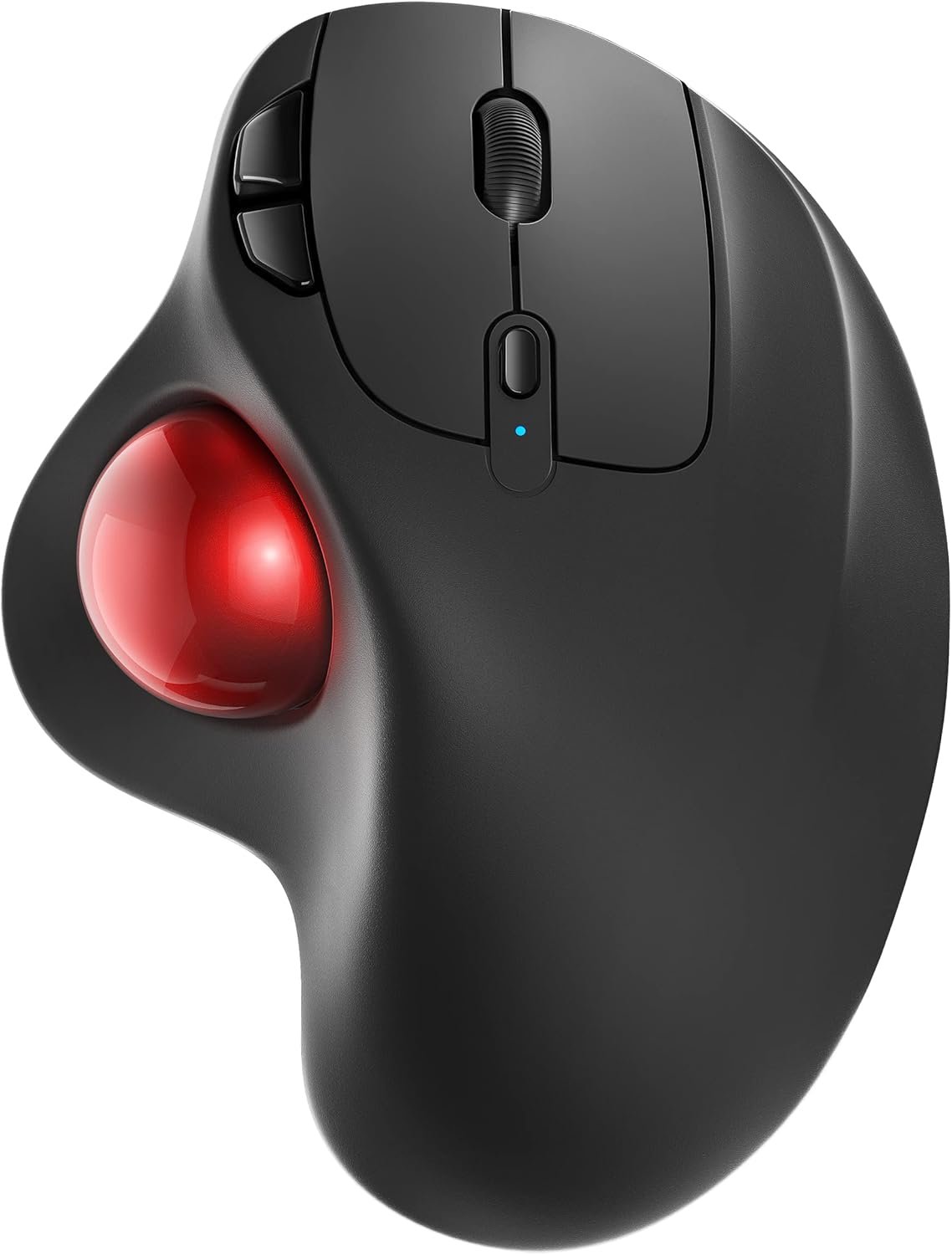
Nulea M501 Wireless Trackball Mouse, Rechargeable Ergonomic, Easy Thumb Control, Precise & Smooth Tracking, 3 Device Connection (Bluetooth or USB Receiver), Compatible for PC, Laptop, Mac, Windows.
$35.99
Related Products




Product description
The video showcases the product in use.The video guides you through product setup.The video compares multiple products.The video shows the product being unpacked. Nulea M501 Wireless Trackball Mouse Merchant Video

Our Responsibility to Society


How to charge the thumb mouse and know its charging state?
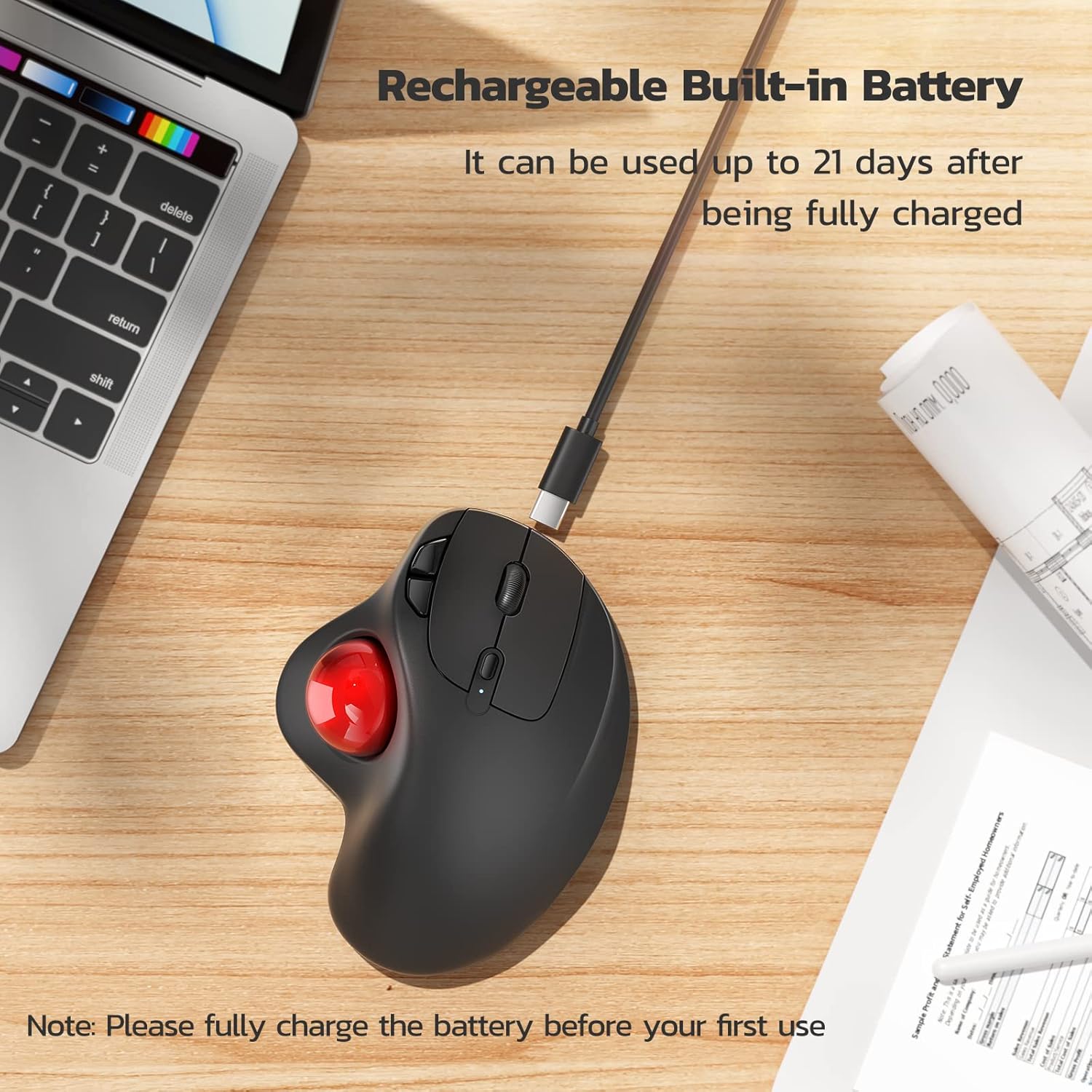
1. Use the included charging cable, a charger that outputs 5V or a computer’s USB port to charge. (Do not charge with a fast charger)
2. The charging indicator light under the DPI button turns blue when charging, and turns off when fully charged.
How to wake up the trackball mouse?
1.In wireless connection mode, the M501 mouse enters sleep mode 30 minutes after you last used the mouse.
2.If you need to use the mouse, you can wake it up by clicking the key.(scrolling the trackball or moving the mouse will not wake up the mouse)
How to reprogram mouse buttons?
1. All buttons on this wireless trackball mouse are not programmable!
2. Forward and Backward buttons are not compatible with MAC OS.
How to adjust the DPI of this trackball mouse wireless?
The track ball mouse has 4 DPI settings, 400 (Default)-800-1200-1600, which can be easily switched by clicking the DPI button below the scroll wheel.
Where is the 2.4G USB Receiver for wireless connection?
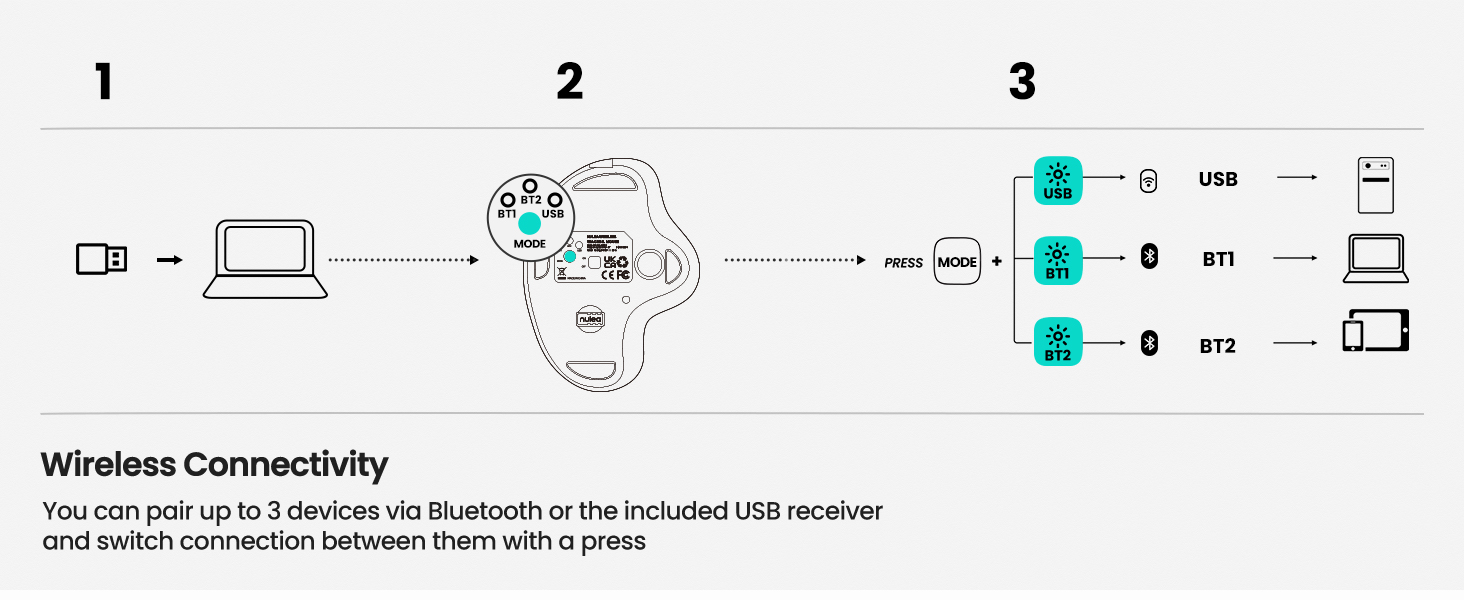
The 2.4G USB Receiver is stored at the bottom of the wireless trackball mouse.
Work With Your Favorite – Compare Nulea Trackball Mouse Series
Add to Cart
Add to Cart
Add to Cart
Add to Cart
Add to Cart
Add to Cart
Customer Reviews
4.4 out of 5 stars 12,240
4.1 out of 5 stars 500
4.4 out of 5 stars 411
4.5 out of 5 stars 393
4.4 out of 5 stars 2,078
4.5 out of 5 stars 703
4.4 out of 5 stars 1,145
Price
$35.99$35.99
$39.99$39.99
$37.99$37.99
$39.99$39.99
$42.99$42.99
$46.99$46.99
$27.99$27.99
Trackball Control Method
Thumb Control
Index Finger Control
Thumb Control
Thumb Control
Index Finger Control
Index Finger Control
Thumb Control
Trackball size
34mm
55mm
34mm
34mm
44mm
44mm
34mm
Connectivity Tech
Bluetooth, 2.4G USB
Bluetooth, USB
Bluetooth, 2.4G USB
Bluetooth, 2.4G USB
Bluetooth, 2.4G USB
Bluetooth, 2.4G USB
Type A & Type C
Hand Orientation
Right
Ambidextrous
Right
Right
Right
Right
Right
Power
USB-C Rechargeable
USB-C Rechargeable
USB-C Rechargable
USB-C Rechargable
USB-C Rechargable
USB-C Rechargable
Wired
Connected Devices
Up to 3 devices
Up to 3 devices
Up to 3 devices
Up to 3 devices
Up to 3 devices
Up to 3 devices
1 device
DPI Modes
400 (Default)/800/1200/1600
400 (Default)/800/1200/1600
200/400/800/1200/1600
600/800/1000
200/400/800/1200/1600
200/400/800/1200/1600
100/200/400 (Default)/800/1200
Reprogram Buttons
Non-programmable
Non-programmable
Non-programmable
Non-programmable
Non-programmable
Non-programmable
Non-programmable
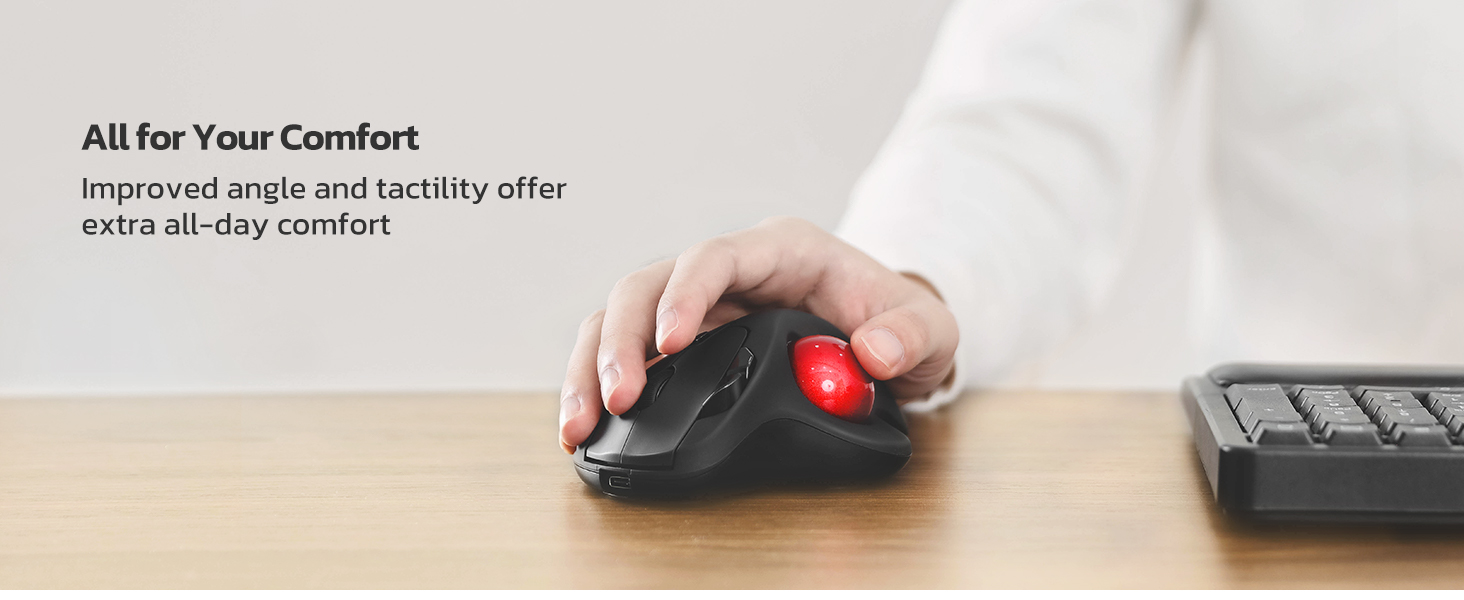
Ergonomic Design with Smooth Thumb Control: Move your cursor by the smooth trackball instead of moving your wrist and arm. Let the easy and smooth thumb control help you reduce your muscle stress. The optimal angle of the trackball mouse allows you to keep your palm in a natural position for all-day comfort.
Precise Tracking with Adjustable DPI: Nulea trackball mouse provides precise cursor movement for exceptional accuracy and control. With the smooth trackball, you can be more productive on the move on almost any surface, any workplace. Especially on the narrow space, such as the messy desktop, couch, bed, small writing board on a chair, etc.
True Wireless Freedom: Connect up to 3 devices by either bluetooth or USB dongle. Switch easily between them by the button on the bottom to improve your efficiency. KINDLY REMINDER: The 2.4G USB receiver is stored at the bottom of the wireless trackball mouse.
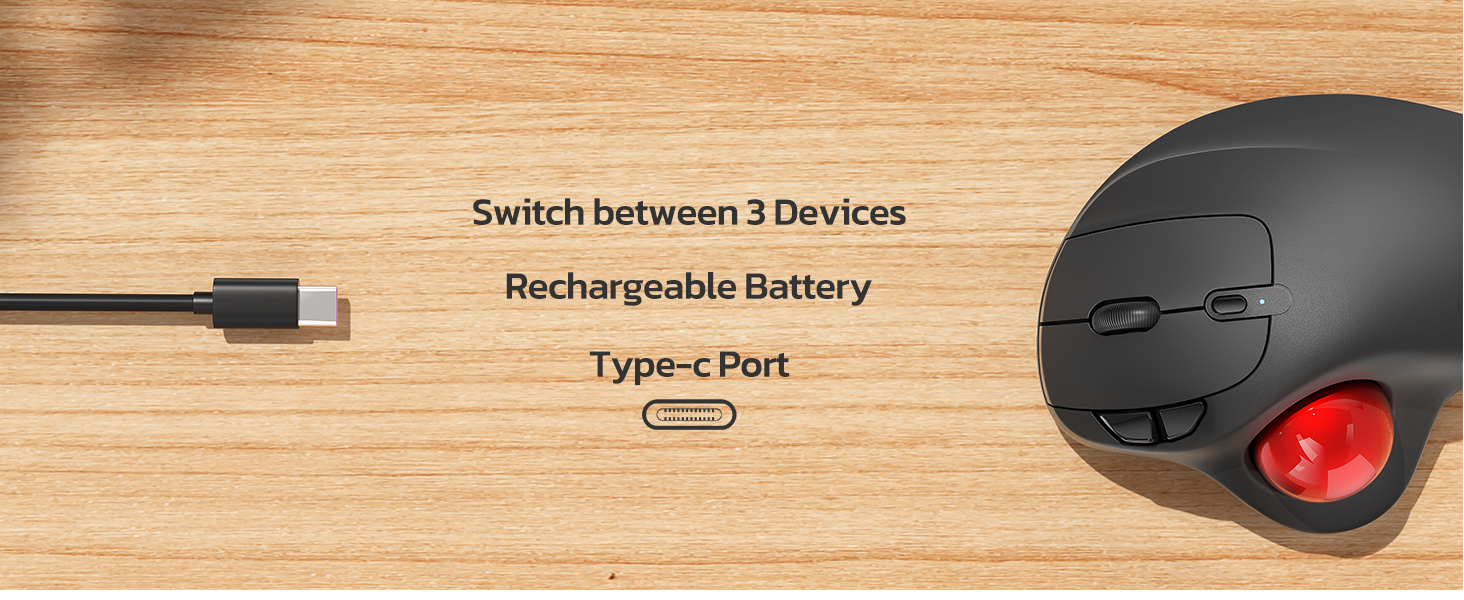
Rechargeable Battery: (For your best experience, please fully charge the bluetooth trackball mouse before your first use) The built-in rechargeable battery has a long battery life enables you to say goodbye to dry cell batteries. Please Note: 1. Please use our included charging cable to charge the wireless trackball mouse 2. Do not use a fast charger to charge the trackball mouse. (Directly use the computer USB port or a 5V charger to charge the bluetooth trackball mouse).
6 Button High Performance: Nulea trackball mouse bluetooth is designed with thoughtful ergonomic details and an elegant curved shape. Plus the back and forward button, you can operate easily with higher productivity as well as added comfort. Note: All buttons on this wireless trackball mouse are not programmable!
8 reviews for Nulea M501 Wireless Trackball Mouse, Rechargeable Ergonomic, Easy Thumb Control, Precise & Smooth Tracking, 3 Device Connection (Bluetooth or USB Receiver), Compatible for PC, Laptop, Mac, Windows.
Add a review
$35.99
Amazon Customer –
3 Months In, It’s Working Out Great
As a long-time user of the old wired Logitech Trackman Wheel models, I was hesitant about trying this.I had bad experiences with TWO of Logitech’s newer M570 models wearing out their buttons in less than 6 months time. I even bought used Trackman Wheel models online after they became discontinued, and those lasted a lot longer than the newer M570s.I’ve had this Nulea for 3 months now and use it daily, and can safely recommend it for anyone looking for an alternative. It has been reliable and works very well for someone used to the Logitech models.The position for your hands is ever-so-slightly different than the old Trackman Wheel’s slope/angle, and it does take a few days to adjust if you’re so used to another model. But it’s very slight and not anything that feels drastically different. Once you’ve acclimated, it feels very natural and comfortable, even for all-day use.Just like with the Logitech models, it successfully keeps my wrists and hands pain-free, where with a normal mouse (which I gave up decades ago for this reason) I’d have bad hand cramps and wrist pain from the repetitive movements involved.Other reviewers have mentioned Nulea has great customer service, but so far I haven’t had any need to confirm that myself. Everything is working great for me. I chose to use it via the wireless adapter rather than bluetooth, simply because my bluetooth connection is a bit spotty at times for my liking (with other devices too, not just this trackball) but it has been a great experience using the wireless USB adapter.For anyone who happens to use Linux, it works flawlessly on Linux Mint for me. The sleep mode is handy for those times when I forget to turn it off overnight, or just in general for idle periods to help conserve battery power. When it enters its sleep mode, all you do is click the left button once to wake it back up, and then you can move the mouse and use it like normal again.After the initial charging period when I first got the device, I’ve only had to charge it I think once or maybe twice, in a 3 month period, so the battery lasts for a long time on a charge.The DPI button is really helpful to have too, and I like to set it to the max amount. I was sorely missing this feature when I briefly went back to using my spare old Logitech Trackman Wheel on another device for a time. I’ll probably order a second one of these Nulea models for that device at some point honestly, now that I know they are reliable and great to use.It might seem like a small thing too, but I also love that you can pick different color trackballs. I’ve got the gold model and really like how it looks with the dark grey.The only odd thing I have noticed so far is that the scroll wheel sometimes has a bit of a squeak or “chirp” to it after a while of using it (I thought it was a bird outside my window the first few times I heard it, until I realized) but it doesn’t seem to impair functionality any, and most of the time it isn’t an issue.Right now as I type this and scroll the wheel it’s not making any such noises at all, for example. Even when it does squeak a bit, it’s nothing that feels like it’s faulty or in any danger of breaking. So far it is definitely not a problem, and my experience overall with this trackball continues to be a very positive one.
TJ –
Works much better than my last remote wireless mouse.
I REALLY love this mouse in spite of one little downside & one VERY annoying one. The minor annoyance to me is easily overcome. So, I overlook it because the auto sleep mode actually makes sense to me.Ever since getting this new wireless mouse, its worked a heck of a lot better I I have only charged it a couple of times since buying it. One little point to make is that I use my PC A LOT & more of my mouse than the keyboard. So, you would think that the battery would run down faster with all the use I’m getting out of it.NOT A SNOWBALLS CHANCE IN HELL!This thing just keeps on working for weeks on end like a champ & I like using the Bluetooth option over the dongle that can be found fastened to the underside of the frame of the mouse. I like it because….1) … when the dongle is plugged in, it takes up another slot that I could later use for something else.2) … I have yet to see any power indicator if I use the dongle connectivity option so I would have no idea when to plug the unit in to charge it when not in use.The down side to the Bluetooth option… I can’t just simply shut off my Bluetooth on my PC when switching my headphones over to my fire TV which also allows for Bluetooth headphones. The mouse will stop working obviously which is a problem because then, I have to go back to my old wireless mouse which does work on a USB dongle plug which I still have plugged in just in case but it has a lot of glitches & it doesn’t always work as well to my satisfaction since its wearing out.Anyways, when it comes to the one very annoying downside that I have to live with as I constantly remind myself not to shut off the Bluetooth.Mind you, for the sake of context, I have my PC in my bedroom connected to a large screen TV that also serves my fire cube & all my different gaming systems because of my being a video game nut. I also have to have the PC connected to my TV since my eyesight has been getting poorer as I get older.So, the larger text on the big screen helps me to see better & the new mouse works like a champ! It has a built in battery which is nice unlike my old one which needed a new battery every couple of months or the mouse would glitch on me until I replaced the batter again but these days, it doesn’t matter if I have an old or new battery in it. So, now its just used as a backup while this newer mouse just keeps a ticking better than a Timex watch ever did.Lastly, unlike my old remote mouse that would have the roller ball part pop out if I accidently dropped it on the floor, the ball on this one has stayed in when dropped. Its really held together nicely & for the sake of helping the Amazon AI on ticking off all the issues, yes, its comfortable & very accurate so no worries there.lastly, its totally worth the price if you are looking for a affordable wireless option.
Brian K –
Works fine and can probably be installed on any computer system.
Nice product once it’s installed. I had issues but thankfully due to the different ways it can be installed I got it done.My computer has one USB port up front and in the top, and 6 in the back. I use thumbdrives for back up and I make redundant copies. I need convenient USB ports. So along with the trackbal I also ordered a USB extention with an additional 4 ports. I installed both at the same time. Mistake!The trackball worked for less than a minute then nothing. Thinking it had timed out I pressed the button(s) to wake it up. Nothing. So I took it out and went back to the old trackball. That worked, then it didn’t. Hmmm. I narrowed the problem down to the USB extension and used Bluetooth for the trackball. Now everything is right.If Bluetooth didn’t work it comes with a cable and that would have been Plan C.The trackball works fine. It’s much like the MS TB that it replaced. Except it’s rechargeable, or mine is.Note that it comes with a gift for comfort. It interfaces under the trackball and yes, it’s more comfortable.The question I walways ask is “Would I buy it again?”. Yes I would. It does not appear to be junk and works as it should.
Dabatnot –
Depuis, je me satisfaisais de souris classiques, mais quel plaisir de revenir au trackball !Tellement plus ergonomique : pas de mouvement du bras, réglé sur la vitesse maximum, c’est beaucoup plus rapide, précis et réactif qu’une souris. Le curseur réagit au plus petit mouvement du pouce ; je l’utilise même pour jouer aux FPS.Je prends souvent le train ou l’avion, et c’est vraiment plus pratique qu’une souris.Enfin, la possibilité de le lier à trois périphériques différents (le récepteur USB + 2 connexions Bluetooth) me permet de l’utiliser aussi bien sur mon PC de bureau que sur mes deux portables.Le fait qu’il soit sans fil et équipé d’une batterie rechargeable par USB est également un gros plus par rapport à la concurrence, qui utilise encore des piles (piles que, bien entendu, vous n’aurez pas sous la main quand elles tomberont en panne…).Si vous n’avez jamais utilisé de trackball, il vous faudra quelques heures pour vous y habituer, mais une fois acclimaté, il est difficile de revenir en arrière.Pour ma part, même si j’ai mis presque trois ans à en racheter un après que le mien est tombé en panne, je n’ai jamais pu me réhabituer aux souris et j’ai toujours regretté mon trackball.
Ronnie –
excellent item.
Erwin –
Alles super sehr gute Handhabung sehr zufrieden
Mr. White Night –
Die Nulea M501 Trackball Maus hat sich für mich als spürbares Upgrade zu meiner vorherigen Maus herausgestellt. Die Einrichtung geht schnell von der Hand, das Gerät wird sofort erkannt und verbindet sich problemlos per Bluetooth oder über den 2,4-GHz-Empfänger. Innerhalb weniger Augenblicke ist die Maus einsatzbereit, was gerade bei mehreren Geräten ein großer Vorteil ist.Beim Arbeiten merkt man sofort den Komfort: Die Maus liegt außergewöhnlich gut in der Hand, der Trackball reagiert präzise und lässt sich geschmeidig bewegen. Auch längere Sessions ermüden die Hand kaum, was im Vergleich zu meiner alten Maus einen deutlichen Unterschied macht. Die Knöpfe fühlen sich robust und hochwertig an, der Druckpunkt ist angenehm definiert und vermittelt ein solides Handling.Besonders angenehm ist, dass die Maus auf verschiedenen Systemen gleichermaßen zuverlässig funktioniert, sei es Windows oder Mac. Für mich war sie eine klare Verbesserung, da die vorherige Trackball-Maus irgendwann anfing, unregelmäßig zu reagieren. Mit der Nulea M501 hat man ein Gerät, das reibungslos arbeitet, sich leicht bedienen lässt und sowohl in puncto Präzision als auch Ergonomie überzeugt. Wer viel am Rechner arbeitet und Wert auf komfortable Kontrolle legt, findet hier ein durchdachtes Werkzeug, das sofort ins Arbeitsumfeld passt.
plantqueen –
Three-year update: I love this mouse so much! It was my solution to ease pain to carpal-tunnel syndrome from so much clicking (I do lots of spatial analysis for work). Battery lasts for several weeks and finally gave up after three years of intense use