
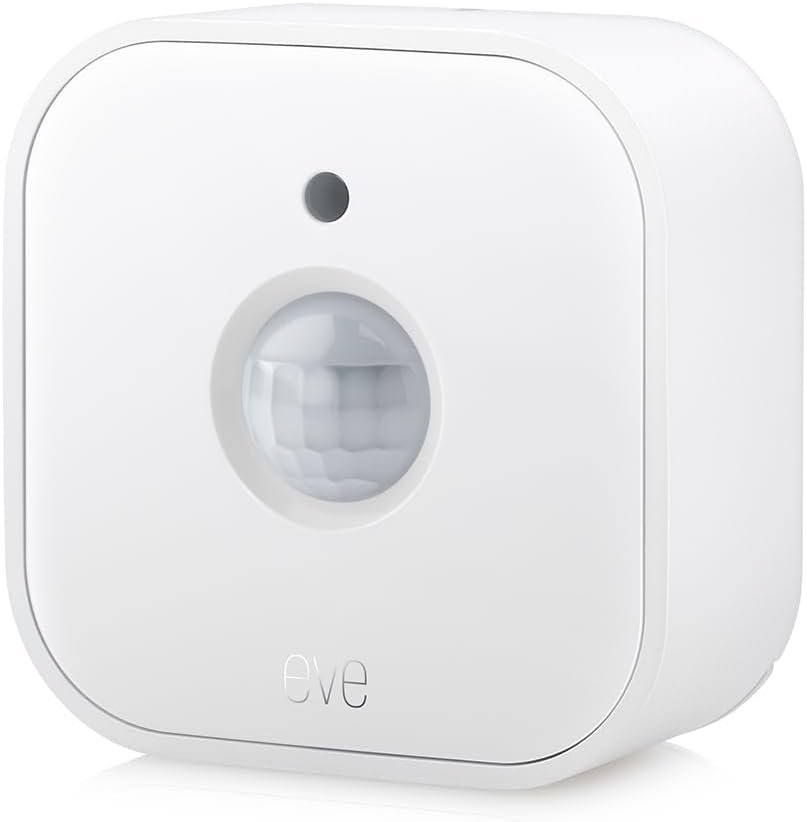
Eve Motion (Matter) – Smart Motion Sensor with Light Sensor, IPX3 Water Resistance, Automatic Activation of Lights and Devices, Thread
$35.00
Related Products




From the brand


For 10 years, Eve has been redefining what smart home can be. As the smart home has grown more advanced and connected, our mission has remained the same: making your home more private, effortless and efficient. Join us as we mark 10 years of Eve – a decade of delighting everyday living.

Eve
A smart, secured and comfy home thanks to Eve outdoor products.
Outdoor

Maximize your security.
Protect your home with Eve.
Security
Energy
Lighting
120° field of view and up to 9 m detection range. Indoors and outdoors thanks to IPX3 water resistance and wireless battery operation.
Control your lights and appliances with movement, and receive notifications when motion is detected (available on selected platforms). Refine automations by brightness in the Eve app for iOS.
Matter-enabled to let you seamlessly monitor your home across smartphones and voice assistants of all major platforms. Cutting-edge Thread network technology for a robust smart home.
100% Privacy: No Eve cloud, no registration, no tracking. Local communication without cloud dependency.
Eve Motion requires iOS/iPadOS 16.4 (or later) or Android 8.1 (or later) plus a hub of your chosen platform: Apple Home: Apple TV 4K (2nd gen / 3rd gen 128 GB), HomePod (2nd gen), HomePod mini / Samsung SmartThings: SmartThings Hub v3 / Amazon Alexa: Echo (4th gen), Echo Hub, Echo Plus (2nd gen), Echo Show 8 (3rd gen), Echo Show 10 (3rd gen), Echo Studio, eero 6 / 6+ / Pro 6 / Pro 6E / Max 7 / Google Home: Nest Hub (2nd gen), Nest Hub Max, Nest Wifi, Nest Wifi Pro
12 reviews for Eve Motion (Matter) – Smart Motion Sensor with Light Sensor, IPX3 Water Resistance, Automatic Activation of Lights and Devices, Thread
Add a review
$35.00
Fejjy –
Reliable, Easy to Set Up, and Great for HomeKit Automation
I picked up the Eve Motion (Matter) sensor to expand my HomeKit automations, and it has been a great addition so far. Setup was incredibly simple—pairing took only a few seconds, and it immediately showed up in the Home app without any issues. The Matter support makes it feel more future-proof, and it integrates smoothly with the rest of my smart home devices.I mainly use it as a motion-activated light trigger, and it’s been very consistent. The motion detection is responsive, the light sensor adds extra flexibility for daytime vs nighttime automations, and I haven’t had any false triggers. The IPX3 water resistance is also a nice touch if you need to place it in more exposed areas like hallways near an exterior door.One thing I’ve been especially impressed with is the battery life. Even with daily use, the battery has held up really well, and I haven’t had to swap it out yet.At its price, it’s a solid smart home upgrade that “just works,” which is all you can ask for with automation hardware.Bottom line: Easy setup, great HomeKit integration, reliable performance, and strong battery life. I’d definitely buy another.
Greg A. –
Not a presence sensor, and it failed after a few months.
The good: It works, sort of. I set it up, and it does detect motion. I used it with Homekit and it connects with it after a couple of tries. I wanted to use it to turn the lights on when I enter a room and off when I leave.The bad: It doesn’t continually detect whether you’re in the room, so it’s not good for what I wanted. it turns the lights on, but it was too difficult for me at least to get it to keep them on until I leave. The best I could do is have it turn on, wait 10 minutes, then turn them off, if it didn’t detect me. but it does not detect me if I’m sitting still. So it turns the lights off and then when I move again, it turns them back on, which is annoying. The solution to this is to get a presence sensor, not a motion detector and Aqara sells a presence detector, which I hope will work a lot better.Also bad: I changed the name of the Wi-Fi in our home and had to reprogram this to use the new Wi-Fi and it failed totally. I couldn’t get it to work anymore so even though it had good reviews, I definitely would not buy it again.Edit: after several tries, and resets, I got it to pair again, but it failed almost immediately. So even if you’re willing to accept it being just a motion detector, Be prepared for it to only work for a few months.
James C Ramsey –
Simple and reliable!
This was one of those smart home products I just bought to play with. It works well. I use it for motion alerts when I’m away from home.
CSK –
Connects and Works with Google Home
This motion detector works great and simple to set up with Google Home. We had someone go up onto our porch and steal a cheap wooden bench in the middle of the night so bought this to create a routine that if motion is detected on the porch it will turn on the lights in two different rooms, turn up the volume on one of our home speakers and trigger a 30 second doorbell and barking dog audio file to trigger our dogs to start barking. Then when motion is no longer detected it will turn off the lights. This was super simple to do in the google home app by following the setup to connect it to Google Home.The one thing I believe most people miss is that when setting up you have to ensure the network you are on is 2.4ghz. I did make the initial mistake of forgetting this and the unit would not work. Realizing this, I simply removed it from google home, connected to our 2.4ghz bandwidth and then reset up and once that was done everything was simple to set up and then create a routine for it as mentioned above. One thing that would help users is if they could show what wifi network the unit is connected to in Google Home. I cannot speak to the SmartThings app as I did not want another app install.The detection is pretty good, range was a bit too long for us to point it toward the street as it would trigger when cars passed by about 30-35 feet away, so had to point it toward the house. The cone of detection seems to be about 160-170ish degrees so works for our purpose and we don’t get false alarms now from cars or people walking on the street.Overall, this works quite well as intended was super easy to set up. Once realized the 2.4ghz was required, it too a total of about 15-20 mins to connect to Google Home and have routines set up. It does require a hub to connect to, so keep that in mind also if you do not have a Google, SmartThings or other compatible hub already.
S. Podell –
Works flawlessly with Apple Home
Paired right up, and was working in one minute.I don’t use the energy feature, I buy them because they pair quickly and reliably.Another home branded “matter” cheap equivalent, makes you turn off the 5Ghz band on your WIFI router,and then pairs erratically and loses pairing, sometimes when the power goes out.So this costs a few times more, and is worth every penny.Plus it is designed in Europe, so I have no worries about malware.
Horizonjob –
Not the best solution for home automation
I found the motion sensor did not pair easily with my Home Assistant automation and it provided false readings. I returned
ChroMag –
Good quality vs price
I have a few different motion sensors; this is one of the better quality vs priceUse on a covered patio and seems to be somewhat weather resistant
Simbad1947 –
Habe drei EVE Bewegungsmelder an unterschiedlichen Stellen in Benutzung. Am Hauseingang (Südseite) habe ich bereits 4 x den Sensor getauscht. Ziemlich genau nach 2 Monaten ist der Bewegungsmelder defekt. Die Einheit ist verbunden, der Lichtsensor funktioniert, aber der PIR Sensor ist defekt. Es wird keine Bewegung mehr registriert. Es ist kein Verbindungsproblem oder ein Problem mit meinem Netzwerk sondern ein Hardwaredefekt. Der EVE Support konnte mir nicht weiterhelfen, außer mir den Umtausch zu empfehlen. Kurioserweise funktionieren die anderen beiden Sensoren (Nord- und Ostrichtung) seid 1,5 Jahren einwandfrei. Habe von EVE viele andere Geräte und bin sehr zufrieden. Speziell dieser Bewegungsmelder hat ein Konstuktionsproblem und geht reproduzierbar kaputt.
Amazon Customer –
I bought this at a discount through warehouse deals and am please with its simplicity and effectiveness.Many creative ways exist to use the device to trigger everything from notifications on your phone to various types of automations like turning on light when you enter a room.Security, automations, fun creative uses. We keep ours not anchored anywhere specific and move its location based on use.Is the kid awake, when we aren’t in earshot?Is there movement by the basement windows at night when we aren’t at home?Turn on the light in the laundry room when entered.If there’s no more movement detected for 10m, turn off lights.When the light level is this much (sunrise/morning) turn off lights.The device has a motion sensor and a light level (lux) sensor.Keep in mind many of these automations need other devices to function, smart lights, bridge/hub..
Katia –
Purtroppo non sono in grado di recensire l’articolo in quanto non compatibile con i miei dispositivi e non sono riuscita a fare il reso in tempo utile
Dr M. –
I’ve used several of these to create a low cost security system. They’re unobtrusive and will send you a simple alarm when someone is in a monitored space, from across the world if necessary, with installation and set up taking only a few minutes. Batteries seem to last about a year and this could probably be imprived using lithium cells
Donald –
It technically works but they do not have an app. Google home supports very limited functionality, You cannot use the light sensor on board, You cant set delay timers so it triggers lights off after no movement for x amount of time etc. It can trigger an “on” and “Off” state, Thats it. Nothing more, Nothing less. Very limited functionality. Not sure hoe they can even market this as google home compatible. The fact that google home can see the device doesnt mean its compatible. If they add this device to their app so you cant set triggers and use the light sensor it would be great.