
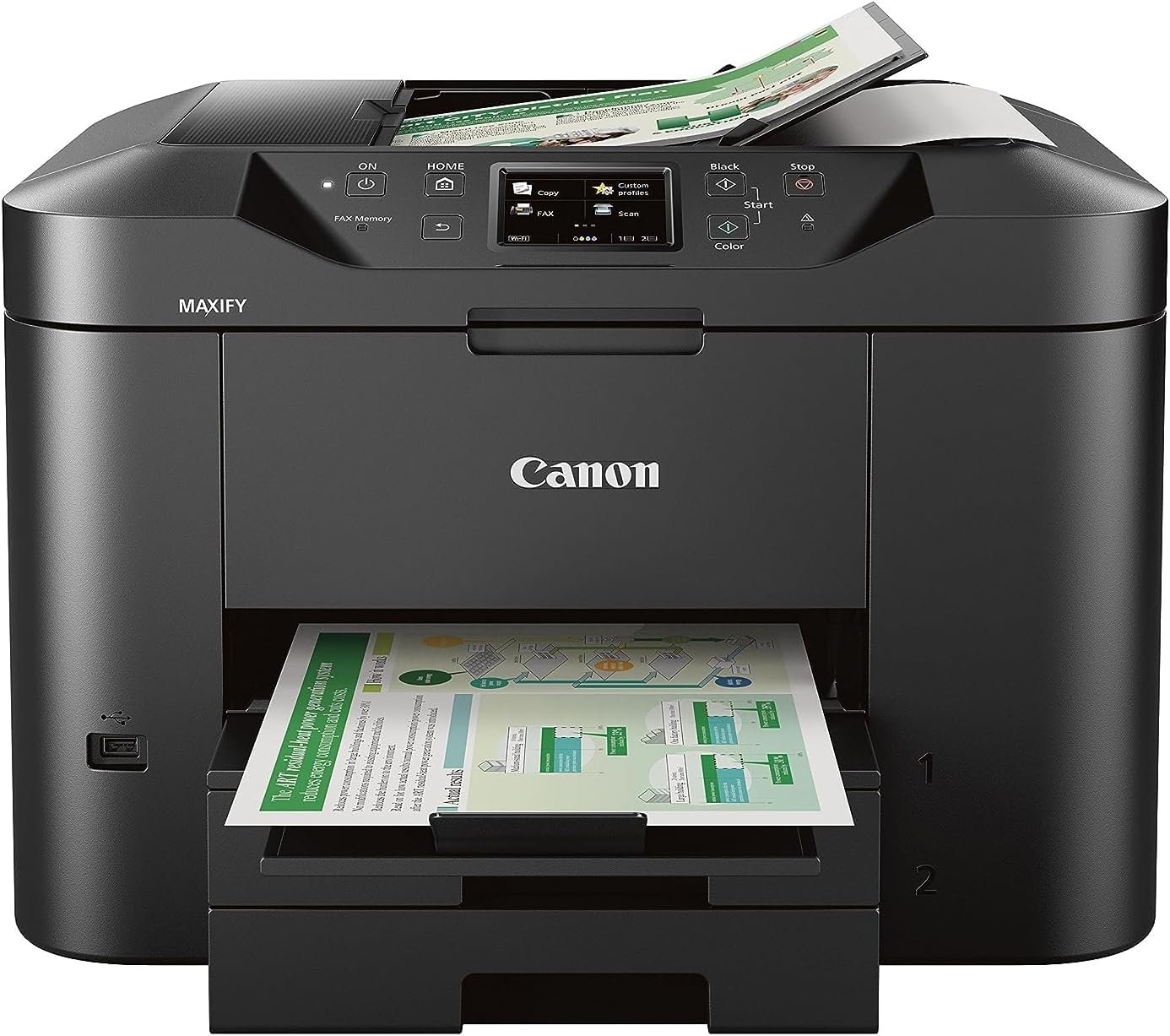
Canon Office Products MAXIFY MB2720 Wireless Color Photo Printer with Scanner, Copier and Fax
$119.99
Related Products

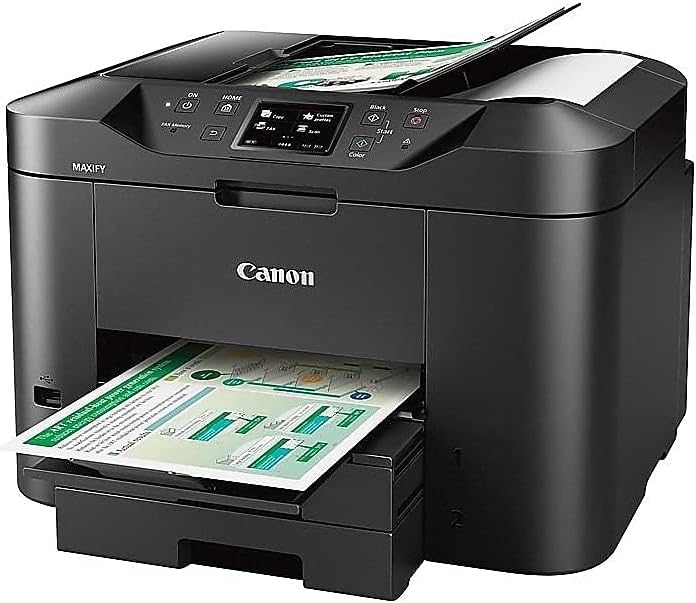
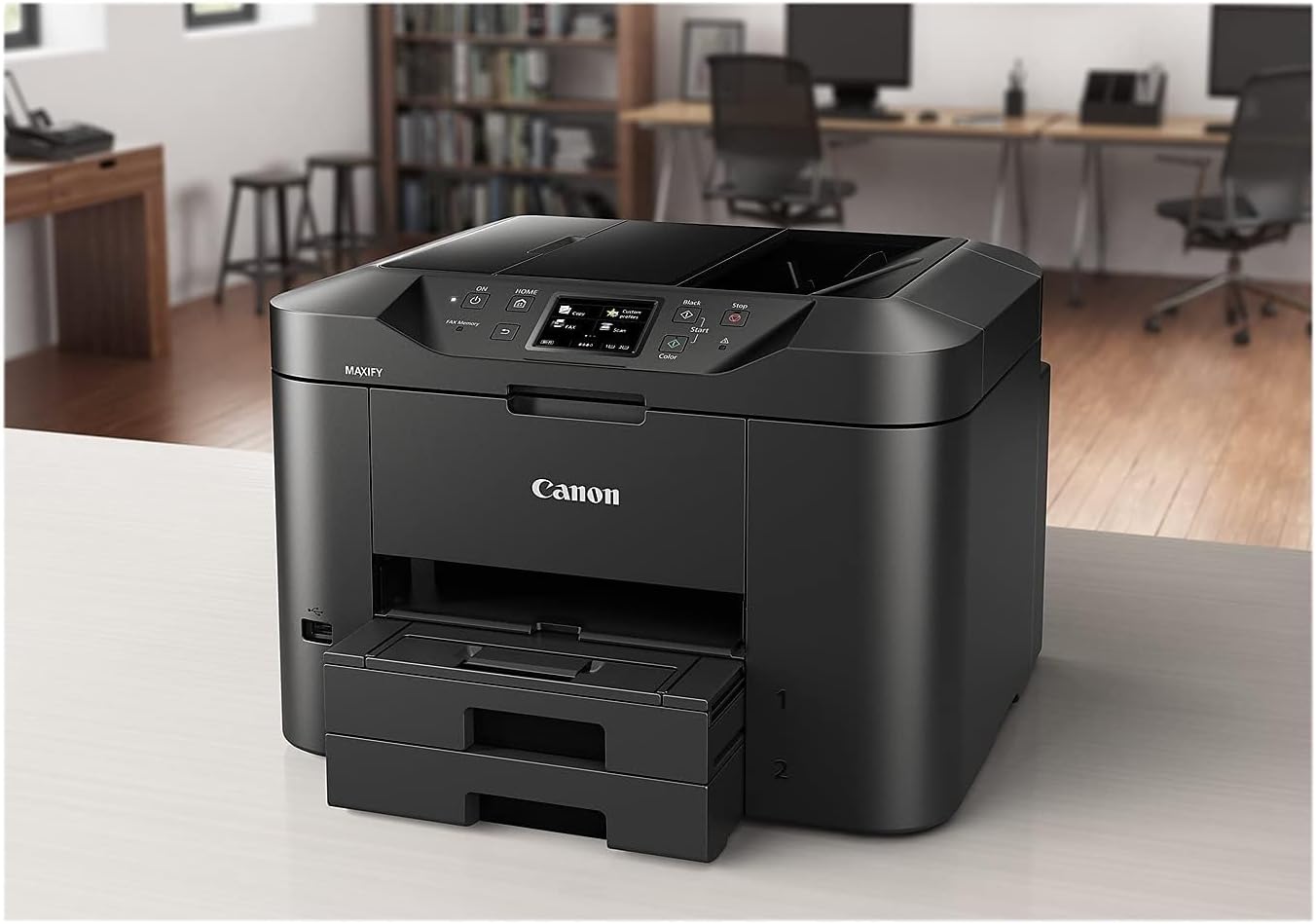

Successful businesses are efficient. The MAXIFY MB2720 Wireless Home Office All-In-One Printer was designed to help you work and meet your business needs. With features like Quick First Print and Schedule On/Off your business will be able to print quickly and save money. Specifically designed to meet the needs of home-based businesses with 1-4 users, the MB2720 printer produces bold, colorful prints of your business documents. The MAXIFY MB2720 printer is the workhorse your business needs with a quick first printout time as fast as 6 seconds and fast print speeds up to 24 ipm (B&W)/15.5 ipm (Color). Built for the big jobs, it has a large 500 sheet paper capacity and a 20,000 page duty cycle. The efficient MAXIFY ink tanks deliver a high page yield from one set of XL ink tanks and the Dual Resistant High Density (DRHD) inks produce laser sharp text that is smudge and highlighter resistant. The entire MAXIFY lineup features built-in Wi-Fi and is fully compatible with the Canon PRINT app. This makes it easy to share and print information directly from your tablet and smartphone via select popular Cloud services. You can also easily scan directly to your mobile device. Best of all, the eco-friendly MB2720 printer is backed by 100% U.S.-based customer service and support. Welcome to the new standard in Home Office Printing!
Two paper cassettes provide a combined capacity of 500 sheets – or a full ream of paper, so you’re ready for any job
The Canon PRINT app has great features so you can scan, copy and print right from your favorite mobile devices
Print laser-sharp text that is highlighter and smudge resistant with the Dual Resistant High Density (DRHD) Inks
With a 20,000 page Duty Cycle, the MAXIFY MB2720 is built to last for all your home business needs
All MAXIFY printers feature 100% US-based Service & Support.Copy Speed (up to) : FCOT (Color): Approx. 12 Seconds
Computer Operating Systems:Windows 10, Windows 8, Windows 8.1, Windows 7, Windows 7 SP1, Windows Vista SP1, Vista SP2, Windows Server 2012, 2012 R218, Windows Server2008, 2008 R218 Mac:19 Mac OS X v10.8.5 – 10.11
Paper size: 4 x 6, 8.50 x 14, 8.50 x 11, 5 x 7, 8 x 10
7 reviews for Canon Office Products MAXIFY MB2720 Wireless Color Photo Printer with Scanner, Copier and Fax
Add a review
$119.99
Dr.Seuss –
Home Office Champ
This is my third Canon Printer, I am guessing it’s about three years old. It replaced an earlier Cannon MB2500 (as I recall, may not be the correct designation) all in one printer. This printer has so far been flawless. I get through a complete set of “XL” cartridges in about 12 weeks. I user premium 28 gram weight paper. Based on this profile the print quality is superb. Color is very good. Its not the “best” for photographic the color rendition is a little skewed and muddy compared to high quality photographic printers. I do very few, and simply send those that I do out to Walgreens. Admittedly I have not tried running through dedicated photographic paper, so that may be worth a shot. The scanner is okay, it has developed in the last 6 months a very fine black line on some scans. It is not an issue for what I use it for.I believe the printer will perform acceptably with lower grade paper. I have run through a couple in the past. But it does need to be inkjet paper. Now a note in inks. My previous Canon printer I switched later in its life to generic brand inks.The quality was pretty variable, but the cost savings were huge. I was happy to save the money. That was until the last bull purchase (a deal with four sets of cartridges.) One month into those cartridges I started getting problems… they quickly degenerated as well. The print quality went off the cliff, I started even getting occasional bobs. No amount of deep cleaning helped. In fact it made it worse. I did manage to extract the cartridges and replace with a set of canon cartridges. However, the damage was done. I tried cleaning the heads. No improvement. It clearly damaged the nozzles at a very fundamental level. I gave up and donated the printer to Goodwill. I have seen a number of complaints in the reviews on print quality, clogged heads etc. In my experience if you try to save a buck it will be at the expense of longevity of the printer. It may even be worse for a home user where the print volume is perhaps much lower than a commercial office.On cartridge page volume I have ,measured this relative to paper ream usage. In my experience with normal letter type publication, web printing and so forth the cartridge life seems to vary between 1,100 and 1,500 pages. The variance is also in part due to the duplex printing mode. That said a solid page of one color will totally throw off those numbers. I know because it has on occasion happened. Remember you can go into the print que and abort! Alsoa. solid page of black looks pretty uneven in color depth presentation. Laser printers are way superior in this regard.Finally connectivity. The is an easy printer to set up in my opinion. The Canon drivers are solid and support the product well. I use this printer with Chrome books, Windows 10 Laptops, iPads and Macs. One of the Macs is at OS 11 (Big Sur). The last point here, there are new drivers available on Canon’s website that support Mac OS 11 even though that is not called out in the Amazon listing. It is possible they may not come with your printer, and you may ave to search them out. I don’t know as I bought my printer several years ago. I’ve used this printer with USB in the past. I used it with Ethernet, and currently with Wi-fi. Works well with all three.In conclusion, good medium-low volume all-in one printer. Features good connectivity, reasonable paper tray capacity (might be a little small for a commercial office), it is in my experience reliable. Scanners are however prone to failed bits (black lines). My current and previous Canon all-in-one’s experienced that degradation. Printer life, of my last printer was severely shortened using non-Canon ink cartridges. As with all printer manufacturer cartridges they are too highly priced, although these do have reasonable page life. You can recycle these with Office Max/Staples. Recommended for Home Offices Everywhere! Commercial high volume use might be pushing this investment – check the manufacturer’s specified duty cycle. Alternatives would be all-in-one laser printer solutions, but the starting price is typically considerably higher. Also those units typically come with low volume starter cartridges which cost a lost to replace.
Karey Pharris –
Great Printer
In the past I have generally went with HP printers. My last two HP printers went south. Print heads, ink cartridges being dated and the last one died twice under warranty. On the third time, decided no more HP junk. This Canon has been superior in every way! Ink wells are easy to install, open the door and it goes to the one that needs to be changed! Maybe HP can learn something from Canon on this one. Printing, scanning, copying much better than the HP I had. Keep in mind the HP was several hundred dollars more expensive than this Canon! The only good thing I can say about the HP was one of the builtin functions printed different paper types: ruled, music sheets, and many others. Canon does not have that feature, but pummels HP in every other way possible! I had this printer for some time now and not one issue, mishap or sign that it will not last. I print very little, and with the HP’s (when they were dating their cartridges) that was an issue. The date on the cartridges would run out before I used half the ink!Well worth the price, kinda big and bulky, but is a work horse if you need one.
Robert Baxter –
Do not recommend
I am a tech savvy person overall and this goes down as a real dud. Very difficult convoluted set up between the desktop, the two iphones, and never could get my laptop to work on it.I had to go through multiple attempts to get the drivers to work. It was persnickety the whole time. Just a real pain, hardest printer I have had to deal with in my many years.We never got the wireless option to work well. It required an app on our iPhones, then the app would not connect to the printer, so I would set it up yet again. This happened multiple times. I finally then gave up with the idea of mobile printing and relied on the desktop.the only reliable printing option eventually became a direct cable connect between my desktop and the pinter. I had to email anything my wife or I wanted printed to my desktop, then print from there.Now comes the part that infuriated me.The ink cartridges are total duds. All of them. I went through the original cartridges like nothing. By this, I mean, I actually printed almost **nothing** and they just … claimed they were empty. It is only my wife and I in the house (empty nesters). Neither of us print much of anything, just an occasional document (usually a black and white job) related to work or something simple related to banking. That is it.In the 1.5 years I owned this, went through 4 sets of color cartridges and 2 XL black cartridges. Mind you, we probably print 40 or less pages a year. Serious. No color printing with an occasional exception where the header on a document might have a splash of color. We just don’t print much.I am trying to do a refi on my house the last 3 months. Printer was yet, out of ink again. I had literally printed one time with it since the last reload of cartridges.Catch this: **it does not matter what cartridge is supposedly dry, it will NOT NOT NOT work if any one cartridge is supposedly dry.** Just will not. The whole things is bricked until a replacement cartridge is put in. It is usually the magenta or cyan that seemed to go dry. I suppose just sitting there unused caused them to lock up or something. Considering I printed just a small amount of black and white papers here and there, the color should not have mattered one way or another.After the last go around, I decided every Sunday I would print out a test page to make sure the cartridges were not going dry from lack of use. Guess what? That lasted about a month of Sundays. Then another dry cartridge, another bricked printer.I had the pleasure of connecting my new NON-Canon printer to my desktop today. Just flawless connection and so simple. I then carried this barely used printer to the trash and threw it away. Shame on you Canon.
Arthur74 –
Produto chegou em perfeito estado, ótima qualidade, recomendo!
Israel –
Bien
Bully –
I arrive and after following the setup procedure I got a 504B error. After looking it up on the web I bought new ink cartages and loaded them up it still didn’t work and I got the same error. I am now looking to return the item. I took 2 attempts and 5 days for the manufacturer to approve my return but have to pay the postage myself and still don’t have a printer
Top –
Ficou retico mas consegui retirar