
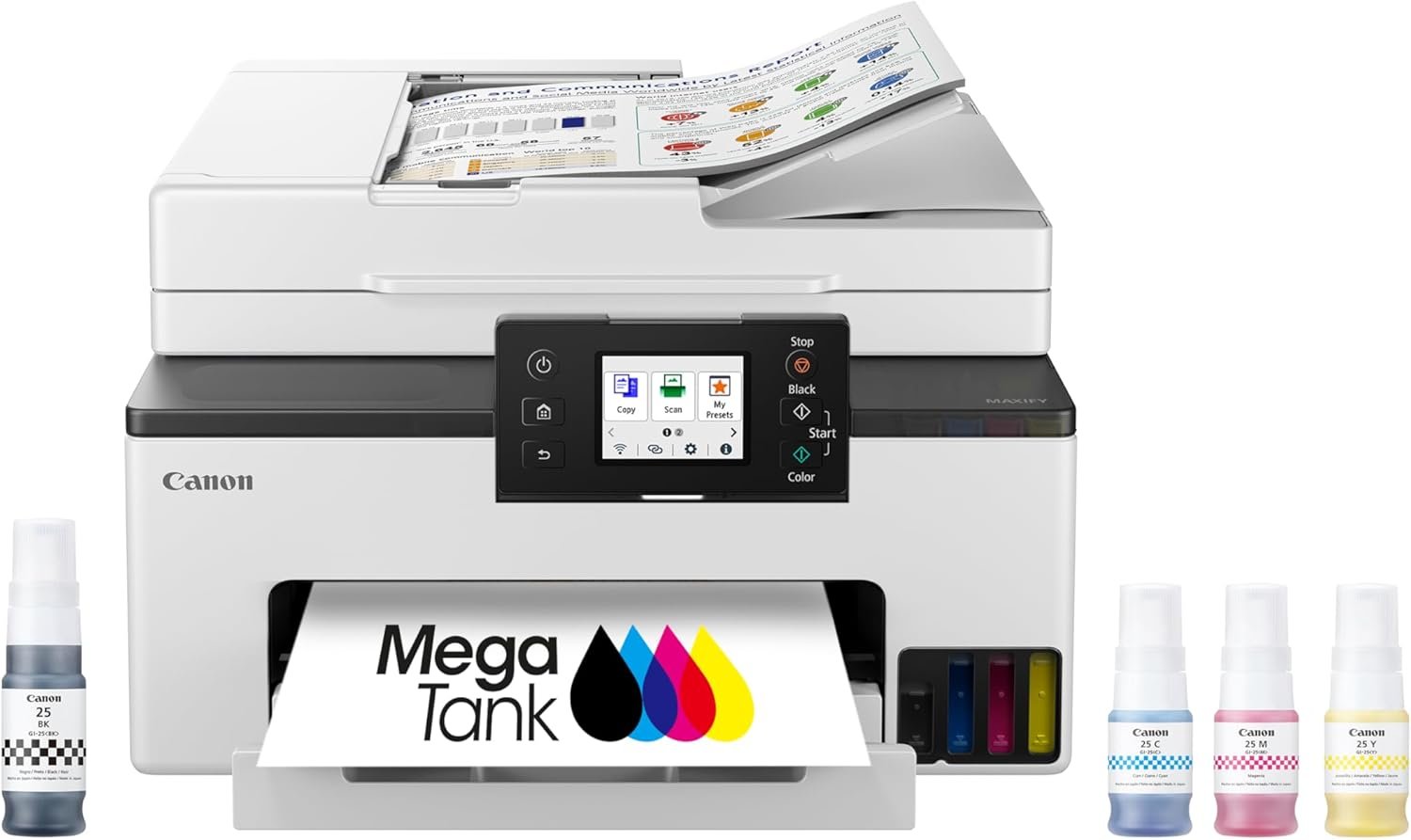
Canon MegaTank MAXIFY GX2020 All-in-One Wireless Color Printer – Print, Copy, Scan with Duplex Printing – Refillable Tank System, Compact Desktop Design – Wireless Print Scan Copy for Home & Office
$329.00
Related Products


Business Quality Printing from the Comfort of Home Canon MegaTank printers are a great choice for high quality printing, value, and performance to help you get the job done. Great for hybrid working environments, the GX2020 has plenty of features to keep you productive from home or office, with office-like print quality. The GX2020 MegaTank All-in-One inkjet printer delivers high-quality, low-cost printing, and outstanding wireless connectivity in a compact size. Get serious print productivity with a high page yield of up to 3,000 Black / 3,000 Color pages with just a single set of inks. Plus, the GX2020 comes with a 3-year limited warranty or 60,000 pages (whichever comes first) and is backed by Canon’s friendly and knowledgeable Service and Support network, so you can have peace of mind and focus on the business at hand. You’ll get a stable, reliable connection with dual band WiFi, fast print speeds and generous paper capacity of up to 250 sheets. The GX2020 also has a built in 35-sheet automatic document feeder, so you can copy multi-page documents with ease. The adjustable 2.7-inch touchscreen makes it easy to view and navigate through functions. The GX2020 is easy to set up and maintain and offers great media versatility to print on a variety of media types and sizes, including photo paper, envelopes, banners and more. Create beautiful and professional posters, banners and signage with Poster Artist Online. Print both documents and photos on a variety of paper types using a 4-color pigment-based ink system for sharp black text and dye-based colors for vivid photos up to 8.5” x 14”. Setting up the GX2020 is easy. You can connect through high-speed USB or wirelessly from computers or mobile devices. The GX2020 is also Chromebook compatible.
Wireless Print/Copy/Scan/Fax (2)
Print up to 3,000 black & white / 3,000 color pages using a single set of inks! (1)
2.7” LCD Color Touchscreen
Auto 2-sided printing
ADF – 35 sheet Auto Document Feeder
See below for disclaimers
9 reviews for Canon MegaTank MAXIFY GX2020 All-in-One Wireless Color Printer – Print, Copy, Scan with Duplex Printing – Refillable Tank System, Compact Desktop Design – Wireless Print Scan Copy for Home & Office
Add a review
$329.00
LV –
GREAT PRINTER‼️
Look no further. This printer is absolutely perfect. I replaced my MX922 with this as it was much more economical. I I love everything about it. It accepts and prints copies very quickly. It is quiet, easy to set up. I especially am enjoying the liquid ink. It is VERY easy to fill, and absolutely not messy AT ALL (if you are a bit concerned about this like I was). I also appreciate the visual that you get on the ink levels. It prints multiple copies very quickly as well……
Alan W Dockery –
Great printer so far and easy setup.
Easy setup and connection to home wifi. Printer onscreen menu walks you thru each step. Was able to easily connect my new windows 11 laptop and even my ten year old windows 10 laptop to print. This is my first ink tank printer that replaced my 12 year old hp inkjet printer. Filling the ink tank was easy no mess and like the easy view of the ink levels. So far everything works great. My only criticism of this printer is the paper tray is thin plastic and not anywhere close as sturdy as the trays of my old printer.
George Lotter –
Not great with cardstock UPDATED REVIEW
Updated January 2025:After using the printer for 6 months, I have discovered that if you print on card stock one side at a time instead of duplex, it doesn’t come out with the curl. We printed over 100 Christmas cards and they came out fine this way. Print quality is decent. After 6 months of use and printing hundreds of pages, most in color, the ink levels are down by only about 1/3! The printer is loud and makes odd noises but seems to be working fine. Overall rating 4 stars. End of update.I purchased this printer to replace my years-old Canon MX922 (best printer ever!). I specifically bought the new GX2020 to handle cardstock, since I print on it frequently. Every piece of cardstock I have printed on has come out with a very pronounced curl, which does not resolve even after drying. In addition, when printing on cardstock, I recommend using the standard print setting, not the high quality. When printing cardstock in high quality, there are many streaks and smudges on the card. Printing cardstock with standard print setting yields acceptable results, although still with the curl.The other functions of the GX2020 work well and give great results when printing on plain paper. Text and images are sharp and colors are very good. Two-sided printing works well also. Scanning and copying are easy and give good results. Two-sided scanning takes a little work, but is not too bad. Photo printing on glossy paper was adequate but not great. The liquid ink seems like it will be a great money saver compared to individual ink tanks like the MX922 used.The associated app for printing and scanning from a phone works well on my spouse’s Android. It did not work on the iPhone but I can print using Apple print, so I deleted the app.Overall, I’d give the printer a 4 star rating for everyday printing, although I am disappointed that the main purpose I bought it for is not satisfactory which is why I am giving it 3 stars.
larry –
Very nice printer
Easy setup, does very nice pictures, not very much colored ink, but at least it’s better than a tiny cartridge. Canon colored inks have changed over the years where they yield less and less pictures per cartridge. At one time I bought a very expensive Canon printer and I printed 170 picture on one set of cartridges. Today’s cartridges you cannot do that. Everytime I buy a new printer, I get less and less pictures. This new printer will help get more pictures without buying loads of cartridges. The operation of the printer is pretty much straight forward with no surprises or gotchas . I’ve had no paper jams. The paper tray adjustments are very stiff and difficult to slide back and forth. Kinda frustrating at times. Installing the printer heads was easy. But, opening up the top cover was difficult. No instructions on how to open the print head carrier. You have to wing it and hopefully you don’t break something. The print heads are 100 percent replaceable if they go bad . Going on past use of Canon printers. You need to use Canon photo paper for the best results. Using other brands of photo paper the colors might look off.Warning for anyone who buys this printer. The black ink tank doesn’t last very long. Canon designed this with relatively small ink tanks.
JOHN M HALL –
This printer is packed well! Pulling the printer out of the box is smooth and easy. Inside is the manual, couple with other items, the cord, the telephone connection and ground wire. The setup is so easy by following the direction on the printer screen. The setup direction was user friendly including the wifi setup. One feature I was very impressed with, while the printer is off. You can send a printing request, it turns itself on and prints the requested info.
charles –
Crap received in an open box was not new ink instaled and leaking all over
Dieter Suhr –
The printer does his job where good .
Robin Trains –
Easy setup. I’m not a techy guy but this went very well even without wine. Used my laptop rather than my phone so I could read all the directions. Scary how quickly it went without having to enter any passwords to access my wifi or laptop. Ink cartridge install and ink fill went smoothly. Didn’t even spill any ink. Filling the reseviours to about 80% left me with at least half a bottle of ink. In hindsight I might not have filled the colour ones so full in case they dry up. Time will tell. Chuckle to myself about all the fax features they go on about, we have cell phones so how do you send/receive a fax?🤔So for the first day, all seems good but will update this review after using this printer more. FYI, we ditched a HP because of ink $$ and it wouldn’t stay connected to my pixel 8.Update Aug 29, phone connection to printer sucks as the app wants to know everything but your sphincter size to print. I don’t care if they know where the printer is but I can’t print unless canon knows my location at all times.☹️
Dennis Stewart –
Exactly as described