
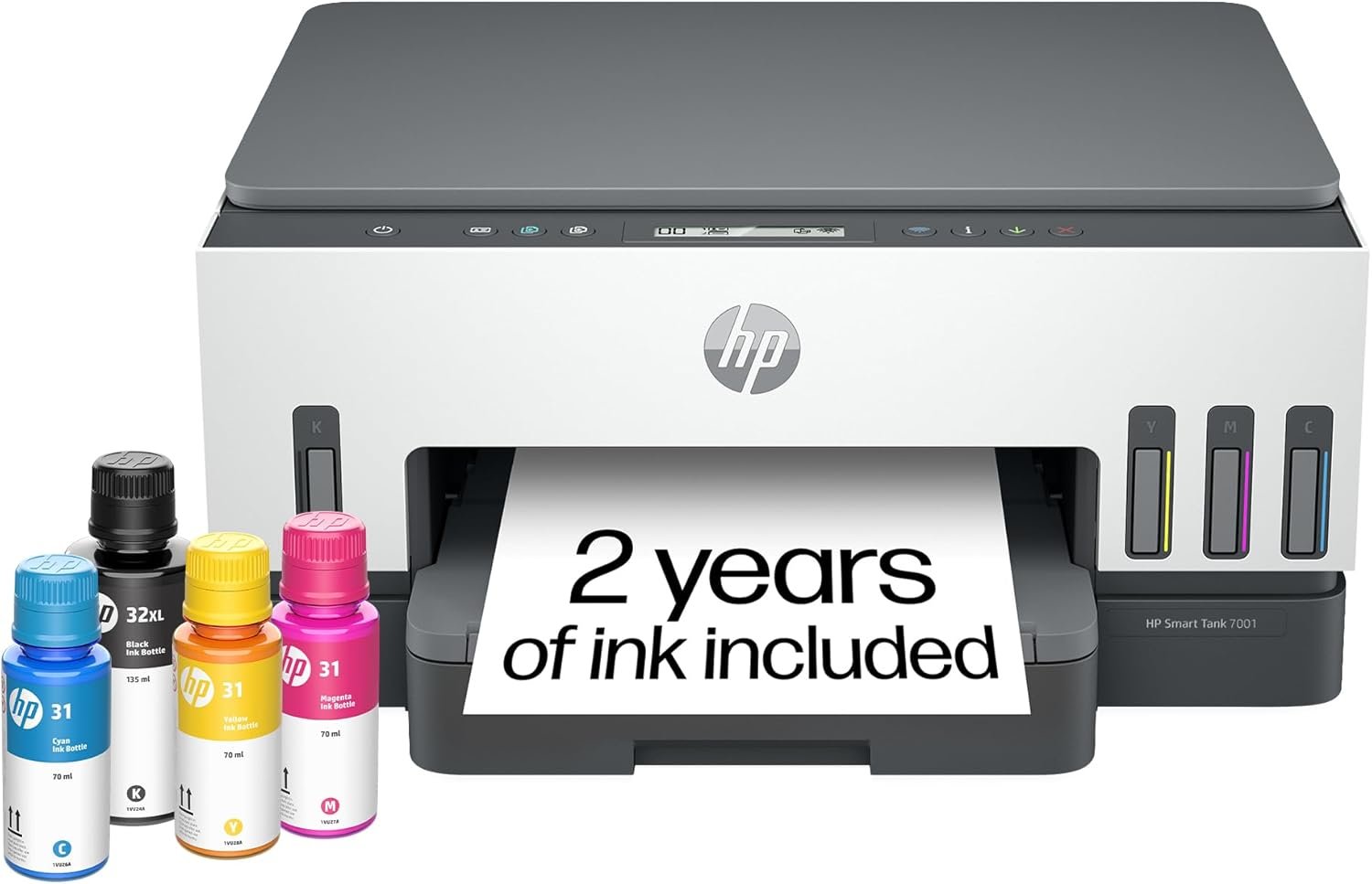
HP Smart Tank 7001 Wireless All-in-One Ink Tank Printer, Scanner, Copier with 2 Years of Ink Included, Best-for-Home Office, Cartridge-Free Refillable, AI-Enabled (28B49A)
$429.89
Related Products









“The HP Smart Tank 7001 makes printing seamless from start to finish for the whole family with a high-capacity ink tank and wireless connectivity. Create outstandingquality color documents at a low cost with up to two years of Original HP Ink included in the box”.
BEST FOR FAMILIES – Print a variety of color documents in high volumes
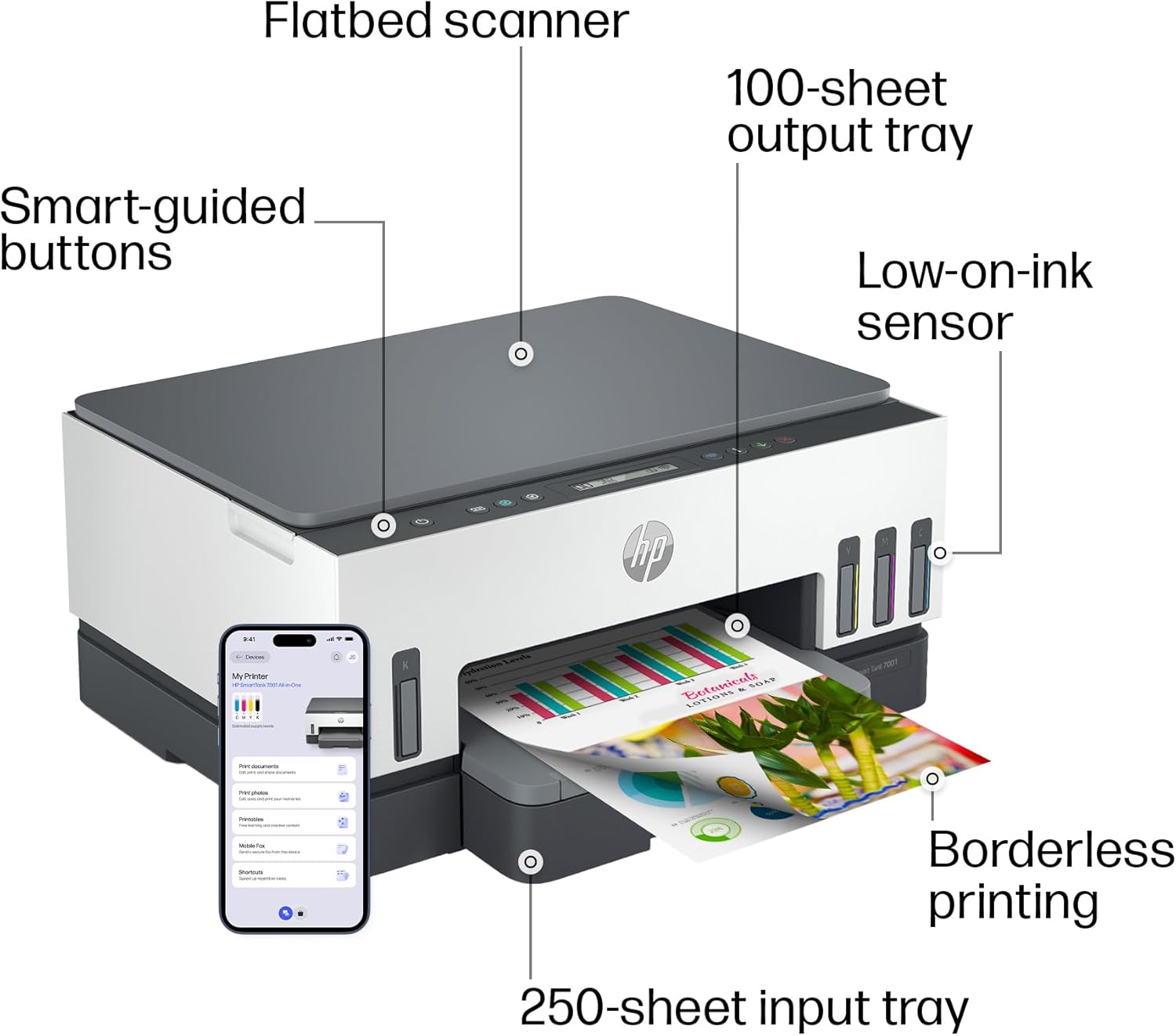
KEY FEATURES – Print, copy and scan, plus automatic 2-sided printing, borderless prints, mobile and wireless printing. Print up to 15 ppm black and 9 ppm color.
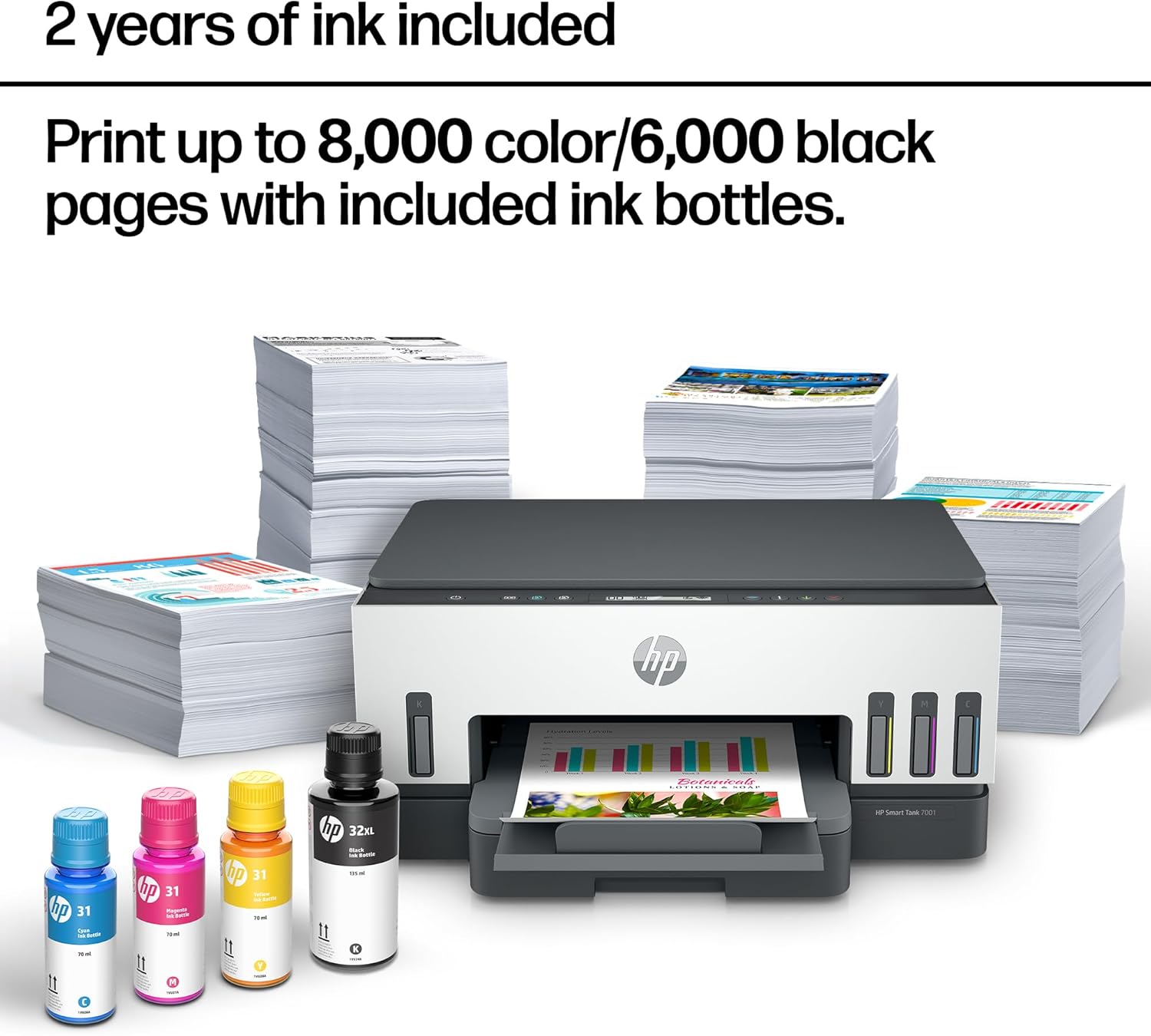
FULLY LOADED WITH SAVINGS – Perfect for low-cost, high-volume printing—up to 2 years of Original HP Ink Bottles included; get up to 8,000 color pages or 6,000 black pages right out of the box
EXCEPTIONAL HP QUALITY – Consistently delivers outstanding color graphics, photos and crisp text for all your prints
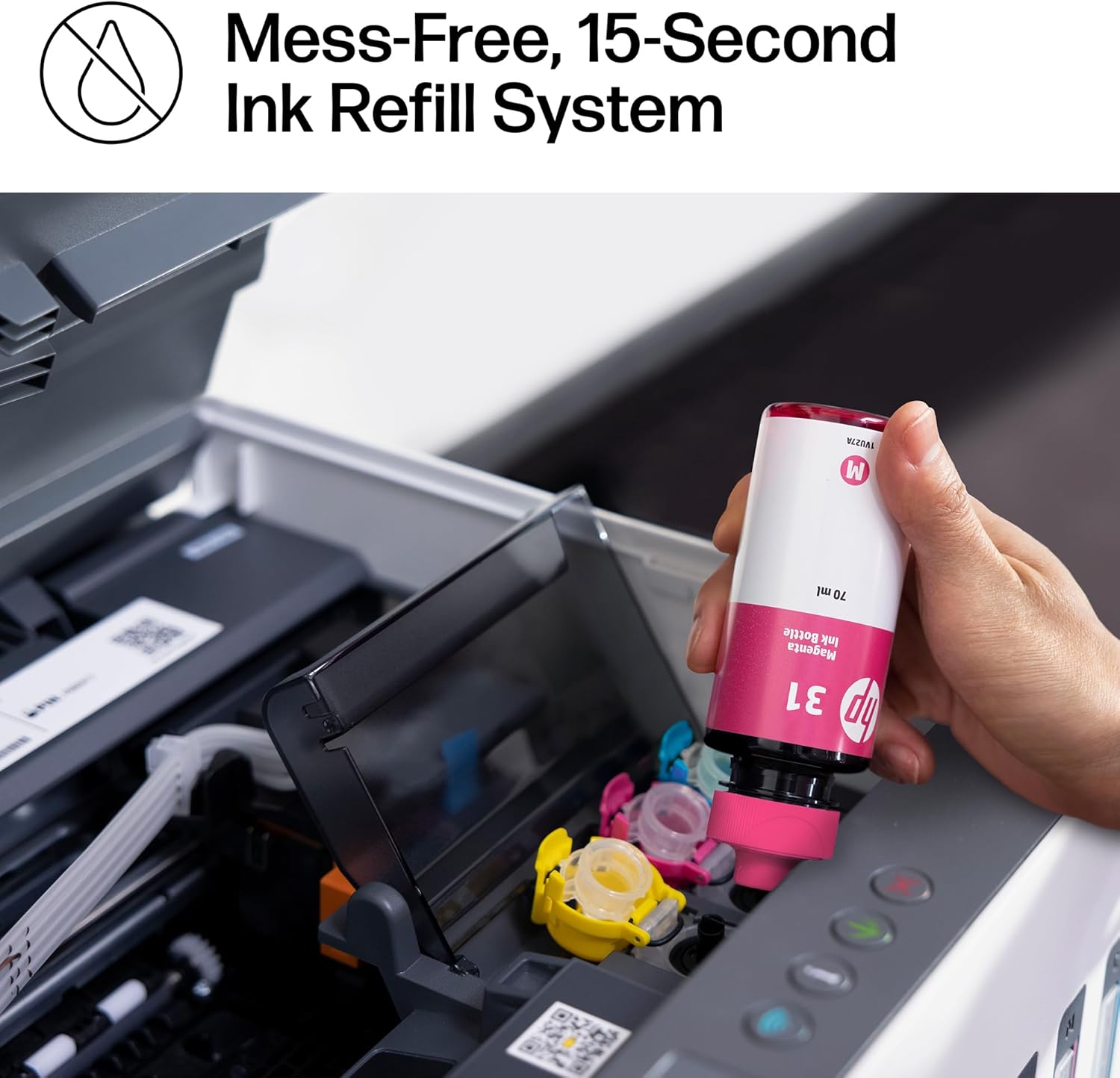
SIMPLE, SPILL-FREE REFILL – Replenish ink with HP’s easy-access, spill-free refill system. Simply plug the Original HP 32XL Black Bottle or Original HP 31 Color Bottles into the ink tank and let them drain—no squeezing, no spilling.
11 reviews for HP Smart Tank 7001 Wireless All-in-One Ink Tank Printer, Scanner, Copier with 2 Years of Ink Included, Best-for-Home Office, Cartridge-Free Refillable, AI-Enabled (28B49A)
Add a review
$429.89
rahul sharma –
Small Powerhouse of a Printer
Overall – I am happy with this printer. It packs a lot of power in such a small box. Great stuff – Continues: 1- No ink cartridges, but tanks instead of the colors. I currently have another printer and this is an upgrade when it comes to color utilization and value for money. 2- Filling up the cartridges was a breeze, there was no spillage, and loved the sound it made while filling up. 3- It comes with everything included, like the manual, but I preferred downloading the app and following the prompts on my phone. It even let me send links to my other devices to get the app installed. This was super helpful. 4- The whole set-up process is very well thought out and designed for the best user onboarding experience. The best thing was about the flawless sync between the app and the printer. It guided me through the whole process and kept giving me prompts and the printer was able to successfully sense the completed step and communicated with the app to inform me. 5- I read about issues regarding wi-fi connectivity, which is critical to me and was a make-or-break deal. I was surprised at how quickly it connected with my wifi and the connection through the app was seamless. The improvement areas: 1- For a $400 printer, this is very basic and bare-bones. I can get a competitor product with more bells and whistles. 2- The LCD screen is such a turndown. They could’ve done better by adding a color LCD with the ability to do many tasks. In summary, it is still a very nice printer and can print a lot of pages for you, but if you are looking for a high-tech product with a UI, this is not for you. I will be using this for my car dealership and there, I need speed and cost-effectiveness, and this printer hits a bullseye there.
Airedad –
Bad experience with this printer
WARNING: this review is honest but it is not favorable. If you skip to its end, you’ll find the good point(s?) I bring up.Before I discuss the printer, here is the background. I’ve been a professional computer geek (sys admin, as well as serious coder and architect) for over 30 years and happily used HP printers for almost all of that. Over the years I have actually spent my own, non-tax-deductible$$$ to buy and use either 5 or 6 HP Printers (my first was an LJ 4 back in 1993 and it ran beautifully until it finally died in 2015 .. and a usable lifespan of anywhere near 22 for years like a device like that is unusually good. In those 22 years I printed just under 100,000 pages and I was so satisfied that I immediately bought an HP 501DNe to replace it). I’ve also bought and used 5 different HP inkjet printers in that same time span, and the only problems I had with all but one of them had to do with the scandalous price of ink cartridges. (the other one was a lemon, and I have reviewed elsewhere on Amazon).So I really like HP printers and after the first LJ4, I have bought them without hesitation. And I have had problems only with the last one (a 9018e which I suspect got dropped in shipping before I ever got its – and I won’ let its behavior influence my feelings ont he subjects).So it was no surprise that I received an HP Smart Tank 7001 to replace the last inkjet (before consigning it to the scrap heap.)It WAS a major surprise when the printer arrived: my wife had been looking at the printers I was considering and bought it for me as a “surprise” present. (I only wish she’d told me … or at least not used my card). [more on that later…]Fortunately for me, a friend bought the same printer a few days before I did, and as I am the person which most of my friends believe can make *any* computer product or peripheral work flawlessly (they’re wrong, but they still think that). So when my friend, call him “Dave” called me and asked if I could come over to see why he couldn’t get his printer to work – and offered pizza as a reward – I went over on a Saturday morning to see what was the problem. Luckily I took my toolbox and a small multiple “gadgets” with me, and when I got to Dave’s house, he even met me in the driveway in case I needed help getting everything inside his house.I will leave out the lurid details, but he had two problems. FIrst his phone had a horrible time connecting with the printer (first warning) second while we were doing the setup the Wi-Fi connection dropped over and over (hmmm.) That was suspicious since hs phone can talk to his computer (on the second floor of Dave’s house where his computer equipment lives) without dropping (distance about 40 feet through floors and walls). However even though the 7001 was only about 6 feet from his computer, it dropped many times (I lost count at 23) while I trying to hjelp him ((second warning).We finally got it working and changed over to a USB interface. Sadly since the wi-fi in this printer is unreliable, he won’t be able to share the printer with his wife and daughters, and he was not a happy camper about that (I know that long USB cables are available, but they wanted to us Wi-Fi so that they could be anywhere int he house and print.While I was working on Dave’s printer installation I had time to inspect the printer physically and I was VERY disappointed in what HP had done. I think someone else reviewed the printer and mentioned the problems with the paper tray. HP went from a good design (which might reasonably cost about a dollar per unit over what the cheaper and less reliable tray they opted for. Also Dave had often used the built-ocr conversion his previous HP inkjet printer. That’s because one of his daughters is “visually challenged” or as she likes to put it, “… as the proverbial bat.”Overall this printer simply feels “cheaper” and less sturdy than any of the HP printers I have owned, and that is a sad situation. I suppose the real problem is the bean-counters got rid of the engineers and the new guys just couldn’t match up to the standards which their predecessors had used to make HP the most reliable printers that I’ve ever used.As I said this printer is a lightweight – and doing away with a direct ethernet conneciton ruined it for me as well. (Over the yjears I’ve used PC’s, Sun and HP workstations, and first Unix (SVR4) and noe Linux computers with my HP printers, and they were always quite agnostic about what OSes were connect to them. I don’t know whjether these new models will still do that and I had no way to find out.I also WILL not have a way to find out any time in the foreseeable future. After spending almost 18 hours with that printer (over 2 days), and after feeling how flimsey and “cheap” the printer felt (and hearing one set of strange noises the first two times (only the first two) the printer was turned on and went through its “boot up sequence” I returned it without ever opening it.I will buy another printer from Amazon in the near future (my friend got his at a large chain-store and saved about 40 cents somehow) and it may well be another HP.HOWEVER before I buy it I will find a friend who had that particular model and go see how he/she likes or dislikes it, and I will get to see how well it performs … all before I lay down my own cash (OK, credit card) to buy it for my self.Based on my expeience with Dave’s 7001, I cannot recommend this printer to anyone who wants a reliable and easy-to-set-up printer. The advantage of being cartridge-free notwithstanding (even at a discount cartridge prices are obscene IMHO) , what good is a cheaply made, unreliable, finicky printer to the end user.If HP is planning to build the the future of their “small home office” line of printers on something like this, it is a sad state of affairs. They cannot count on users’ brand loyalty to keep a line of reduced-feature printers which also have reduced ability to communicate in first place when those users have to replace their older (but probably still working very well) printers.And FWIW I hate this review. The only good thing I have to say about this printer is that:a) tank-type ink-jet printers (or all-in-one’s) are cheaper to operate than their cartridge-type”relatives.” andb) The printer’s USB interface seems to work very well.
Culture Man –
Stunning value. Great copies
Simple to set up. Absolutaly amazing value.Is not best photo quality, but for that I use a commercial priter. For home office use this is perfect. Not quite as sharp as a laser, but higher density. I like it.For good pictures, use photo paper.
Grizzit –
Great So Far
So far so good. Bough this for my wife’s business since she needs to print a lot.Wi-Fi Connectivity: Seems pretty stable. Much better than the Canon it is replacing. Had to restart it a couple times because it timed out, but definitely better than the competitor.Tanks: So far, I’m loving the lower cost of printing! You can measure ink left through visual windows. Only one color has shown significant reduction because of one job (200 pages) of a yellow themed print job.Clarity: Print quality is very good. Good enough for professional documents. Crisp and clear.Setup: A little tricky. But the HP Tools are very useful. Once setup, hard part’s over. And I think most people should be able to set it up with the instructions just fine.I have high hopes for tank technology. Hopefully it will eventually replace the obnoxiously high cost of cartridges. Oh, ink replacement is easy and mess-free.
Greg Bell –
Easy setup
Easy setup and connectivity . Print quality is great . Putting in the ink is easy and with no mess at all .
Krista Y –
Great for 5gz Networks!
So far so good, I had to get a new printer as we upgraded our internet and the other printer was unable to use at 5ghz network. This one had no issue connecting and very easy set up! SO far it’s been printing beautifully!
Denise –
It took me a while to set it up but I got tons of help from HP. It’s been working great!
Lynda –
Hook up is very hard. Buttons are hard to work with. It doesn’t stay hooked up. Very frustrating. Now I had it for 2 years. Warranty now is off it by a month and it won’t work at all. I have a power button that’s it. Nothing showing on the screen. Not worth the money.
Issa B –
We print full-color card stock on this printer and it crushes it! It’s far better than we hoped it would be – would definitely buy again.
michelle –
If you’ve never used a WIFI printer before there is definitely a learning curve to make it work correctly. It can be frustrating.
LINE LAVALLEE –
Satisfaite et ok pour tout ce qu on attend d une imprimante sans fils et l encre rechargeable wow j adore bonne économie