
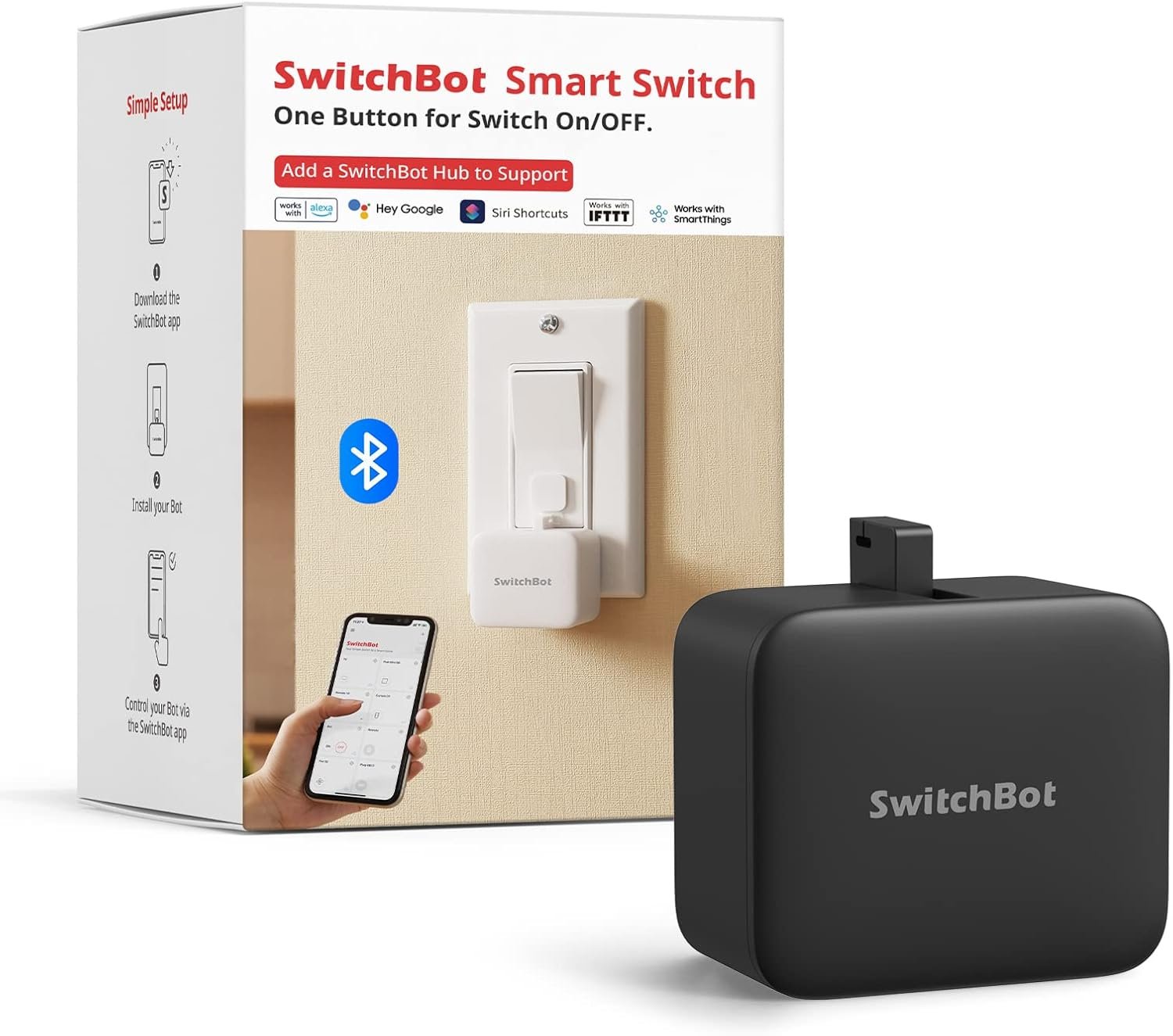
Switchbot Smart Switch Button Pusher (Bluetooth) – Fingerbot for Rocker Switch/One-Way Buttons, App Timer Control, No Wiring, Optional Hub Required for Voice/Remote, Black
$22.99
Related Products


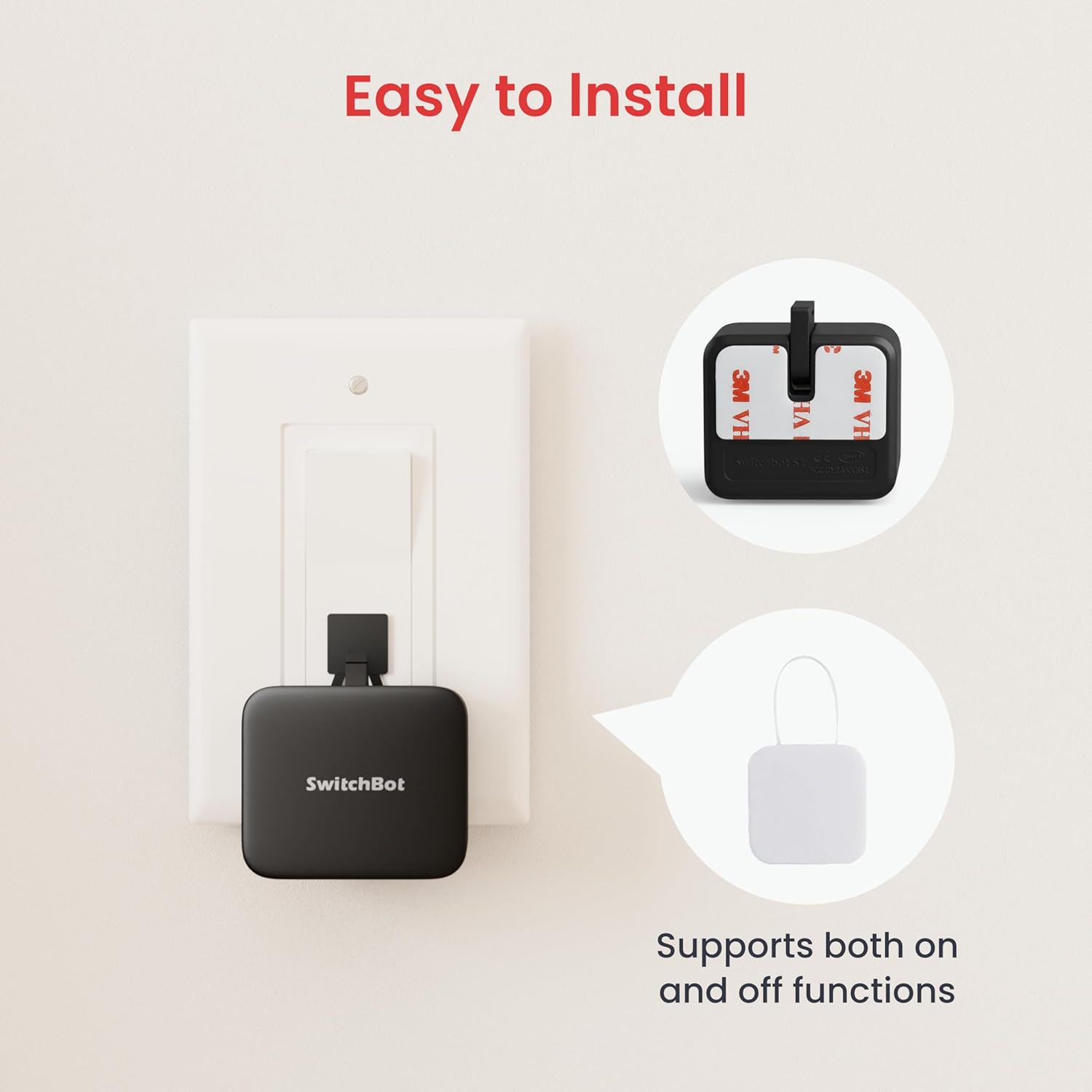


Product description
The video showcases the product in use.The video guides you through product setup.The video compares multiple products.The video shows the product being unpacked. Check the compatibility before purchase Merchant Video
SwitchBot is your simple switch to a smart home. With easy setup, we help you to create a comfortable home with innovative smart home products.
Check the compatibility before purchase
Check Compatibility Before Purchase 
Easy to set up 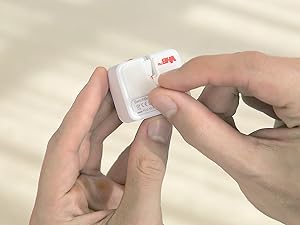 Tear off the 3M sticker
Install in 3 seconds.
Note: Built-in CR2 battery. Before the first use, please remove the plastic battery isolation tab.
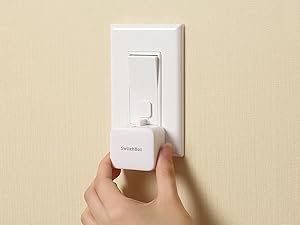 Attach near a switch or button
Just tape it next to a button or switch with no tools required.
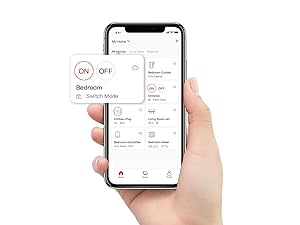 Tag the icon in the App
Turn switch or button ON/OFF in the App.
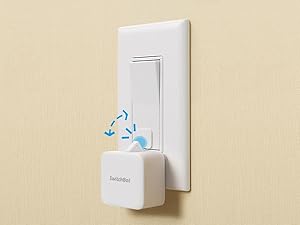 Push or pull
Push by the arm inside and pull by the Add-on.
Note: Please use a regular brand 3V CR2 battery, otherwise the arm may not push and pull.
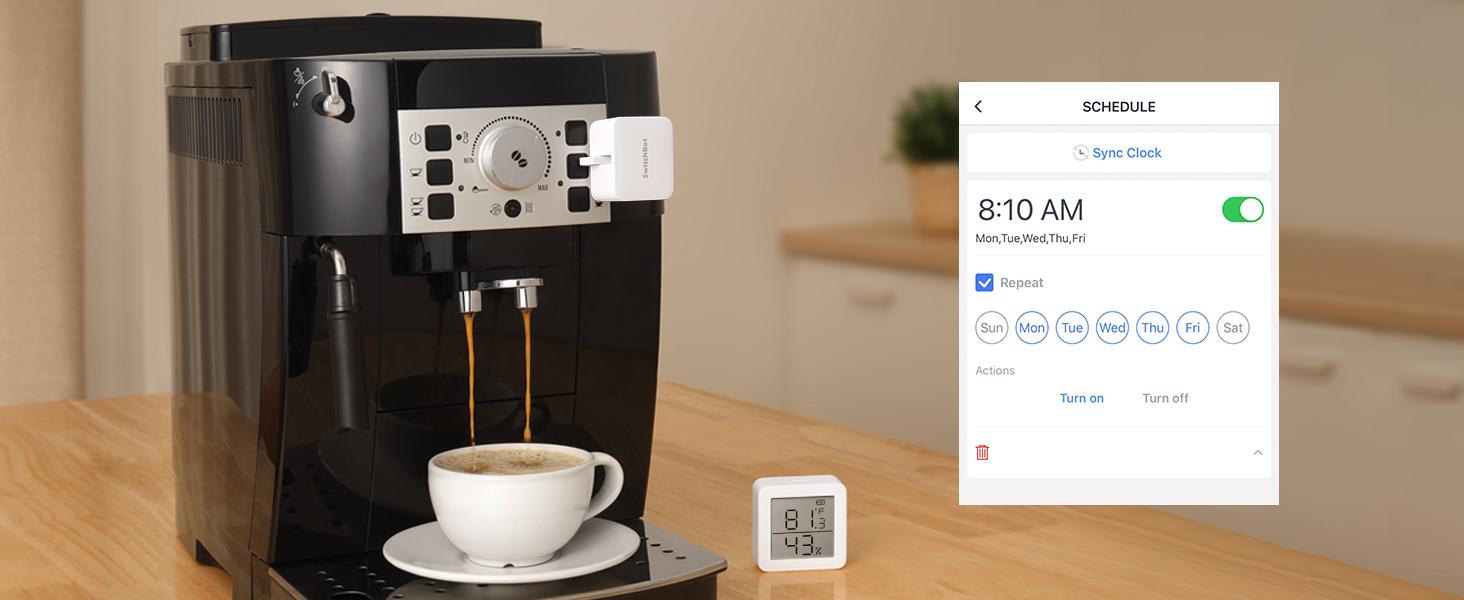 Automate with Schedule
Place it on a coffee machine or light switch and set a schedule to automatically turn it on or off.
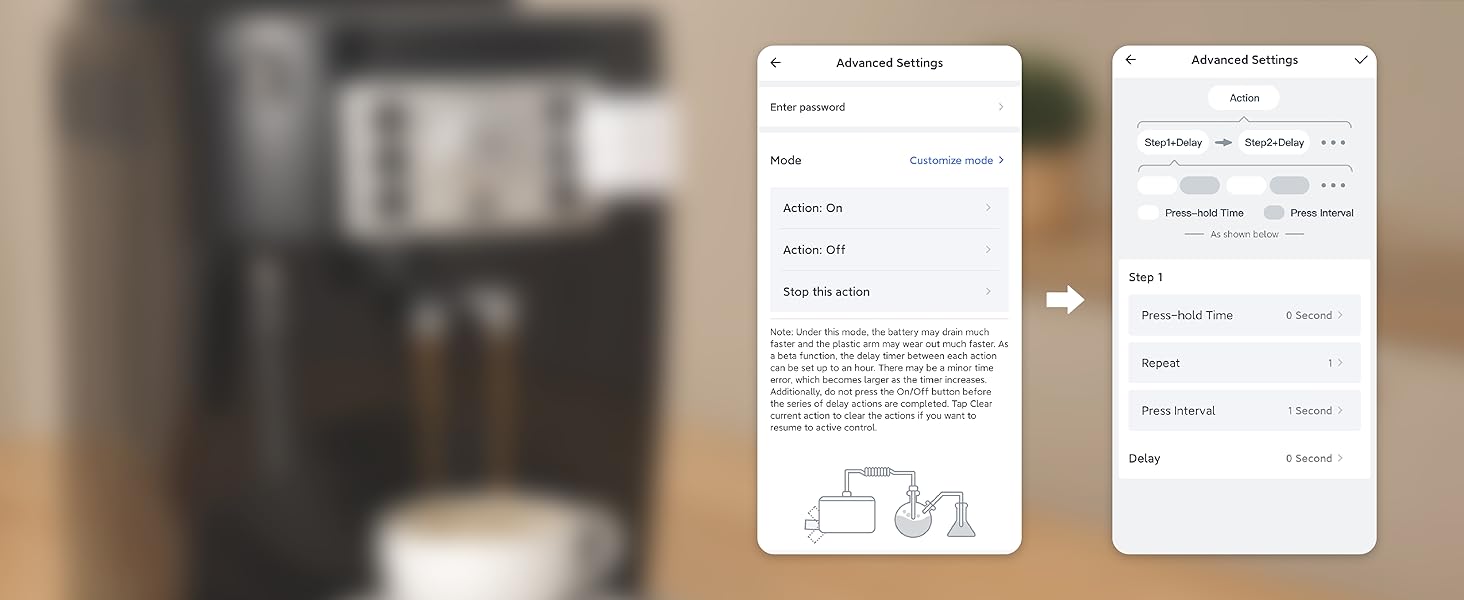 Repeat an action at a certain interval
Want to set a press-hold action at a certain interval repeatedly? Reach our team for a Beta version via Feedback in App. *Note this feature accelerates battery consumption and wears out the Bot arm.
 Turn any dumb appliance smart
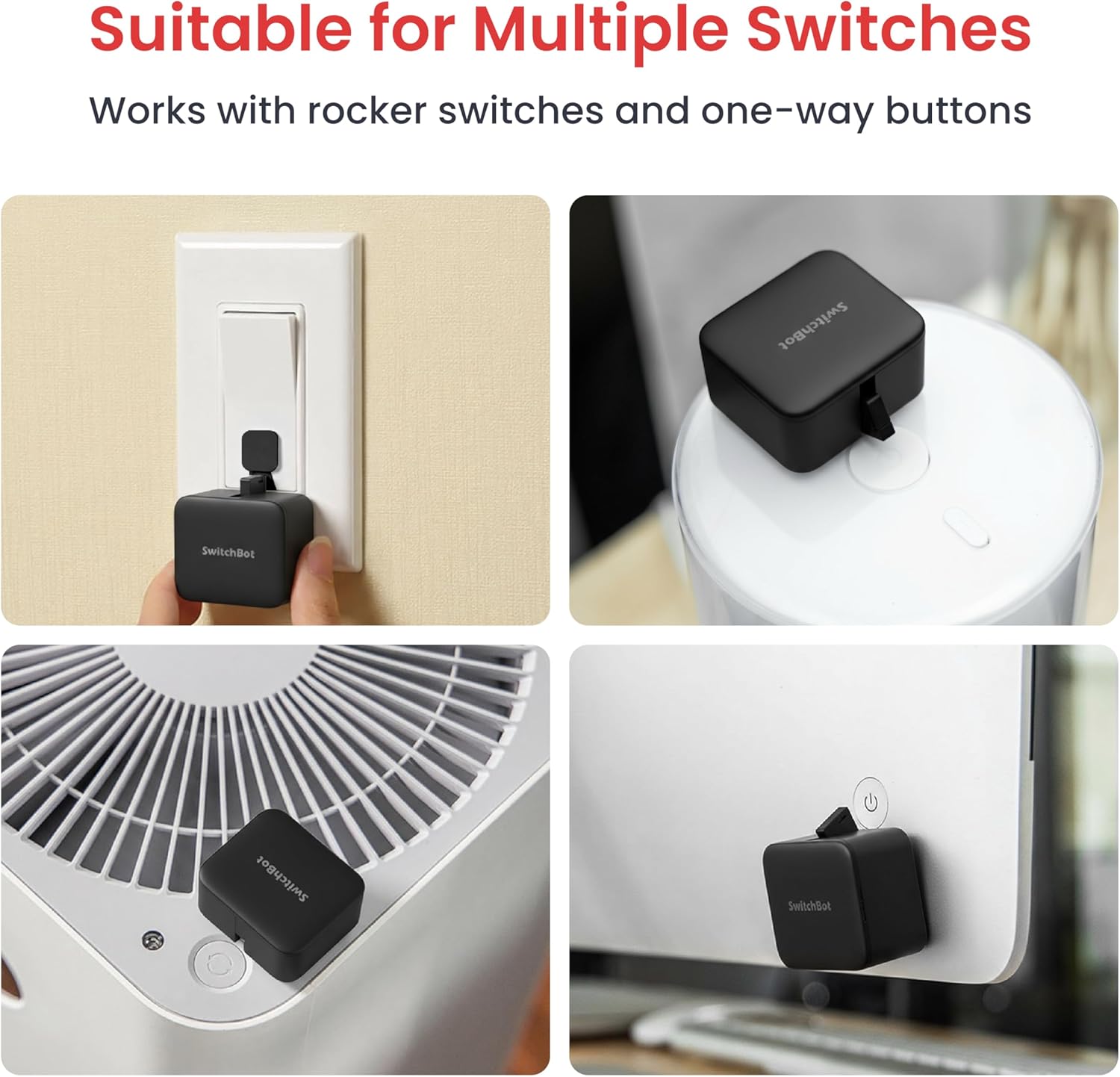
Works with just about any rocker switch and button of any appliance.
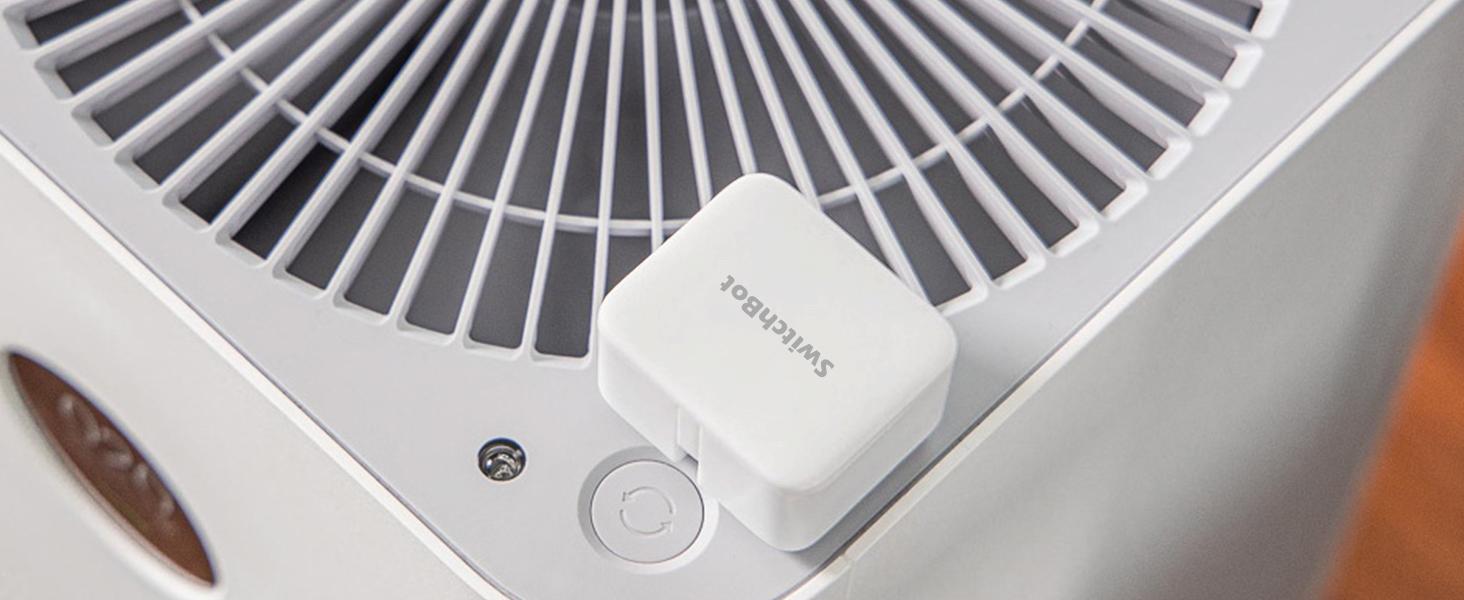 Power saving
Extreme power-saving BLE technology allows 600 days of use powered by a replaceable battery.
 Automate with Sunrise/Sunset mode
At selected locations, return to a bright room after get off work in the evening.
 High Compatibility
SwitchBot is compatible with most rocker buttons and one-way switches, but not toggle switches and touch screen buttons. Not support overly hard or aged buttons.
How do I know if SwitchBot works or not? 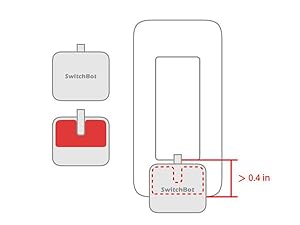 Space for the sticker
Space for the sticker requires more than 1cm (0.4 inches), and better to wait 24 hours after being stuck.
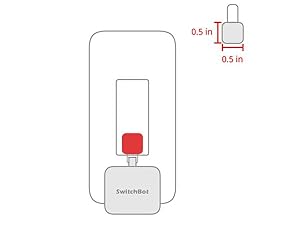 When to use add-on
In the case of applying an add-on to a rocker switch, the surface should be clean, flat, and has enough room.
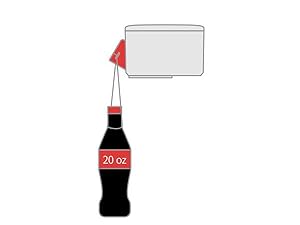 Strong for most
The Bot clicks down with a force strong for most, and still gently for not to break things.
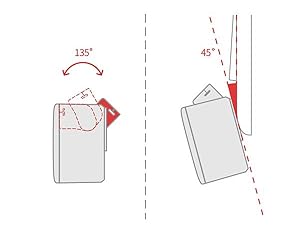 Maximum swing angle
The max swing angle of SwitchBot is 135 degrees. Make sure the Bot is on a surface where the arm could reach the switch or button when pushing down.
More Control Methods(Separate Purchase Required)  App Control
By adding the SwitchBot Hub Mini or SwitchBot Hub2 (sold separately), you can control your Bot when you 1000 miles away from home!
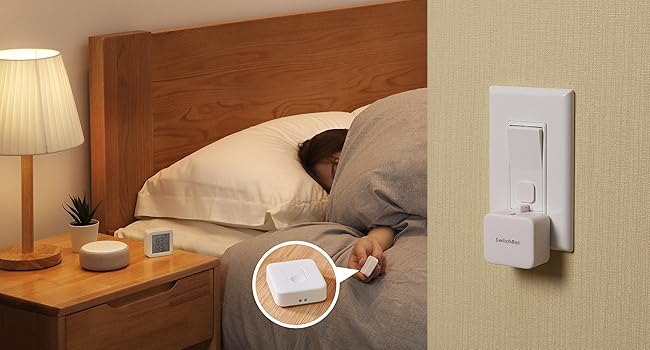 Remote Control
No need to operate your phone & voice control, just push the SwitchBot Remote(sold separately) button to turn off the light.
Enhanced Control Distance (Pairing within 5m)  Enjoy Voice Control with SwitchBot Hub
Just say the words. With a SwitchBot Hub(sold separately), the Bots can be voice-controlled by Alexa, Google Assistant, Siri, and SmartThings. Enjoy the hands-free experience by saying “Alexa, turn off the light”, “Hey Google, a cup of coffee please”, or “Hey Siri, open the garage door”.
 Now supports HomeKit via Matter
SwitchBot Bot is supported via Matter when using SwitchBot Hub2 (sold separately), which in turn helps make your device supported via HomeKit. Now add SwitchBot Bot to Apple Home for an even better smart home experience.
Unknow
Make any supported switch “smart” without rewiring — Control rocker switches & one-way buttons from your phone for bedroom lights, fans, or appliances you don’t want to get up to reach — not for toggle/mini switches, touch panels, or stiff/aged buttons.
App control + built-in timers that keep running — Set on/off schedules for morning coffee routines or nightly shutoffs — schedules run in the SwitchBot app without needing your phone nearby or a hub once set.
Bluetooth control included; Hub adds voice + away control — Use Bluetooth for local control, or add a SwitchBot Hub (sold separately) for remote control + voice control (Alexa/Google Assistant/Siri) and IFTTT — 2.4 GHz Wi-Fi required for hub features.
Fast, tool-free install with stronger hold when you prep right — Stick it on in seconds with included adhesive — for best results, mount on clean, dry, smooth surfaces and allow 24 hours for full bonding before heavy use.
Choose the right mode for the job — Use Press Mode for button presses; use Switch Mode for pushing/pulling rocker switches (Switch Mode requires an add-on) — plus scenes and ecosystem automation via the SwitchBot app and API.
8 reviews for Switchbot Smart Switch Button Pusher (Bluetooth) – Fingerbot for Rocker Switch/One-Way Buttons, App Timer Control, No Wiring, Optional Hub Required for Voice/Remote, Black
Add a review
$22.99
iwantgizm0s –
SwitchBot CR2 Battery easy to change
Got this SwitchBot button pusher because wanted to put a button for turning on a motor inside my R2D2 – but it turned out had to put that button outside & therefore can be pushed with a real finger. Therefore keeping this switchbot as a backup to the other four switchbot button pushers that I have (two each for my two R2D2s). Anyways as you may know, these switchbots are powered by battery – specifically a CR2 3v battery – and that battery is very easy to change – just flip open the lid and change the battery. I would guess the battery should last like a couple years(?) but at least more than a year – and I would suggest to keep a few extra CR2 batteries on standby for eventually changing them out. Anyways these switchbots are very ingenuiously made for the very unique functionality they have to press buttons where you may not have direct access to. Very Good Value for the money paid. Thanks so much to both Amazon & Switchbot.
Ed –
Perfect! One of the best Smart Home device that I have ever bought
It worked flawlessly in switching on/off my Power Amp (my power amp doesn’t have a remote)….Build Quality:It is small, robust and very well built. It blends in well with my Amp…well camouflaged. It comes with 3M VHB double sided tape and stick well onto the rough/mate surface of my amp. Once stick on, it is not easy to remove. It comes with spares 3M VHB double sided tape too, in case you made a mistake and need to re-install it. The finger arm was strong and robust. Surprised to see that the SwitchBot developers could fit such a strong motor into a small footprint device and powered it by a 3V Lithium Battery (CR2). Battery life was superb too. I have a couple of the SwitchBot pusher. My first SwitchBot battery lasted almost more than a year before I need to change them.Setup / Connectivity:It can be setup as a single bluetooth device or connect to the Switchbot Hub. For my case, I have the SwitchBot Hub and it does wonders. Connection was easy, just pull the plastic tab (isolator) from the battery case, select Add device on the Hub and within seconds, my SwitchBot button pusher is connected!With the SwitchBot Hub, I could connect it to IFTTT. With IFTTT, I could indirectly linked my SwitchBot Pusher to my Smartthings Hub (by creating a Virtual Switch in Smartthings, activated through IFTTT). With Smartthings and IFTTT, I could then link my SwitchBot Pusher to my Logitech Harmony Ultimate remote control as well as setup various automation routine too. Just 1 trigger on my Harmony Remote, I could switch on my TV, Music Player and my “manual push button” amplifier, all at once. It works with my Alexa and Google Home too. It is not easy to find Smart Home products that are so versatile and can be easily integrated nowadays.After sales support and Warranty experience:My first gen button pusher encountered some problems with the fingers, I contacted their support through their Facebook page messenger. I got a reply on the same day. Showed them a couple photos and videos of the problem. After verifying the problem with their engineers, without much delay and no further question asked, they offered me a replacement. As I was located in Singapore and Amazon US do not ship to my country during the Covid-19 crisis, I am not able to get the replacement from Amazon US. I informed their customer support about my issues and they immediately made alternative arrangements to send me my replacement. I received my replacement in less than a week after informing them about my issues.Thumbs up! SwitchBot. You guys are great! Looking forward to more of your fantastic products!
Deksam –
Pretty good, but there might be better options
For nearly 4 years my garage door opener hasn’t worked properly. It’s an older model and it keeps getting unpaired with the remote. Garage door repair person said we need a new system, but we are going to remove the garage doors entirely in the next couple years so we didn’t want to waste money.Welcome the Switchbot Smart Switch. Instead of paying hundreds on a new garage door opener, we spent around 30 or so for a swith to press the garage door button for us.It works pretty well. The app is not the easiest thing to use, but once you download it, the switchbot will automatically get detected as long as your bluetooth is on. From there, you can set up a password for it, then you’ll need to input the password again it’s set to connect to the system.At one point, something went wrong and I couldn’t get it to connect, there’s a little button on the inside of the switchbot to reset the bot back to default. I pressed it, but it didn’t actually reset the password, but it did get me to a point where I could connect it back up to my phone. This is just a heads up, in case you do need to reset the unit back to default, you may need to hold that button a little longer, I’m really not sure since the reset didn’t work for me out of the box.The second issue I had was getting the bot into position for my garage door button. I setup a metal bracket across the garage door opener, and zip tied the switchbot to it. Once in position, I activated the switchbot and a little arm swung out, but fell short of actually touching the garage door button. There is no way to lengthen this arm, so my fix was to take a small adhesive pad and cut it to size. Once I did that and stuck it onto the unit, I was able to have the switchbot hit the button, and the rest is history. It works like a charm, and I can open my garage door from anywhere inside and outside of the house, once again giving my garage door the functionality I had been missing for so long.Some other issues, though, you can’t simply connect this unit up to alexa. The unit needs a switchbot hub, which is an additional cost. In the app it gives you the opportunity to turn on alexa integration, but if you don’t have it connected to the hub, this selection is grayed out. That means that I can’t tell alexa to open the garage. I’m not wasting money on a hub.The battery it uses isn’t a common size. It has only been a few weeks of daily use and I haven’t had issues with the battery dying yet, but I don’t know how long it will last. So far this unit has worked for me, but there are others that have adjustable arms. Had I not found a fix to make this work, I would probably have returned it and gone with one of those, but I’m not going to complain. Just keep in mind what you’re planning on using it for, and make your decision based on that.
Andrea –
davvero una soluzione pratica per automatizzare interruttori e pulsanti senza dover modificare l’impianto esistente. La versatilità di questo dispositivo lo rende perfetto per applicazioni creative come quelle che hai menzionato:1. Accendere il PC: Puoi impostare il SwitchBot per premere il pulsante di accensione del computer. Perfetto per chi desidera accendere il PC da remoto prima di arrivare in ufficio o a casa.2. Apertura della basculante del garage: Collegandolo a un pulsante già esistente del garage, puoi aprirlo e chiuderlo facilmente tramite l’app del tuo smartphone.3. Backup per dimenticanze: Se hai la porta di casa automatizzata o con serratura smart, potrebbe servire come backup in caso di emergenza.VantaggiCompatibilità: Con l’aggiunta dello SwitchBot Hub, puoi integrare il dispositivo con Alexa, Google Home, o altre piattaforme per la casa smart, ampliando le funzionalità.Facile da usare: Nessuna necessità di competenze tecniche o modifiche invasive.Bluetooth e Timer: Puoi programmare routine specifiche o controllare il dispositivo anche quando sei nelle vicinanze senza Hub.Un ulteriore vantaggio del SwitchBot Interruttore Robot Intelligente è la sua facilità di integrazione con Home Assistant, che lo rende un’opzione eccellente per gli appassionati di domotica fai-da-te.Integrazione con Home AssistantGrazie all’integrazione con Home Assistant, puoi:Automatizzare processi complessi: Collegalo a scenari e automazioni preimpostate per controllare il dispositivo in base a orari, condizioni ambientali o eventi specifici.Gestione centralizzata: Puoi controllare il SwitchBot insieme ad altri dispositivi smart nella tua casa da un’unica interfaccia.Compatibilità ampliata: Usa Home Assistant per collegarlo ad altri sistemi e servizi, anche quelli non direttamente supportati da SwitchBot.Ideale per chi:Vuole semplificarsi la vita con piccole automazioni.Ha pulsanti in posizioni scomode o vuole aggiungere funzionalità “smart” a dispositivi tradizionali.
yANN lUCAS –
Produit très pratique pour automatiser un appareil ancien qui ne dispose pas de fonctions connectées. Je l’utilise avec un iRobot d’ancienne génération et cela fonctionne très bien pour appuyer automatiquement sur le bouton power.Dans mon cas, j’ai dû imprimer un petit réhausseur en impression 3D afin d’adapter correctement le poussoir au bouton d’allumage. Une fois cette adaptation faite, le SwitchBot remplit parfaitement son rôle et devient programmable via l’application.Il fonctionne uniquement en Bluetooth par défaut, sans connexion Wi-Fi. Pour un usage à distance ou avec Alexa, l’ajout du SwitchBot Hub est nécessaire. Cela reste à prendre en compte si on veux le wifi a tout pris.En résumé, très bonne solution pour rendre “intelligent” un appareil non connecté, à condition d’accepter les limites du Bluetooth et parfois une petite adaptation mécanique.
Eisrabe –
Ich habe den SwitchBot Smart Switch Toggle gekauft, um meinen DeLonghi Kaffeevollautomaten ECAM22.105.B über Alexa-Voice bequem ein- und auszuschalten. Genau dafür eignet sich dieses kleine Gerät hervorragend.Die Installation war unkompliziert: Der SwitchBot wird einfach auf oder neben dem vorhandenen Schalter geklebt und betätigt diesen mechanisch per Knopfdruck. Gerade bei Geräten, die von Haus aus keine Smart-Home-Funktionen besitzen, ist das eine erstaunlich einfache und zugleich sehr clevere Lösung.In meinem Fall funktioniert der SwitchBot zuverlässig und präzise. Der kleine „Finger“ trifft den Schalter sauber, und das Gerät lässt sich problemlos über die App oder per Zeitsteuerung bedienen. Damit wird aus einem ganz normalen Haushaltsgerät ohne Umbau oder Eingriff in die Elektrik ein bequem steuerbares Smart-Home-Gerät.Besonders gefällt mir der pragmatische Ansatz: kein Öffnen des Geräts, kein Basteln an der Elektrik – einfach aufkleben, einrichten, fertig.Für alle, die vorhandene Geräte nachträglich smart machen möchten, ist der SwitchBot Smart Switch Toggle eine überraschend einfache und sehr praktische Lösung. Von mir daher eine klare Empfehlung.
マサ –
車中泊用で使用しているポタ電の電源オン・オフボタンに取り付けました。ポタ電の電源を入れるときは、電源ボタンを長押しすると電源がオン・オフできます。スイッチボットで押し込み時間を設定出来るので2秒に設定し使用しています。今までは車内ベッドキット下に置いているポタ電の電源ボタンを自分の指でオン・オフしていました。スマホから電源をコントロールできるので便利ですし、電源投入後はポタ電のアプリでAC電源オン・オフなどができるので一切ポタ電に触れることなくスマホひとつでコントロールできることはありがたいです。
Himanshu Malhotra –
I’ve tried so many smart home products across brands. The primary issue I have is that they work MOST of the times, not ALL the time. If smart home (let’s use SM for this review) products are not reliable, the whole value proposition is lost as it creates added stress and frustration as opposed to convenience.This product highly impressed me. I tried using it for two use cases – pressing the button on my white noise machine and switching on/off my geyser switch. It worked like charm for both use cases. Everything in the product is right – the adhesives are strong, the attachment for switch mode is perfect, and it works every single time reliably. I recently got the remote and paired it with the Bot. Works seamlessly.My wife loved the product but she didn’t like the idea of opening an app to switch on/off something. The remote solved that and she loves the experience now. Few such products exist in the market that are of this good quality and work as promised! Highly recommend!