
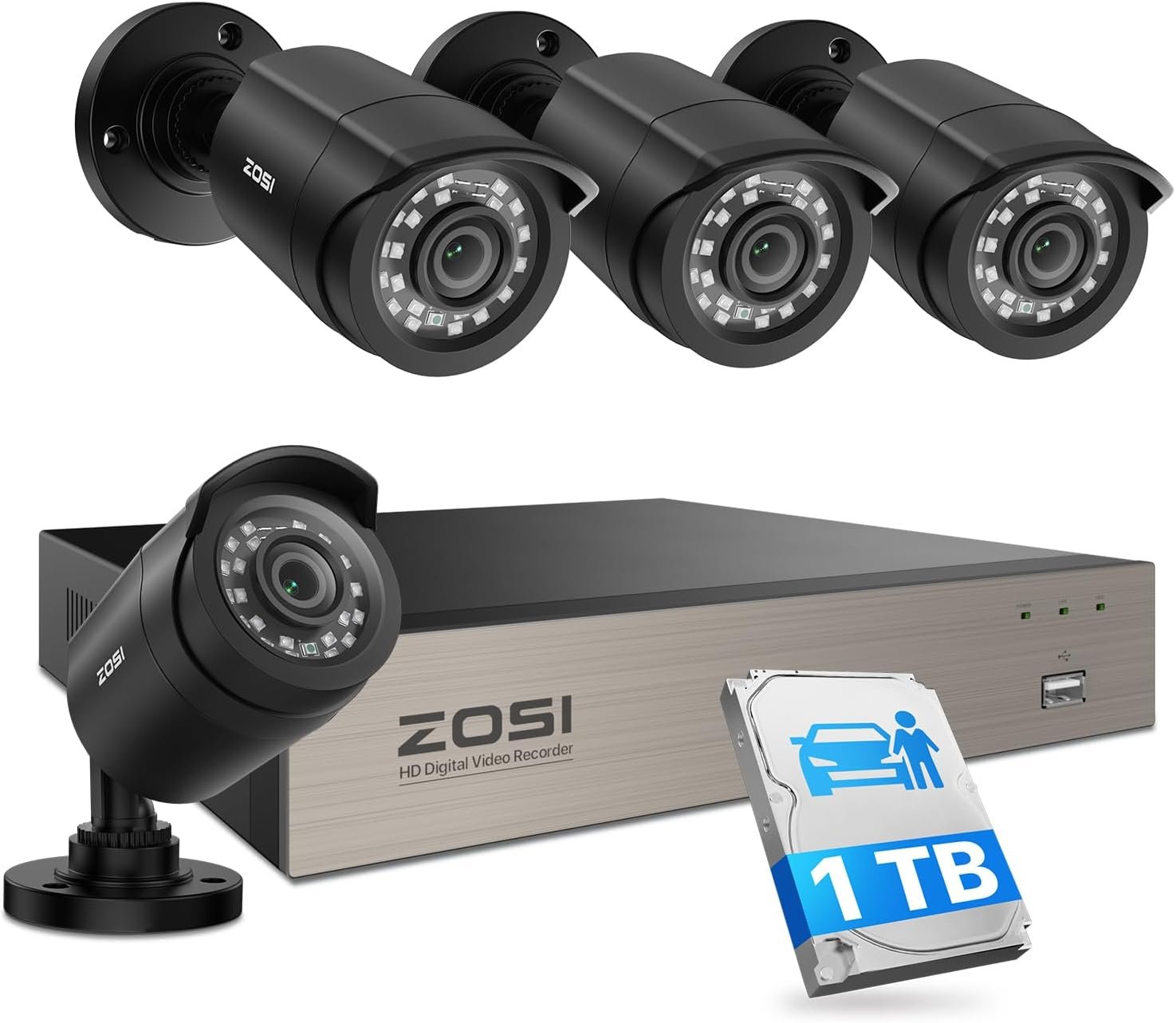
ZOSI 3K Lite Security Camera System with AI Human Vehicle Detection,H.265+ 8CH HD TVI Video DVR Recorder with 4X HD 1920TVL 1080P Indoor Outdoor Weatherproof CCTV Cameras,Remote Access,1TB Hard Drive
$179.99
Related Products





Product description

 Experience Every Detail in Full HD
See your home with stunning clarity in smooth 1080p resolution.Feel present, even when you’re away.
 See Up to 80ft in Total Darkness
Advanced infrared night vision clearly monitors your property and deters activity, even in pitch black.
 All-Weather Reliability
This camera stands strong against all weather conditions—rain, dust, heat, or cold.
 For Every Space, In Any Place
Perfect for homes,offices,stores and warehouses. Installs on ceilings, walls, or any angle.
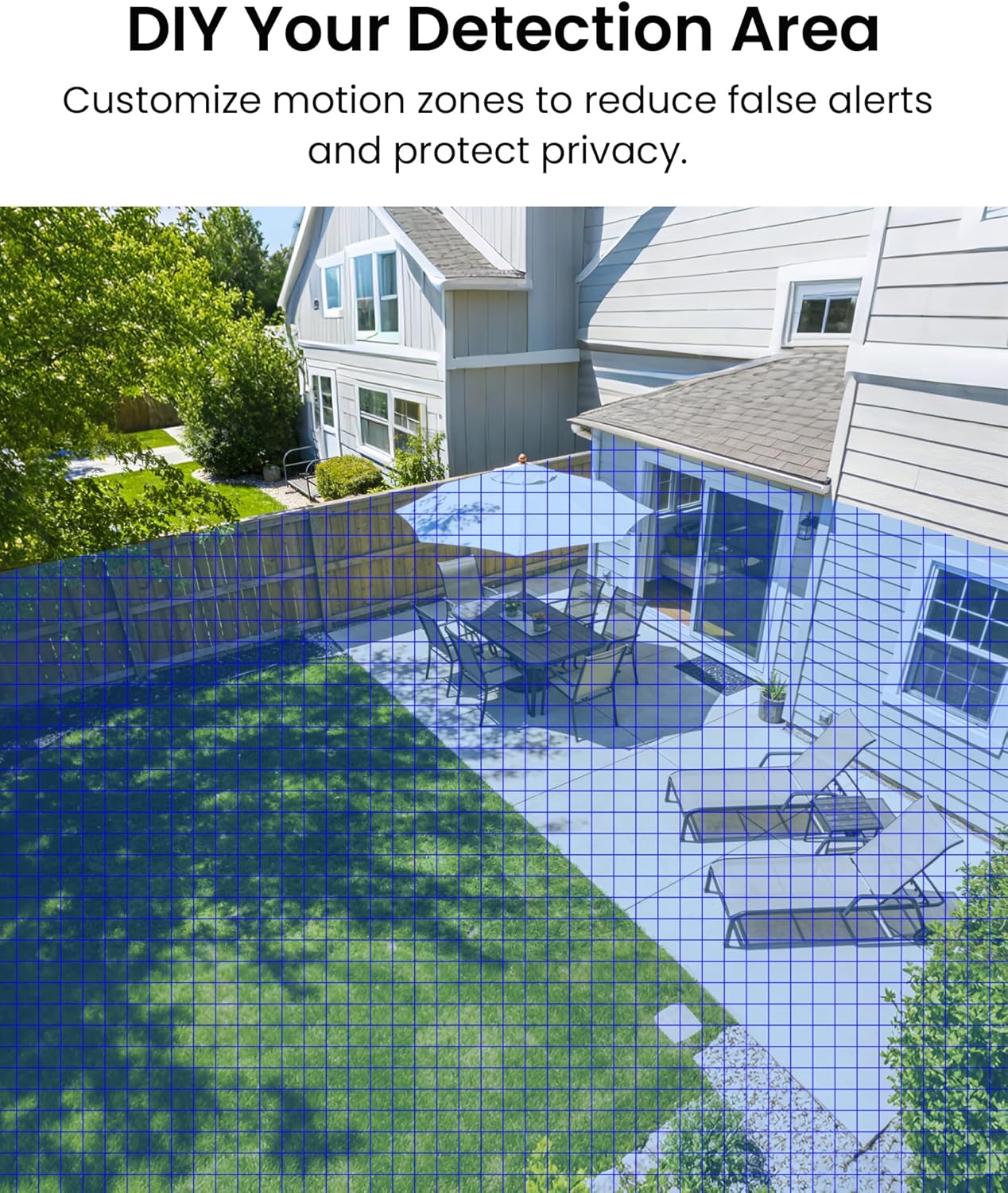
 Custom Your Detection Zones
Focus on what matters,Customize detection areas for precision monitoring.
 Your Privacy, Your Control
Protect your privacy by blurring sensitive areas — your security, defined by you.

 No Subscription Fees
Local storage with no monthly fees or hidden costs – your footage stays secure and accessible 24/7.
 With or Without Internet
Watch locally via direct monitor connection or access remotely online from anywhere.

 Optional Recording Modes
Select from 24/7, human/vehicle/motion, schedule, or recycle recording modes.
1 Multi-User Push
2 No Monthly Fee
3 Local or Remote
4 Storage Solution
5 Recording Modes
 AI-Powered Human Vehicle Detection
Say goodbye to constant false alerts ,only receive notifications that truly matter.
 Never Miss an Event
Motion triggers real-time alerts via email, mobile app, and DVR buzzer,so you’re always in the know.
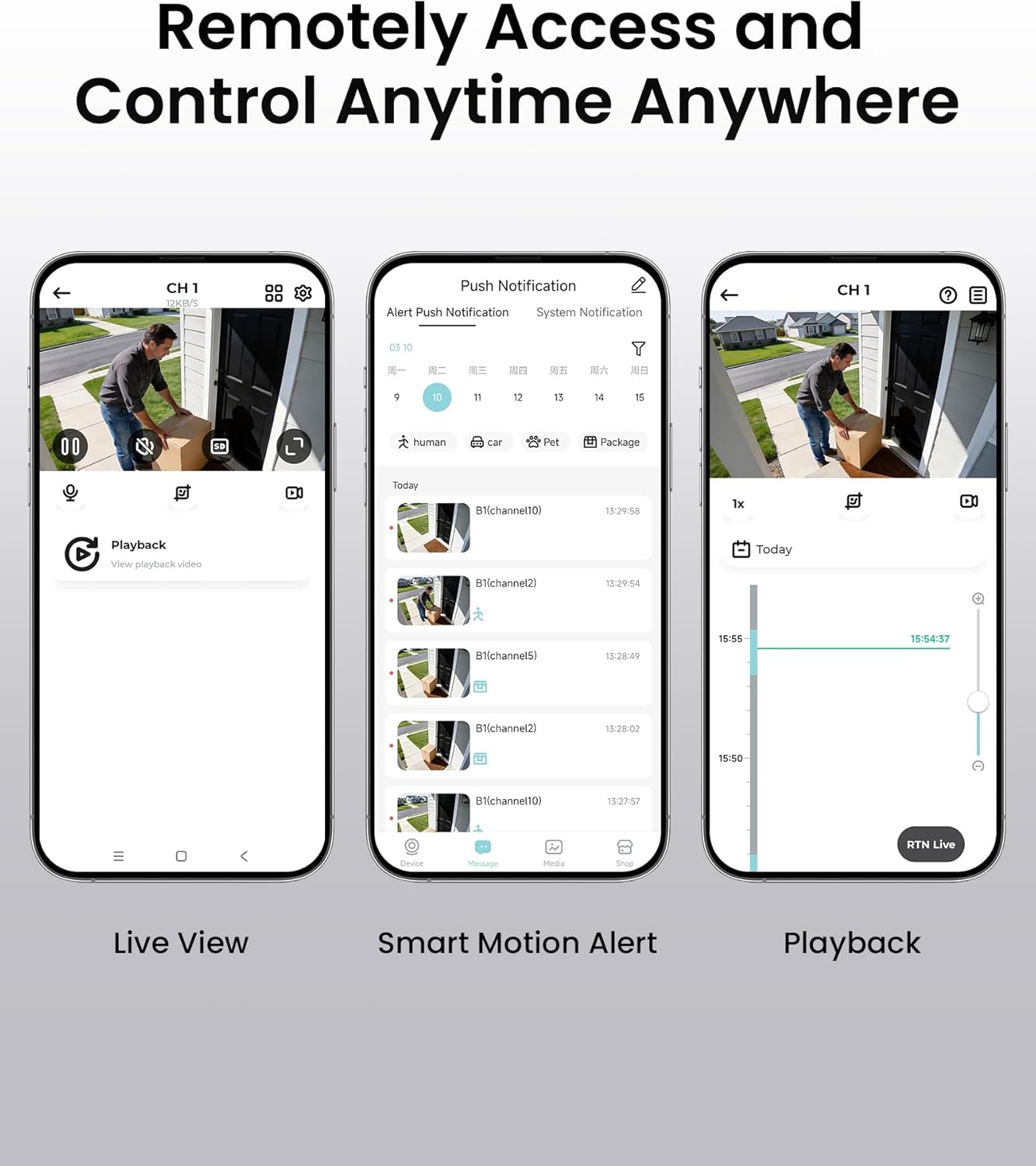
 Search & Replay by Time
Quickly find and replay important moments by searching for a specific time.

 Remote Access So Easy
You can via smartphones, computers, tablets or monitors to see what happened in your home.
1 Smart AI Detection
2 Multiple Alerts
3 Smart Playback
4 24/7 Recording
5 Remote Access


 Records Longer, Stores Smarter
Advanced H.265+ compression saves up to 80% more space than H.264 for longer recordings.


 Advanced 4-in-1 DVR
Supports up to 8 HD-TVI, CVI, AHD, or CVBS cameras.
Is this a wireless system?
No, it is not a wireless system. The cameras require both a wired power connection and a BNC coaxial cable to connect to the DVR.
Can I view the cameras remotely without internet?
No, remote viewing requires the internet. For remote viewing, please use the “ZOSI Smart” app or the AVSS client for PC/Mac. It recommend keeping the app updated to the latest version. Local viewing via HDMI or VGA does not require internet.
Does it support AI detection?
Yes, it includes AI Human/Vehicle Detection, which reduces false alerts from animals or shadows.
Does it support 24/7 recording and video export?
Yes, 24/7 continuous recording is supported. You can export recordings via USB port.
Does the system support sound recording?
No, the camera did not have a built-in microphone.
ZOSI Security Camera System
Add to Cart
Add to Cart
Customer Reviews
4.2 out of 5 stars 9,010
4.2 out of 5 stars 9,010
4.3 out of 5 stars 4,062
4.2 out of 5 stars 1,385
4.0 out of 5 stars 33
Price
$179.99$179.99
$249.99$249.99
$449.99$449.99
$284.99$284.99
$619.99$619.99
DVR / NVR
8CH DVR
8CH DVR
16CH DVR
8CH PoE NVR
16CH PoE NVR
Camera
4 Bullet camera
8 Bullet camera
16 bullet camera
4 POE camera
8 POE camera
Resolution
1080P
1080P
1080P
4K
4K
Night Vision
80ft
80ft
80ft
100ft
100ft
Hard Drive pre-installed
1TB Hard Drive
1TB Hard Drive
2TB Hard Drive
2TB Hard Drive
4TB Hard Drive
Audio Recording
n/a
n/a
n/a
Two Way Audio
Two Way Audio
Smart Detection
Human/Vehicle Detection
Human/Vehicle Detection
Human/Vehicle Detection
Human/Vehicle Detection
Human/Vehicle Detection
Weatherproof
✔
✔
✔
✔
✔
Motion Detection
✔
✔
✔
✔
✔
Remote Access
✔
✔
✔
✔
✔
24/7 Recoding
✔
✔
✔
✔
✔
Live View via App
✔
✔
✔
✔
✔
【H.265/H.265+ 8CH 3K Lite HD-TVI DVR】With the advanced H. 265 technology, which could double the data compression ratio, keep the high quality video even with low bit-rate, it allows you to maximize storage space and enjoy ultra-long recording.
【AI Human/Vehicle Detection】Experience peace of mind with our AI-powered detection system that accurately identifies and alerts you to any person or vehicle. Stay connected through our free app for live viewing and playback on your smart devices from anywhere, anytime
【IP66 Weatherproof & 80ft Night Vision】Our weatherproof cameras, built with high-quality ABS materials, can be installed in any indoor or outdoor location. Equipped with 24pcs IR LEDs, they provide 80ft night vision in total darkness and 130ft in ambient light. Enjoy clear images even in low-light conditions.
【Expandable camera system】This is 8Channel 4-in-1 DVR which supports analog HD-TVI CVI AHD camera It provides you the flexibility to extend additional cameras You can add more 4pcs 720P or 1080P Bullet or dome cameras.
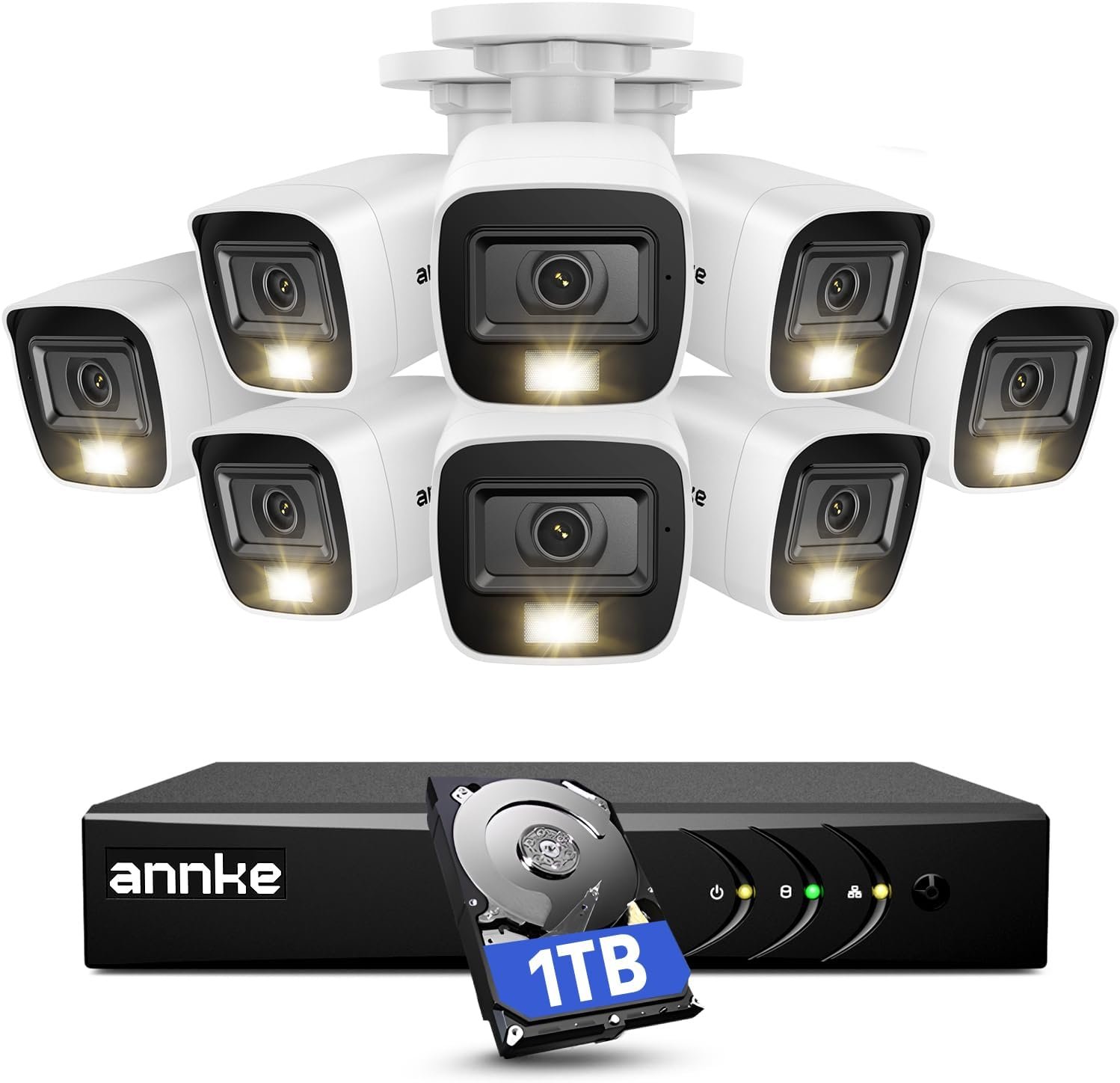
【Built in 1TB Security Hard Drive】Support Ultra-Long Continuous Recording and Backup By USB. DVR can be set to automatically overwrite the oldest internally stored footage or you can transfer those video files by USB to a memory stick or external hard drive.
7 reviews for ZOSI 3K Lite Security Camera System with AI Human Vehicle Detection,H.265+ 8CH HD TVI Video DVR Recorder with 4X HD 1920TVL 1080P Indoor Outdoor Weatherproof CCTV Cameras,Remote Access,1TB Hard Drive
Add a review
$179.99
William Schaefer –
Read this review before you purchase, install, or return this system. .. Seriously, this will help.
So, this is one of many systems I have bought and installed in my many years . What you will receive is a high quality DVR, with four very good cameras and the hardware to get it all connected. The DVR performs excellently. My old ZModo system looked great on the camera, but playback was one third the resolution, this one looks live during playback. This all sounds great, but there is always a downside, the downside in this case is the total lack of instructions. there are steps that are totally left out of the leaflet of instructions, and intuitive this is NOT. You will NEED and Android/Apple phone to install it. Set up the cameras, connect, and power up the DVR. Before you can do ANYTHING, you need the username and password. Again, no instructions on this step. Download an app called SPD to your Android/Apple phone. Open the app, scan the theqr code on the DVR, or the QR code that appears on the monitors screen when you try to access the DVR Menu. This will give you the “Super Password” for the DVR. Leave the username as “admin” and the password is LONG and case sensitive. You can now set the DVR up… Again, nowhere is this evident. (You may think … ahah!, go to the website!… Well, it does explain the steps, but the “translation” is not at all clear. (It also has apps that are outdated that will confuse the situation, “Zosi view” for example, is obsolete, but still posted). Now, you should have access to the DVR menu, so you can connect it to your router. There will be a screen on the website to set the online viewer up. there will be an area that shows you to activate the “cloud viewer” … my software didn’t even have this, but when I checked my internet connection, it came back as ok, and it was good. Do NOT install the “Zosi View” app as previously mentioned, install “Zosi Smart” app and check the website to figure out how to get the QR code displayed on your monitor from your DVR to again use the SPD app to scan the info for another super password. log in and you should be good to export the DVR info to the phone app. To view the DVR on a Windows PC was tricky, (The software had to be downloaded in three parts, so you know you have downloaded the correct “Active” link) … but the good part is the IT support staff @ Zosi is dedicated, professional, and willing to help. There is NO phone support, use Facebook messenger. This worked out great for me, but be aware, in the US, in the Northeast, their hours of operation translates to 9:00PM to 5:00AM. If you download the “Teamviewer” program, (It’s got a free version) The good old team @ Zosi can remotely operate your PC and set it up for you. These instructions will make your installation MUCH easier and less frustrating, enabling you to purchase this system, install most of it, and enjoy the fact that it operates very nicely, especially for the price. Again, Kudos to the support team @Zosi, they save the the day! :DThis system is very nice, I DO recommend it, use Facebook messenger for help, be patient, and you will end up with a very nice system, at a great price point.
srights –
Great system and great value. Easy to install
I love this new system!I was on the hunt for a security camera system. After doing some research I decided I didn’t want to use a cloud based service that would cost me a monthly operating fee. I then looked at the big box stores, but I elected to try the ZOSI DVR wired camera system. Best value and cost by far.I installed the system without any problems. One could just hook it up and it automatically starts recording, or you can use many other useful features. My mom probably could have just plugged it in to record without any reading… if you want other features, some degree of technical abilities is needed.Points to know:1. I created a gmail account just for this and set security on my gmail to low so that the ZOSI dvr was able to use the outgoing mail server without any issues. I could then make settings on the DVR to email me alerts when motion is detected.2. I didn’t use a PC to program, but rather the included mouse. It’s easy. One can then look at a frame and select where in the frame to look for motion and set the sensitivity. This is useful if a frame has trees blowing and cars going by, but you only want an alert if a gate opens.3. I downloaded the ZOSI app for my iPhone and I initially couldn’t get it to work. I emailed their tech support and they were fast and helpful. The manual is not well written and the tech support by email required me to think a bit differently. I sent screen shots and they texted back, “Please use zosi smart app on your phone, your DVR’s network is okay, And the e-mail issue, the smtp server is smtp.gmail.com please refer to the below link” I was initially thinking… “don’t they see I did use the ZOSI app? But then I thought to look and there is more than one app… and there is one called, “ZOSI smart” I had ZOSI view. So get the right one! And I quickly said to myself… that’s how I set up the email… but I wrote “google” and not “gmail”. It was easy once I corrected my mistakes. Thank you ZOSI support.4. Lots of options for cameras and DVRs. I have a guest house and a front house. Small city lot, but still further than the 65’ of run for the camera cable. I ended up buying 2 different ZOSI systems. Both are great. The cost is great. The app registers the devices and I can monitor from my iPhone.5. In trying to solve some email issues before contacting their support, I read some posts on setting up port forwarding on your router. Don’t worry… it wasn’t needed. This isn’t as complicated as I was thinking!So in the end, I was able to install 2 systems with 6 cameras and my property is covered! All for much cheaper than a monthly fee based service.
Cliente de Amazon –
Estas cámaras son difíciles de instalar, no por que su instalación resulte difícil, sino porque es difícil seleccionar dónde colocarlas. La imagen es excelente, se pueden cubrir áreas muy grandes, se pueden colocar en prácticamente cualquier angulo que uno desee (esta es la parte difícil) e incluso graban en la obscuridad. Son tan buenas cámaras que incluso compré dos juegos más para poder tener más seguridad en mi hogar. El DVR incluye un disco duro de 2TB, lo que es suficientemente grande para grabar por meses sin tener que borrarlo en su totalidad; además se puede conectar a tu internet por si tenemosque salir (aunque no creo que esto sea posible en estas condiciones). El DVR permite conectar otras 4 cámaras, tomar fotos, mandar archivos a una memoria USB y está en español, ideal por si tenemos dudas en su manejo.
Kirk –
Cheap camera with cheap plastic and cheap screws and the cables are cheap 3 of them don’t work hard to set up I would not buy again
Carlos Lazcano –
Es de fácil instalación y material contenido es de buena calidad, hasta ahora no he tenido problema, leía que algunas personas tienen problema para visualizar su equipo en sus dispositivos móviles, solo como recomendación, una vez que haya creado la cuenta, solo es necesario que agreguen el dispositivo 1 vez nada más, la velocidad en la que puedan recibir señal de sus cámaras dependerá de la velocidad a internet que tengan en casa.
Simon Laramee –
Faire attention, la photo indique un disque de 1To mais il nest pas inclus
Antonio –
No puedo ingresar me. Pide una contraseña y no entra ninguna de las que dice