
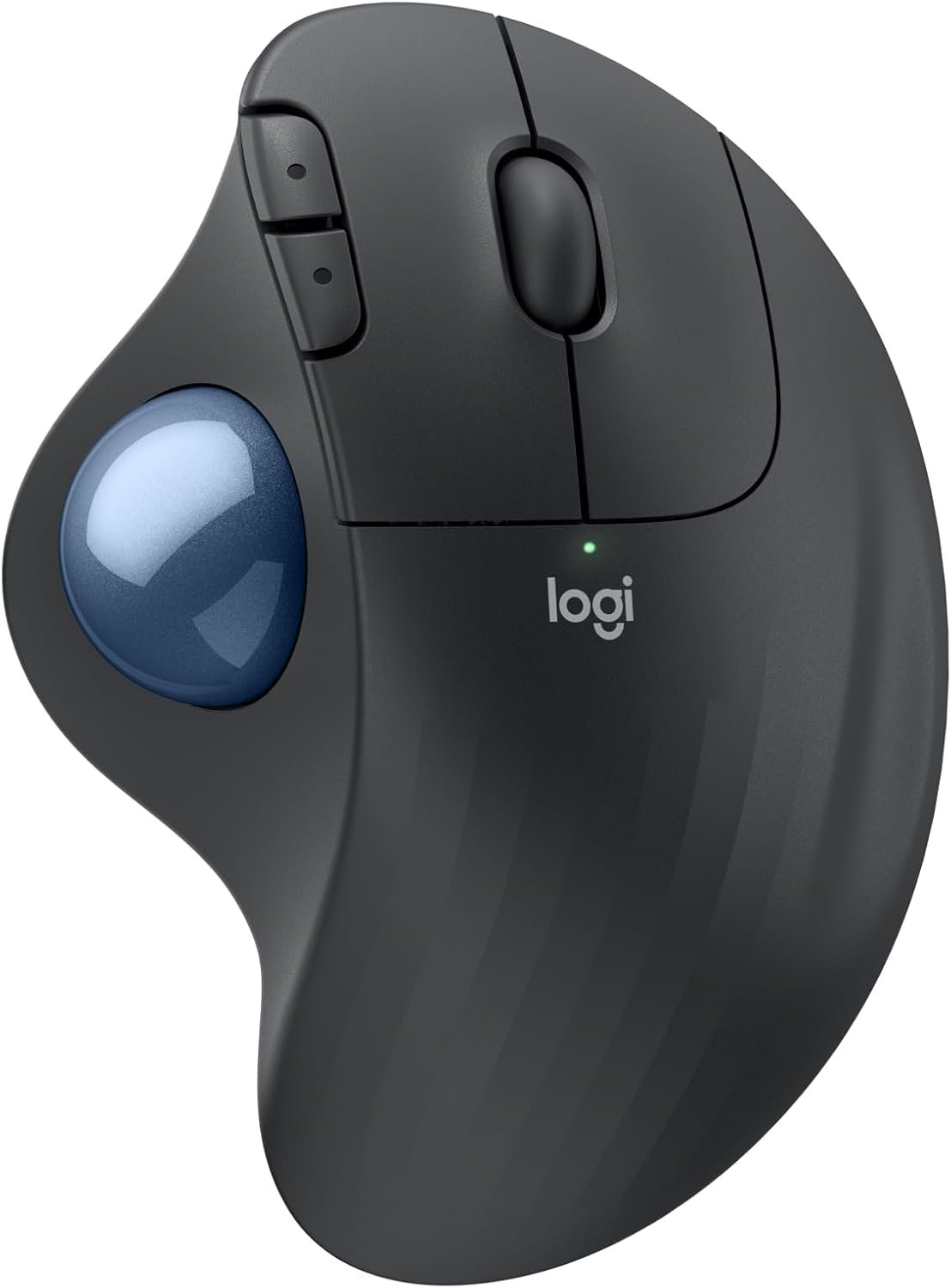
Logitech Ergo M575S Wireless Trackball Mouse, Wireless Ergonomic Mouse with Bluetooth and Encrypted Dongle, Comfortable Thumb Control, Precise and Smooth Tracking, for PC/Mac – Graphite Blue Ball
$39.99
Related Products


Minimize movement and maximize comfort with the Logitech ERGO M575S wireless trackball mouse. Thumb control lets you move the cursor without moving your arm, while the sculpted ergonomic design fully supports your hand and keeps your forearm in a more natural position. This wireless ergonomic mouse has been developed by Logi Ergo Lab experts, user-tested and certified by ergonomists to give you 25% less muscle strain in your forearm (1). The smooth and responsive thumb control can be used anywhere – and since it doesn’t need to be moved, the ERGO M575S is perfect for tight setups and busy desks. Connect your ergonomic wireless mouse in no time via Bluetooth or the included Logi Bolt Receiver, and enjoy hours of comfort with up to 18 months of battery life (3). The plastic parts in the ERGO M575S Bluetooth trackball mouse are made with certified post-consumer recycled plastic — 52% for Graphite/Black and 21% for Off-White, giving a second life to end-of-life plastic from old consumer electronics and helping reduce our carbon footprint (4). (1) Compared to a Logitech M650 mouse. (2) Requires Logi Options+ app, available for recent versions of Windows and macOS. (3) Battery life may vary based on user and computing conditions. (4) Excludes plastic in printed wiring assembly, cables, and packaging. (5) Sound level comparison between ERGO M575S and ERGO M575. Left click dBA measured by the Logitech internal lab at 1 m. (6) Device basic functions will be supported without additional drivers for operating systems other than Windows and macOS.
Less Movement, More Comfort: The sculpted shape of the ERGO M575S wireless trackball mouse keeps your hand relaxed for hours of smooth, precise tracking with thumb control – now with quiet clicks
25% less muscle strain in your forearm (1): This wireless ergonomic mouse has been developed with Logi Ergo Lab experts, user-tested and certified by ergonomists for all-day comfort
Improved forearm posture (1): The ergonomic shape of the ERGO M575S supports your hand and realigns your forearm into a better posture throughout the day; a good fit for most hand sizes
Work it your way: Experience enhanced control with 3 customizable buttons, time-saving shortcuts, and Smart Actions; adjust the cursor speed to your preference with the Logi Options plus App (2)
Save space with thumb control: With the ERGO M575S, you can move your cursor without moving your hand, making it ideal for small or space-saving setups and for use on any surface
Easy to Connect, Long Battery Life: Connect your ergonomic wireless mouse using Bluetooth or the included Logi Bolt USB receiver; enjoy up to 18 months of battery life (AA battery included) (3)
Made with recycled plastic: The plastic parts in the ERGO M575S Bluetooth trackball mouse are made of certified post-consumer recycled plastic (Graphite: 52%, Off-White: 21%) (4)
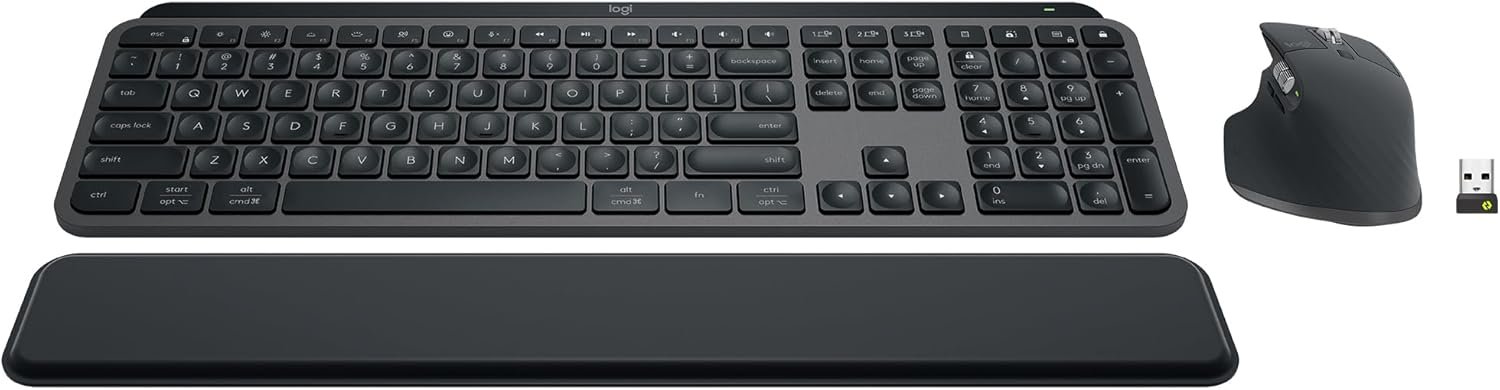
Complete your setup: Pair the ERGO M575S with the Wave Keys ergonomic keyboard, featuring a cushioned palm rest that places your hands, wrists, and forearms in a natural typing position
Note: In case of Wireless mouse, the USB receiver will be provided inside or along with the mouse Note You can clean the trackball by ejecting the ball from the ball cage.
11 reviews for Logitech Ergo M575S Wireless Trackball Mouse, Wireless Ergonomic Mouse with Bluetooth and Encrypted Dongle, Comfortable Thumb Control, Precise and Smooth Tracking, for PC/Mac – Graphite Blue Ball
Add a review
$39.99
Amazon Customer –
Woks perfectly. Warranty cut from 3 to 1 year.
I’ve been using Logitech since the wired mouse/keyboard days, switching to wireless in 2012 along with moving from mice to trackballs to conserve desk space (and easy use at home on my recliner’s armrest). Like a microwave: once you go trackball (and develop some muscle memory in your thumb) you’ll never go back to a mouse you have to move your whole arm around to move a cursor. This review was done only a few days into using this new M575SReliability? I’ve only had one Logitech failure in 2018 – 2 months before the 3 year warranty expired. Logitech promptly replaced it without my incurring shipping charges. Was disappointed, and a little nervous, when I finally saw on the box for this M575S (in VERY small print) that the warranty has gone from 3 to one year since my last purchase in 2022. So… has the quality gone down too??? Only time will tell. Right now, after reading reviews for cheaper M570 trackball knockoffs of unreliability and flaky behavior I don’t mind paying more for a time-tested trackball.The M575S works as a trackball with expected basic functions out of the box (like every Logitech product I’ve purchased — 15 of them for my business and home. Just plug in the USB receiver and pull the battery connection paper tab to connect it. After downloading Logi Options+ app (and a PC restart. It won’t load without a restart) I could reassign buttons the way I am used to. The Logi Options+ app has been updated sometime last year I think, because it now works without the serious glitches it previously had disconnecting or not starting at all, or misbehaving inside the app. Works perfectly now. For another PC that I use for gaming I love the ability to make app specific trackball changes for a particular gaming app (or any app), like speeding up the trackball pointer just for that app to get across the screen without a thumb reset — then going back to a word processing app having it slow back down for cursor placement without having to reset cursor speed. For internet or word processing I like resetting the forward and backward keys to Copy and Paste. Just use the app to assign Ctrl+C and Crtl+V. I’ve found that very, very useful over the years.My only [small] complaint is that if you have a perfectly good Logitech K270 keyboard [ that has been around for years and working perfectly] that you cannot use with this M575S as the M575S uses the newer “BOLT” USB receiver. The work-around so you CAN use that older keyboard is to use both the old “Unifying” USB receiver that came with your K270 keyboard and the “BOLT” USB receiver at the same time. So, you use up 2 USB A ports — better than buying a new keyboard. It is GOOD, however that the same “Logi Options+” software will recognize both USB receivers and allow cursor speed,pointer & button programming so you don’t have to run 2 different apps. That’s not much of a problem with most PC’s coming with more than one USB A port even though most peripherals have moved to USB C.Like almost all mice and trackballs nowadays this one has a very high resolution ball for smooth scrolling and precise cursor placement.Battery life: I get about three months out of a fresh Duracell with heavy use out of my older M570’s and my M575 Pro. I’ve stopped using generic and rechargeable batteries. I DO always turn it off at night, weekends. You should too. And for devices that really last a long time like Logitech keyboards or less used mice or trackballs change the batteries at least once a year to forestall the formation of corrosion of battery terminals from batteries that are nearing end of life. Logitech devices have a pretty darn good coating on those battery connection terminal compared to many other battery-run devices, and I’ve only had one trackball (the 2012 one – Yes, still working!) start corroding. A visit to my workshop to fix it and it’s back in service.The weight is irrelevant to me since it sits in one place on a desk or leather armrest and is far less muscle/tendon strain than a moving mouse. The shape is very comfortable to the hand causing no pain at all after hours of continuous work, and the buttons are still working perfectly on all 15 of my M570 and M575S and Pro trackballs.If anything goes wrong with this M575S I’ll update this review. Right now I’m happy that I only spent 5 minutes installing and optionally programming the buttons and cursor speed for a game. If you don’t require that optional programming then your time will be less than 1 minute to use it.
SCB –
I love this mouse!
I love this computer mouse! It has solved a lot of problems. I use it instead of my laptop mouse pad, and it is so convenient. I also use it as a remote for my computer so I can control a video while I ride my exercise bike. It is nice not to have to move the entire mouse around. It fits my hand nicely and took no time to adjust to just moving my thumb to control the mouse. I worried that it might exacerbate the arthritis in my thumb, but it hasn’t. The only problem I’ve ever had with it is needing to pop the ball out and wash it once in a while. I’ve used my first one for at least 10 years and bought this second one just because I hate using mousepad on a laptop.
Arun –
Good product
Pairs quickly, click sound is muted (takes a bit getting used to), good accuracy. Battery life seems ok so far, shape is comfortable.
NB –
Love this type of mouse
I have purchased different Logitech trackball mouse items over the years. This one was the most recent purchase. I gave 4 stars rather than 5 due to the connection difficulty (USB dongle and Bluetooth both had issues with connectivity where in the past the connection was instant no matter which was used) and the smoothness of the roller ball (seems to stick a little at first but that evens out with use). The scrolling speed is good and the click sound is exceptionally quiet – my keyboard clicks are much louder after experiencing this. When you are working in a quiet environment, every noise stands out so this mouse makes a big difference. This is my preferred mouse because if you have limited desk space or are working on the go, you do not need additional space to maneuver the mouse. This is a benefit for those like me who do not like using the mousepad on a laptop, it is just not as fluid for me as a separate mouse.Typically, I have found that the battery lasts for at least a year depending on use and when the one that came with it drains, I will switch to the lithium which lasts even longer. There is a rechargeable version, but if you have to use a cord anyway, you might as well get the corded mouse rather than the battery one.The fit to me is great – whether I am using this or my husband is, there is no issue. The fact that the mouse is ergonomic is a bonus as well, at least for someone who is right-handed – if you are left-handed, you may have issues with this particular design. You can find other brands that are less expensive, but I have found that those you have to make changes in the computer settings to mouse click speed, etc. This brand offers an accuracy with click and scrolling speeds from the factory. I am very pleased with the value and quality.
sleeper6 –
Beats a Regular Mouse
Bought this for my laptop because the on-board mouse mechanism broke. Using a conventional wireless mouse wasn’t a good solution because of limited space. I was leery of a trackball because I wasn’t sure of how easy it would be to manipulate. It works great, is easy to use, and actually provides more functionality than the on-board mouse did.
Michael –
Pricey but Worth it!
This is an updated version of a previous Logitech Trackball Mouse I had and I still love it. I have had my previous version for years and decided I wanted an updated one for work. So far it has been great. Connects easily and very responsive. One thing I like about the update is the larger opening to trackball on the bottom which allows easier removal of trackball to clean inside.
Snowboo –
Please never stop making this. I can’t use any other mouse and I love this one. You could put out other models, prettier ones or less clunky ones, maybe? But don’t stop making trackballs. Please.
Gerry Ohara –
Takes a bit of getting used to but generally works well. Accuracy of the track wheel not perfect for fine positioning
jean charbonneau –
facile d utilisationexcellent produitparfait pour moi
Charles Kelly –
Like it.
Ed O’Pier –
Bought in August 2025 for home use. Left button now unresponsive. My previous Logitech trackball lasted many years of heavy office use. Very disappointing. Changing brands.