
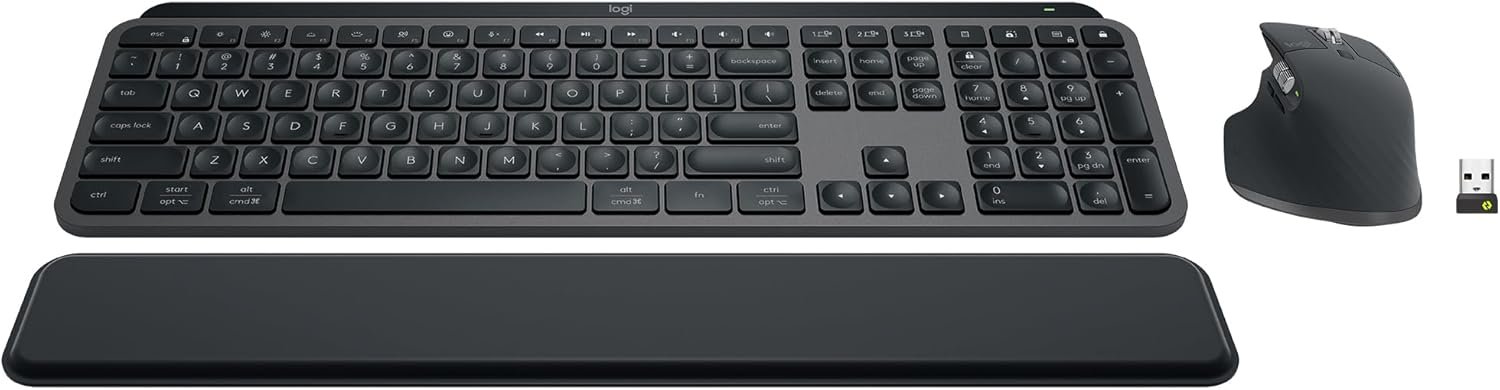
Logitech MX Keys S Combo – Performance Wireless Keyboard and Mouse with Palm Rest, Customizable Illumination, Fast Scrolling, Bluetooth, USB C, for Windows, Linux, Chrome, Mac,Color Graphite.
$199.99
Related Products
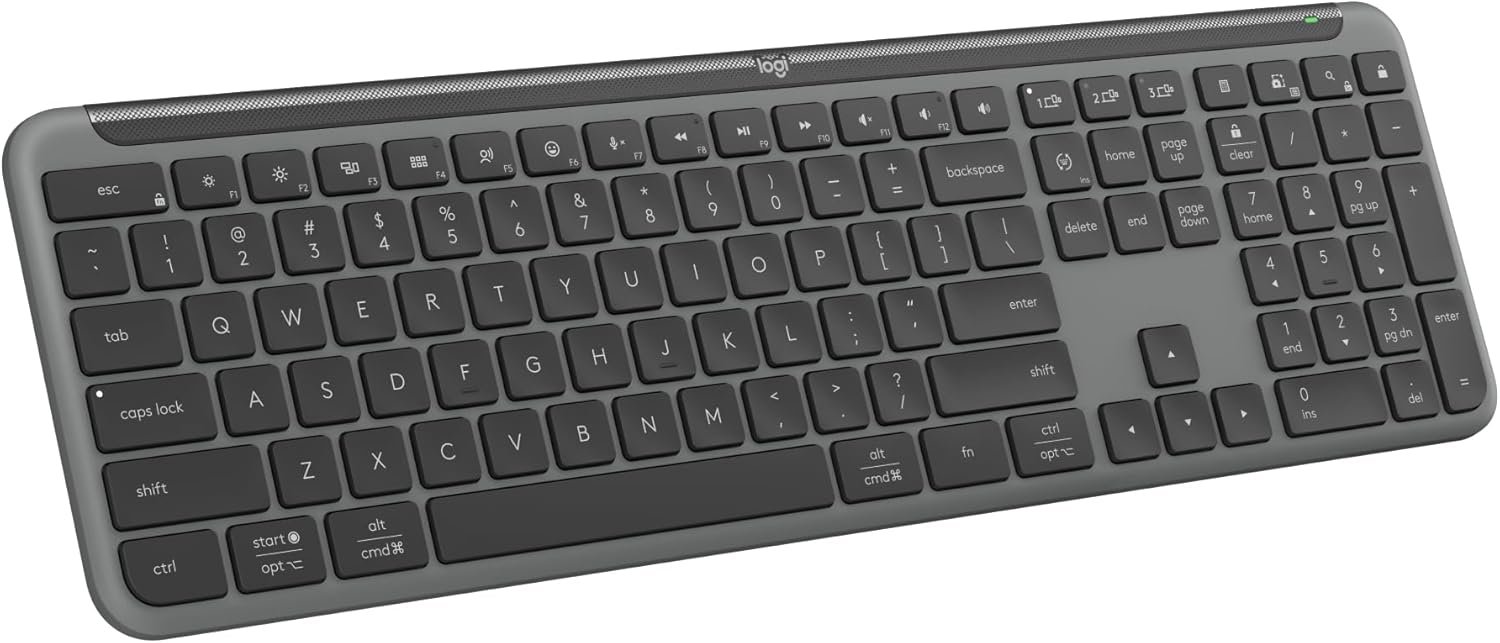
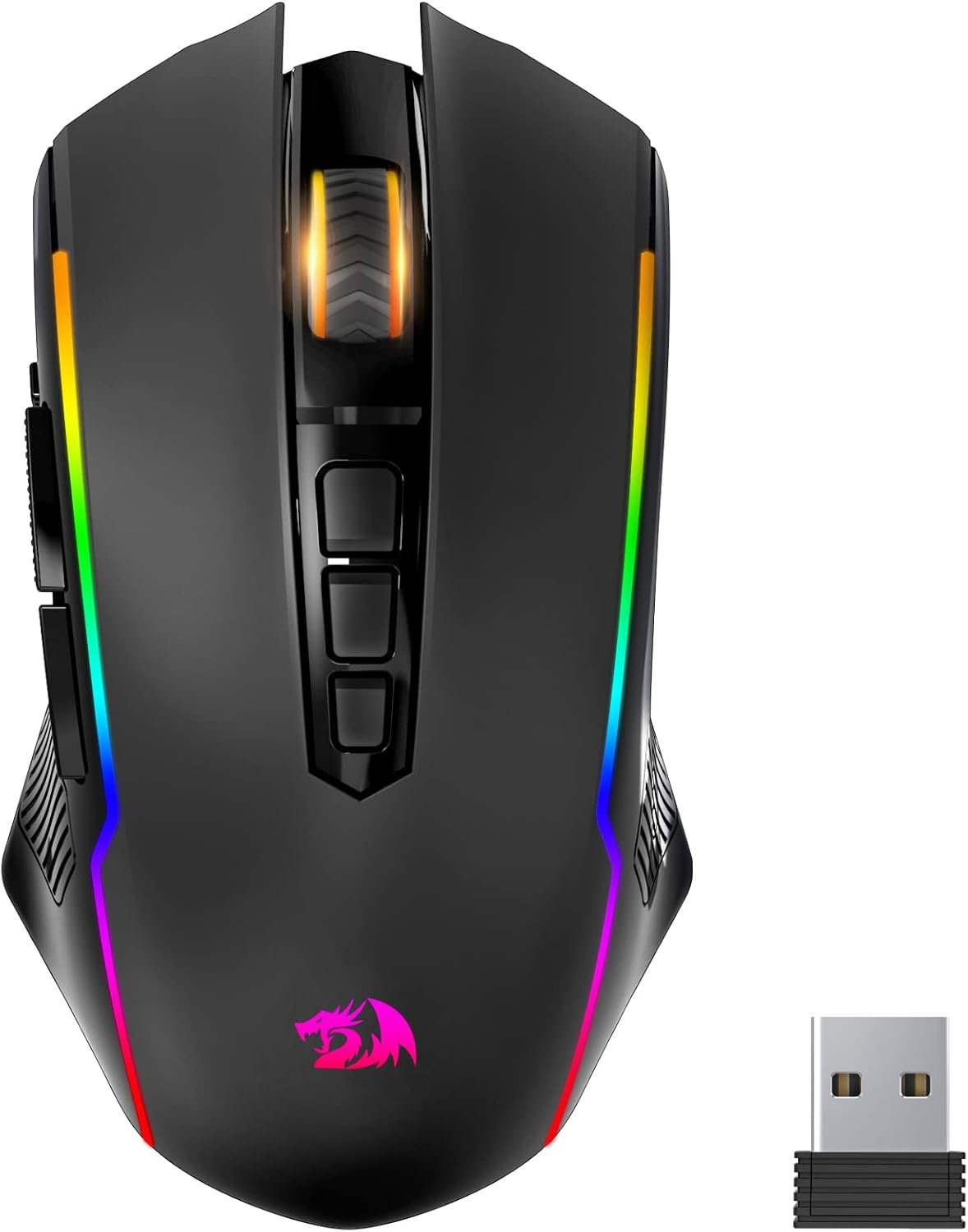


Master your flow with the MX Keys S Combo Wireless Mouse and Keyboard — the ultimate combo that combines the power of the fluid, fast precision typing of MX Keys S Wireless Keyboard with the precise, fast scrolling experience of MX Master 3S Wireless Mouse. Product details MX Keys S Keyboard: Weight: 810 g Dimensions : 20.5 x 430.2 x 131.63 mm Rechargeable Li-Po (1500 mAh) battery Optional Customization app(1): Logi Options+ Important: FileVault might be enabled on your macOS computer, which could prevent you from entering your password at start or reboot when connected to Bluetooth. In this case, use the Logi Bolt USB Receiver. Product details MX Master 3S Mouse: Weight: 141 g Dimensions: 51 x 84.3 x 124.9 mm Rechargeable Li-Po (500 mAh) battery Sensor Technology: Darkfield high precision Buttons: 7 buttons (Left/Right-click, Back/Forward, App-Switch, Wheel Mode-Shift, Middle click), Scroll Wheel, Thumbwheel, Gesture button Optional Customization App (1): Logi Options+ Both devices are compatible with Windows, macOS, Linux, Chrome OS, iPadOS, Android operating systems (6). (1) Requires Logi Options+ app, available for Windows and macOS. (2) Compared to Logitech Master 2S mouse with Logitech Options installed and Smooth scrolling enabled. (3) Compared to regular Logitech Mouse without an electromagnetic scroll wheel. (4) 4 mm minimum glass thickness. (5) The combo is not compatible with other Logitech USB receivers. (6) Device basic functions will be supported without software for other systems than Windows and macOS. (7) Battery life may vary based on user and computing conditions. (8) Excludes plastic in printed wiring assembly (PWA), receiver, wire, FFC cable, and packaging.
Engineered for Speed and Precision: MX Keys S Wireless Keyboard features fast fluid laptop-like typing combined with the fast, precise scrolling of MX Master 3S Wireless Mouse
Fluid Typing Experience: Laptop-like profile with spherically-dished keys shaped for your fingertips delivers a fast, fluid, precise and quieter typing experience
Scroll 1000 Lines Per Second: With MagSpeed, Logitech’s fastest and most precise scroll wheel (3), and an 8K DPI sensor, this Logitech Mouse tracks anywhere – even on glass (4)
Automate Repetitive Tasks: Easily create and share time-saving Smart Actions shortcuts that perform multiple actions with a single keystroke with the Logi Options+ app (1)
Smarter Illumination: Backlit keyboard keys light up as your hands approach and adapt to the environment; now with more lighting customizations on Logi Options+ (1)
More Comfort, Deeper Focus: Mouse and keyboard engineered for hours of work; stable keyboard with an optimum angle, and mouse sculpted for your hand for better wrist posture
Multi-Device, Multi OS Combo: Pair with up to 3 devices on nearly any operating system (Windows, macOS, Linux) via Bluetooth Low Energy or included Logi Bolt USB receiver (5)
Both MX Keys S and MX Master 3S include certified post consumer recycled plastic — MX Master 3S (27% for Graphite, 22% for Pale Grey); MX Keys S (26% for Graphite and 11% for Pale Grey) (8)
In case of wireless keyboard or combo (keyboard and mouse), the USB receiver is usually provided either inside the mouse (under the battery cover) or attached within the product packaging
10 reviews for Logitech MX Keys S Combo – Performance Wireless Keyboard and Mouse with Palm Rest, Customizable Illumination, Fast Scrolling, Bluetooth, USB C, for Windows, Linux, Chrome, Mac,Color Graphite.
Add a review
$199.99
Corky Thompson –
Great combo for mouse and keyboard
Great keyboard and mouse combo. While pricy and you can get cheaper combos, I feel this was a worthy purchase. Once I got the feel of the hand position on the mouse it is a good fit. I don’t have all of the buttons programmed yet but will soon. The scrolling wheel is great and you can really get through pages quickly. The keyboard has a good feel with low profile keys and quiet action. Easy to connect via Bluetooth or USB bolt. I feel this has also made me more productive overall.
Ryan Whey –
Feature packed but incredibly intuitive design upgrades your office productivity
Long battery, excellent input detection, awesome macros and automation, LED backlighting is perfectly balanced between being usefully bright and not distracting, best keyboard mouse combo I’ve ever used for daily tasks. Love that it can connect to multiple systems and screens with a button press. REALLY like how ergonomic the mouse is and how quickly it can toggle from precision scrolling to speed scrolling. Easy as pie to setup. Would absolutely buy again or recommend as a gift. Only con? Righty-only.
Sleestak –
Worth every penny
I am a UI Engineer and work on both PC and Mac. For the longest time I’ve been working on a PC keyboard and mouse, but when my mouse finally started giving me issues, I landed on this combo and decided to try it out. Unboxing, I was surprised by the weight and quality of both the keyboard and mouse; they feel solid and well built..not cheap. It comes charged and ready to go and set up was a breeze. When swapping between my Mac and PC, a simple command key (fn+o) will swap the control/win/alt keys to control/opt/cmd and vice-versa. The feel of the keys fantastic-soft yet tactile (a step above the MacBook feel) and while both the keyboard and mouse are “silent”, you still feel the clicks. The mouse has a great shape and gets fantastic reviews. When I looked at user pics, I thought it looked a bit bigger than I would prefer, but it fits nicely in the hands and I can still “draw” with it when it comes time to dive into photoshop or illustrator. The weight of the mouse is a touch more than your standard mouse, but it honestly gives it a great feel and I have no issues zooming around. The side scrolling wheel also comes in very handy in design apps and clicking the center button will toggle the scroll wheel from a notch indexed feel to smooth, which allows it to act a little more like a Magic Mouse because you can flick your scrolling and let it roll ( Mac users should understand that). I thought the price was a bit steep at first, but it’s worth every penny once you feel how well built these devices are and start using them. No regrets at all.
Curious Reader –
Plug & Play works with Win 7 AND 10 AND 11
I was using three PCs side by side, with three separate keyboards and three mice. All I wanted was one keyboard to take the place of three keyboards. What I got was so much more. Love the mouse which I hadn’t expected. Mice don’t take up a lot of room, so whether or not a mouse replaces three mice at first didn’t mean a lot to me, but when I discovered how comfortable and smooth this mouse is, I was thrilled to be able to use it with three PCs by the press of a button under the mouse. -So while I still have the original mice connected in case I don’t want to take the 5 seconds it takes to pick up the Logitech mouse and push a button to share the Logitech mouse, because I enjoy using the Logitech mouse so much more, I doubt the old mice will get much use!-So this keyboard and mouse work with up to three PCs, via LogiBolt or via Bluetooth. I wanted to connect the keyboard and mouse via LogiBolt on each PC. The set only comes with one LogiBolt that is pre-programmed to pair with the keyboard and mouse as computer#1/mouse1. More specifically, straight out of the box I could plug in the included ‘Logi Bolt’ into the USB port of any of my three PCs and it worked with each of Win 7, Win 10, and Win 11 PCs. HOWEVER, I didn’t want to have to keep switching the one LogiBolt among three PCs (and I didn’t want to rely on Bluetooth) so … I found two more LogiTech LogiBolts for sale on Amazon and bought two more LogiBolts.IMPORTANT: Unlike the LogiBolt that comes with the set, the additional two LogiBolts aren’t plug and play – a few simple steps needed to be done to pair each LogiBolt with the keyboard and mouse. So because this info is surprisingly hard to find, here’s the bottom line:1) I used the pre-programmed LogiBolt USB Receiver that was included with the keyboard and the mouse on the Windows 7 PC, and it worked plug and play. Both the mouse and the keyboard pair (work with) that original LogiBolt USB receiver as computer 1 and mouse 1.2) Next I wanted my Windows 10 PC to pair with the keyboard and mouse as computer 2. Since the LogiBolt purchased separately isn’t plug and play, for my Windows 10 PC, I had to use my pre-existing mouse and keyboard to navigate to logiwebconnect.com; and once at logiwebconnect.com website, then I inserted one of the new additional Logibolt USB Receivers (that I bought separately on Amazon) into the Windows 10PC and on logiwebconnect.com site the site recognized the LogiBolt receiver and gave me prompts to ‘add a new device’ to that LogiBolt receiver. Then I pressed the ‘computer2’ key on the new keyboard for 3 seconds to make the new keyboard discoverable by that particular Logibolt, and that’s what pairs the PC with the keyboard as computer2. So now that particular Logibolt USB Receiver sees the keyboard as belonging to computer 2 whenever computer 2 button is pressed on the keyboard. Then on that same logiwebconnect.com website, I was given the opportunity to add another device to that LogiBolt USB receiver, and so this time on the underside of the Logitech mouse I pressed the button until the number 2 appeared and the logiwebconnect.com website found the mouse and is now paired with that mouse when 2 is chosen underneath the mouse. So those are the steps to program the keyboard and the mouse to know they’re connected as computer2/mouse2 with that particular USB Receiver. FYI, in order to do all this, I still needed my pre-existing old keyboard and mouse to navigate the website, etc.3) For the Windows 11 PC, IF I had had a pre-existing mouse/keyboard for that Windows 11PC, I would simply have used the pre-existing keyboard/mouse to navigate to logiwebconnect.com and follow the same steps I wrote in 2 above, except instead of choosing to pair as keyboard 2/mouse2, I would have chosen keyboard 3/mouse 3. -BUT I didn’t have a pre-existing keyboard/mouse for the Windows 11PC, so I actually ‘borrowed’ the LogiBolt from the Win7 PC and plugged it temporarily into the Windows 11 PC, and so the Windows 11PC immediately recognized the LogiTech mouse and keyboard on a plug and play basis as computer 1/mouse 1. I then went to the Logiwebconnect.com website and PLUGGED IN A NEW LOGIBOLT I HAD JUST BOUGHT ON AMAZON. The Logiwebconnect.com website then indicated that the Windows11 PC had two LogiBolts in it, so I had to choose which of the LogiBolts I wanted to add new devices to. (To make sure I chose the correct LogiBolt to program, I unplugged the original LogiBolt that came with the keyboard and mouse and paid attention to which LogiBolt disappeared from the list. Then I plugged the original LogiBolt back into the same USB slot in the Windows 11PC AND MADE SURE I CHOSE THE OTHER LOGIBOLT TO ADD DEVICES TO.). In other words, I used the original LOGIBOLT that comes pre-programmed with the mouse & keyboard as the #1 option in order to navigate through the logiwebconnect.com website to add that same keyboard/mouse as the #3 option to the new LogiBolt that I bought separately on Amazon. -and amazingly that worked! So if two Logibolts are connected to the same PC, the PC can be paired both as keyboard#1/mouse#1 and as keyboard#3/mouse#3 on the same keyboard/mouse! Once the Windows 11 PC was paired on the new LogiBolt as PC#3 for the mouse & keyboard, I simply unplugged the original LogiBolt and put it back in the Windows 7 PC, with the automatic and immediate result that the Windows 7 PC was once again computer#1/mouse1. In other words, once you pair a LogiBolt USB Receiver with this keyboard and mouse, the Logic bolt USB receiver REMEMBERS THE PAIRING AND WHATEVER COMPATIBLE PC YOU PUT THAT LOGIBOLT INTO WILL PLUG AND PLAY WITH THE KEYBOARD AND MOUSE. The pairing apparently happens at the Logibokt level, not in the PC itself.Conclusion: I only bought this because I wanted one keyboard that worked with three PCs easily. This set totally does that, once it’s set up (& I purchased two more LogiBolts rather than use Bluetooth to get up to three PC connections). I was delighted to find that this keyboard and mouse are very well made and EXTREMELY comfortable to use. Mouse is particularly nice – nicest mouse I have ever had. Who knew any mouse could be so superior, but this one really is. As a result of all this, after buying the keyboard/mouse set (that comes with one LogiBolt), PLUS BUYING TWO MORE LOGIBOLTS, I am able to easily use this keyboard and this mouse with three different PCs. I never downloaded any LogiPlus software onto any of my PCs, and probably won’t, since the reviews on that software are so mixed. The keyboard lighting is very nice and easy to read. Highly recommend if you have more than one keyboard cluttering your space – and the mouse is so nice I’m so glad I bought the full set. I hope this review is helpful to you 🙂
Lawrence –
Incredibly Good Quality
This mouse puts my Logitech 750L to shame. With my previous mouse, I kept inadvertently hitting the right mouse click with my finger due to the contour of the mouse. This mouse has a different shape and finger rests near the right click button but no longer accidentally strikes it, so I consider this a major upgrade. The keyboard id fantastic and operates using the same USB receiver as the mouse which frees up one USB port. They are rechargeable and look great and feel like a lot of work went into creating them. Works perfect with Windows 11. Seamless plug and play. Worth the money. I shall own for a long time. Highly recommended.
Louis Pearson –
This product has been on my wish list for five years and I finally purchased at a great price, very happy and impressed with the quality and the functionality of the product features including charging, battery life, and multiple Bluetooth capabilities.
Taha A. –
I got the vertical mouse at first, didn’t like it at all.This mouse and keyboard is perfect, never felt so good doing work. The keyboard buttons have depth so each press feels good and the mouse is high quality and silent with the clicks
Dave Church –
Great keyboard, keys have the right amount of feedback, and a pleasant sound without being overbearing. I like the mouse more, perfect and responsive. The wrist pad is meh, but overall very happy with everything.
Ye –
Good simple product, not very durable though, accident bent it a bit and it snapped. But it still works.
Begbee –
C’est un clavier de grande qualité. La construction est robuste, les touches sont bien en place et il n’y a aucune pièce instable. La durée d’une charge me convient (environ 10 jours). Câble de charge USB-A vers USB-c de fourni. Je le charge la nuit lorsque la batterie est vide. Je travail entre 8 et 10 par jours avec le clavier, n’a jamais lâché en cours de travail. Facile à jumeler avec l’ordinateur via la connexion Bluetooth. Le repose-paume fourni avec le clavier est confortable et peu encombrant.