
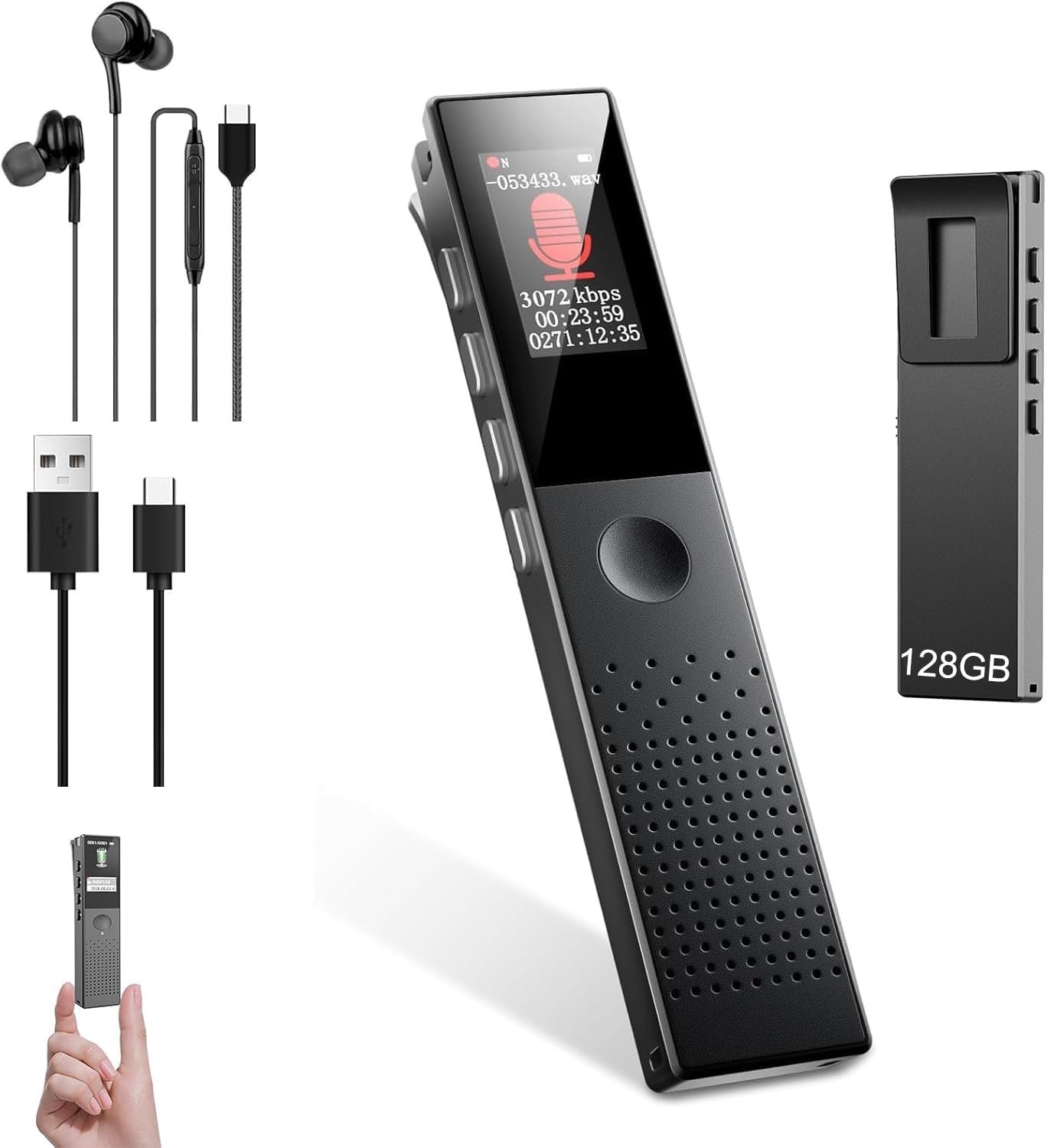
128GB Digital Voice Recorder with Playback, Ai Noise Reduction, Voice Activated Recording, Password Protection, MP3 Player, One-Touch Operation, USB-C, for Lectures, Meetings, Interviews, Classes
$41.96
Related Products




Product description


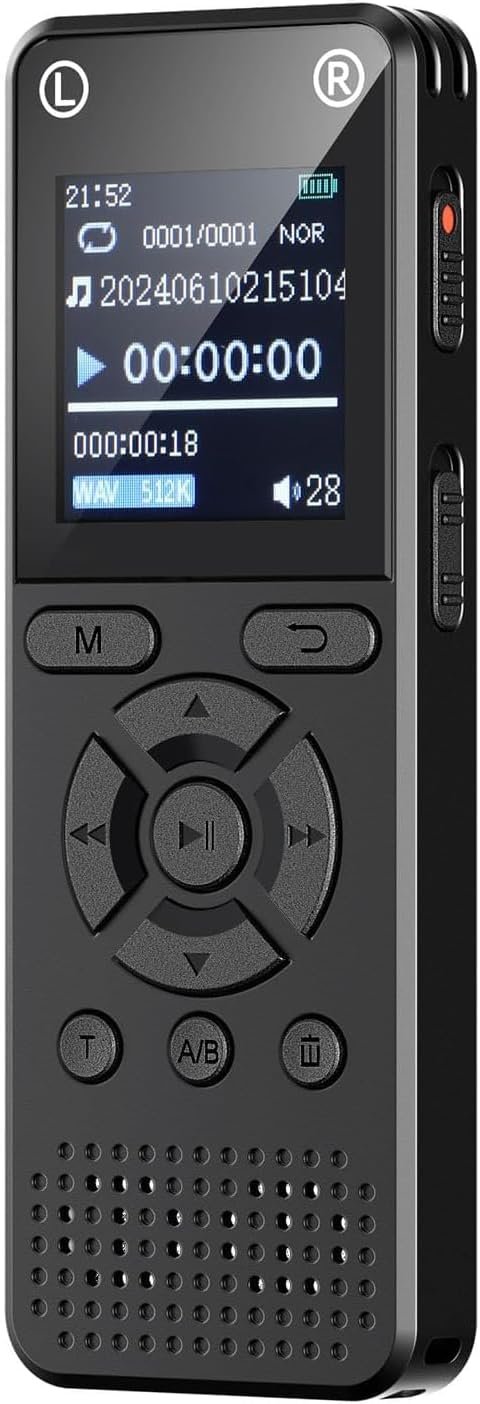
128GB Large Capacity Digital Voice Recorder: This professional audio recorder comes with 128GB built-in memory, capable of storing up to 800 hours of high-quality recordings or thousands of music files. Never worry about running out of space for your important lectures, meetings, interviews, or classes.
360° Dual Microphone & Advanced Noise Reduction: Equipped with dual omnidirectional microphones and ENC noise cancellation technology, this voice recorder captures every detail in crystal-clear quality, even in noisy environments. Perfect for those who demand high-fidelity audio recording.
Voice Activated Recorder & Multiple Recording Modes: Hands-free voice activated recording (AVR) starts and stops automatically to capture only when sound is detected, saving memory and playback time. Supports one-touch recording, timer recording, segment recording, and Bluetooth call recording for maximum versatility.
Voice Recorder with Playback & MP3 Player Function: Instantly playback recordings on the color display or with included earbuds. Enjoy features like A-B repeat, variable speed playback, and add-to-favorites. This digital voice recorder doubles as an MP3 music player for your convenience.
USB-C Fast Charging & User-Friendly Design: Enjoy long battery life and quick charging with USB Type-C. The compact, lightweight recorder features a color LCD screen, easy navigation, clip-on design, password protection, auto sleep, and multi-language support. Compatible with Windows & Mac for easy file transfer.
1 review for 128GB Digital Voice Recorder with Playback, Ai Noise Reduction, Voice Activated Recording, Password Protection, MP3 Player, One-Touch Operation, USB-C, for Lectures, Meetings, Interviews, Classes
Add a review
$41.96
G. David Walker –
Can’t delete recordings
During testing, the recording ability and playback clarity are fine. However, it won’t delete the recordings. Instructions say press and hold the ‘M’ key, but the diagram in the instructions doesn’t indicate which one the ‘M’ key is. I assume it’s the Menu key, since that’s the only one with an ‘M’ in the name, but pressing and holding that doesn’t delete the recording. Without a way to delete the recordings, once it fills up the memory, it will no longer be usable.