
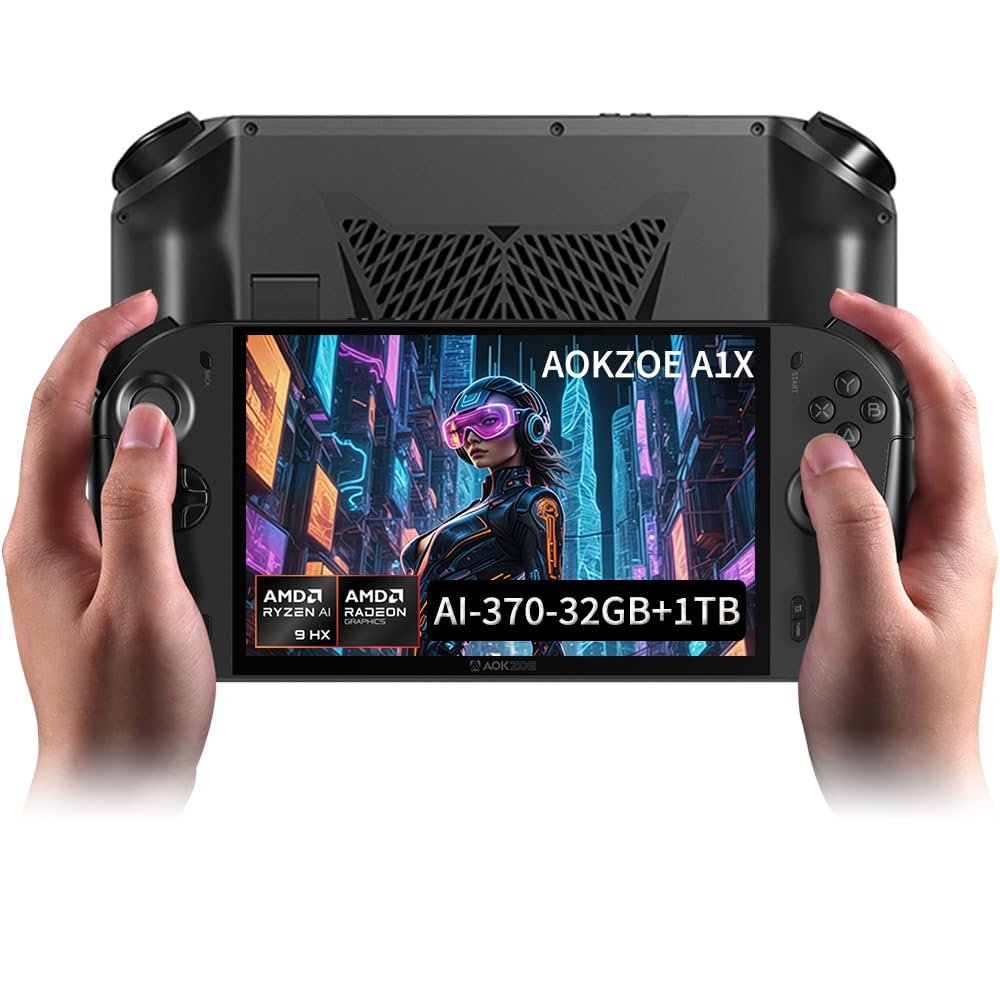
AOKZOE A1 X Gaming Handheld PC | AMD Ryzen AI 9 HX 370 | 32GB LPDDR5x RAM | 1TB PCIe 4.0 SSD | 8″ 1200p 500nits VRR Display | 72.7Wh Battery + 100W GaN Fast Charge | Windows 11 Home Portable Console
$1,589.99
Related Products


Product description


Flagship Performance for AAA Gaming: Powered by the top-tier AMD Ryzen AI 9 HX 370 (12 cores/24 threads) and Radeon 890M iGPU. Experience buttery-smooth gameplay in demanding titles like Black Myth: Wukongwith high frame rates, while effortlessly handling heavy multitasking, content creation, and all your portable computing needs.
Premium Memory & Storage:Supports 32GB LPDDR5x-7500MHz dual-channel memory + 1 TB PCIe 4.0 x4 M.2 2280 SSD (single-sided), ensuring fast data access and smooth operation.
Premium 8″ Native Landscape Display: Unlike stretched screens, our native 1920×1200 landscape display delivers a true PC visual experience. With 500 nits brightness, 100% sRGB color gamut, and VRR technology, enjoy vibrant, tear-free visuals even outdoors or in fast-paced shooters.
Efficient Cooling & All-Day Battery: Our advanced cooling system (3 heat pipes + large aluminum fins) keeps the device cool to the touch without loud fan noise. The massive 72.7Wh battery supports extended gaming sessions, and the included 100W GaN charger powers you up quickly during breaks.
Ultimate Connectivity & Control: Features dual USB4 ports and an Oculink port for external GPU docking and 4K displays. The contact-free capacitive joysticks offer esports-level precision, complemented by RGB lighting, Hall triggers, and premium Hyper-Linear speakers for a complete console experience.
AOKZOE A1 PRO System OS Recovery: Here’s the instruction of a simply re-installation to resolve software/driver issues: 1, Long press power button for 2-3 seconds to boot your laptop, and then immediately press “Home+ Volume up” key when you see power led on.2,Choose the “EUFI OS AOKZOK OS”,Then you can enter the System Recovery page. Touch the “Start” Icon on the screen when you log into the System Recovery page and then wait for the automatic reinstallation process,all problem resolved.
User Reviews
Be the first to review “AOKZOE A1 X Gaming Handheld PC | AMD Ryzen AI 9 HX 370 | 32GB LPDDR5x RAM | 1TB PCIe 4.0 SSD | 8″ 1200p 500nits VRR Display | 72.7Wh Battery + 100W GaN Fast Charge | Windows 11 Home Portable Console”
$1,589.99
There are no reviews yet.