
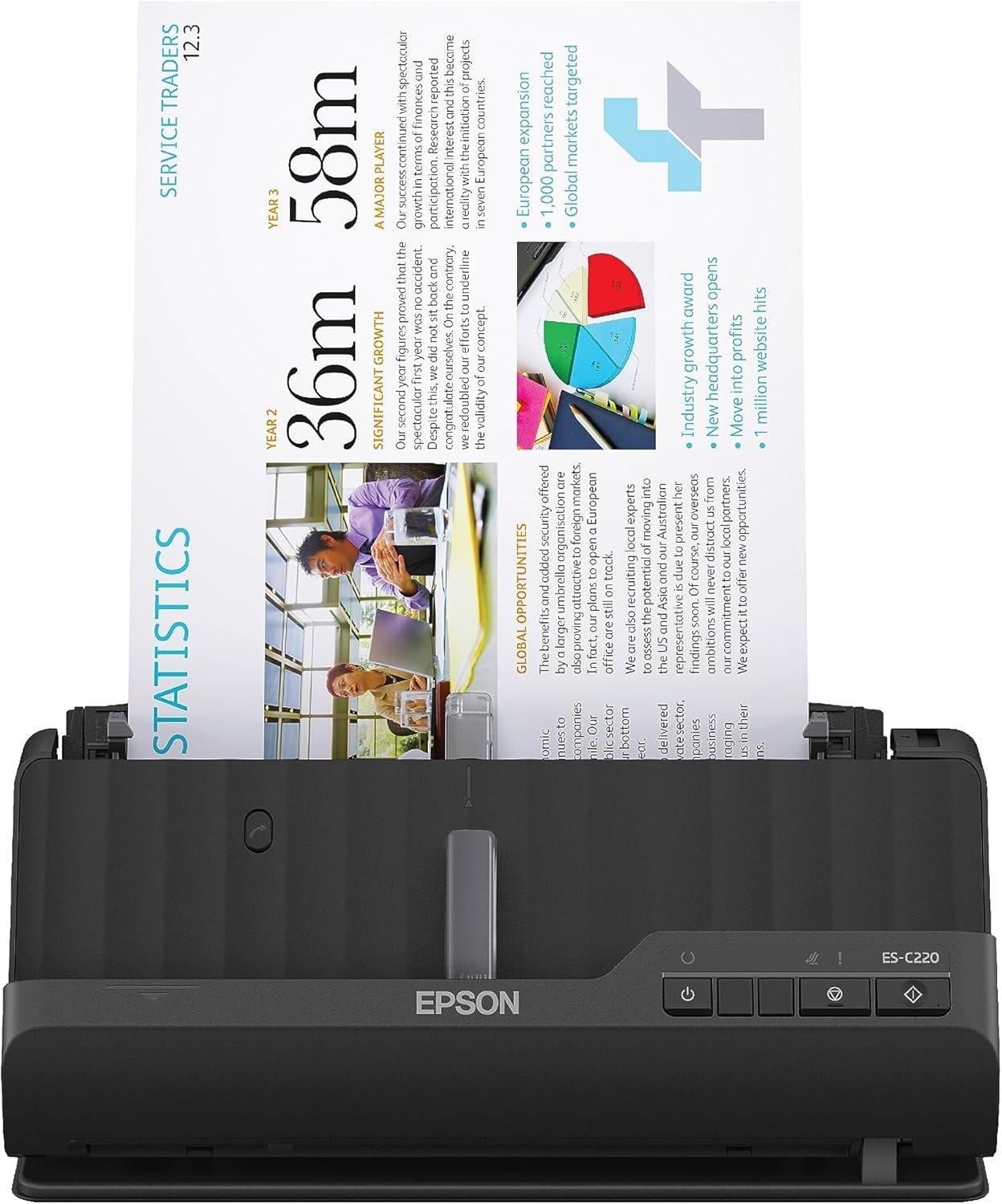
Epson Workforce ES-C220 Compact Desktop Document Scanner with 2-Sided Scanning and Auto Feeder (ADF) for PC as Well as Mac
$216.59
Related Products
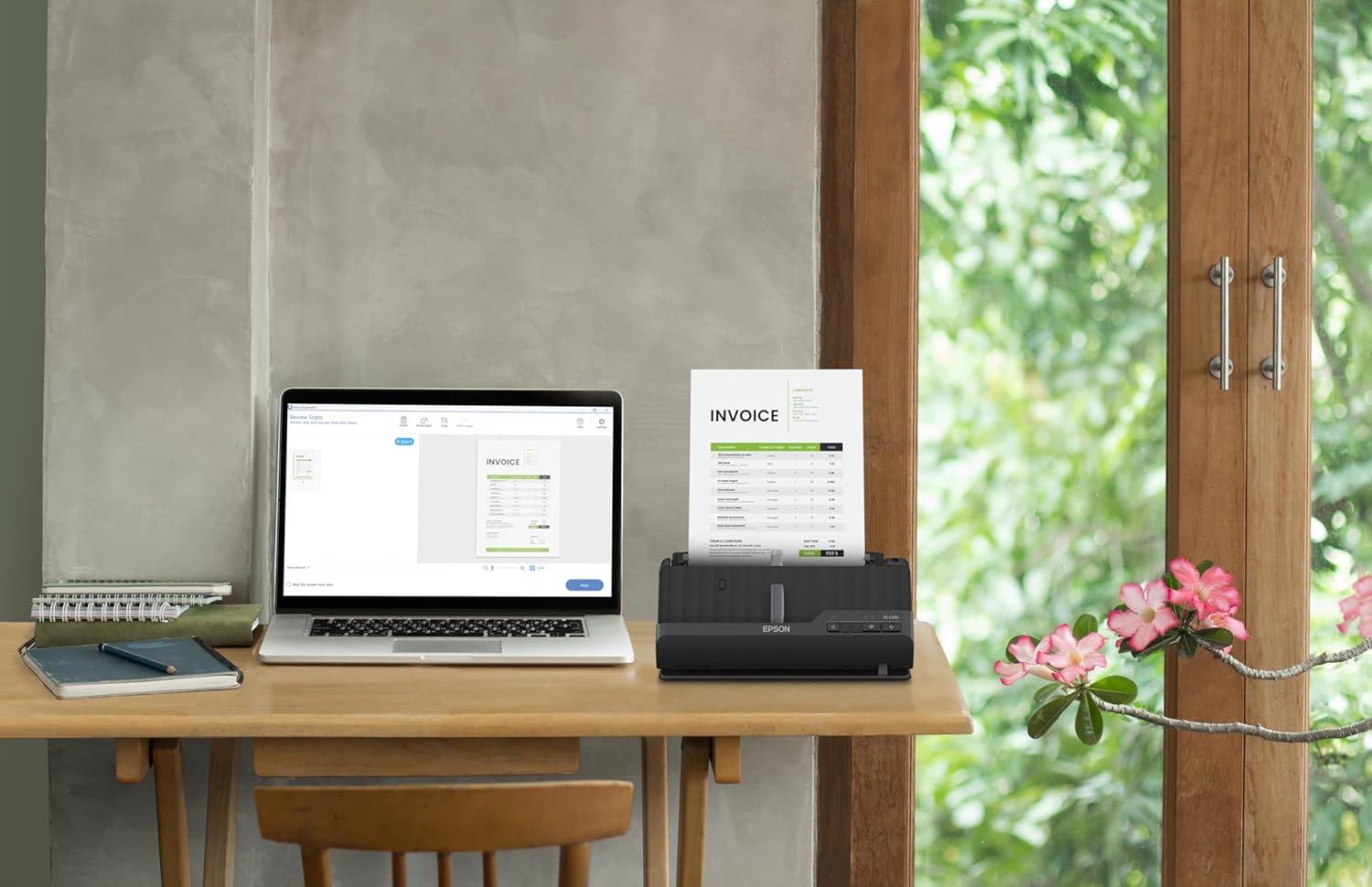


A compact modern wonder, the WorkForce ES-C220 keeps things simple with its intuitive design and exceptional flexibility. With the ES-C220, you can organize stacks of documents and make keeping piles of paperwork for your records a thing of the past. Ideal for the home or office, this easy-to-use scanner is the definition of innovation, saving 60% of desk space (1) and scanning two sides at once as fast as 30 ppm/60 ipm (2). Offering a robust solution to managing your workflow, the included Epson ScanSmart software (3) allows you to preview, email and upload your scans. In addition, help save valuable time with automatic file name suggestion for streamlined file management. The scanner features a 20-page Auto Document Feeder that makes it easy to scan in batches. In addition, the versatile ES-C220 scans papers of varying sizes up to 8.5″ x 120″. Maintain amazing quality with intelligent image adjustments such as cropping, paper skew correction and dirt detection. From the #1 best-selling scanner brand at retail (4), the ES-C220 proves bigger isn’t always better.
1. In vertical path scanning position compared to Epson WorkForce ES-400 II with trays extended. | 2. Based on letter-sized scans at 300 dpi in Black-and-White, Grayscale or Color Mode. |3. Requires Internet connection for Epson ScanSmart software download and installation on a connected Windows PC or Mac. | 4. Source: The NPD Group, Inc., Retail Tracking Service, U.S. & Canada, Scanners, Aug. 2021 – Jul. 2022. | 5. Optional carrier sheet required.
Ultra compact space-saving design — saves 60% of desk space (1) in virtually any environment
Quickly scan two sides at once — single-step technology captures both sides of a sheet of paper in one pass as fast as 30 ppm/60 ipm (2)
Easily scan in batches — robust 20-page Auto Document Feeder accommodates stacks of paper of varying sizes
Remarkable versatility — scan most document types, from standard paper to cards and passports (5), using the flexible scan path
Enjoy amazing image quality — intelligent image adjustments with automatic cropping, blank page deletion, background removal, dirt detection, paper skew correction and staple protection
Powerful software included — easy scanning with intuitive Epson ScanSmart software (3); preview, email, upload and more; automatic file name suggestion and OCR help save time
Convenient portability — small, lightweight design
A confident choice — from the #1 best-selling scanner brand at retail (4)
9 reviews for Epson Workforce ES-C220 Compact Desktop Document Scanner with 2-Sided Scanning and Auto Feeder (ADF) for PC as Well as Mac
Add a review
$216.59
mrdale1 –
Better than I expected
I bought this just because it was the best cost for what I needed it to do easy install, and what I really like about it. The most is that if your pages are double-sided, it goes ahead and scans the double-sided at the same time which is fantastic exceeded my expectation. I also like the fact that if you exceed the amount, it can scan it one time you can continue to add.
L F –
Great for work or personal
Works great! Scan multiple docs straight into your laptop to easily access. As a loan signing agent this was fantastic!
Frankie Leveille –
ES-C220 scanner
Not easy to find the drivers to download but once it’s done it runs great. Would be nice if there was an online video showing the setup
Theresa M. Chavez –
Epson C-220 Scanner
This is fast and proficient. Worth every nickle.
Alex Sanchez –
Amazing
Its versatile, simple and very funcional
A. Journey –
Horrible tech support. Doesn’t work with Surface Pro.
No Customer support. Does not work with Surface Pro. I am an IT professional. I got this scanner to replace one I bought 15 years ago. I set it up and downloaded the software and it said that my operating system (Windows 11) didn’t work with the software. I couldn’t believe that so I searched online and it said that the Windows 11 that comes with the Surface Pro wouldn’t work, but that there was a driver that could give the scanner basic capabilities. I tried to call them to make sure the Internet was correct. I’m not interested in having fewer features, but I wanted to give them the benefit of the doubt. I called the number they provided 3 times and stepped through the prompts and was disconnected each time before I spoke to anyone. I then turned to email. I answered all their questions and then the CAPTCHA didn’t work and therefore it wouldn’t send the email. Finally I called Amazon and they gave me a number that was only support for dot matrix printers. As I said, I work in IT. I contact tech support all the time for my job and some companies are pretty bad as far as technical skills, but I have never, ever found one as bad as this.
Oscar Ampudia –
Todo ok
Todo ok
Amazon Customer –
Five Stars
Easy to setup and use. Fast and clear scans.
David –
I bought this to scan lead pencil drawings (for an animation so LOTS of pages) and the software said the pages were blank (no idea why) and would just not scan. So I tried scanning with Image Capture (Apple’s native scanning software) and it worked just great. You don’t get all the Epson Scanner software features but I found I don’t need them. Super fast, great images, perfect!