
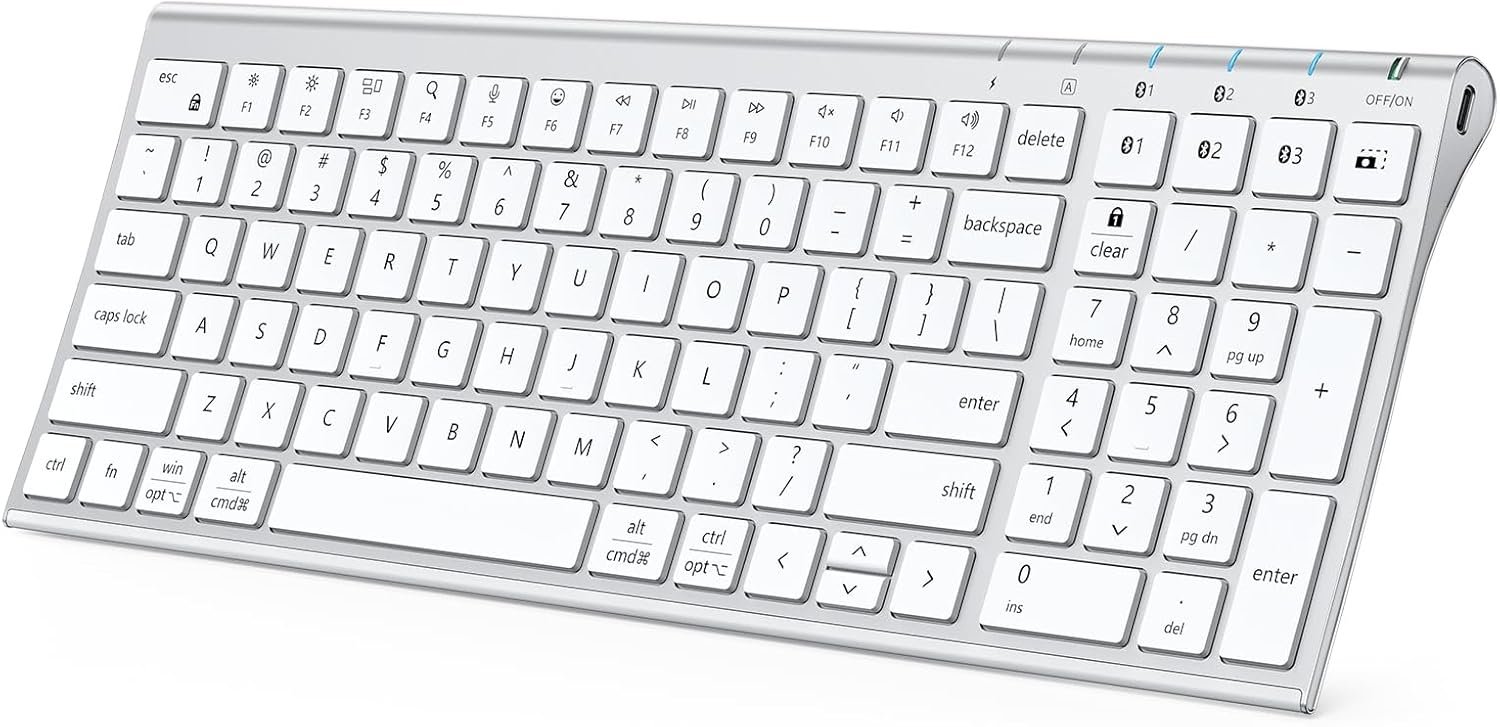
iClever BK10 SE Bluetooth Keyboard for Mac, Multi-Device Slim Wireless Keyboard with Numeric Keypad, Standard Full-Size Keys, USB-C Rechargeable, Compatible with iPad Windows iOS Android
$32.39
Related Products




Product description
The video showcases the product in use.The video guides you through product setup.The video compares multiple products.The video shows the product being unpacked. BK10SE Bluetooth Keyboard for Mac Merchant Video


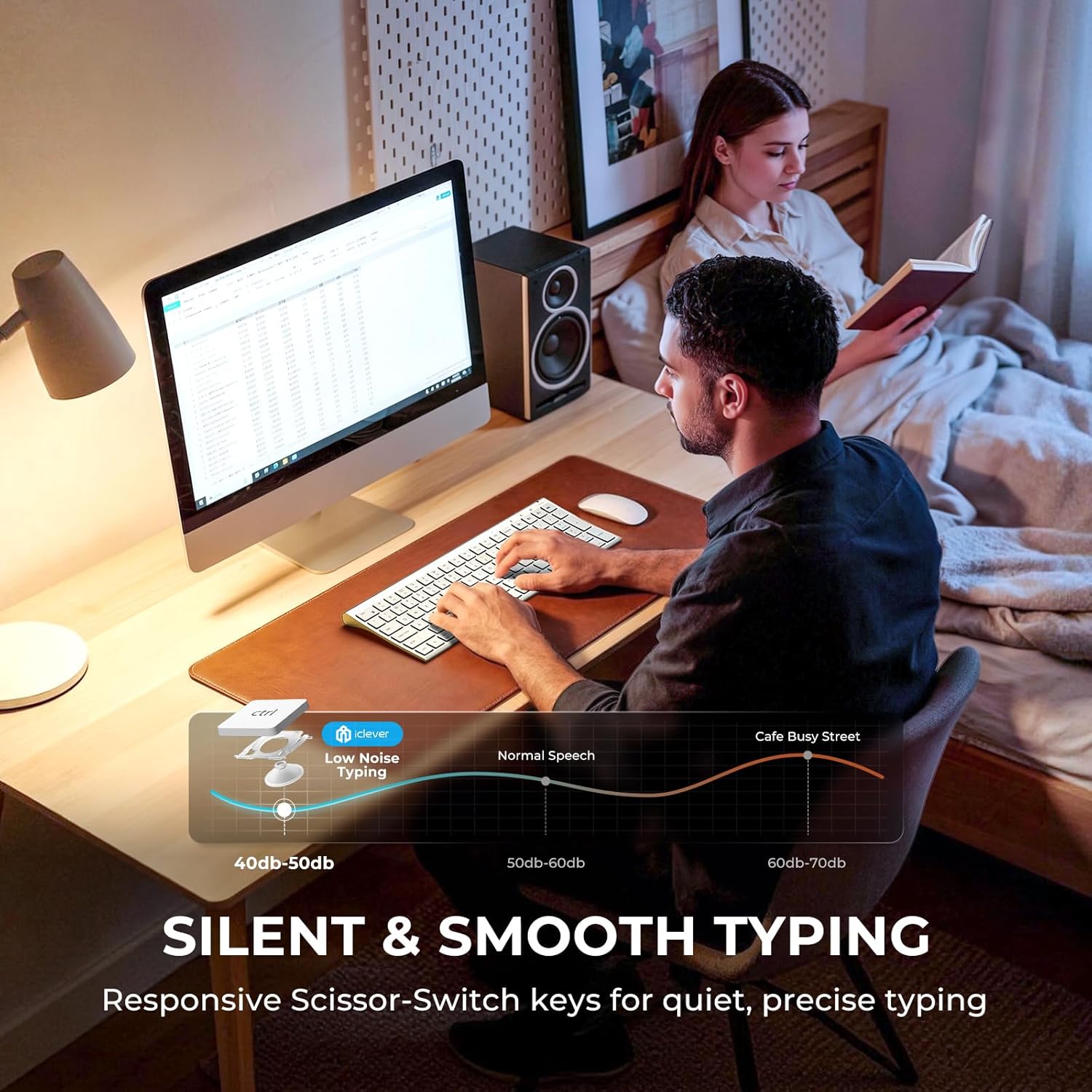
Quiet. Slim. Powerful.  Comfort In Every Press
Scissor-switch structure minimizes noise and fatigue for all-day typing.
 USB-C Rechargeable
High-efficiency battery supports long-term use on a single charge.
 Ultra-Slim Profile
A streamlined design that complements any workspace.
 Standard Full-Size Keys
15mm keycaps for natural spacing and effortless accuracy.
 Elevate Your Workspace
Refined design that complements a professional setup.
 Comfort, At Home
A sleek keyboard designed for relaxed, everyday use.


Some keyboard keys do not work / There is a typing delay / Keys repeat when typing.
1. Ensure the keyboard is fully charged, as low battery may cause delay or repeated typing.
2. Turn off Bluetooth on your device, then turn it back on and reconnect.
3. Remove the keyboard from the Bluetooth list and pair it again.
Bluetooth connection failure, delay.
1. Please make sure the keyboard is fully charged.
2. Please make sure the Bluetooth driver version of your device is the latest version.
3. Please delete the Bluetooth connection record on your device and then reconnect the keyboard.
What does “Numlock” and “clear” mean?
The Numlock key is treated differently on macOS than on Windows. Typically, the Numlock key does not function as a switch between the numeric keypad and the function keys on macOS, but is treated as a “clear” key.
How to use the multimedia keys or F1–F12 function keys?
1. On Windows systems, the F1–F12 keys default to standard function key commands.
2. On Mac systems, the F1–F12 keys default to multimedia controls.
You can press Fn + Esc (FN Lock) to switch between function key mode and multimedia key mode.
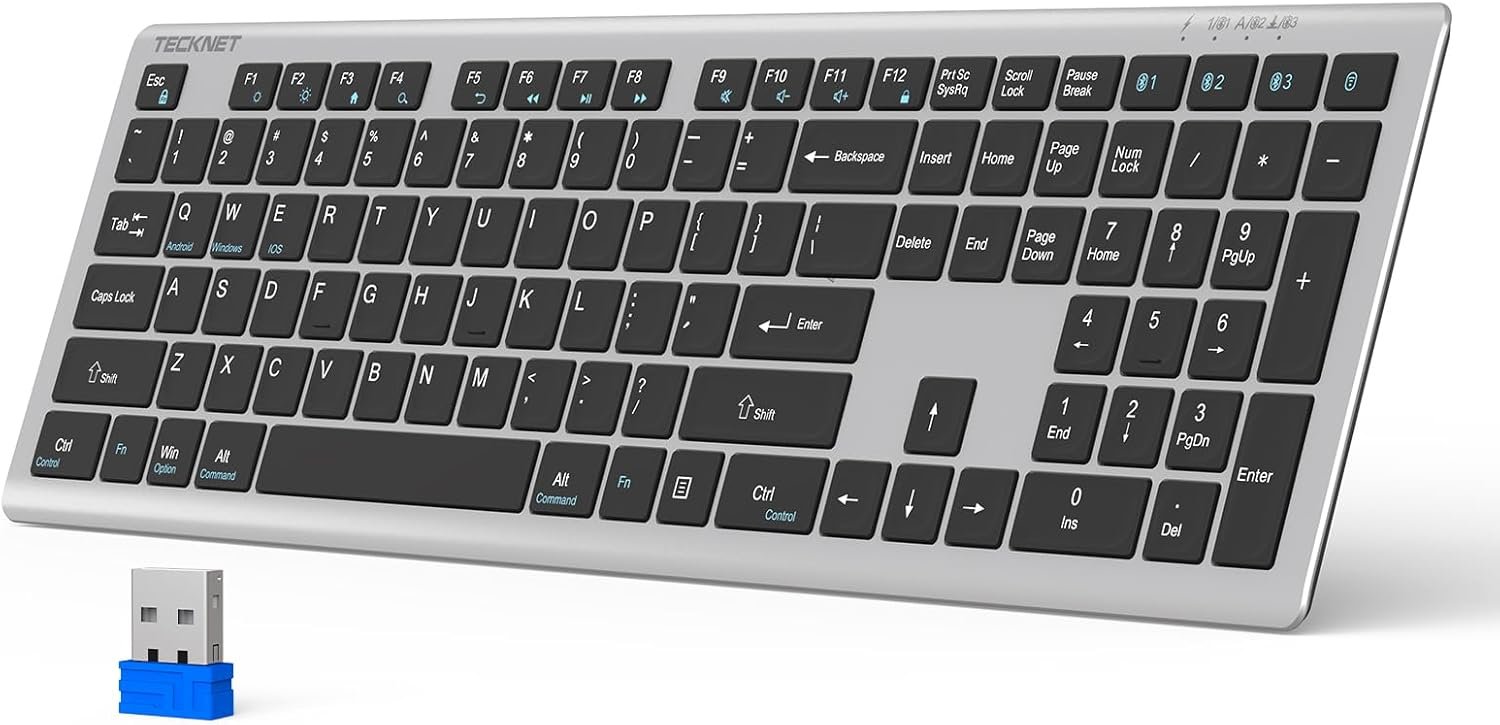
Does the keyboard come with a USB receiver or Bluetooth adapter?
This keyboard connects via Bluetooth only. No USB receiver is required, and no Bluetooth adapter is included. Please use it with a device that has Bluetooth capability.
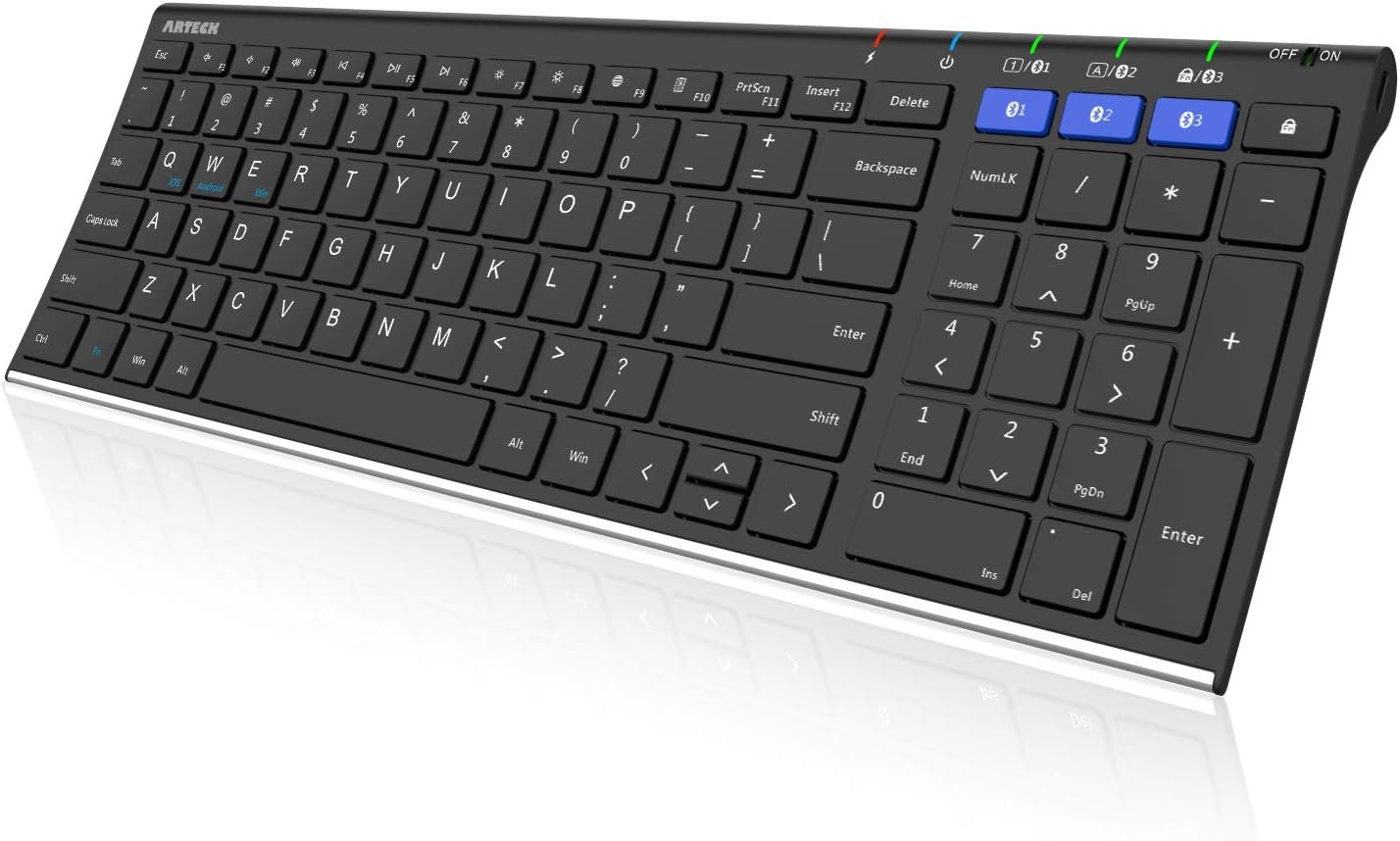
【Multi-Device & Multi-OS Connectivity】Easily pair with up to 3 devices and switch seamlessly across Windows, MacOS, iOS, and Android at the press of a button. This Bluetooth keyboard automatically recognizes your system and maps keys correctly—perfect for laptops, tablets, phones, and iPads.
【Comfortable Typing Experience】Featuring 15mm(0.59in) standard full-size keycaps and a low-profile scissor-switch keys, this slim wireless keyboard delivers smooth and quiet keystrokes. The larger key improves typing accuracy compared to compact layouts, offering effortless control.
【Sleek Slim Design】Crafted from premium stainless steel and durable ABS, this Bluetooth wireless keyboard showcases a modern, ultra-slim profile. Measuring only 0.16 inches at its thinnest edge, it delivers a stylish, lightweight feel and clean minimalist lines that enhance any desk setup.
【Fast USB-C Charging】Powered by a built-in 280mAh rechargeable battery, this portable keyboard supports long-lasting use on a single charge. The smart power-saving mode automatically enters sleep after 2 hours of inactivity and instantly wakes with a simple keystroke to help extend battery life.
【Space-Saving Full-Size Layout】To achieve a slimmer profile without sacrificing functionality, navigation keys (Home, End, Page Up, Page Down) are integrated into the number pad, and arrow keys are slightly optimized in size for a more compact, travel-friendly design. Dedicated hotkeys help you work faster and stay productive.
【No More “Is It Connected?” Moments】Love the feel of metal but worried about signal problems? The perforated base solves that—Bluetooth flows freely, no sacrifice. iClever BK10 SE Bluetooth keyboard is built to stay paired, reliably, all day long.
2 reviews for iClever BK10 SE Bluetooth Keyboard for Mac, Multi-Device Slim Wireless Keyboard with Numeric Keypad, Standard Full-Size Keys, USB-C Rechargeable, Compatible with iPad Windows iOS Android
Add a review
$32.39
Flippin’ RV –
Took a while to get used to, but no complaints after a few weeks use of about an hour a day
I transitioned from a much larger (about 30%-40% more compared to this) footprint Logitech ergonomic Bluetooth keyboard to this. The Logitech still worked well, but I got it during the peak of the pandemic work-at-home phase, where I was at the keyboard for about 9-10 hours each workday. It was always a bit too big for my work-from-home desk setup, but I put up with it, because I’d had tendonitis 10 years before and definitely wanted to avoid getting it again. To that end, the Logitech did it’s job.Now that I’m no longer putting in so many WFH hours, it was time to change to a smaller keyboard that was a better fit for my home desk. It took a few weeks to really get used to it, but I’m happy I decided to give this keyboard a try.First, the pros:- I *LOVE* the feel of the keys! They are very smooth and snap back quickly…exactly the feel that I prefer.- Bluetooth setup was simple and quick, and I can confirm that it’s able to connect to multiple devices and can switch between them quickly. I currently have it connected to an HP OmniBook X Flip laptop, MS Surface Pro 6, and MS Surface Pro 8 laptop, and it takes no more than a few seconds to change from one device to another with the push of a button. Absolutely no Bluetooth signal dropoffs with all 3 devices during use!- I didn’t have a Mac to connect it to, but all Windows PCs I connected it to worked instantly without issues.- Although there’s an on/off button, I haven’t used it since I first turned on the keyboard after charging it. The wake from sleep is quick (I just tap a key), and the battery seems to be very efficient.- Speaking of the battery, I charged it fully the first day I used it about 6 weeks ago. I’ve used it about 40-50 hours total since then, and it’s only gone down 10%; if that’s anywhere near linear, I’d be very happy with that type of battery life, especially since I have charging USB-C cables that can reach far enough to the side of the keyboard to charge it when I’m using it. (This is an upgrade from the Logitech keyboard that only used AA batteries.)Now, the cons, which are so minor and really were just things I needed to adjust to after the Logitech keyboard, so I’m not dinging it any stars for these:- This sits a lot flatter and lower on my desktop than the Logitech ergonomic keyboard. I expected both of these, knowing how this keyboard compared to the Logitech when I ordered. Still, it took some time to adjust to it, especially since I was pretty much only using this new keyboard for an average of only an hour a day. It took a few weeks to find the best way to position the keyboard on the desktop relative to the chair height and distance between my chair and desktop edge. Now, everything feels comfortable.- The keyboard layout is a bit different and of course somewhat more compact compared to the much larger Logitech keyboard. I had to do things like relearn where the arrow/directional keys (which were in a less intuitive position) were, learn to turn off the number lock to use the Page Up / Page Down / Home / End buttons, etc. Definitely nothing too frustrating, since I’m used to using different keyboards with different layouts, so I know there’s always a learning curve with each new one; as long as everything makes sense (like with this), it’s not a big deal.For $30 at time of order, I can easily recommend this to anyone looking for a slim, rechargeable Bluetooth keyboard with a dedicated number pad.
MysteryShopper –
Great keyboard! Easy to connect & switch between devices
I like this keyboard so much! It’s easy to use, even with nails (currently have medium length almondetto gels), which is saying a lot considering how difficult most keyboards can be with nails! The flat keys are somewhat similar to those on my thinkpad, which is great for me, since I love that keyboard. These keys are a smidge flatter & have a tiny bit more space between them, but it’s an easy transition between the two. I currently have my phone connected as device 1 & my tablet as device 2 – it was fast & easy to connect both, literally just turn on the Bluetooth on the device you want to connect, long press the bluetooth key you want to connect (1, 2 or 3 just above the numpad) on the keyboard, and select “iClever keyboard” (when it pops up on your device. Switching between devices is just as easy – press the bluetooth key assigned to the device you want to use the keyboard on. Couldn’t be easier. The only feature this keyboard is missing is backlighting… I wasn’t thinking about it when I ordered, but I’m used to having it on both of my laptops & do miss the option. That won’t stop me from using this keyboard whenever I need to write more than a text on my phone or tablet, though… I’m writing this review on it right now, in fact! I think it’s a setting of my phone, but the combination of the keyboard & my phone settings offers auto-correction of spelling (of most words), capitalization of letters at the beginning of a sentence, & punctuation, which is terrific in my book. Theuser manual is surprisingly thorough & well written, too. It offers info regarding pairing (2 pages worth), plus another 2 pages worth of info regarding the keys & their functions… I do wish that F5 & F6 worked with android (dictation & emojis respectively), but all of the other function keys work with android devices. The keyboard arrived fully charged, and the user manual claims it’s up to 3 months of continuous usage… I obviously haven’t had an opportunity to test those claims yet, as I’ve only had it for a few days, but I have no reason to doubt them at this point. I’ll update the review if I find that the claims are wildly out of synch with reality. Charging is easy either way, as there’s a USB-C charging port on the right side of the keyboard (on the side of the numpad, just next to the on/off switch). I would have preferred it if the charging port were on the back rather than the side, since it would be more convenient for where I’ll typically be using the keyboard than the right side of the keyboard, but not a big deal. I did check, and they keyboard is fully functional when plugged in, so if you do find yourself with a dead battery, you won’t be SOL. I’m very glad I ordered this keyboard & will be using it often!