
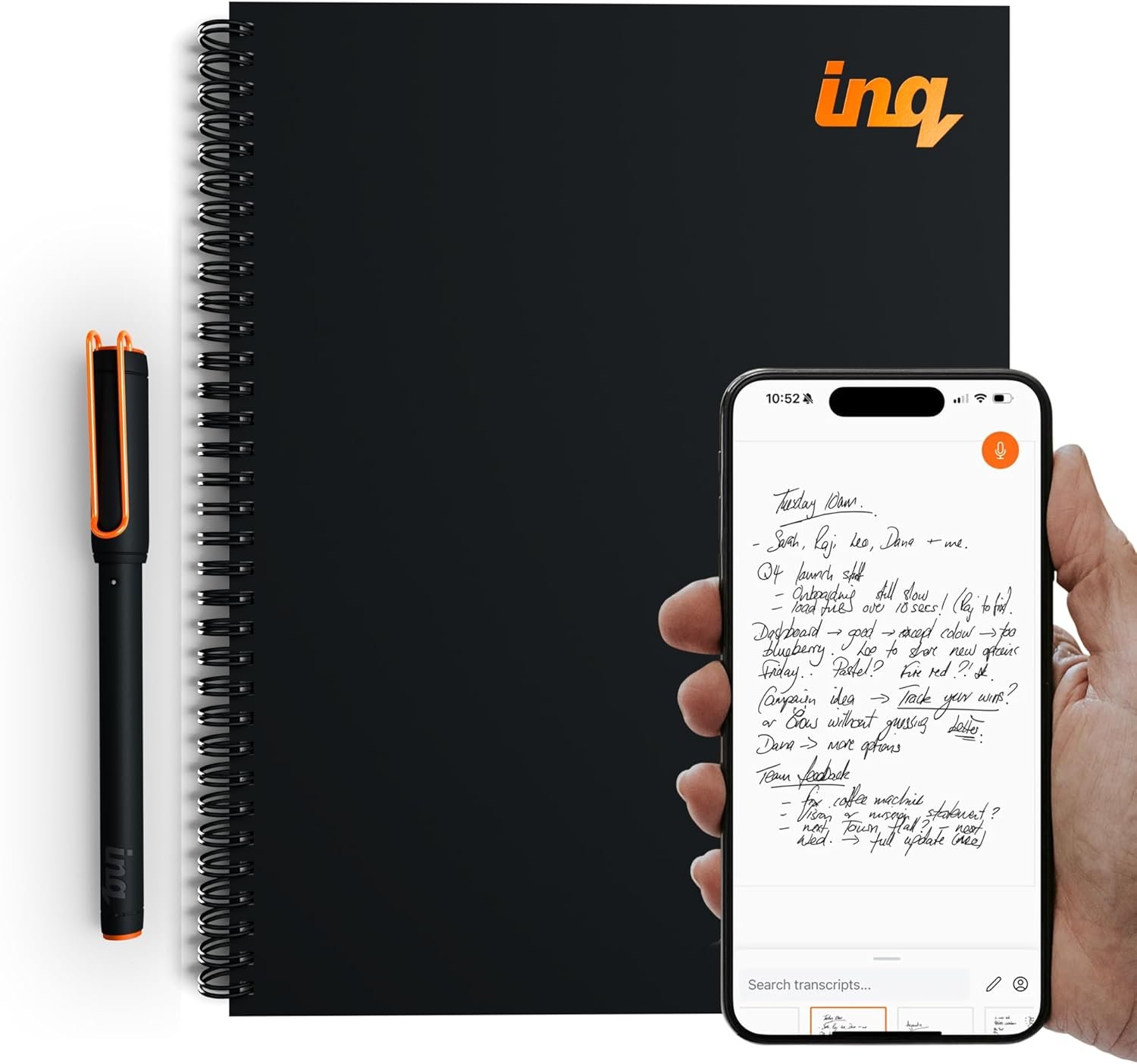
inq Smart Writing Set – Converts Handwriting to Text – Real Ink on Real Paper – AI Note Taking, Voice Recording and Transcription, For iPhone and Android – Smart Pen & Notebook (Letter Size)
$170.00
Related Products



Product description


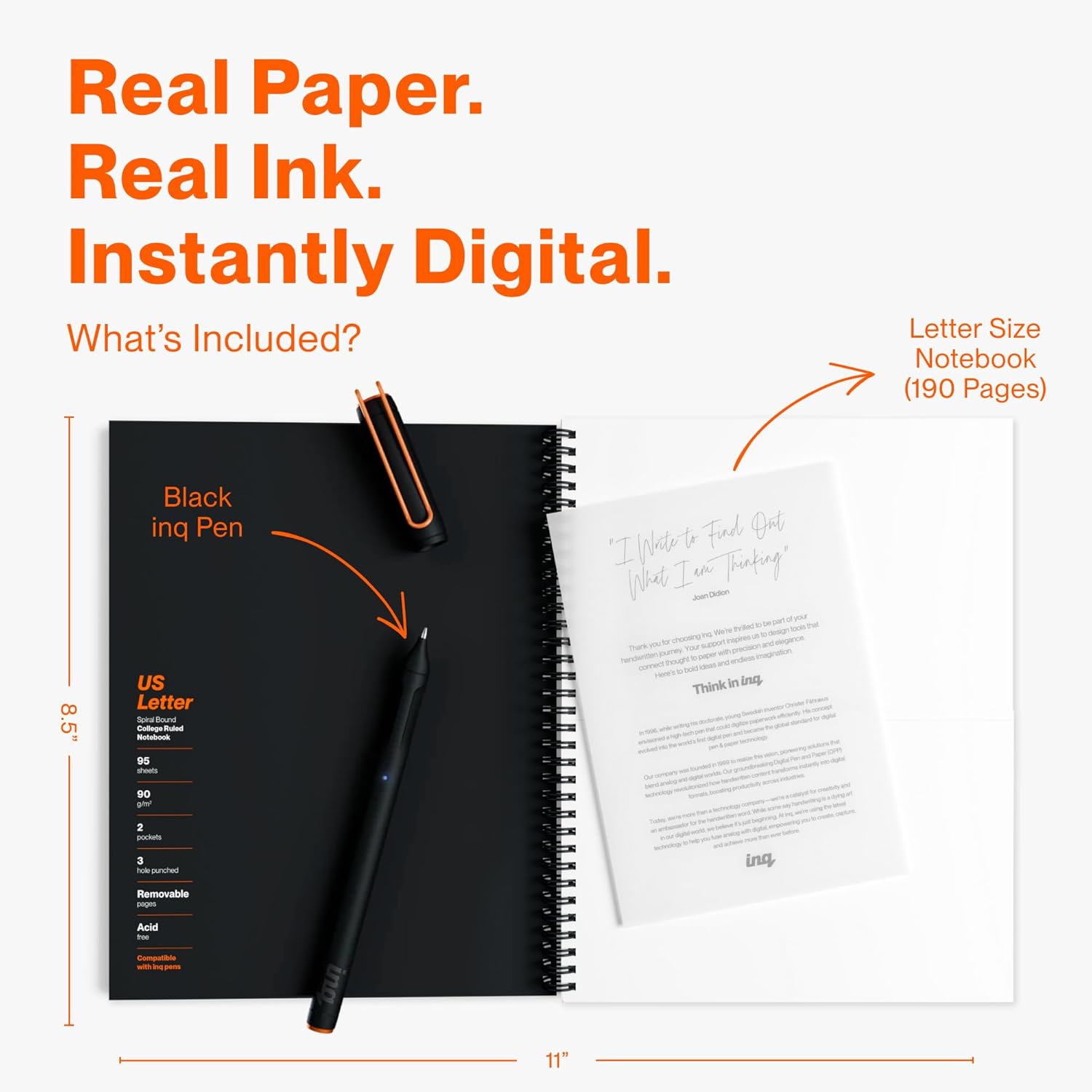
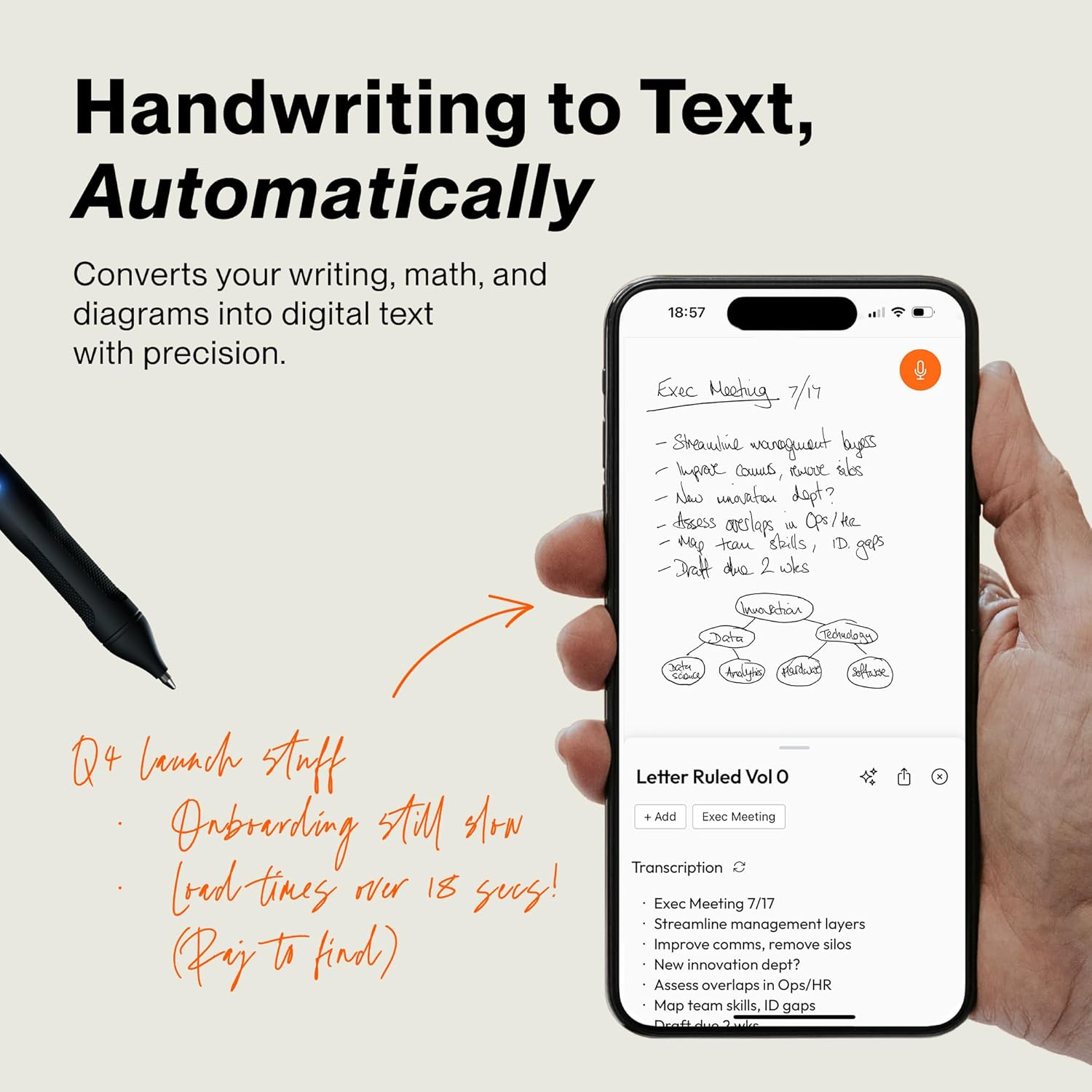
REAL INK ON REAL PAPER: Enjoy the natural feel of handwriting while every pen stroke is captured digitally with high accuracy.
SYNC NOTES ANYWHERE: Sync your notes to the free inq App for iPhone and Android and access them on the inq Web App for laptop and desktop. Great for meetings, study notes and projects.
TRANSCRIPTION FEATURES: Converts handwriting to text instantly and recognizes cursive, math, diagrams and structured layouts.
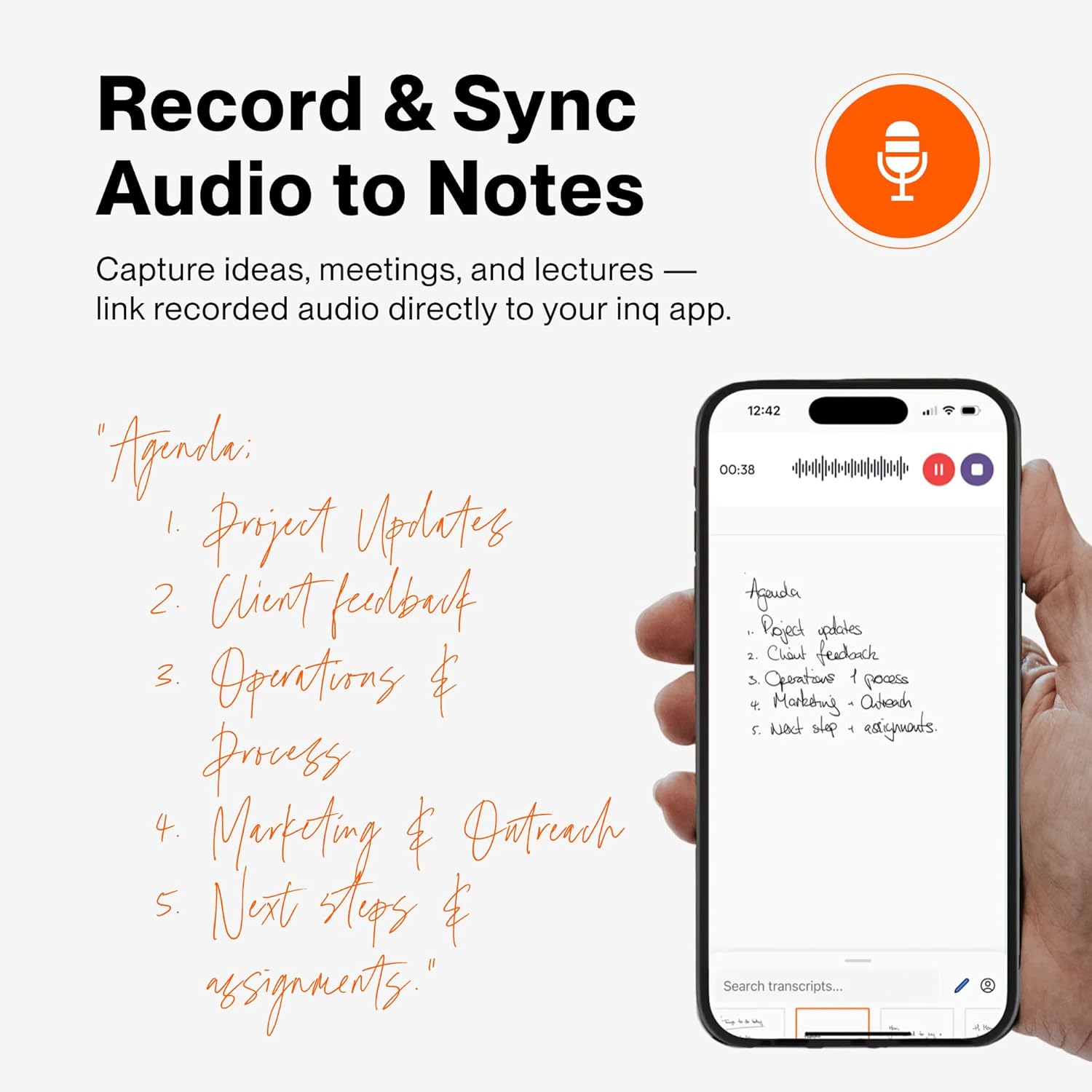
AUDIO RECORDED AND LINKED TO WRITING: Record voice on your phone while you write and playback aligns to pen strokes for context based review. Ideal for reviewing lectures, interviews and workshops.
BUILT-IN AI ASSISTANT: Quin, inq’s built in AI assistant, helps summarize, clarify concepts and brainstorm directly from your notes.
8 reviews for inq Smart Writing Set – Converts Handwriting to Text – Real Ink on Real Paper – AI Note Taking, Voice Recording and Transcription, For iPhone and Android – Smart Pen & Notebook (Letter Size)
Add a review
$170.00
alex k. –
World great, transcribes fair at best, I’m a sloppy writer though
Works very good, transcribing is not so good. I do have very sloppy handwriting though. Seems to get about half correct. All I need to is back up my notes though for work don’t need it for a transcribing.I’m a mechanic and I’m not the cleanest. So far it’s worked even when pages are a little dirty.Also pin rights very well
Kjaerynn –
Works great at transcribing handwriting and voice but…
I think it’s an awesome device. It recognizes most of my bad handwriting, even some stuff I had trouble making out. I think it is well worth it with one caution. My pen slowly would not transcribe and then transfer. Saw it was not connected. Bluetooth issue. Wouldn’t connect. Forgot connection. Re pairWouldn’t find it. Restart of phone off and on pen cap.Then it showed a new inq name with Bluetooth address. Produced errors pairing or just didn’t pair. Checked two other phones. It would not connect.Use it a lot when you get it. Be wary of return date. I have an email into support but they have 4 days or it’s being returned.Disappointed.Update 4/7/2026I ordered another set to return the other before the end of the return period. The new one had the same problem but worse. It didn’t connect via Bluetooth at all. I have a current android phone and 2 older ones. The new phone didn’t connect to either and actually all phones could not see the pen name to pair after the first attempt.I like the set a lot and want it to work. I am still waiting on tech support to save the day but I have little hope.A little add on…the pen has an orange clip. Matches inq’s color but the orange material is rubbing off because of the binding of the notebook. I am only on page 10 in less than 30 days and most recently I’ve pulled it out a lot to hope for a connection and put back in the notebook, but not so much that it should be rubbing off. Disappointed again.Updated 4/12/26The pen is working again. I haven’t heard from support but know it has to be them. The handwriting and recordings will not transcribe. Not sure if the new files saved to my phone will work in the future so I’m not writing more yet.Also it isn’t clear in the user guide as it just says recordings are saved to your device not pen. The recordings are from your phone not your pen. Confirmed what I thought. That’s why you have to start it on your phone. Keep it close for better results. It is good though that it can transcribe it.I researched other smart pens and the neo smart pen looks pretty much like it but their notebooks are more expensive and you have to pay a $31 international shipping fee to order from their site or just use Moleskine notebooks. More expensive. Once totally functional again I’ll stick with this.Update 4/21/26Just checked this morning. Transcription is working again for old and new pages. I have been emailing them. Things may not entirely be a pen issue. There is a lot going on in the background. All is working now. Email support before you give up. 4 stars. Recommend. Just 1 stars for issues in the first place, but fixed.
GJS –
Works exactly as advertised!
I would be lost without this smartpen. It is exactly as advertised and worth the cost for those of us who truly rely on capturing notes. It is easy to use and looks great! Obviously, it’s portable (it’s a pen!). There was no learning curve. Order it, unbox it, and start using it after downloading the INQ app. Easy device to set up and well worth the price.
Jeff H –
Did not come with a charger.
I think that this is a really great item. It transcribed my write accurately for the most part. I look forward to using this for my studies. The only thing that kept me from giving 5 stars is it didn’t come with a charging cord. It’s a standard USB C so I had a spare so only a minor inconvenience, but it could be a real issue for others.
Rex R. –
Unreliable
Dropped connections
Von Gern Home –
Inq writing set
It’s brilliant. Amazing value for money. All my notes in are now my phone. Reads my writing better than I can!
Amazon Customer –
Decent
Connected and works fairly well. Recognizes my writing but if you have really bad handwriting, it gets a bit iffy. Works with their paper. Diagrams are great. Not a big fan of the ai summary. It just doesn’t pick up on the right stuff for me. It’s fairly easy and is compact enough for taking along.
Sev –
I think it’s pretty incredible. Review transcribed from device, fyi.
To put this to the test, I’m writing this review on the INQ pad and pen. Prior to this, I’ve only had the chance to write a few pages, but I’ve been impressed with the accuracy. I’ve used both as cursive and printing and have been seeing great success with the translation of both. This is really impressive because my handwriting is a mess. The only quality issues I encountered were when the ink would not come out of the pen. (Note: that initial portion was handwritten and then translated, cut and pasted, from the Inq pad. See photos)I really like this device! I got it to take notes to be downloaded for when my son and I go birding or wildlife viewing. I journal our national park trips on my kindle scribe, and that made me want to get something to field journal wildlife viewing for immediate logging purposes. And, here we are.As stated above, the initial portion of this review was handwritten on the Inq pad and then I cut and pasted the translation from the app. It nailed every word, and has done so on each of my uses. I embarrassingly attached screen shots so you can see what a mess my handwriting is and how impressive it is that it can decipher my print. It’s pretty humbling how quickly my hand cramped from actually writing again instead of typing or swyping. I intended to do this whole review on pen and paper, but my hand fatigued too quickly.As far as the equipment, the pen holds and writes like a real pen, though the ink doesn’t feed perfectly sometimes. It still translated, so just keep moving if that happens. The paper looks and feels like normal paper, but you do need special paper for it to work.The notepad has a good amount of pages and there’s an assortment of sizes and brands out there for you to choose from. I bought a few of the pocket sized ones, and they’re great.The app, pen, and paper all function smoothly together and are easy to use. The app gives you instructions on what to do and the steps are all very simplistic. The only thing I haven’t found is a way to delete a specific page. So, the first page I did, where I was just writing silly stuff to see how well the system worked, well… that’s my first page in the archive. It is what it is.In my opinion, it’s a pretty incredible piece of equipment. Most of my journaling is in cursive, which none of my kids read. So, the provided text conversions will be really helpful to them. I highly recommend the Inq! It’s a great product for the price.