
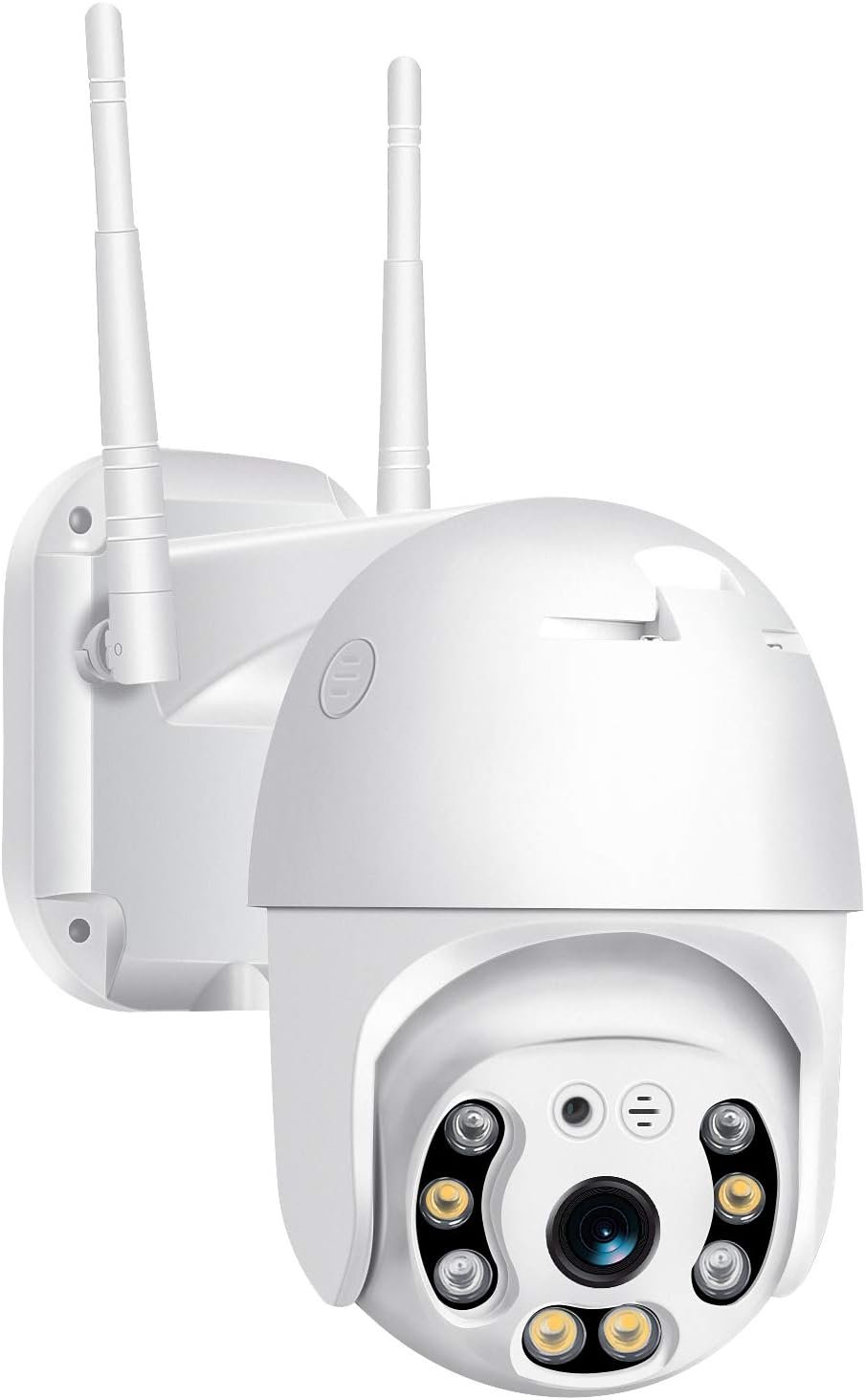
Pan Tilt Outdoor Security Camera, 1080P Home WiFi IP Camera, Pan Tilt Dome Surveillance Cam, Two Way Audio Motion Detection Clear Night Vision Onvif Waterproof CCTV Camera Support Max 128G SD
$28.49
Related Products



Product description
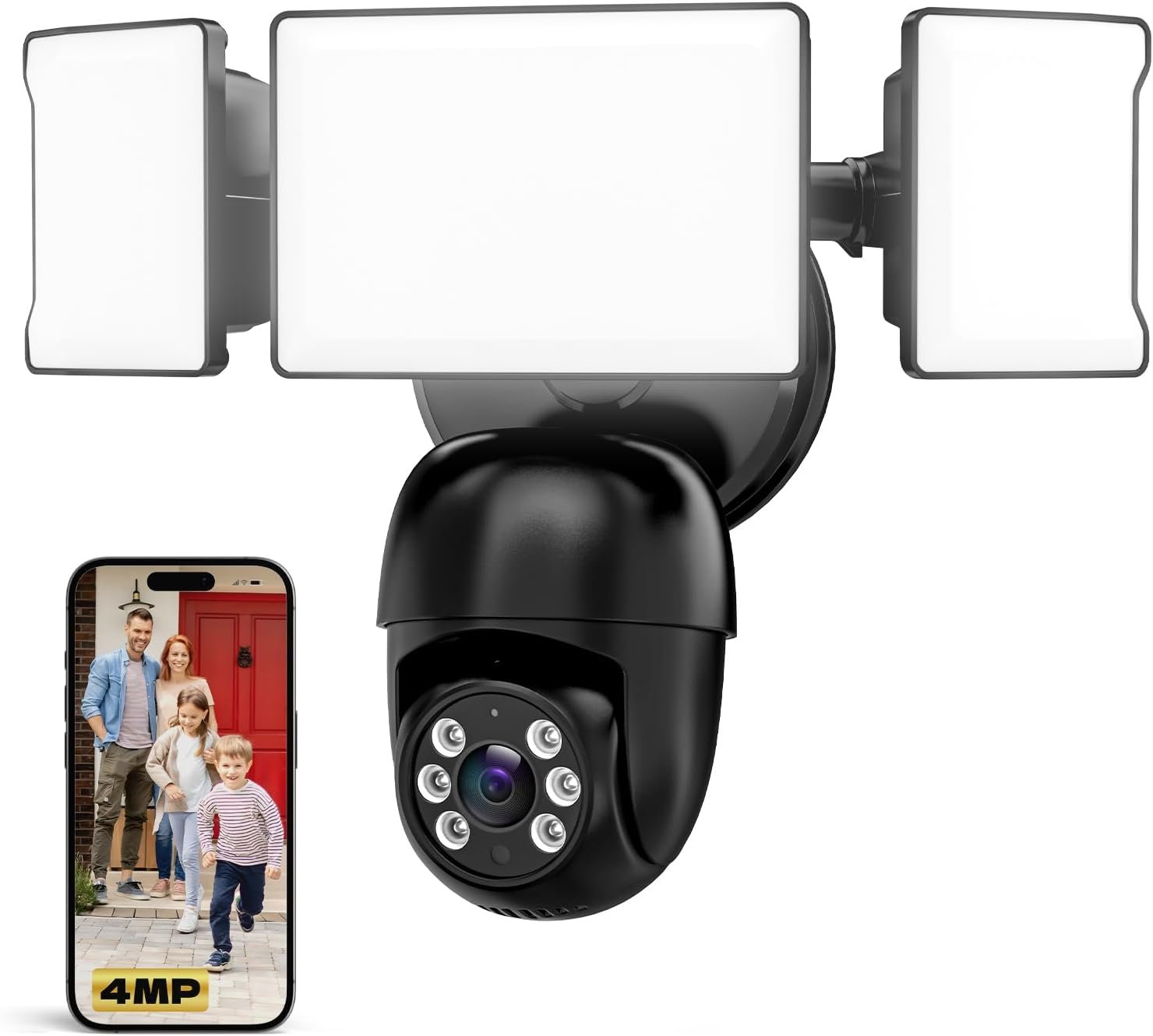
BESDERSEC 1080P Outdoor WiFi Security Camera with Flood Light & Siren Alarm

Pan & Tilt Camera, Enhanced WiFi & More Stable Connection

Two-Way Audio & Motion Sensor Light

Motion Detection & Remote Access

【360° Panoramic & Two Way Audio】Upgraded 5dBi WiFi antenna, 355° horizontal & 90° vertical rotation range cover a 360° vision range with less blind area. This home security camera built-in speaker and recorder, supports 2-way audio to speak & listen clearly thru your phone APP(iCSee).
【Motion Detection & Alarms】 Want to warn uninvited guests? This outdoor security camera support customizable motion detection& remote viewing(iOS & Android), real-time and accurate movement alert with snapshot will be pushed to your phone, email & ftp server when motion detection is triggered. What’s more, this camera will send double light vigilance & sound alarms when motion objects were detected.
【Plug & Play, ONVIF Compatible】 Following the step by step manual, it’s pretty easy & fast to setup this home Wi-Fi camera within minutes. Compatible with Blue Iris, iSPY, Zone minder, Security Spy, VLC & some other 3rd party software & Most ONVIF NVR.( If you are having a problem with linking this camera to some other 3rd party software and NVR, please contact our customer support).
【FHD 1080P & Colorful Night Vision 】 Everyone wants to keep an eye on what he concerns about at all times. With FULL HD 1080P resolution(1920*1080), built in 4PCS Effective Array IR LEDs & 4PCS White LED, provides you with clear & nice video both in the day/night. Protect your home/office / business 7*24. You will want one for your front yard entrance, garage, back yard & your beautiful garden.
【IP66 Weather-Proof & Please Note Before Purchase】 High-quality alloy case, this wireless security camera outdoor is robust and solid enough to withstand Outside tough weather(-4℉~+140℉), ensures the excellent performance when used for indoor/outdoor monitoring. Please note: This camera does not work with web interface!
3 reviews for Pan Tilt Outdoor Security Camera, 1080P Home WiFi IP Camera, Pan Tilt Dome Surveillance Cam, Two Way Audio Motion Detection Clear Night Vision Onvif Waterproof CCTV Camera Support Max 128G SD
Add a review
$28.49
iamaustin –
This really is a great camera, hopefully this review fills in a few gaps
So I bought this camera having owned numerous other cameras — from Foscam, Blink, Wyze, ESP32 Cams, Raspberry Pi cameras with gstreamer and most recently a tuya based camera, you name it!My Foscams have been the best, offering non-cloud connected cameras with locally processed motion and sound and alerts, Home Assistant support, etc… The RPi cameras and ESP cameras are OK with motioneye and blueiris, for example, but the quality is not great.I did not trust Wyze cameras, and the little support they showed for Home Assistant was immediately recalled (obviously they only survive hawking cheap cameras because they push a cloud subscription).The Blinks were OK but are better suited to someone who is already using Alexa devices and does not want to pay for a cloud, with a local bridge it can store videos for free. I ended up setting these up at my parents house where it works well with their doorbell, also from BlinkTo add to my system, I wanted to find a camera which did not rely on a cloud, integrated into Home Assistant and motioneye, had good quality and was pretty cheap. I first tried the Tuya camera, which was cheap, exposed ONVIF and was capable of streaming good video but became frustrated because the main stream is constantly being pushed to their servers, and honestly those devices don’t have enough bandwidth or power to support a 2nd main profile stream. The RTSP it exposed was laggy, constantly dropped or became a gray / green screen, and if I blocked it from the internet it would stop working all together within a few seconds.As a last resort, I searched for non tuya cameras which were marketed as ONVIF compliant and came across this one, where a review stated it could be set up entirely off of the cloud.It was a bit tricky, but in the end it is a great camera with ONVIF support, integrates into Motioneye and Home Assistant, has ethernet as a bonus, and most importantly has a built in web interface (which can only be accessed using Internet Explorer or Internet Explorer Mode in Edge).If you connect the camera via an ethernet cable, and find its Ip address you can navigate to the website on port 80 — then put Edge in internet explorer mode (if not using IE) and youll be prompted to download and install an ActiveX plugin which provides access to the live feed and camera settings. Do that, restart your browser and hit the IP again. This time your browser will have a similar popup at the bottom which prompts you to allow the plugin you just installed, which you should do.Once you’ve done all that, login (my default credentials were username: admin with no password) and after it loads in a few seconds, you can go to Device Config at the top, go to the third icon (Settings) and then click on “NetService” (do not click on NET — this is only for configuring the IP) — in there you’ll see Wifi where you can configure Wifi.To enable ONVIF, click on the Device config, go again to the settings tab and click on Net — here at the bottom will be your ONVIF port and it will be enabled if you tick the “onvif check” checkbox.The rest is easy, when you type the URL into Motioneye it automatically pulls it in and HA added it just as easily. The PTZ controls work really well (the Tuya PTZ controls moved the camera all the way to which ever direction you specified, kind of useless) the image is really good — I attached a daytime sample as it sat on my desk, and nighttime looks even sharper IMO. I’ve definitely seen better picture quality, but generally I’ve seen many more that are far worse. That is without taking into account how inexpensive this camera is.The settings also allow you to disable app and cloud service, but for good measure I just blocked it on my firewall with a deny rule from that device’s statically assigned IP.The camera is really large though, and for my application doesn’t need to be outdoor-rated. I wish they had versions of this camera which were designed to be placed on a table. This is the only con in my mind.I still have not figured out how to enable automatic tracking, although the camera does know when a human is in the scene and will switch from IR to White LED at night when this occurs — and I don’t know how to disable this without the ICSee app either.At some point, I can try the app to see how the “smart” features work, but I am really happy I found good cameras to integrate into my home(assistant).
Roberto –
Good, cheap camera for NVR (ONVIF, RTSP, Web UI)
I have been testing (and returning) a lot of cheap Chinese cameras, due to the lack of local management options. This one I’m keeping and getting another unit. Not perfect, but by far the best, especially considering the price.It’s based on the very common Xiongmai XM530v200 module and, like all similar cameras, has horrendous security problems if allowed to access the internet. That’s because users want ease of setup and access using smartphones, so it depends on an insecure cloud network with remote management capabilities that allow hackers to access the cameras. But every single cheap camera with smartphone access has the same problem: if your camera uses ICsee, XMeye, CamHiPro or similar, it’s vulnerable. That’s not the OEM fault, it’s what the users want.Unlike most of those cameras, though, the Besder one can be managed locally by a Web UI (downloading a stub for the browser), has good ONVIF support including full PT(Z) control with presets, and RTSP. So you never have to use the insecure smartphone cloud service, nor register the camera with the cloud. If you have a local NVR, you can simply block the camera from accessing internet (as it should be), and use the NVR to access the ONVIF management and RTSP videos. Other cameras need the insecure app to configure, this one can be setup with absolutely no internet access.It’s the only cheap (<$100) Chinese camera that can be securely configured to work with no internet access. Some of the cameras I tried, stopped working if the internet access was blocked (making the security even worse). It's not secure by default, but can be made secure with minimal effort and managed locally in full. It also works wired or wireless, and can be configured with static IP address, can enable services like STMP email, FTP transfer, etcImage quality is good (mine is actually a 4k camera) both day and night, PT movements good. One of the antennas is fake (there is a wire that is unconnected), but pretty much all cheap cameras with 2 antennas only have one active. I'm using it wired, but WiFi seems to be as good as most similar devices.There are better, more secure cameras, but you'd need to spend at least 4 times as much. So, for a person with a minimum of technical understanding, this is one of the best cheap options to get a locally manageable, secure set of cameras that works with any DVR/NVR.Lastly, I contacted support and they answered promptly. So a big plus for that, too
Mike –
Great cameras for the price. Does what I need it to do…but
I have 4 of these cameras set up around my house for over a year now. They work great and have very good picture quality. I can access them and control them remotely, Pan and tilt. There are 2 things which I do not like about them.First,You have to connect cameras to your WIFI network (using the app on your phone) before you mount them at the locations you want because the camera has to be close to your router (with in a few feet) to get the camera to connect to your network. After you have them connected to your WIFI network you can mount them.Second,There is a factory reset button located on the camera in the compartment next to the SD card slot. If you have any issues with the camera and need to do a factory reset you have to get to the camera to press the button. One of my cameras is mounted high up on my house and I need a ladder to get to it which makes it a PITA.NOW pressing the factory reset button obviously reset the camera to factory and deletes ALL your settings including your WIFI network. Which means you will have to remove your camera from where you have it mounted and bring it in your house close to your router to set it up again. You will not get the camera to initially set up to your WIFI network unless it is with in a few feet of your router. Believe me I have tried very hard and it will not connect. After you set up the WIFI connection the camera will work fine and it will remember your WIFI network even if you lose power to the camera. One the power is restored the camera it will reconnect to your network automatically.I am Happy with my cameras and they work great for the price. But if you change your WIFI SSID you will have to go through setting the camera up again to the new WIFI network which will be a PITA..