
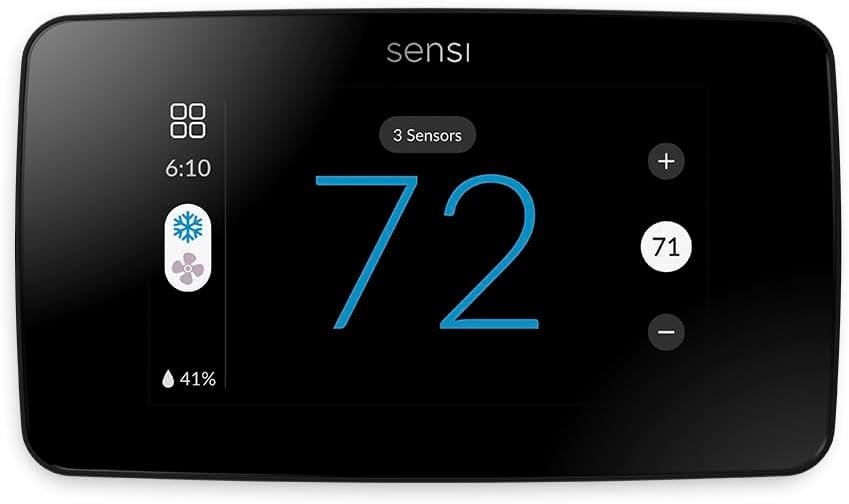
Sensi Touch 2 Smart Thermostat with Touchscreen Color Display, 100 Years of Expertise, Programmable, Wi-Fi, Data Privacy, Easy DIY, Works with Alexa, Energy Star Certified, ST76, C-Wire Required
$139.00
Related Products

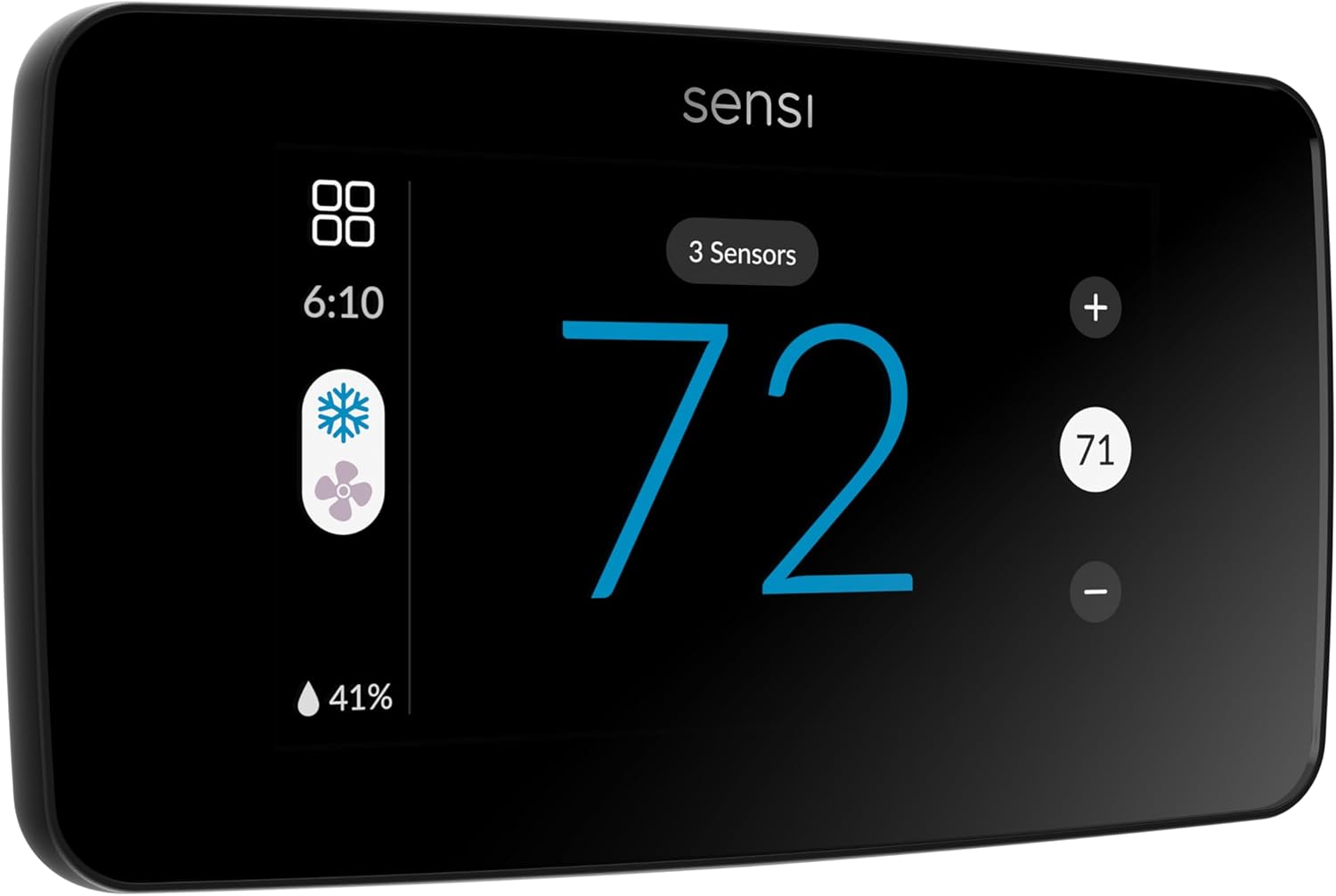

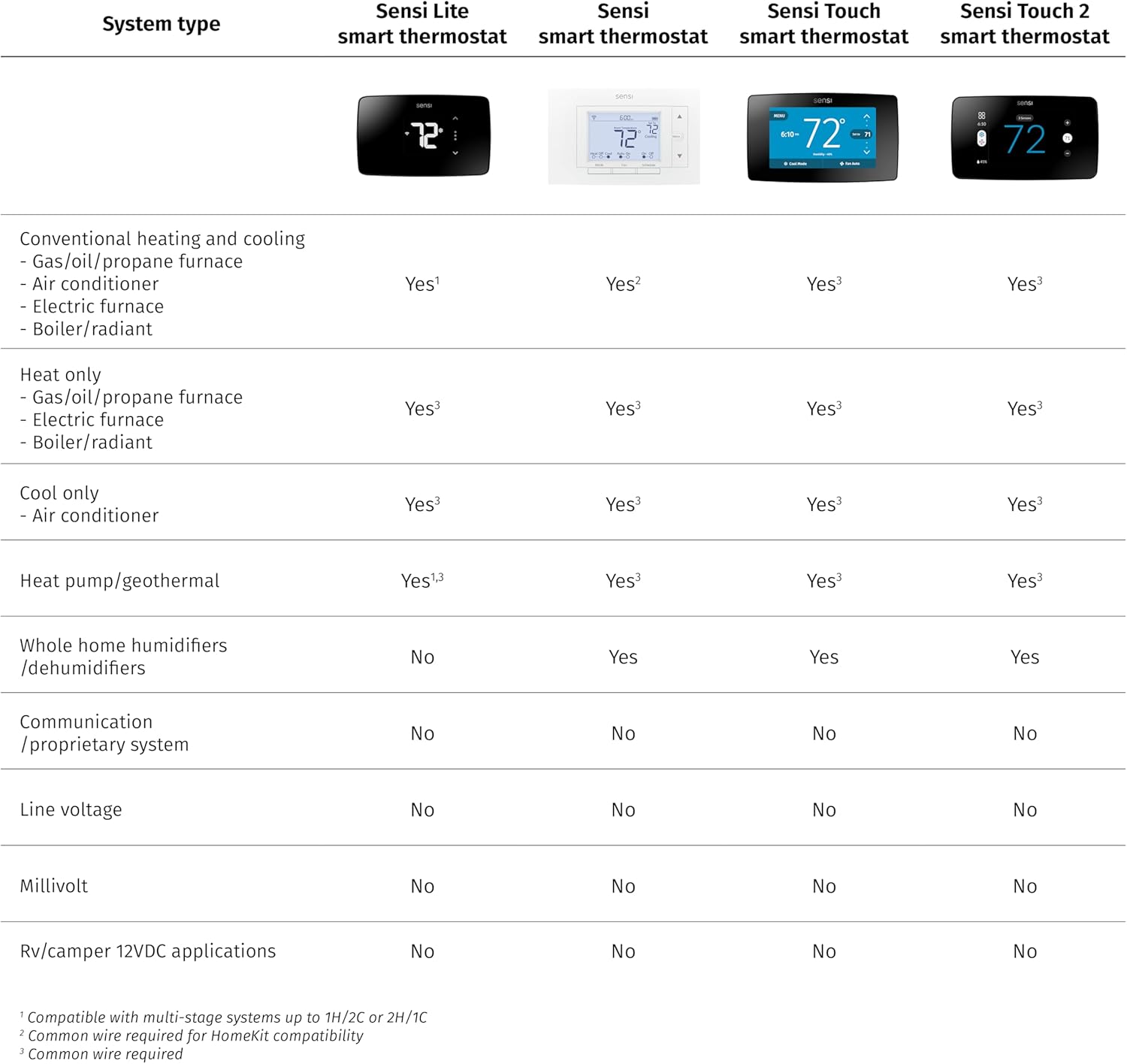
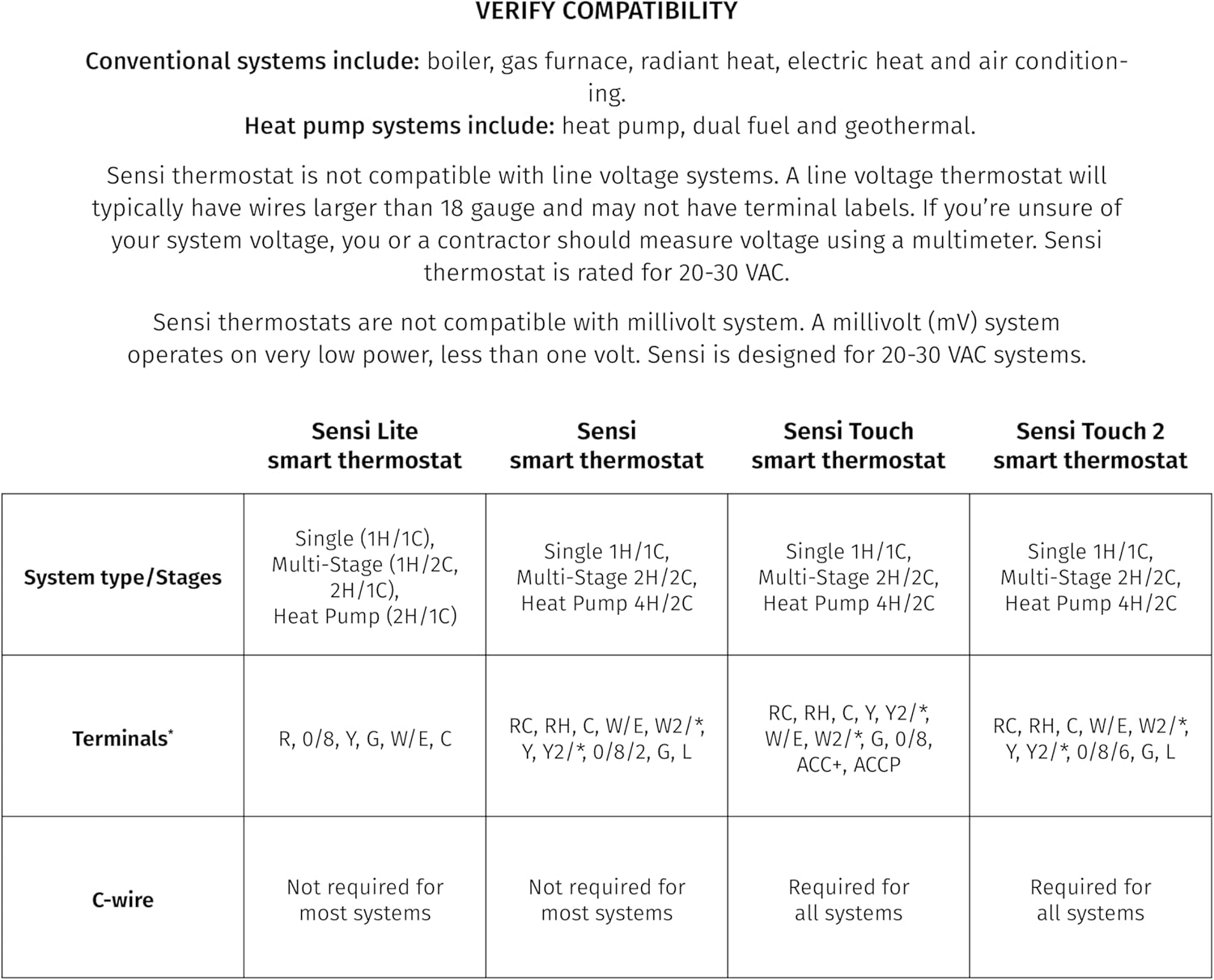


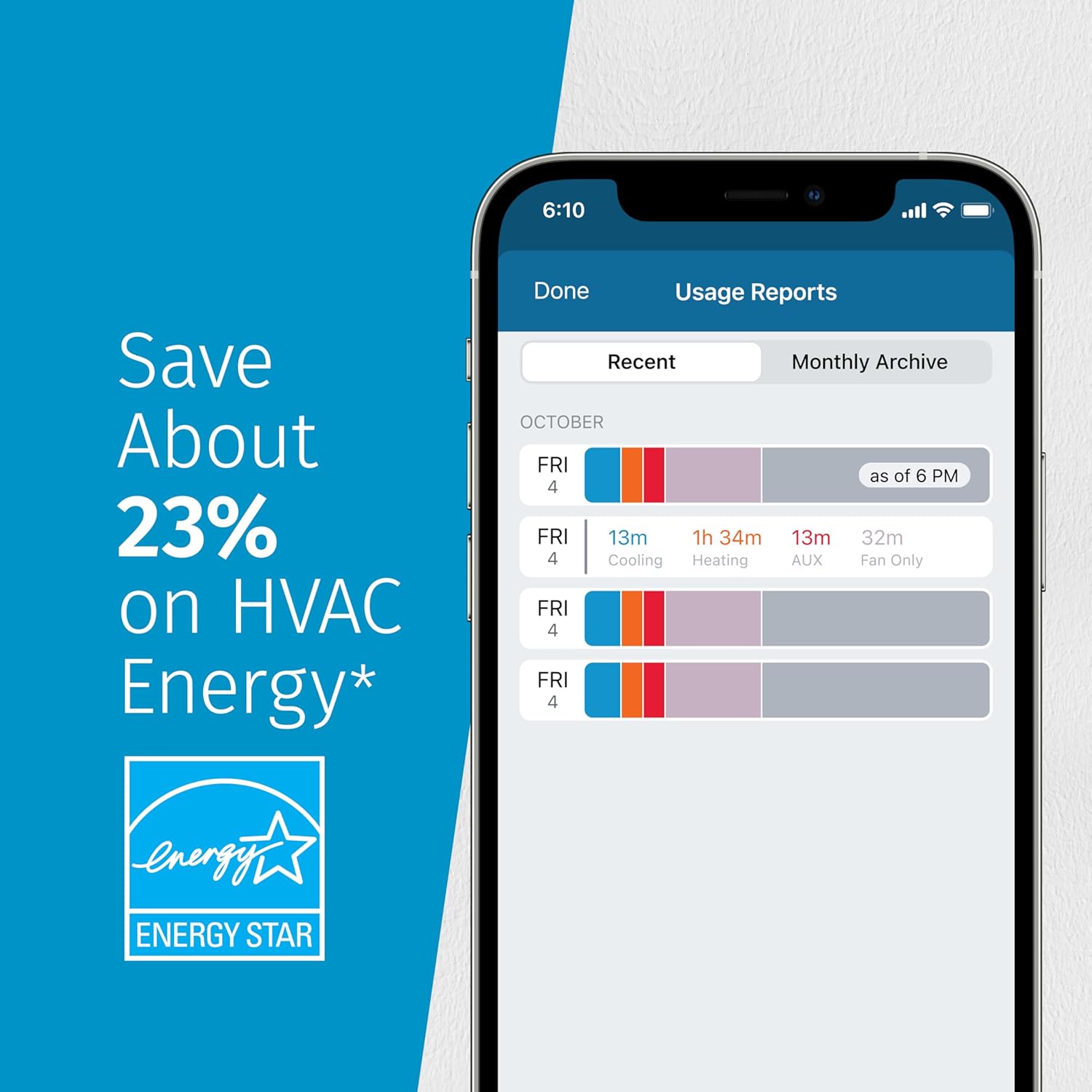


From across the room or across the country, your Sensi Touch 2 smart thermostat makes it EASY TO REMOTELY CONTROL and schedule your home comfort – Anytime. Anywhere. Designed to work with Sensi room sensors to balance temperatures throughout your home. C wire required *, so it is COMPATIBLE WITH THE HVAC EQUIPMENT IN MANY HOMES in the U.S. and Canada. The INTUITIVE APP WALKS YOU THROUGH EACH STEP OF INSTALLATION with custom configured instructions, removing all the frustration and guesswork from the installation process, so you can be up and running in no time, no experience required. Put your comfort on your terms using location-based temperature control with geofencing or creating custom heating and cooling schedules with the flexible 7-day scheduling option with the ENERGY STAR certified Sensi smart thermostat. Both energy saving features save you about 23% on your HVAC energy usage* so you can SAVE MONEY WITHOUT COMPROMISING YOUR COMFORT. Plus, Sensi INTEGRATES DIRECTLY WITH HOME AUTOMATION PLATFORMS Amazon Alexa, Google Assistant Samsung SmartThings. Connect to Amazon Alexa to control your home temperature with simple voice commands, have Google set, raise or lower your home temperature when using Sensi with your smart device. For full details, review the Sensi Privacy Policy under the “Products Documentation” section below. Note: if you sign up for a program with a third party, such as a utility or controller, details and terms for that program are between you and the third party, not Emerson, and may include additional data collection. Certain add-on services require additional data to operate as intended. These services are not required and are optional.
WORKS WITH ROOM SENSORS: Compatible with Sensi Room Sensors to balance temperatures throughout your home (sold separately)
PRIVACY PROTECTION: Sensi won’t sell your personal information to third parties
SAVE ABOUT 23% ON HVAC ENERGY: The ENERGY STAR-certified Sensi Touch 2 smart thermostat can help you save energy with features like flexible scheduling, remote access and usage reports
EASY DIY INSTALLATION: Top-rated app guides you through each step of the install using universal Bluetooth technology for easier setup. Works with HVAC equipment found in most homes. Common wire (c-wire) is required
SMART MAINTENANCE: Sensi can help monitor the performance and efficiency of your HVAC system by delivering usage reports, alerts about your equipment, and maintenance reminders like filter replacement
Included Components: Installation Guide, Warranty Booklet, Thermostat, Mounting Hardware, Owner’s Manual
9 reviews for Sensi Touch 2 Smart Thermostat with Touchscreen Color Display, 100 Years of Expertise, Programmable, Wi-Fi, Data Privacy, Easy DIY, Works with Alexa, Energy Star Certified, ST76, C-Wire Required
Add a review
$139.00
Jas –
VERY Pleased!
Very pleased with the Sensi Touch 2 Smart Thermostat. I am also pleased with the one remote indoor sensor and the outdoor sensor I purchased. I have used this thermostat now for two months.I found the instructions and online videos very helpful, and felt comfortable with a DIY install. My HVAC system includes an A/C and heat pump with auxiliary LP gas heat.Since the system had not been serviced for a few years, after the install, I had it and the install checked out. The tech surprised me by saying he had installed the exact same thermostat in his house. I had installed it correctly and actually chosen the identical set points as he did for his.I love the thermostat’s display, its ease of use, reliability, and the capability to control it via wi-fi. I especially love how the thermostat automatically switches between the heat pump and auxiliary heat for the most efficient use. With this feature, the heat pump blows warm all the time, rarely enters into a defrost cycle anymore, and has cut my gas usage dramatically. (The tech said this was the single most beneficial thing I could have done for the HVAC system, and I believe it.)Note, I have used an older Honeywell thermostat remotely and appreciated it’s features. I considered that brand for this install, but decided on the Sensi since reviews highlighted Sensi’s easy DIY installation, setup, and user interface.
JenMG –
Love this thermostat & easy install
VERY happy with my new thermostat. I installed this myself and it was easy and straight forward. Make sure your AC unit breaker is off and your main house breaker for the AC unit as well, or you will pop a fuse and cause you more work 😀 I may have done this accidentally which cause my more work and climbing into my attic LOL. I didn’t turn off my outside AC breaker at my unit, but did turn off my main AC breaker only. But overall the installation and the way it functions is very easy and smooth. The app has at times said it’s offline even though my WiFi is functioning fine and running at a high speed and I am unsure why it does that. I do have the app on two different phones, my spouse and mine so we can both control the temp if needed. Overall I highly recommend this thermostat and feel it is a really good price point for the product. I got the back plate as well for a better overall appearance on my wall.
Michael Thompson –
Very easy installation, step by step, clear instructions
This device is 100% better than my old thermostat.It has great features. Setting up, or editing a schedule was tedious and frustrating with tho old device, and there were only four set points available; sleep, wake, leave and return. I always wanted at least one more time slot. Well, now I have as many as I want.Installation was really easy due to the very detailed instructions, which also provided help with any problems that you might encounter.You can set options directly on the thermostat or through the app. Every option is available either way.The only issue I had was setting up Wi-Fi. I kept losing the connection. I would stumble through the installation, perhaps get connected, only to have it fail, or just have the sequence say “unable to connect: after spinning it’s wheels for minutes at a time.IMPORTANT NOTE:I discovered two things that weren’t made clear:First, there is a pin number for the setup. You can access it where the QR code display pops up. If you scan the code, it takes you to a web page that I didn’t find particularly helpful. But you can bypass scanning the QR code and access the pin directly for a more direct path to the setup. If I remember correctly, below the QR code, the pop-up says something like ‘scan the code or use the pin.’ If you want a thorough explanation, click “Use the pin.” Good for an initial setup, but mostly unnecessary for repeated attempts.Second, the pin CHANGES, apparently on each failed attempt. At first, I copied the pin and re-used it, thinking it was static. It took several failures before I noticed my copied pin was different from the pin presented with each failure. So some of my frustration was from this little mistake in my original assumption. I’m not sure if the pin changed once I got the Wi-Fi established. It’s been stable now for at least 24 hours.I really love this device! I wish Amazon carried the remote sensors for this thermostat.Addendum:Shortly after I wrote this review, I found the Sensi remote room sensors available for less than $40 each, so I bought two for about $80 + tax, Free delivery slated for about 7 days, but they arrived early; in just two days. I was very pleased. The uneven cooling of remote rooms has much improved.I didn’t think I’d use the app much, but it’s very handy for quick changes when I’m working at my desk or reading, watching TV or in bed. I actually use it a lot. It’s been about a month and the Bluetooth connection has been steady and very reliable.It was a great improvement and an excellent investment.
Jen –
Major upgrade for me – DO IT
I JUST finished installing, so not a long term review but so far I love this thermostat.My old thermostat was very old. Not only was it not smart, but it was so old that many of the buttons didn’t function. This immediately is a huge upgrade for me. Just having a functioning unit is great, but also having the app in the ability to schedule is amazing.Installation was incredibly simple. I was terrified, especially because of how old my unit was. I have done some ceiling fans and light fixtures before, but never anything this serious. I was really nervous that I might break something, but the instructions were very clear, simple, and helpful. I did use ChatGPT for some things that were confusing for me (like ensuring I was reading the names of the wires correctly & how to remove the wires from the old unit because they required unscrewing) but the step-by-step instructions in the app were very easy to follow.Other than fear and hesitation, I honestly had no issues and got the whole install done in probably less than 30 minutes. I can’t believe I waited this long. 10/10I also love how thin this version 2 is vs the original. Very sleek and beautiful.
Yan –
very functional, recommend by electrician. Perfect pad.
Alexandre Labelle –
Très bon produit de très haute qualité, l’application est une vrai merveille. J’aime bien suivre la consommation d’énergie dans l’application.
Dario –
I would not recommend it .I had a sensi touch smart thermostat installed a few weeks back with new heat pump and I was not happy with it because my Aux gas heat was used every morning to supplement heat when the heat pump was able to manage the temp with no issues .I decided to change it to Sensi touch 2. The key for me was to be able to access Aux lockout and balance point .To my surprise the settings are -4°C and -5°C and can not go any lower than that.My heat pump is build for very low temperatures down to -25°C I need to set it lower as I want to limit my gas usage. Maybe a software update can fix it?In addition I would like to suggest adding outside temp showing on the main screen of thermostat not only on phone app.After talking to tech support that is next to impossible to reach he also pointed out that my outside temperature was not available (on the termostat) but my internet connection is good . I’m in the process of replacing the thermostat as suggested by tech support but I have seen the same issue in comments and I think this is the problem with all of them . I will get replacement and check .If it does not work I will go with different brand name.UPDATE: second unit was the same. I got instructions to modify settings port forwarding in my router and this is a bit to much for me. Decided to go with ecobee instead and ….BOOM is fantastic . No issues and great settings . My gas never starts and I see weather on my main screen. Really no contest.
Trevor –
The wifi circuits have failed already. The thermostat requires an Internet connection to control this. No local API is available. The thermostat is only a couple months old.
Richard J –
Not for me