
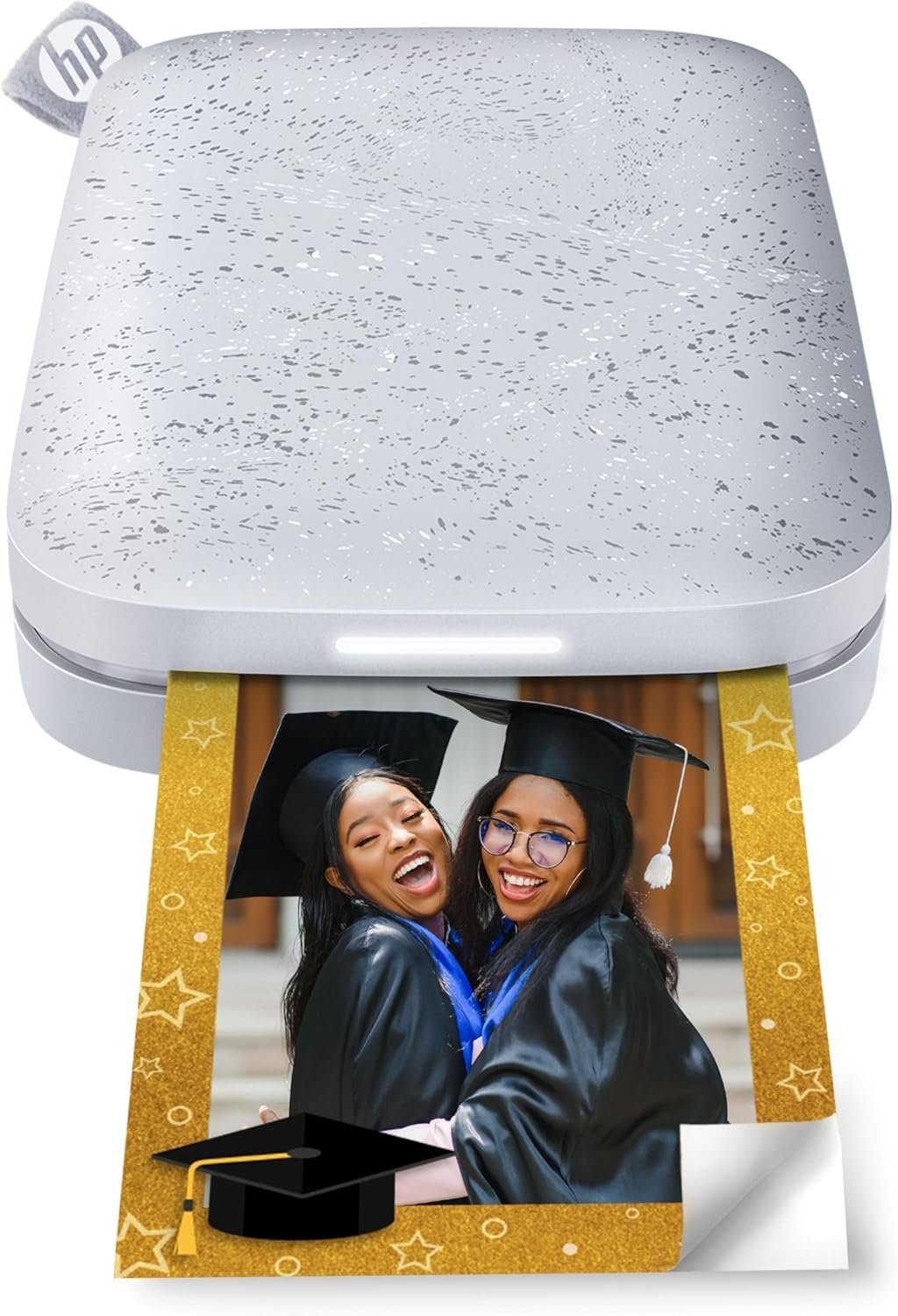
HP Sprocket Portable Photo Printer (2nd Edition) – Instantly print 2×3″ sticky-backed photos from your phone – [Luna Pearl] [1AS85A]
$88.99
Related Products


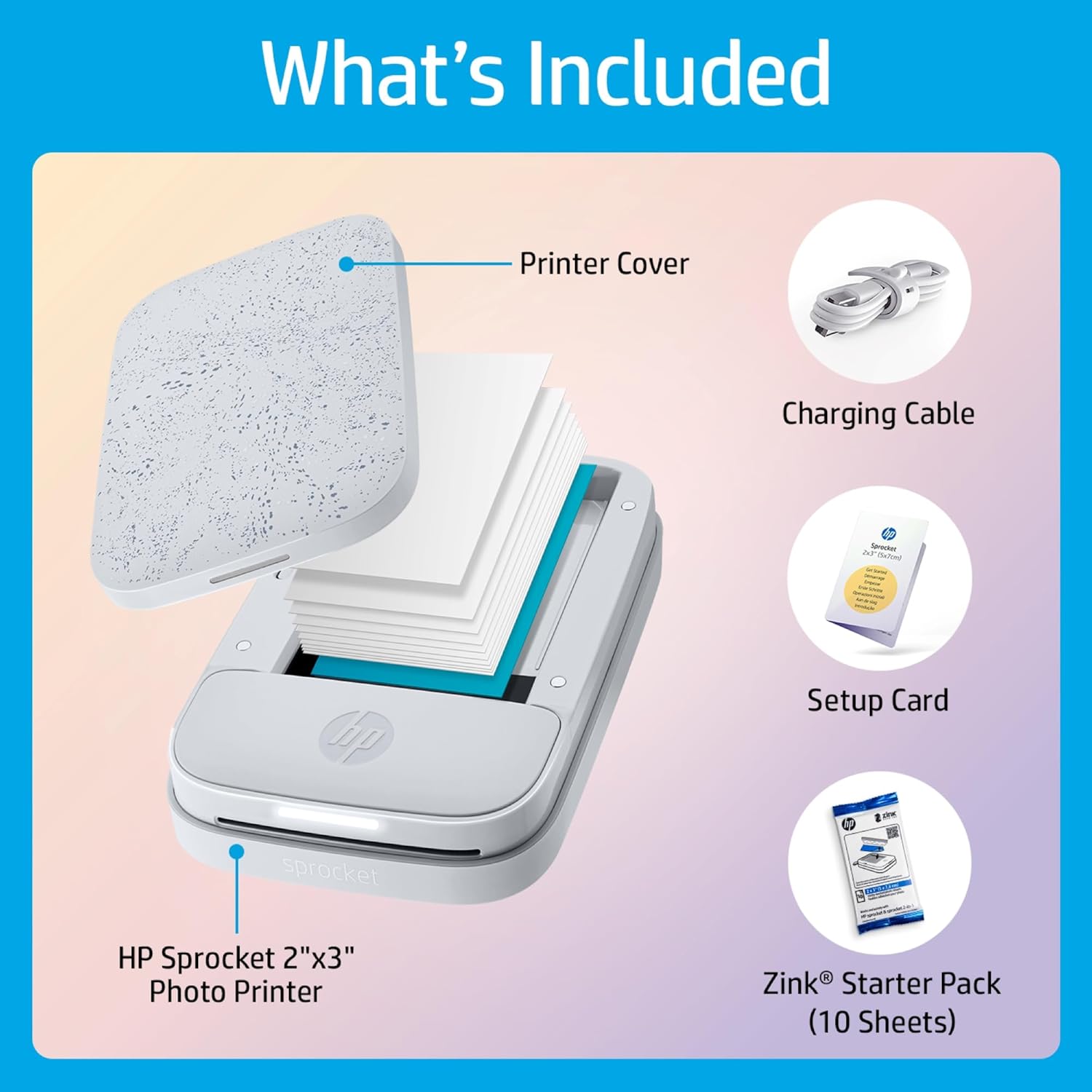


Turn every fun-filled memory and monumental adventure into instant, beautiful color prints with the HP Sprocket Photo Printer. Weighing in at under a pound with the dimensions of an average smartphone, the HP Sprocket is built to fit into your pocket, backpack, or purse with ease. Easily print 2 x 3″ sticky-backed photos and display them anywhere to make your space more unique. The HP Sprocket app lets you customize photos with borders and stickers, print from social media or your camera roll, and even view your photos in augmented reality. Easily view photo libraries from the app, share photo albums, and get recommendations for the best photos from any collection. This echo white HP Sprocket Photo Printer comes with 10 sheets of 2 x 3″ peel-and-stick backed ZINK® photo paper to get you started.
Instant photos on the go – Easily print your favorite adventures on 2×3″ sticky-backed photo paper with this luna pearl smartphone-sized photo printer that’s designed to easily slip into your pocket, purse, or backpack
Get the print party started – Now you can connect multiple devices so you and your friends can print at the same time – plus the personalized LED light shows you whose photo is printing
Augmented reality fun – Scan your Sprocket using your smartphone and the Sprocket app to view a virtual photo queue of print jobs; compatible with Android 5 and above / iOS 10 and above
Share the moments – Share customized photo albums with friends using the HP Sprocket app and keep the fun going
Personalize your prints – Decorate, design and print your social media photos with the HP Sprocket app so you can decorate your walls with your favorite photos
Always connected – Now with Bluetooth 5.0 and sleep mode, HP Sprocket stays connected when not in use so it’s ready to print the moment you are, without draining your battery
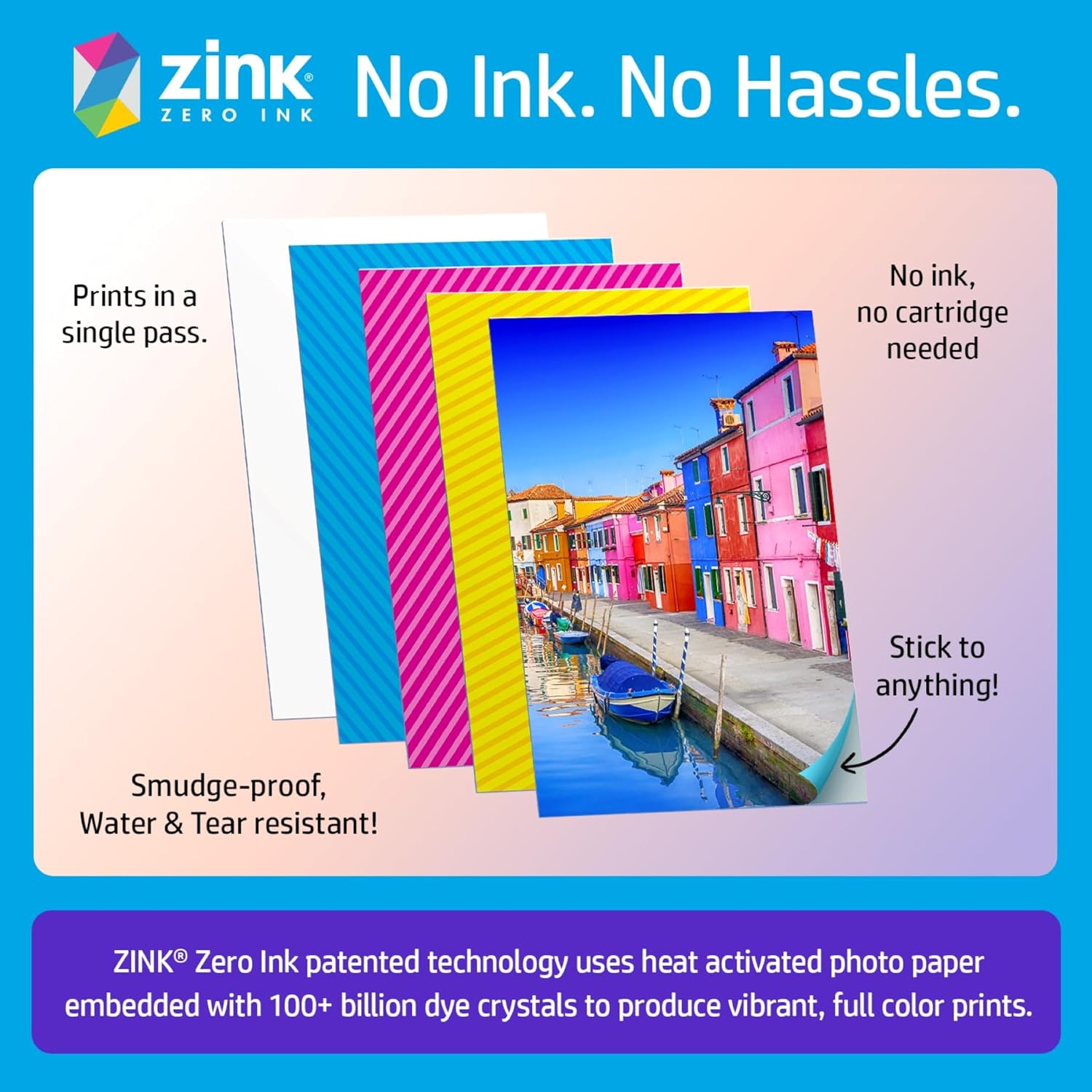
Includes HP Zink photo paper – Load the 10 sheets of 2×3-inch paper into your pocket printer and create smudge-proof prints; this paper has peel-and-stick backing for instant photos or stickers
Warranty – One-year limited hardware warranty
10 reviews for HP Sprocket Portable Photo Printer (2nd Edition) – Instantly print 2×3″ sticky-backed photos from your phone – [Luna Pearl] [1AS85A]
Add a review
$88.99
Chick with Books –
Great little sticker prints!
I wanted to start a book journal and include the photos of the book covers. This works GREAT! I just love how easy it is to use. Basically all you need to do is download the app that works along with your photos on your phone, and pick out your photos you want to print. You have the opportunity to print a collage of more that one photo (4 if you want a mini cover) or just one photo. It is so easy to load the printer up with the sticker paper too– just open the sticker paper package, open the printer, and drop in the paper. Easy peasy. Prints nice, although you do have to watch about it not printing your whole image because your photo is slightly larger than the 2×3 set up, but that’s a learning curve. I’m very happy with this little printer.
Skye –
Fun, Pocket-Sized Printer That Delivers Instant Memories
I got the HP Sprocket as a gift, and honestly, it’s one of the most fun little gadgets I’ve used in a while. It’s super compact—small enough to toss in my bag or even a large pocket—and it pairs easily with my phone over Bluetooth. The app is straightforward, and I really like that I can edit photos with filters, borders, and little stickers before printing.The print quality is decent for something so tiny. It’s not professional photo quality, of course, but the images come out vibrant and detailed enough for journaling, scrapbooking, or sticking on a wall. The 2×3″ size is cute and comes with peel-and-stick backs, which makes it really easy to decorate with them.The battery life is solid—I can go through a few sessions before needing to charge—and loading the paper is simple once you get the hang of it. It’s definitely not an essential device, but it’s a fun one to have if you like capturing and printing memories on the go. I’ve loved using it at parties, trips, and even just around the house.
Jamie G. –
8/10 – Great Little Printer
Pros: portability, ease of use, great value (quality:price)Cons: battery at <50% after printing 7 photos, slight difference in color from screen to print (to be expected in *all* digital print jobs, not just photos), slight striping (see picture)Purchased for recording memories and journaling away from home and to print photos as a school fundraiser. The printer had to pause for a cool down period (~1 minute) after ~5 photos so will still work for the latter purpose as long as I keep it plugged in throughout the fundraiser. While this printer will work for the former purpose (on the go journaling/scrapbooking), I will need to be conservative with printing if I am not near a power source. My guess is you can probably get ~10 photos printed on a full charge. Neither of these issues are deal breakers given the affordability of the printer and paper.There does seem to be occasional striping when printing large swaths of similarly colored areas without much variation/texture (skies and ocean specifically, see photo). Again, not a deal breaker, but should be noted if you plan on printing lots of sunrise/sunset/oceans photos.8/10 would recommend
sandrift –
Great little printer but put in a bit of effort for best results
This is a great little printer *for what it is*. It’s incredibly small and lightweight, and the app is well-designed and easy to use. The print size is a smidge larger than other printers, which I like, and the sticky-back Zink paper is perfect for journaling. But (and DO NOT come at me over this) you should not expect to get the best results without a little effort. There’s a reason that photographers use apps like Photoshop and Lightroom and it’s because NO printer will reproduce exactly what you see on a screen. Some of that is due to the printer calibration and some of that is your screen/device/camera calibration. If you demand high quality image reproduction, you don’t want a pocket printer — they all return worse quality in color, sharpness, etc., than a half-decent desktop inkjet printer. You are buying *convenience* with pocket printers. THAT SAID, a fair number of people are reporting a pink (magenta) or blue (cyan) cast to their prints that other manufacturers’ models do not seem to have, which is decidedly disappointing. Mine has a pink cast, hence my -1 star.There are instructions from the manufacturer for resetting the unit to address this problem, and you should use the calibration card in each Zink packet as recommended (and keep it for recalibration). If those things do not work, there are some simple edits you can make to your photo (before you open it in the HP app) to correct for the color cast if you otherwise like the Sprocket Select and are willing to sacrifice a few prints in the process. The suggestions below will not be news to most photography enthusiasts (let alone professionals) — I’ve included them here because even though I think that HP has considerable room to improve the thermal control of this printer (which is how the colorization occurs with Zink paper), I still think this little printer has a lot going for it and casual photographers can get much improved prints from it.1) The simplest method: You can counteract color casts by finding the “tint” setting in your photo editor (ALWAYS be sure to make and work on a copy of your original image if you’re not sure you can revert the image to its original state by undoing the edits). If your prints have a blue/cyan cast, use the tint adjustment to push the image towards red/magenta; if your prints are pink, move the tint towards green. For relatively simple editors (e.g., iOS Photos), you might start by making a 100% adjustment and then backing off from there in 10-20% increments for subsequent prints (of the same image) if you’ve gone too far. The image may look horrible on screen, but that’s not the point. Whatever setting you decide gives the best result, apply it to future images (or their copies) before you open them in the HP Sprocket app; this won’t work 100% of the time, but should help in many cases. Also be aware that various editing apps for different devices will apply differing amounts of adjustment at comparable settings (e.g., “50%” in one app on one phone may be “75%” on another phone or in a different editing app), so you may want to follow some of the additional steps below to dial in the best possible correction, albeit at the price of a few more test prints.2) If you’re willing to put in a bit more effort: pick a photo that is representative of your most common subject (e.g., landscape, portrait, nighttime) and choose one with a good range of values (light to dark) and that is not under- or overexposed. Convert this to black and white (monochrome) in your phone/tablet/computer photo editor (no fancy enhancing filters, just a basic conversion) and print the image. This will allow you to see which values in the image have the greatest color cast (highlights, mid-tones, or shadows), which can be hard to see in a color image.3) Go back to the original color image (or your copy!) and target your tint correction by looking at the values (areas) of the image with the worst color cast in the black and white version. This is inherently subjective, and remember it’s not meant to look good onscreen. Make a print and assess whether you need more or less tint correction. Rinse and repeat until you’re satisfied enough, recalling that you’re not aiming for perfection from this convenience printer.4) For the folks with more sophisticated photo editing apps that allow targeted editing of color balance in terms of value ranges — highlights, mid-tones, or shadows (e.g., Lightroom or Pixelmator Photo on iOS): Start with Step 2 to figure out where the color cast is the worst but instead of changing the image tint in the original color image (which affects the whole image), tweak the cyan/red or magenta/green balance for just the values in the image that need the most correction (e.g., mid-tones). If you’re not sure whether the cast is in, for example, the mid-tones or highlights, just pick one (mid-tones) and make a 100% change in the color balance relevant to the color cast your prints have — if the area you’re concerned with (from step 2) changes the most onscreen, you’ve got it. If not, undo and try the other value range. If you like the result and your photo editor allows it, save this setting as a preset and apply to future images before printing. (And you can edit two or all three of the value ranges with differing amounts of color correction!)5) For the truly adventurous: follow step 4 with additional enhancements, such as slight bumps to settings like “vibrance”, “clarity”, overall brightness (if images print a bit dark) and contrast (if images look a bit flat). Your photo editor probably allows changes to brightness in the value ranges of the color balance section, too, if you want a targeted effect. Save as a preset and apply to future images before opening them in the HP Sprocket app for printing.Using these techniques, I was able to get a *much* better, more true-to-life color print after five prints (original; B&W; 100% green tint; less tint correction and more brightness; and finally, targeted value range corrections to color and brightness with bumps to overall vibrance and contrast based on earlier prints). You may not want to have to do anything to your images before printing – in that case, move along or take your chances and be prepared to return you unit if you dislike the prints. But if you don’t mind a little twiddling, I actually recommend this little printer.
GiGi –
What a great little printer!
The Sprocket is a great little printer and lives up to the advertised hype. App is easy to download and sync to phone or pc. Pictures print fairly quickly and are perfect for all your art forms. Picture quality is pretty darn good.
Priya –
Not working.
alexander_nolan –
El márketing que se hace de esta impresora no deja lugar a dudas: copias pequeñas, rápidas, sobre la marcha, y de calidad suficiente para propósitos ilustrativos. Si se adquiere atendiendo a eso, no defrauda. Si se busca la máxima calidad fotográfica es extraño, si no absurdo, buscarla o esperarla en una impresora de estas características. Estampas de tamaño similar a las copias fuji mini, pero en menos de un minuto, adhesivas y desde cualquier fuente digital. La calidad es la justa para que sean representativas en su tamaño y para propósitos ilustrativos, como adjuntarlas a textos a mano en cuadernos de notas pequeños tipo A5, A6 o para adherirlas en diferentes soportes. Vistas de cerca (con lupa), tienen un aspecto más próximo a una ilustración que a una foto, pero a la distancia normal de visionado, no, y para el propósito ilustrativo son perfectas y no defraudan. Tampoco se puede esperar un ajuste de color profesional, sería absurdo. Por otra parte, y afortunadamente, la Sprocket admite imprimir mientras se está cargando. La he preferido frente a las Kodak del mismo rango, porque la HP parece tener una app (en iOS al menos) más regularmente atendida que la Kodak, aunque eso podría variar con el tiempo. Es muy ligera, estéticamente agradable y pequeña. La tapa va por imanes, muy convenientemente, y el papel se coloca fácilmente. Aunque más cara, sigue siendo más barata la copia zink (en el pack de 100/hoy) que la fuji instax mini y más versátil al ser directamente adhesiva y digital, pero al final siguen siendo cosas distintas. Mi otra opción era una mini impresora térmica pero las copias térmicas duran muy poco, son frágiles a la luz, la temperatura, etc., (acaban desapareciendo) frente a estas zink que prometen muchos más años de duración, por no decir que son “virtualmente” imborrables. La copia es gruesa, es decir, no deja lugar a duda de ser papel fotográfico, sin embargo del grosor justo como para que pegada en una hoja de papel de 80grs., tipo Moleskine, no resulte excesivamente rígida, y ya no digamos sobre las de mayor gramaje. Yo creo que es un acierto si se compra para lo que está orientada.
Karla –
Me encantó. Imprime las fotos bastante bien, no son fotos profesionales pero la foto se ve bien y se distingue la imagen. 100% recomendada
S.Gräfenstein –
Dieser kleine Drucker ist so toll, habe schon sehr viele Fotos damit gedrückt. Die Qualität des Druckers überzeugt mich auch sehr.Er ist klein, handlich und passt wunderbar in die Handtasche. Einmal Aufgeladen hält das Akku ziemlich lange. Ich bin so begeistert und würde ihn wieder kaufen.
Nino –
great product