
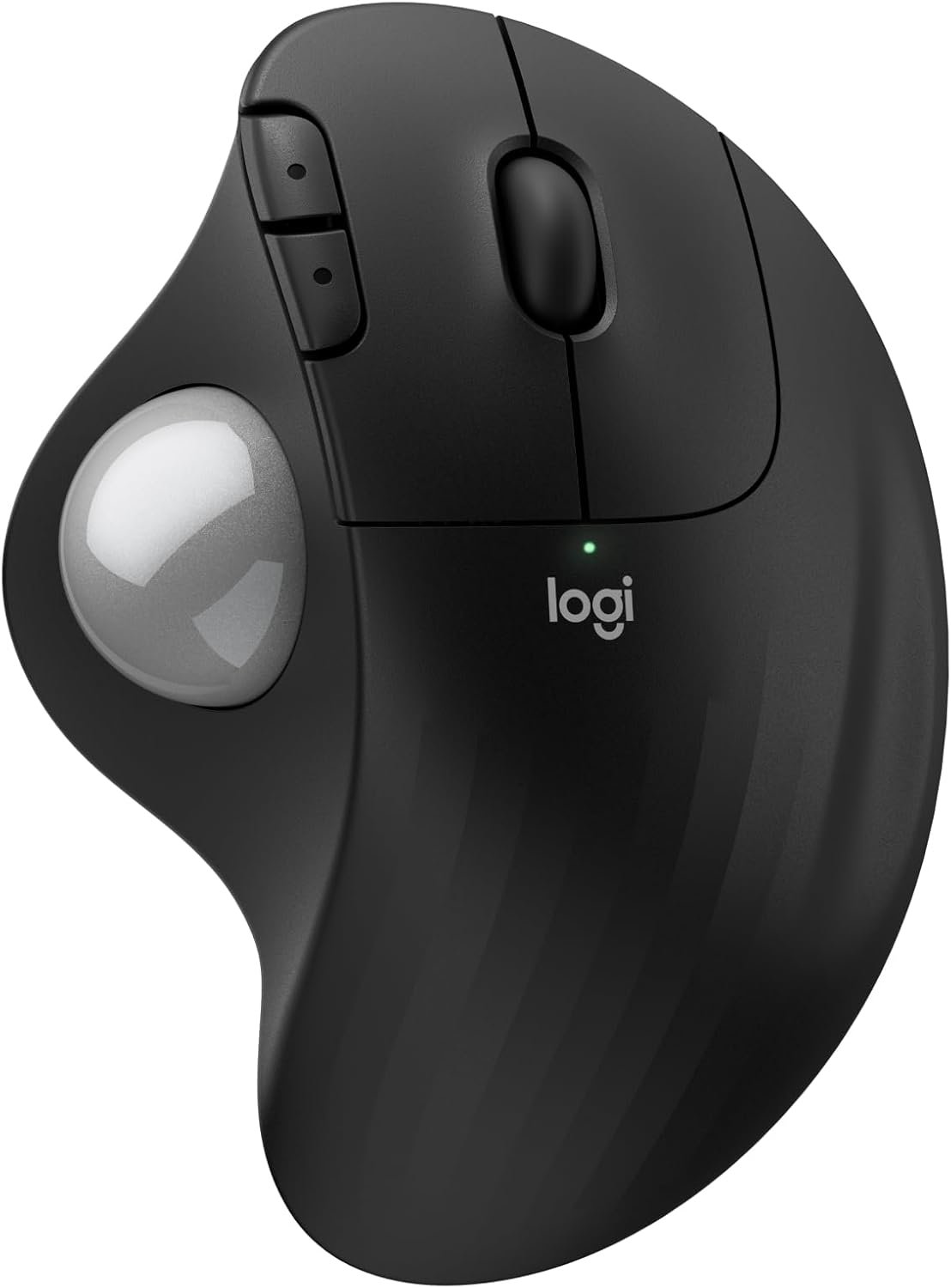
Logitech Ergo M575S Wireless Trackball Mouse, Wireless Ergonomic Mouse with Bluetooth and Encrypted Dongle, Comfortable Thumb Control, Precise and Smooth Tracking, for PC/Mac – Black Silver Ball
$49.99
Related Products


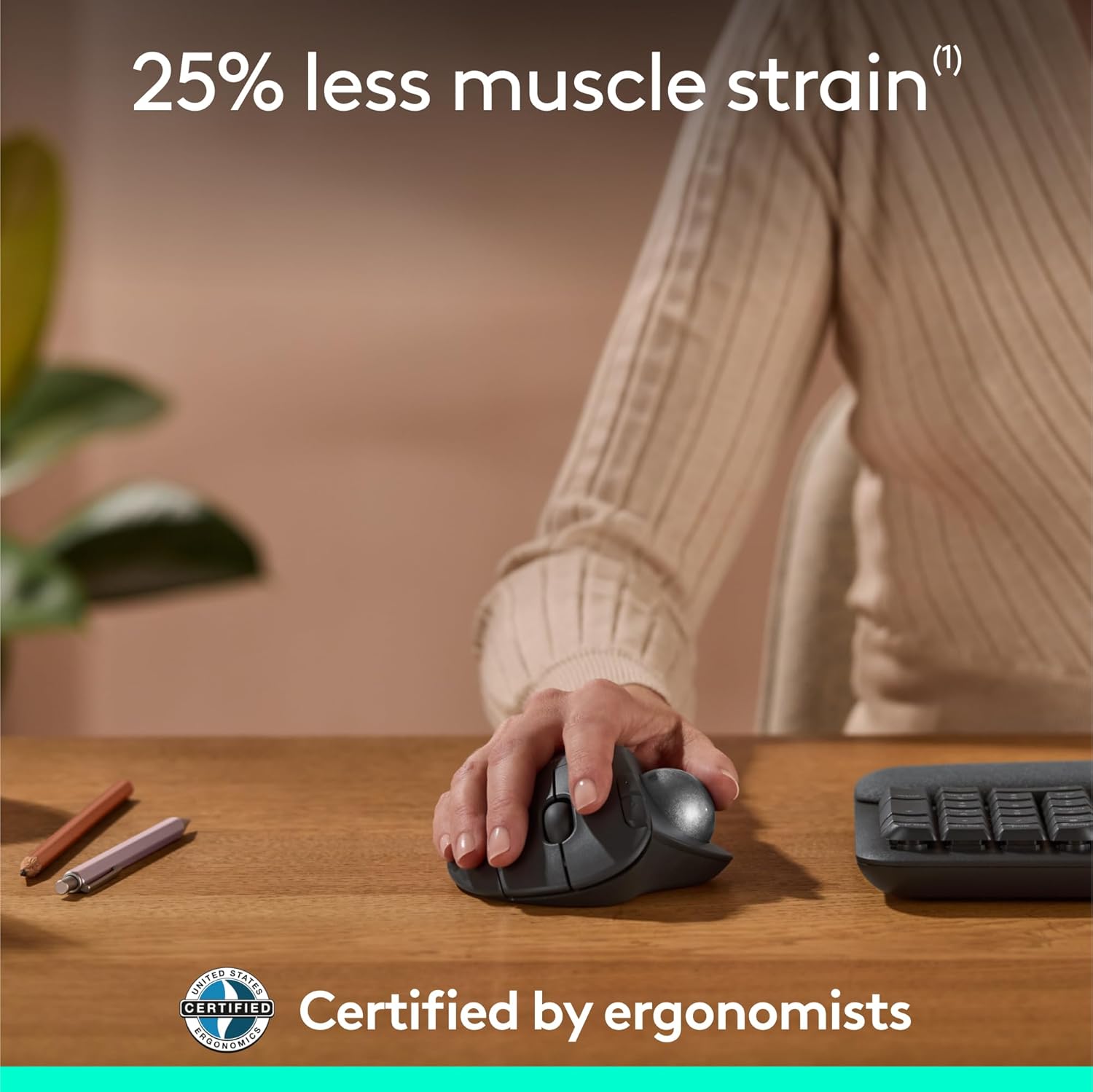


Minimize movement and maximize comfort with the Logitech ERGO M575S wireless trackball mouse. Thumb control lets you move the cursor without moving your arm, while the sculpted ergonomic design fully supports your hand and keeps your forearm in a more natural position. This wireless ergonomic mouse has been developed by Logi Ergo Lab experts, user-tested and certified by ergonomists to give you 25% less muscle strain in your forearm (1). The smooth and responsive thumb control can be used anywhere – and since it doesn’t need to be moved, the ERGO M575S is perfect for tight setups and busy desks. Connect your ergonomic wireless mouse in no time via Bluetooth or the included Logi Bolt Receiver, and enjoy hours of comfort with up to 18 months of battery life (3). The plastic parts in the ERGO M575S Bluetooth trackball mouse are made with certified post-consumer recycled plastic — 52% for Graphite/Black and 21% for Off-White, giving a second life to end-of-life plastic from old consumer electronics and helping reduce our carbon footprint (4). (1) Compared to a Logitech M650 mouse. (2) Requires Logi Options+ app, available for recent versions of Windows and macOS. (3) Battery life may vary based on user and computing conditions. (4) Excludes plastic in printed wiring assembly, cables, and packaging. (5) Sound level comparison between ERGO M575S and ERGO M575. Left click dBA measured by the Logitech internal lab at 1 m. (6) Device basic functions will be supported without additional drivers for operating systems other than Windows and macOS.
Less Movement, More Comfort: The sculpted shape of the ERGO M575S wireless trackball mouse keeps your hand relaxed for hours of smooth, precise tracking with thumb control – now with quiet clicks
25% less muscle strain in your forearm (1): This wireless ergonomic mouse has been developed with Logi Ergo Lab experts, user-tested and certified by ergonomists for all-day comfort
Improved forearm posture (1): The ergonomic shape of the ERGO M575S supports your hand and realigns your forearm into a better posture throughout the day; a good fit for most hand sizes
Work it your way: Experience enhanced control with 3 customizable buttons, time-saving shortcuts, and Smart Actions; adjust the cursor speed to your preference with the Logi Options plus App (2)
Save space with thumb control: With the ERGO M575S, you can move your cursor without moving your hand, making it ideal for small or space-saving setups and for use on any surface
Easy to Connect, Long Battery Life: Connect your ergonomic wireless mouse using Bluetooth or the included Logi Bolt USB receiver; enjoy up to 18 months of battery life (AA battery included) (3)
Made with recycled plastic: The plastic parts in the ERGO M575S Bluetooth trackball mouse are made of certified post-consumer recycled plastic (Graphite: 52%, Off-White: 21%) (4)
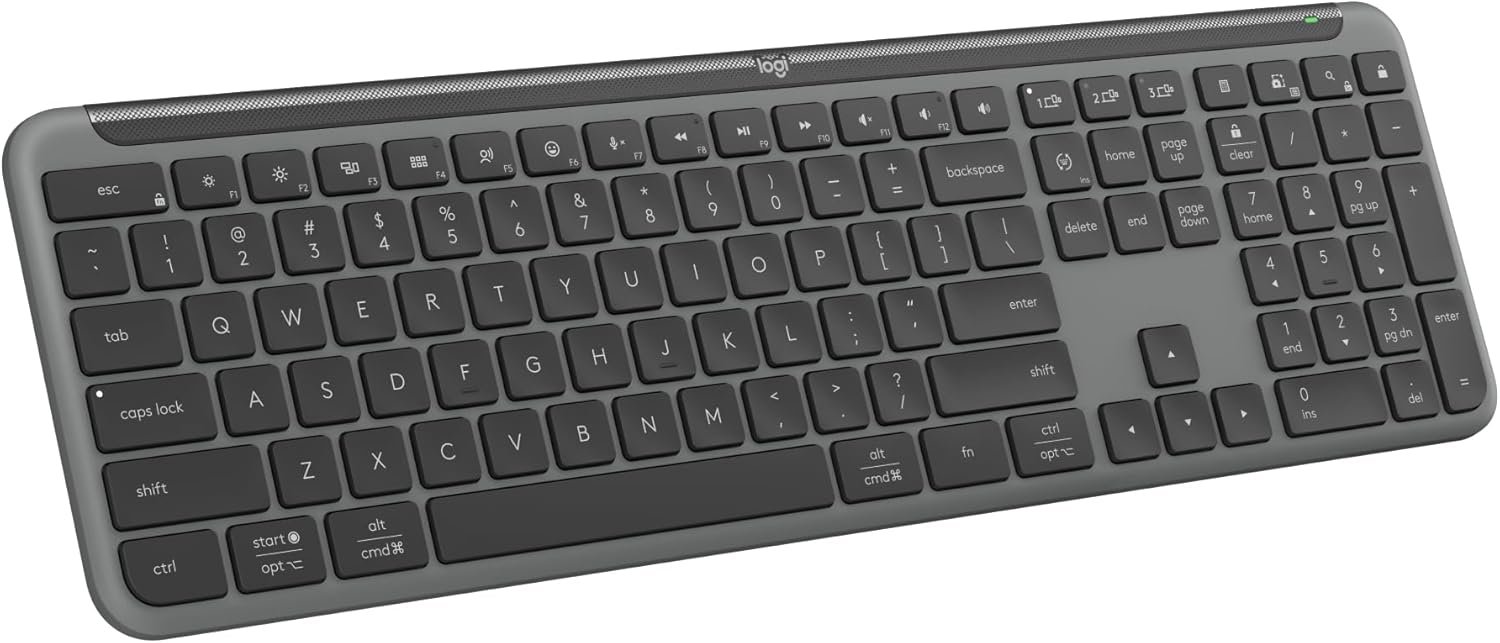
Complete your setup: Pair the ERGO M575S with the Wave Keys ergonomic keyboard, featuring a cushioned palm rest that places your hands, wrists, and forearms in a natural typing position
Note: In case of Wireless mouse, the USB receiver will be provided inside or along with the mouse
13 reviews for Logitech Ergo M575S Wireless Trackball Mouse, Wireless Ergonomic Mouse with Bluetooth and Encrypted Dongle, Comfortable Thumb Control, Precise and Smooth Tracking, for PC/Mac – Black Silver Ball
Add a review
$49.99
Tim Brown –
A familiar favorite with a much quieter click
I picked up this Logitech trackball to pair with a new Windows machine, and it has integrated into my workflow perfectly. Having used the previous version for over five years, I already knew the ergonomics were top-tier, but the improvements here are immediately noticeable. The most significant change is how quiet the clicks are—they are almost completely silent, which is a great touch for a focused workspace.What makes this a powerhouse for my desk is the connectivity. I switch between systems seamlessly by pairing via Bluetooth to my Mac and using the 2.4GHz dongle for my PC. I’ve even moved my older trackball over to my iPad; using it with the newer “desktop-style” iPadOS layout makes the tablet much more user-friendly and precise.This is a highly reliable tool that stays comfortable through long hours of use. It is definitely worth the price of admission, especially if you can catch it on sale. Whether you are upgrading from an older model or starting fresh, it’s a fantastic investment.
MoonCloudz –
The greatest trackball Mouse products in my opinion.
I’m am always pleased with Logitech products, and this mouse is no difference. It’s compatible with my laptop and my iPad. I like its fluidity more on my laptop, on the iPad it seems to go across slowly. The setup was quite easy as usual, the size is perfect for allowing her hands to stay comfortable. I’m always satisfied with the price I pay for these items and I think they’re worth it.
Michael –
Perfect and so easy.
It worked perfectly and was so easy to link to my PC. Just open the battery compartment and pull out the bluetooth sending unit – install on your computer – plug and play! The track ball mouse has a great feeling – excellent quality! I am so glad, I did not go with the off brand!
Galen Sather –
Comfortable and works well
I was a fan of the older version. The shape is a little bit different and not quite as sturdy feeling, but it’s a fine comparable product. I would buy it again.
Subqueen –
Good size . great quality. Easy on my arthritis hands.
Quick shipping. I love my roller ball for the easy manipulation when I work. Takes the stress off my hands. Quality with just the right size for my smaller hands. I use every day with no issues. I would purchase again if this broke tomorrow.
gemho –
will help relieve pain in wrist
Overall good. Smaller than I expected. Logitech software is a must if you like a fast pointer. Trackball moves good. Will take some getting use to after accustomed to a mouse for 15 years.
chris Adams –
mouse buttons are close to silent: great mashup between mouse and trackball
The quiet buttons was exactly what I was looking for. I found that my Kensington Orbit ball is great, but the clicking is super loud, so at night, I’m working and the clicking is really distracting. These clicks are nearly silent. The ball is small and I prefer using my fingers instead of my thumb, but it rolls very smoothly. I’m kind of a nut and I use multiple track balls at the same time, but it is a great fit into my arsenal and it was easy to get set up on the Mac. You can assign the buttons as well. It is also nice to just take a AA battery instead of charging. There are pluses and minuses, but AA batteries are easy to find. The combination of the mouse style buttons and scroll bar with the track ball is good. I prefer the mouse roller button to the scrolling ring. It is a good mashup between a mouse and a track ball and very comfortable in my hand. I have fairly large hands. I wear 2XL gloves.
Liquid –
Bluetooth woked great
Arrived on time. Worked right out of the box. Brand new battery, Bluetooth connect to my MacBook NEO right away. Super easy. I got the white one with the blueish Track ball, similar to my Blue NEO
Amazon Customer –
I really like this mouse! There’s an adjustment period when you’re starting out (I kept wanting to switch back to my regular mouse when using it) but by the second day I’d gotten a lot more comfortable using it. While it’s still not as easy to navigate as with a traditional mouse, my hand doesn’t hurt nearly as much after using it for long periods. In fact, it doesn’t hurt at all. I thought my thumb would tire out on the trackball, but it doesn’t.I can’t attest to its ability in gaming since I use a controller. Precise movement is more difficult so I imagine it’s not great for that. You can adjust the tracking speed though and set one of the extra buttons to toggle between speeds. I find the default 50 speed a little too slow so I raised it to 60, and I have a button to switch to a much lower speed when I need the precision.Really minor, but I wasn’t expecting the buttons to be so quiet. It’s actually pretty nice.Overall, really happy with this mouse. It’s comfortable and easy to use once you get the hang of it.
CanadianBacon –
I’ve used the older M570 for well over 10 years and it had a problem with buttons wearing out and double clicking, and I had it replacement more than once under warranty. Near the end when the warranty was up I learned how to replace the switches on my own, but eventually I just couldn’t fix them anymore. SO I’m off to buy something new, which lead me to this.This new M757S trackball is almost the same as the older M570, but slightly different shape, but generally feels the same in my hand.The added bluetooth option is a nice addition, but if you already have a bunch of Logitech unifying receivers, this one uses the newer bolt receiver and is not compatible; no problem for me since I use bluetooth now, but if you have an older keyboard you love and don’t have bluetooth you’ll need to have both an old and new receiver plugged in using up an additional port. No problem having two, but just be aware if you’re limited on ports.Base on past history, I’ve also had good luck with Logitech devices. Great support, great quality (previous trackball excluded, but the warranty was exceptional), fantastic compatibility over the years.
Candid Contributions –
I absolutely LOVE the new model of the ergo mouse!It’s pretty whisper quiet when scrolling and clicking the right and left buttons to the point where it takes getting used to. At first I would double click a lot thinking it didn’t actually click.You can easily program the 2 extra buttons as back and forward but I changed them to cut and paste buttons.The scroll wheel is also a programmable button which I programed to use as screen record/capture.
James –
I’m very disappointed with this mouse.It stopped working in less than 6 months — completely dead, no light, no response, even after replacing the battery. What’s worse is that this is already the second time I’ve had issues with it.The biggest frustration is the warranty process. It is extremely difficult and inconvenient. I was asked to ship the defective product to the US, which is already unreasonable for a Canadian customer. After I shipped it, it was returned to me asking for an invoice. I provided the invoice, but the process still didn’t move forward. It’s been a waste of time and effort.Overall:- Poor product reliability- Extremely frustrating warranty/return process- Not worth the hassleI expected much better quality and support from Logitech. Unfortunately, this experience has been very disappointing.
Allan H. Adams –
With this Logitech trackball mouse, I have effectively “graduated” from my older preferred Logitech M510 mouse. This was my standard choice for years and only required replacing because I tended to slow the smooth operation of the track wheel with gummy fingers. The track ball mouse on the other hand is easy and simple to keep clean and fully functional with an occasional simple wiping of the ball itself.Once you are used to the difference in the feel and the hand position over this mouse, I think many will come to prefer working with the track ball design. A little more expensive perhaps, but the convenience and the comfort is a big plus and a definite advantage over a mouse like the very effective but somewhat less natural feeling Logitech M510.