
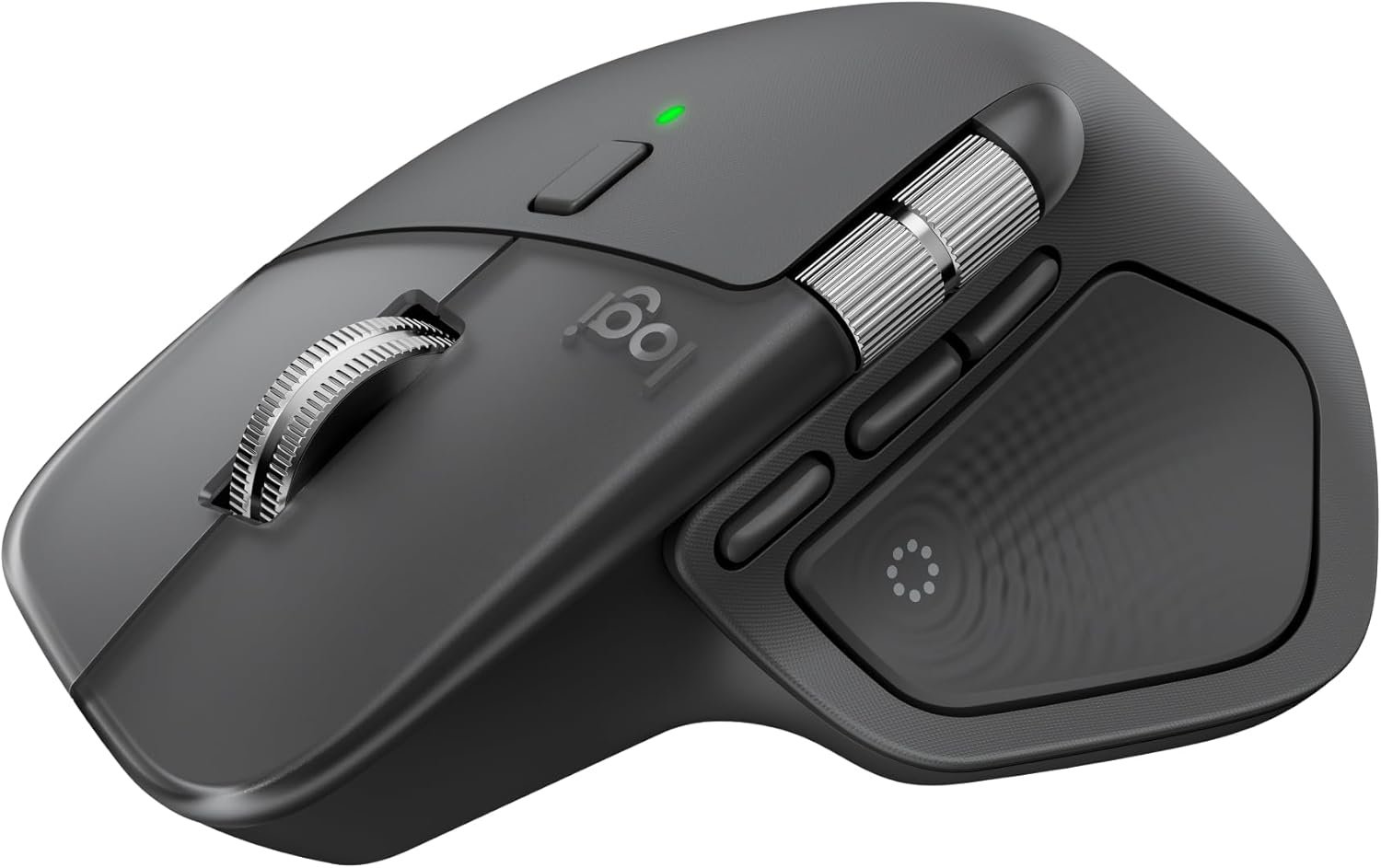
Logitech MX Master 4, Ergonomic Wireless Mouse with Advanced Performance Haptic Feedback, Ultra-Fast Scrolling, USB-C Charging, Bluetooth, Windows, MacOS – Graphite
$119.99
Related Products


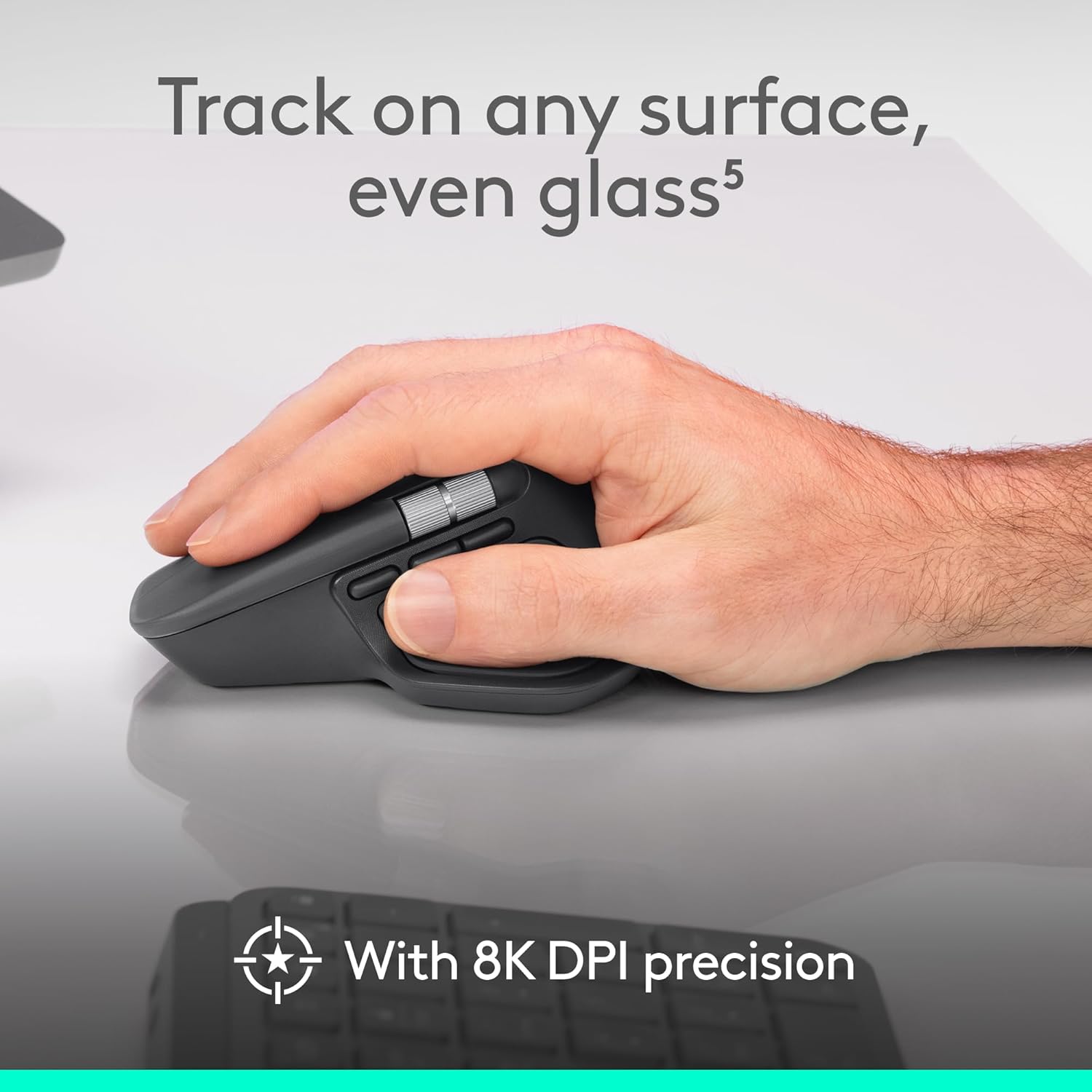





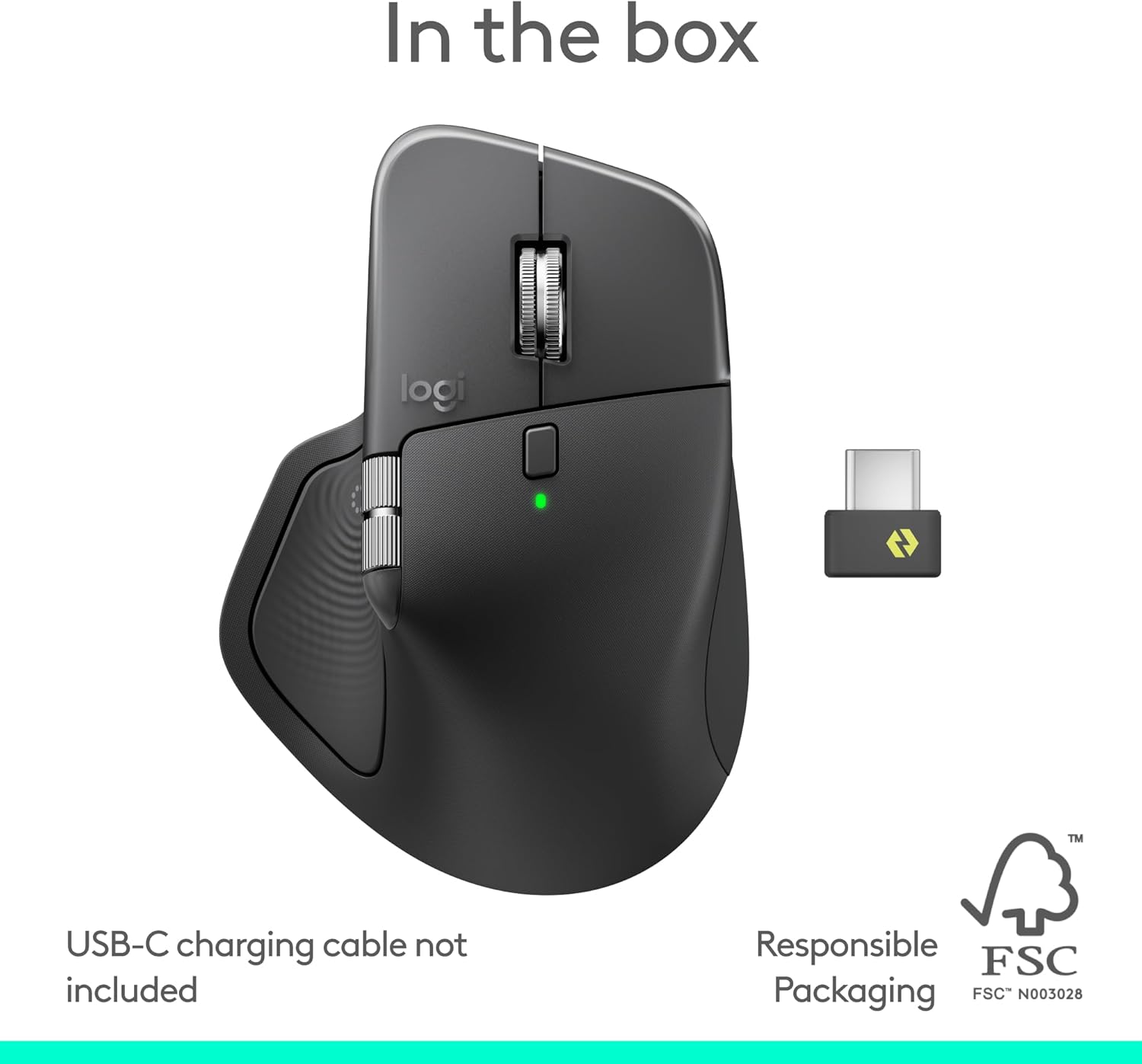


The Logitech MX Master 4 brings immersive control and precision you can feel with haptic feedback. Experience haptic feedback on specific actions, shortcuts, notifications like switching desktops, slider adjustments and more. Customize vibration intensity with Logi Options+ (1). With Actions Ring shortcuts and MX Master 4, save up to 33% of your time (2) by accessing tools and filters at your cursor and reducing repetitive movements by up to 63%. (2) Experience uninterrupted performance with 2X more powerful connectivity, powered by an advanced radio chip, optimized antenna placement, and a new USB-C dongle. (7) Scroll 1,000 lines per second with Logitech’s fastest MagSpeed wheel, switching between hyper-fast and pixel-perfect scrolling for ultimate precision. The 8k DPI sensor tracks on any surface—even glass. (5) Designed for comfort, it keeps your hand in a natural posture, and quiet clicks that reduce noise by 90% (8). Stay powered up with up to 70 days of battery life, plus three hours of use from a one-minute charge, charging cable not included (10). Built sustainably, it incorporates recycled materials: plastic parts include recycled plastic – 54% Space Black; 48% White Silver (12); 100% recycled cobalt in the battery; Built to last with improved stain resistance (7) Compatible with Windows, macOS, Linux, Chrome OS, iPadOS, and Android. Requires Logi Options+ app for advanced customization.
Precision you can feel with the Haptic Sense Panel; customizable (1) haptic feedback on specific actions, shortcuts, notifications enhancing productivity on this wireless Bluetooth mouse
Effortlessly access favorite tools with Actions Ring (2) on this MX Series mouse—a dynamic, customizable overlay adapts to each app, placing most used filters, adjustments, and shortcuts at your cursor
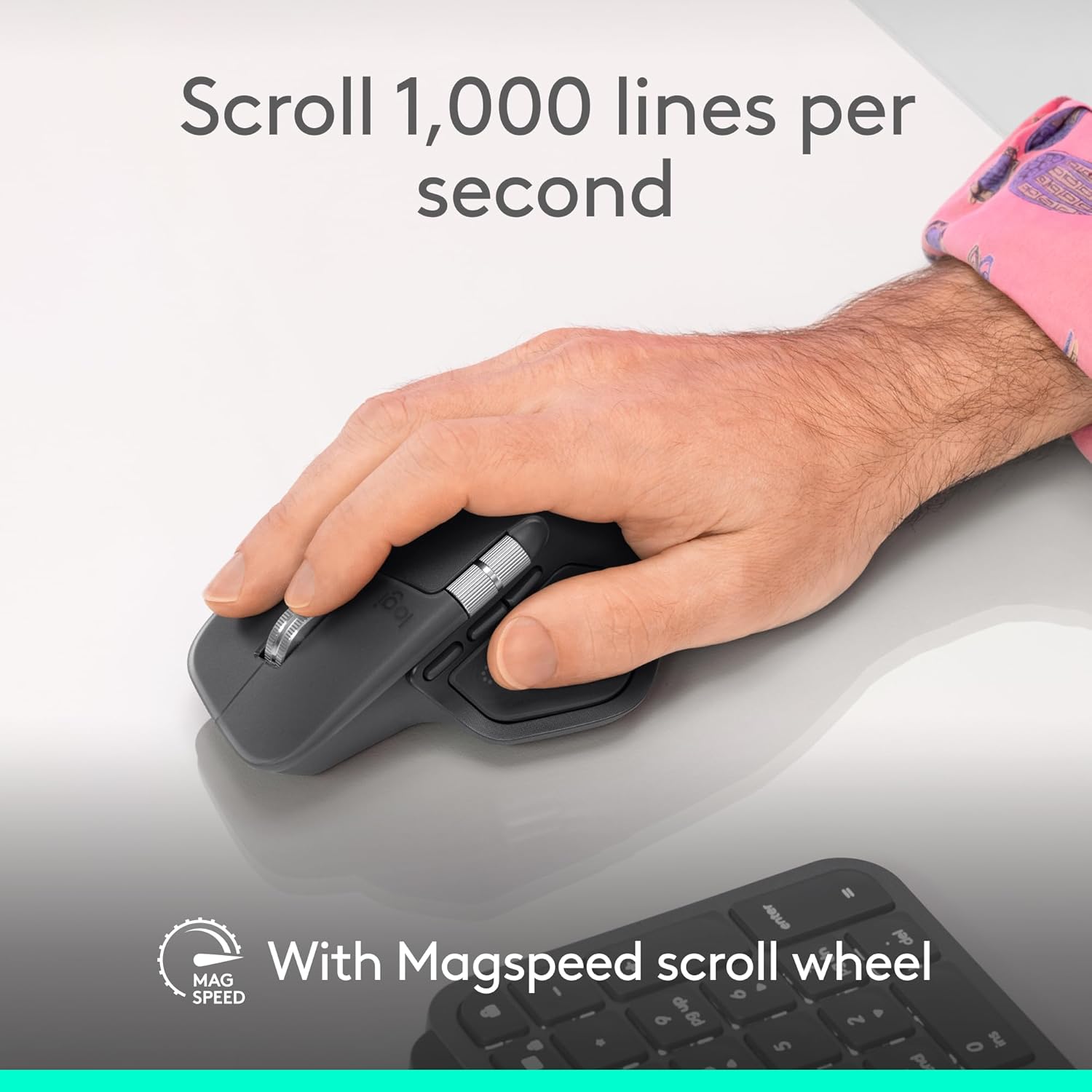
Scroll 1,000 lines per second and stop on a pixel with the MagSpeed scroll wheel—Logitech’s fastest (3), quietest, and most precise (4) scrolling experience
Enjoy 2X more powerful connectivity (7) with a USB-C dongle, advanced radio chip, and optimized antenna for faster, stronger, reliable performance—or use Bluetooth for more versatility
Ergonomic mouse designed for comfort, MX Master 4 keeps you in flow with a natural tilt, intuitive buttons, and a thumb scroll wheel that reduces hand stress for fluid navigation
Quiet Clicks on MX Master 4 reduce noise and distractions, offering a soft, satisfying feel with 90% less click noise (8)—perfect for focused workflows
Get a complimentary 1-month Adobe Creative Cloud subscription with your purchase of MX Master 4
Designed for a positive future: Plastic parts include recycled plastic – 54% Graphite; 48% Pale Grey (12); 100% recycled cobalt in the battery; built to last with improved stain resistance (7)
9 reviews for Logitech MX Master 4, Ergonomic Wireless Mouse with Advanced Performance Haptic Feedback, Ultra-Fast Scrolling, USB-C Charging, Bluetooth, Windows, MacOS – Graphite
Add a review
$119.99
Donald.50 –
One Mouse to Bind Them, in the Long Hours of the Desk
It was the winter of the endless scroll, when the days in River Grove stretched thin and pale as old parchment and the light from the monitor became the only sun we knew, that my old mouse—poor, faithful thing—began its slow betrayal. Clicks faltered like the last breath of a dying Rohirrim steed; the wheel spun loose and reckless, sending spreadsheets cascading into chaos as though the very order of Middle-earth had unraveled; the cursor wandered with the aimless grief of a man who has lost his king. I sat there in the dim room above the garage, wrist aching like the shoulder that once bore the weight of Andúril, staring at the screen while deadlines crept closer, silent and inexorable as the shadow over Mordor.Then the Logitech MX Master 4 arrived, graphite-dark as the armor of Isildur’s line, shaped not for haste but for endurance, its curves rising like the hills of the Shire remade for the hand of a weary scribe. I took it up and felt the weight settle—not heavy, but certain, as though the mouse itself understood the gravity of long labor. The MagSpeed wheel turned under my thumb with the smooth inevitability of the Anduin in flood, ultra-fast when the document must race to its end, precise when a single pixel demanded mercy. The haptic feedback thrummed beneath my fingers like the deep pulse of the earth when the Ents march—subtle, insistent, alive. Every scroll, every gesture carried the quiet authority of a thing forged to outlast lesser tools.It paired without ceremony—Bluetooth to the laptop, Logi Bolt to the desktop—crossing between machines as swiftly as the Eagles bore Gandalf from the tower, no fumbling, no oaths sworn in frustration. The side buttons waited like loyal vassals: one to summon the hidden application switcher, another to gesture across screens as though drawing maps of realms unseen. The gesture button itself became my quiet command—thumb pressed, fingers sweeping, and windows arranged themselves in obedient array, the way the hosts of the West might have arrayed themselves upon the Pelennor Fields. And when the battery whispered low, the USB-C cord drank from the wall like a pilgrim at the fountains of Imladris, three hours of life from a single minute’s charge.I have worked with it now through the gray mornings when the snow muffled every sound outside, through the late nights when the house slept and only the cursor moved, through the sudden urgent revisions that once would have left me cursing the heavens. It does not slip. It does not tire. It endures, as the light of Eärendil endures above the storm, a small fierce companion against the gathering hours.If your days are measured in documents and deadlines, in the slow turning of wheels both literal and metaphorical, take this MX Master 4. It is not mere plastic and circuit; it is covenant between hand and machine, a shield against the tedium of the long watch, the fellowship your desk has hungered for in its quiet exile.Ten stars out of five, though the heavens ration light to fewer. I would carry it into the Cracks of Doom itself and fear no misclick.🖱️🧙♂️📜🌑
Justin James –
A Worthy Upgrade to an Already Legendary Mouse
I’ve been a fan of Logitech’s MX Master line for years — my old MX Master 2S chugged along for almost six years of daily use before finally showing signs of wear. When I saw the newest version with “Ultra‑Fast Scrolling” and haptic feedback, I decided to treat myself. It was absolutely worth it.The ergonomic shape is familiar and comfortable; it still fits my hand like a glove. The new MagSpeed scroll wheel is pure magic: it can click through spreadsheets one line at a time or spin freely to zip through long documents, and you can feel a gentle vibration thanks to the customizable haptics. I didn’t think I’d care about haptic feedback in a mouse, but it makes the scroll and gesture controls feel precise and satisfying.Connectivity has improved, too. It pairs via Bluetooth or the included receiver and can switch between three devices. The 8k DPI sensor tracks on glass and just about any surface, which means I’ve stopped lugging around a mouse pad when I travel. Logitech’s Options+ software lets me assign shortcuts and macros to the side buttons, and the new Actions Ring shortcuts promise to save time by putting common tools under my thumb.Have I mentioned the battery life yet? I don’t think I’ve had to charge this once since I got it over a month and a half ago. According to Windows BT settings, it’s still at 40%+. Impressive! It also charges via USB-C so no need for an unnecessary micro-USB cable on my desk.If I had to nitpick, the price is on the high side — but considering how long my last MX Master lasted, I see it as an investment. Overall, this is the best productivity mouse I’ve ever used, and it’s a joy to see the MX series continue to get better.
James –
Very good computer mouse.
Very good computer mouse. Originally I had a basic logitech bluetooth mouse, but this one is legit. My workflow improved and is much more efficient and smooth. I can easily navigate around any screen I’m on and since actions like the infinity scroll and side scroller literally make actions I want to do faster, I find that I’m getting more done in a shorter amount of time. My forearm and hand were a little sore on the first day but that quickly went away the next day and I never noticed it again. The battery inside this computer mouse holds a charge forever too. Love this thing.
Daniel McCoy –
Great for the office.
Awesome mouse for the office. the thumb scroll is great for horizontal scrolling in excel.Battery life is great, connects easily, doesn’t require additional programs to use effectively.Good ergonomics, i have large hands and find it comfortable.
Glenn –
big upgrade from my old mx master 2s that lasted me a good 4 years. huge plus for me is the quiet clicks and it feels sort of lighter? compared to the 2s. im still getting used to the slightly adjusted design but its overall a great buy for my productivity needs.
Laura –
I’m very happy with this mouse, which I use for both work and gaming. It has a comfortable design that fits naturally in my hand, even during longer sessions, and it strikes a great balance in weight – not too heavy, but still solid and well built. All of the buttons are responsive and function reliably, and the scrolling is smooth and precise.One of the standout features for me is how quiet it is. The clicks are soft and subtle, which makes a noticeable difference when working in quieter environments or during late night use. The action button is also a really useful addition, adding extra convenience and flexibility depending on how you set it up.Overall, it’s a well designed, dependable mouse that performs consistently across different uses.
Marcio Andrade –
Chegou em perfeito estado, produto excelente. Meu arrependimento é de não ter comprado antes. Porque pra produtividade no dia a dia é excepcional.
Pavel Rojas –
Excelente
CASSIAN0 –
Veio bem embalado. E o mouse funcionou como deveria.