
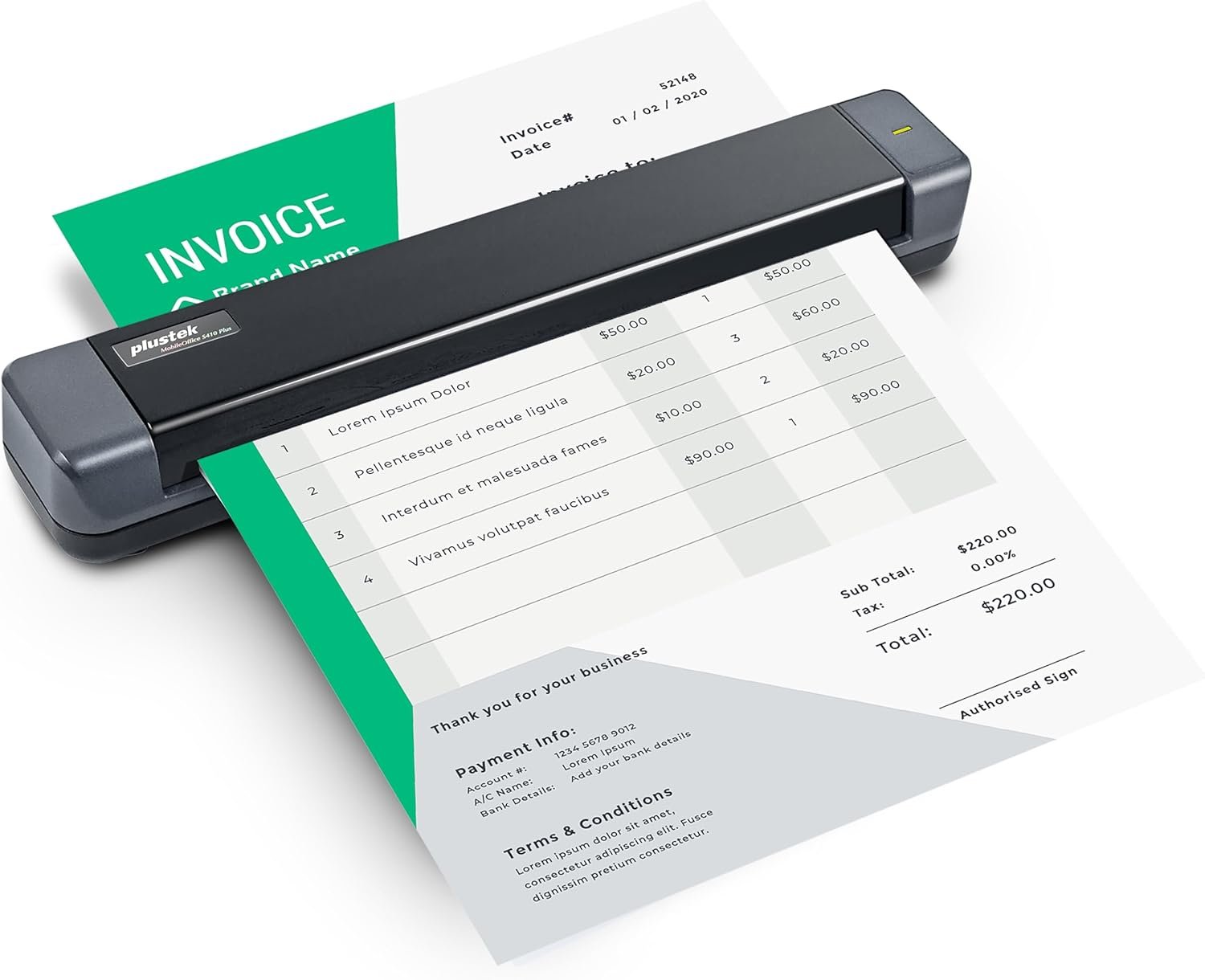
Plustek Mobile Scanner S410 Plus – Portable Sheet-Fed Document Scanner – for Windows 7 / 8 / 10 / 11, Featuring Button-Free Scanning with Included OCR Software
$99.00
Related Products



Product description

The video showcases the product in use.The video guides you through product setup.The video compares multiple products.The video shows the product being unpacked.


 OCR Technology
Convert scanned paper document into search PDF or editable files.
 Automated image crop and deskew
Automated image crop and deskew

 TWAIN Compliant
The included TWAIN driver ensures compatibility with thousands of software application and systems
1 OCR Technology
2 Auto Crop&Deskew
3 Enhance image process
4 TWAIN Compliant
Ket Feature 
1
2
3
4
5
6
My Laptop/PC don’t have CD-ROM How can I install driver & software?
For user who’s Laptop/PC don’t have CD-ROM, can follow quick installation guide driver download link, or visit Plustek website download driver to install.
How can I launch DocAction software with Windows system to change scan setting
After install the driver and software, you can open DocAction by double click the icon in the taskbar, which is located on the bottom right corner.
Is scanner can auto crop image size? if I scan receipt or letter size document
The S410 Plus default enable auto deskew and crop function.You will get the complete scanned image without any black edge.
How to deal with the strips or bands on the scanned images?
If the colors of scanned images are not correct or there are strips on the images. Use bundle calibration target to calibration the scanner, you can visit Plustek website, select S410 plus to see tutorial video
Where I can find help for Plustek MobileOffice S410 plus?
If you need help with any issue or question, Visit Plustek website, click the chat windows at the bottom right corner to contact our engineer.
Digitize on the Go – Connect to your computer via BUS powered, eliminating the need for batteries or external power sources
Button Free Scanning Experience – The S410 Plus is an automatic scanning device, no need to push any buttons or click any screens, and automatically processes images and saves them to the designated folders
Versatile Paper Handling – Easily scan documents ranging from Letter and Legal sizes to business cards, plastic ID cards, invoices and receipts
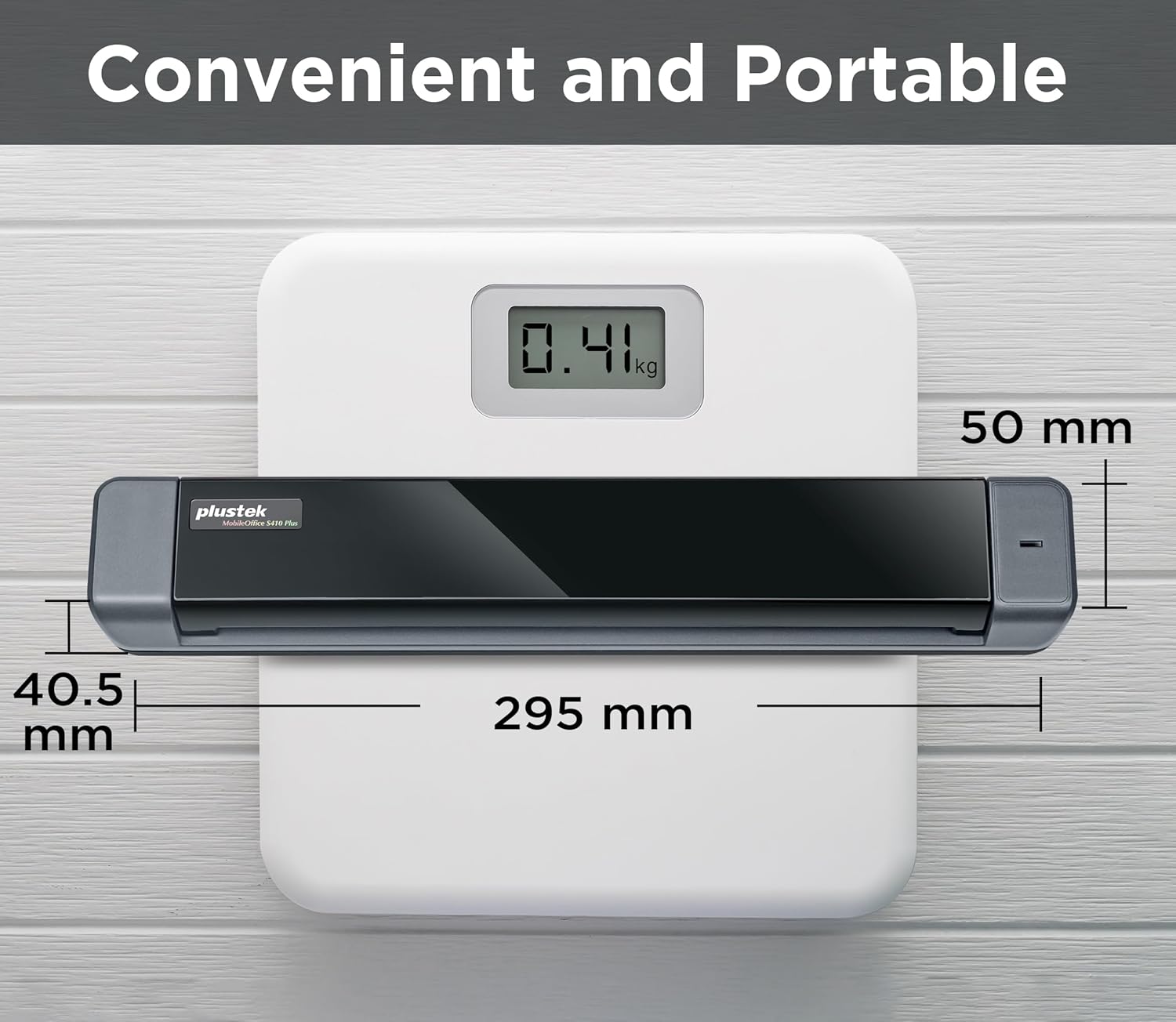
Ultra compact & Lightweight – Weighing less than 1 lb, lighter than a bottle of mineral water, and its slim design is perfect for portability
Work smarter with Plustek Docaction – Built-in OCR allows you convert the files into editable, such as searchable PDF, excel or word. Seamless save to your local computer, FTP and even shared folder
13 reviews for Plustek Mobile Scanner S410 Plus – Portable Sheet-Fed Document Scanner – for Windows 7 / 8 / 10 / 11, Featuring Button-Free Scanning with Included OCR Software
Add a review
$99.00
Emma Mickens –
It’s worth it!
This little device is great in functionality, ease of use, size, and value for the money. The only downside I found was that It has to be connected via usb, maybe the next version will be a wireless option. Even still, I love this look device, gets the job done, and saves it to a file destination of your choice. I read one review where the person complained of memory cache being full, I ran into that issue, and simply clicked okay, and a few seconds later, I was scanning again!
Ariel Kidder –
Excelent scanner!
I got this to scan my late grandmother’s recipes to make a cookbook for the family. Im 30 and most of these reciepes are older than me like waaaayyy older and this scanned them in beautifully! It was gentle on alot of the delicate papers and made it very easy to see some of the faded writing. Well worth the money! Easy set up too!
BSC –
Great, speedy scanner
I love this scanner. It does plug into my laptop but it is such a relief not having use my printer scanner. NO MORE lifting the lid, putting one document in, scanning etc. It
George –
Great Inexpensive Scanner
A solid 10 for easy install and ease of use. The only scanner I’ve been able to find that supports Windows 11.Don’t hesitate, buy it.
Brandi S –
I suppose it could be worse
What was ordered as a “new” scanner arrived opened and the power supply missing from the box. I assume this was returned and then sent off to me. Perhaps from a warehouse. I can’t give an honest review because I never got it to work because I couldn’t connect without the power supply. Extremely disappointed. This was purchased for scanning documents on the go as my business requires and is necessary. I was disappointed to learn there was no storage case. The plastic is thin and toting it around would potentially put the unit at risk of being damaged in mobile transport.Over all I would say this is cheaply made. If I were you I would pay a little more for a NEW device that works as ir should.A bit of advice for declioees add a as card slot for scanning
Wasim Sabir –
Buy Cordless
It’s Pretty Good. But in my Opinion I should have Bought Cordless, overall the results are very good It’s very easy to use.
Chuck Wyllie –
Portable scanner
Works great
ANTONIO LEVY ALBONICO –
Practico
Excelente. Comodo, practico y plug and play. Solo hay q descargar el controlador.
Ali CU –
Love using this! It really is just so handy. I’ve only used it connected to my PC. In fact, it sits by my PC constantly in case I need it. I now scan in any offical letters and can name them and store them on my PC within minutes of me opening them! It hasn’t let me down.
Kenneth Brattey –
Scanning receipts is dreadful. If the unit has the tiniest piece of dust you end up with black edges all around. I contacted support who were very helpful, 1st I needed an updated driver, then it was all down to cleaning. I cleaned and cleaned and cleaned until finally I managed to scan a receipt to the correct size without horrendous black edges. Didn’t last long. I bought this as a replacement for my Opticslim M12 which worked flawlessly for 15 year and never cleaned it once. With this new model, I can scan one receipt if I am lucky before I get back edges again. Now consigned to the bin. I will use my phone to take pictures from now on.
feltf2 –
画質は悪くない。しかし自動で吸い込まれるまでの時間が短いからなのか、パッと見まっすぐ引き込まれているように見えて画像が毎回ランダムに傾く。枚数溜まった段階でAIに投げて補正と余白部分の黒背景消しをしてもらわないと使えない。スキャンを押さなくていい仕組みも一長一短なのだろうか‥‥自動でまともにスキャンできないのなら自動引き込みしない設定もできて欲しい。
G. Jones –
item recommended I have bought it for a present
Amazon Customer –
Ideal for travelling with but don’t forget to take thermal paper with you found it difficult to get hold ok overseas.