
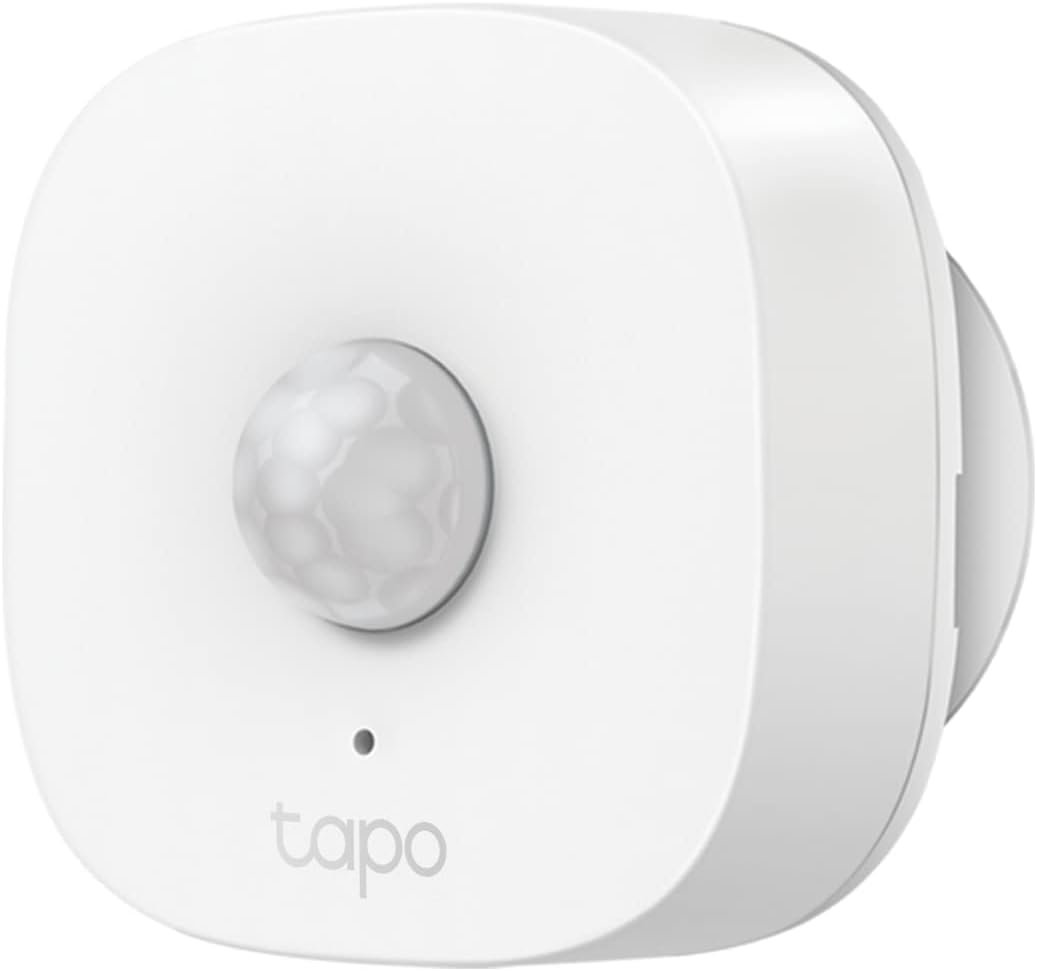
TP-Link Tapo Motion Sensor, Requires Tapo Hub, Long Battery Life w/Sub-1G Low-Power Wireless Protocol, Wide Range Detection, Adjustable Sensitivity, Real-Time Notification, Smart Action, Tapo T100
$17.99
Related Products


The Tapo T100 Motion Sensor offers seamless home automation by automatically controlling devices like lights and triggering security alarms, making daily tasks more convenient and efficient. It enhances home security by detecting motion and alerting users to potential intruders. The sensor can be remotely controlled and shared through the Tapo app, allowing family members to monitor the home anytime, anywhere. The Tapo Hub H100 is required for operation, providing extended battery life and wider coverage using Sub-1G Low-Power Wireless technology. The Hub supports up to 64 sensors, features a 90dB ringer with 19 tones, and ensures continuous automation even without internet connectivity. *Note: This device operates exclusively within the specified Sub-1G band. Please note that different regions support different frequency bands. Ensure that the devices or hubs you intend to use are compatible with the same Sub-1G band.
REQUIRES Tapo Hub- To utilize Tapo motion sensor T100, a Tapo hub H100 (sold separately) and a secured 2.4 GHz Wi-Fi network connection are required. Tapo T100 communicates with the hub via the Sub-1G Low-Power Wireless protocol, which provides extended battery life for the sensor and a wider coverage area compared to Wi-Fi. The Tapo Hub H100 can connect up to 64 sensors simultaneously and includes a 90dB ringer with 19 different ringing tones. The Tapo Hub also enables the use ofSmart Action for sensors and other Tapo devices even when the network is disconnected and is highly responsive.
Wide Range Detection- The device is capable of detecting motion within a 120 degree angle and up to a range of 23 feet (7 meters).
Adjustable Viewing Angle and Sensitivity- Its compact size makes it effortless to install, and it comes equipped with an adjustable body and customizable detection range options of 3m, 5m, and 7m.
Smart Action- Smart Actions incorporate Tapo T100 as a common precondition. Control your lighting or other Tapo smart devices by deploying a motion sensor.
Long-Lasting Performance- Using only a single CR2450 battery (included), the device can operate for up to 2 years, assuming that motion is detected less than 100 times per day.
Real-Time Notification- Using the Tapo App, it is simple to establish a custom time frame, and the device will activate the Hub alarm and send notifications via the Tapo App whenever motion is detected within the designated time period.
3M Adhesive or Magnetic Mounting- Using the 3M adhesive and magnetic base, the T100 can be installed indoors in almost any desired location.
13 reviews for TP-Link Tapo Motion Sensor, Requires Tapo Hub, Long Battery Life w/Sub-1G Low-Power Wireless Protocol, Wide Range Detection, Adjustable Sensitivity, Real-Time Notification, Smart Action, Tapo T100
Add a review
$17.99
SirEpicIndividual –
3-Cheers for Tapo Sensors & Switches! Highly Responsive and Reliable
Tapo has quickly become my all-time favorite brand in home automation. The battery life on their wireless sensors is super, and the connectivity is almost always on-spot. I’ve had this motion sensor in a high-traffic area for over a year and have not yet received a low-battery notification. I haven’t had anything fail yet and as long as the network connection is solid, they’re very responsive!! These are Chineese-owned, so whatever telemetry data they’re sending over seas can be questionable.. Especially at the pricing point most Tapo devices sell at. It just seems like a high quality, great value for your money!
EmmJay Reviews –
Works great
Edit: Looks like geofencing was turned on in the Tapo app today :)Edit2: I really love these things. I have 3 of them now. My oldest one is a year and a half old and no issues with the battery even though I walk by it many times a day. It’s great.I have always liked Kasa products for my smart home. In the past I was not able to find good motion, humidity and temperature sensors for the Google Home side of things. I think this Tapo line is fairly new and i only noticed it recently, however, the Tapo line appears to fill in some holes that existed in their lineup.Important note, this device does require a Tapo hub, sold separately.I have a bunch of quite old Kasa bulbs and switches that were integrated in the old Kasa app. I was worried that this new Tapo app would not talk to the legacy Kasa app but that worry was unfounded. The Kasa app and the Tapo app linked to each other seamlessly. I can see all my legacy devices now in the Tapo app and it brought over all my automations. Connecting the motion sensor to the Tapo app was straightforward.Important exception, the Tapo app doesn’t have geo-fencing yet. So be aware if that’s a major selling point for you it isn’t enabled in Tapo, yet.The motion sensor works pretty much the way you would expect. It’s quite sensitive, I can activate it just by waving my hand at it from 10 feet away. It also comes with a stick on pad and a nifty ball and socket connection that lets you aim it just the way you need. It’s a nicely implemented little motion sensor. On a side note, I used to have all kinds of issues with my smart devices and recently I specifically created, on my router, a separate AP that only uses 2.4ghz. Then when I connect devices that require 2.4ghz I use that AP (I named it router2.4 to make it easy to identify). I recommend that and most routers support doing it.
Baron1120 –
Great product
⭐️⭐️⭐️⭐️⭐️ Five Stars – Highly Recommend!I’m really impressed with this purchase. The product arrived quickly, was packaged well, and worked exactly as described. The quality is excellent, and it has performed even better than I expected. It’s clear that a lot of thought went into the design and usability.Overall, this has been a great value for the price, and I’m extremely satisfied. I would definitely buy it again and recommend it to others looking for something reliable and well-made.
Doug –
Good but could be better
With 6 of these Tapo Motion Sensors now installed, I can say that all of them do their designed job. I’m using them to control lights in an Alexa controlled setup. Once set up properly and positioned correctly, they do not fail to trigger the lights that are assigned to each of them. The annoyance comes after the initial trigger and may well be an issue of compatibility between the Tapo firmware and the Alexa system. If you just want them to turn on a light, no problems. If you program it to shut off that light after a designated time of inactivity, you’re in for some issues. The sensor seems to become arbitrary after the initial trigger. Repeated triggers during an “On” cycle seem to confuse the setup and the result is inconsistent and confusing. The light may turn off and on with varying time delays. Used as an “On” switch with no timed shut-off, they do the job. As an example, I live alone and enter the kitchen 4-5 total times each day. The sensor turns on the light and shuts it off after 30 min. Normally it does exactly that unless I stay in the room beyond the assigned 30 min. That will result in the light going into a totally arbitrary false On/Off sequence. Several min. of inactivity seems to return it to normal. I’m not sure who is at fault here, TP-Link (Tapo) or Alexa but, in any event, I keep installing more of them. Go figure!
Wonky –
Simple install and useful
I put this on the basement stairs. Using Alexa I wrote a routine that turns on the basement lights when motion is detected. The routine only runs in the evening. You don’t have to use Alexa, just my personal preference. I did turn down the sensitivity because in this placement I will pass close to the device. Other settings are notifications OFF and interval to 60 seconds (maximum). I also have an Echo (5th gen) in the basement which is supposed to turn off the lights when it realizes nobody is down there.
hoof_hearted4 –
Works great
Used it to put a motion sensor light (TP Link as well) in my toddler’s room since he cant reach the switch. Works perfectly.
BigDan –
If you want an Alarm, don’t waste $$$ on this.
TP-Link should be ashamed to have this associated with their name which is also part of why I decided to try it – TP-Link networking equipment is great.All I need is a simple and cheap ‘burglar alarm’. Bought a hub, a motion detector, and a button to arm/disarm. I must have spent 2 hours trying to build a shortcut/automation to do such a simple task with no luck. Seems to me like an alarm would be the first function they would have made sure they could support.The setup of this device was difficult to navigate and, as stated, didn’t have the ability to actual perform as required.
F. Smith –
Tapo TP-Link Motion Sensor
Works great with my TP-Link system and immediately sends an alarm to my phone when it’s triggered! Also, from my phone, i can turn it on or off from anywhere. It’s small but sensitive and sees everything! There is no getting around this motion detector when it’s active!
Firas Ben Lakhel –
Good quality and perfect price!!
TheBirdNest –
Even though the dimensions are literally on the second photo, it was difficult for me to visualize until in my hand. The sensor is quite small but very effective.I use this for my bathroom lights, and jimmied up a little box that the sensor sits inside. It only detects motion when walking past the threshold of the door. Walk in, lights on. Walk out, lights off. And I even have the sensitivity set to Low because it will detect even the smallest movement from a few feet away when set to High.Tapo products are well made and reasonably priced. I would recommend this sensor, paired with smart bulbs, to anyone wanting to automate their home. And the app makes programming very easy. There’s now a 60 minute limit in the bathroom. If the lights are on and there’s no motion for 60 minutes, the lights turn off. Truly a great product!
Marcos Cvz –
Funcionamiento muy bueno, por desgracia mi hub tapo no funcionó como se esperaba, y tuve que devolverlo porque ya no me era útil
V –
Funciona perfectamente, registra los movimientos y se pueden lanzar muchas acciones como tocar un timbre, enviar un mensaje, prender luces, etc.
Boban –
Not working.