
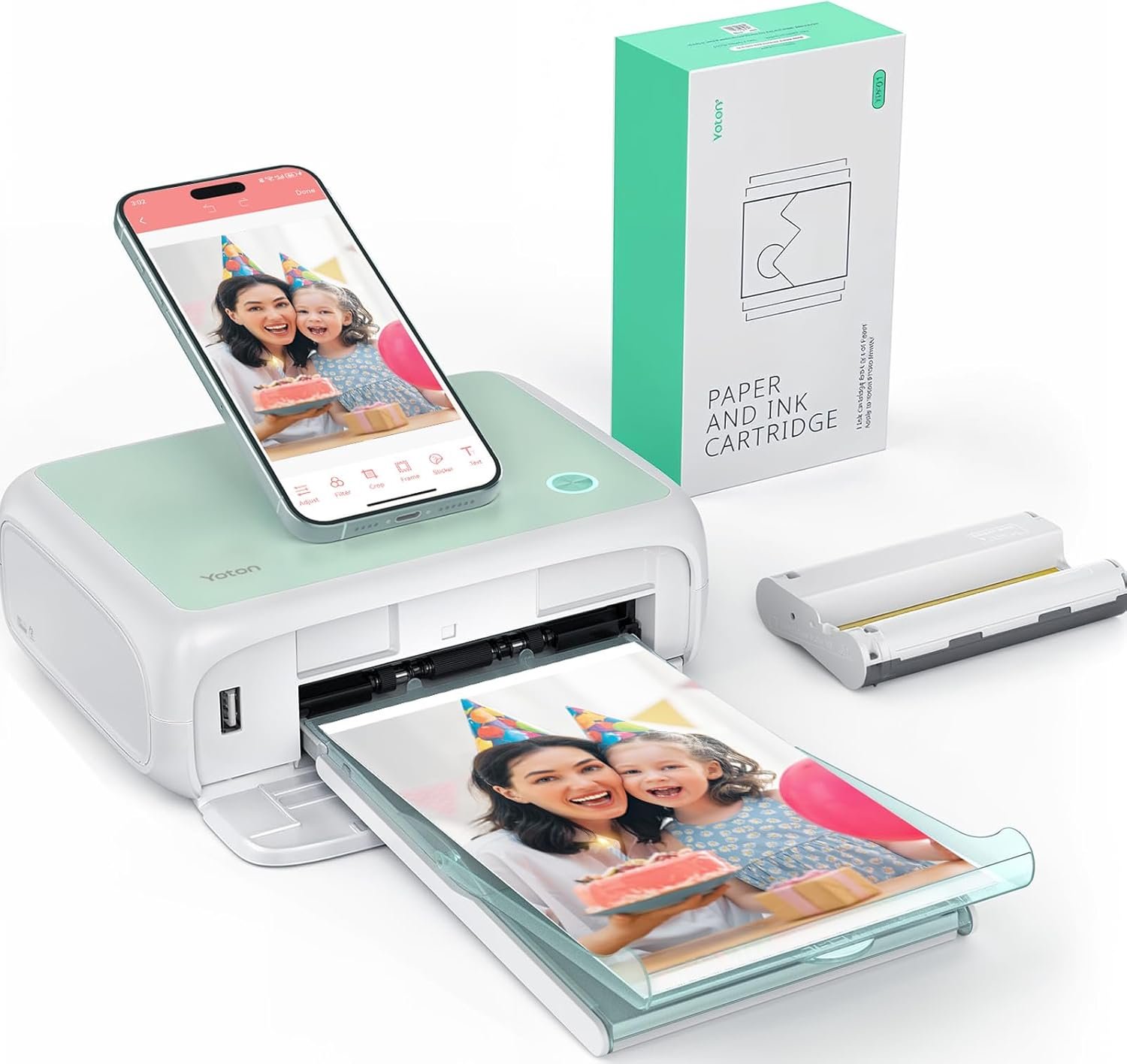
YOTON Photo Printer, Picture Printer with 54 Sheets (4″x6″) & 1 Ink Ribbon, Support AR Video Printing, Wi-Fi Connection, Portable Photo Printer for iPhone/Android/Laptop
$94.98
Related Products




From the brand

Yoton Photo Printer
Fast and convenient printing, easily print out every wonderful moment.

YOTON Photo Printer&DVD Player

Custom Photo Editing
Personalized photo editing features.

15s AR Video Printing
Use AR technology to bring photos to life.

Printing ID Photo
Supports printing different ID photo sizes

Clear and High-Quality Photos
Assembly is simpler and printing is more efficient.
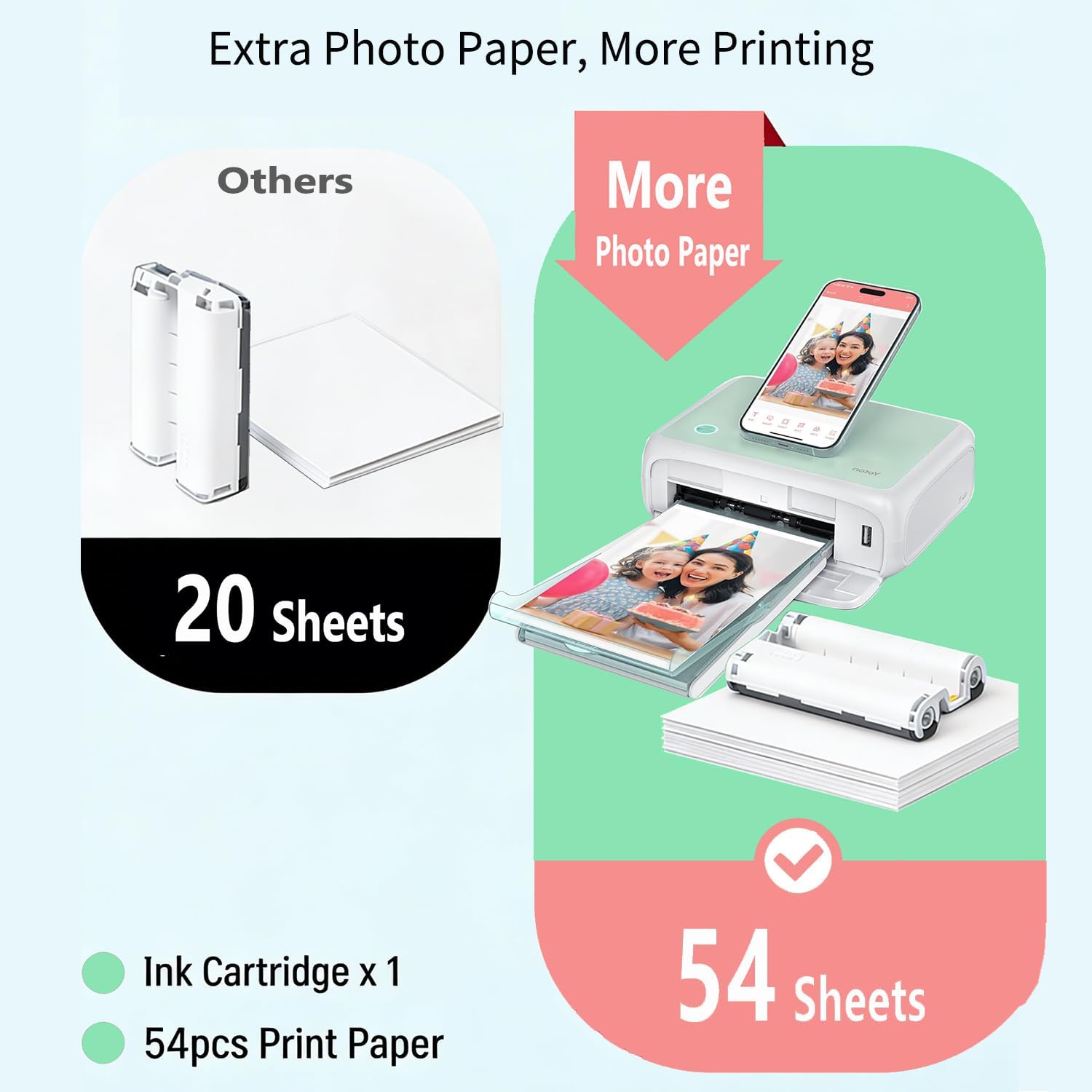
How many sheets of photo paper can the photo printer’s ink cartridge print?
Each ink cartridge can print a maximum of 40-50 photos. After that, you will need to replace the ink cartridge.
Does the photo printer support connections to mobile phones (Apple/Android), and cameras?
It supports connecting to iOS and Android phones; it does not support connecting to a camera.
Does the photo printer support computer printing?
The Yoton photo printer supports computer printing, but currently only supports Windows. Mac system is not supported for the time being.
【Compact & Stylish Design】The Yoton photo printer measures just 7.1″ x 4.9″ x 2.2″ and weighs 970g, so it slips easily into your backpack. With its sleek look, it fits perfectly on any desk. The photo printer works with iOS/Android phones and computers.
【Advanced Dye-Sublimation Printing Technology】YOTON photo printer adopts this printing technology, which makes the printed image more vivid in color, finer in texture and longer in durability. Note: One ink ribbon can print 40-50 photos.
【Stable and Fast Wi-Fi connection】To avoid issues with outside networks, the printer has its own built-in Wi-Fi. This means you can connect your phone directly to the printer – even with no internet around. Compared with Bluetooth or wired connections, Wi-Fi connections are more stable and faster.
【Exclusive AR Video Printing: Bring Still Photos to Life】 This groundbreaking feature allows you to print videos as photos! Print precious moving images up to 15 seconds long. Scan this special photo with the app, and the still image instantly comes to life on your phone, creating an immersive and surprising experience.
【Important Usage Tips】When not using the printer, please keep it sealed to prevent dust and hair from getting inside. During use, make sure the ink ribbon is securely clicked into place with the yellow button. If paper gets stuck, always turn off the power first before gently removing the paper. If you run into any problems, feel free to contact us via Amazon – we’ll reply within 24 hours and resolve issues within 48 hours.
8 reviews for YOTON Photo Printer, Picture Printer with 54 Sheets (4″x6″) & 1 Ink Ribbon, Support AR Video Printing, Wi-Fi Connection, Portable Photo Printer for iPhone/Android/Laptop
Add a review
$94.98
Glenn Howard –
Nightmare to connect, but the pictures are good if it works
Update: After my review the manufacturer/seller did reach out and offered a replacement or refund, which was very appreciated. Original review below but I’ve increased my rating since they stood behind their printer.Was a mess trying to get it to connect, can’t do it over wifi unless you have a 2.4ghz setup, so connecting directly is the only option. Couldn’t get the USB side of things to connect to anything at all, so wireless is the option. That requires downloading their app, which itself has bad reviews and requires a baffling level of permissions and requests to even try and get it to work. Unless you agree to precise location tracking all the time, it simply won’t function and won’t connect, along with the usual needing access to your home network, local devices, and of course pictures on the device, some of which makes sense and some of which is clearly just for getting and selling your data. Finally got it to work on android, still not working right on the sole iPhone I’ve got, and managed to get a few pictures to print and they did come out really well at least. Quality doesn’t look any different than pictures printed on a proper full size printer, and the options in the app make adding a white border or small tweaks to the picture pretty easy. Overall it is on the expensive side especially for how flimsy the printer feels, and setting up and connecting is rough, but once it is going it’s a decent little printer.
Sandy Barnett –
Print Quality
I had to leave a review about this printer. Setup was easy. Print quality. Excellent! You will not be disappointed!
Karla –
Very easy to use!
This is a very good little machine. My daughter has a diff. one and she says this one works just as good as hers.
SS –
Worth every penny
The printer was budget friendly, easy to set up, connected to my phone and WiFi very easy to manage using the app. The print came out beautifully. Small and light easy storage and set up. Very reliable so excited to continue building family album for our next generation to have groaning up
Harp –
Beautiful printing!
This was budget friendly, perfect size for storing, and the quality of the photos is amazing. It’s a very convenient way to develop photos. The colors on the photos are accurate. I recommend this purchase. I cut our faces off, but as you can see, the colors are beautiful!
Rose –
Good work for the size of the printer
This photo printer does wonderful prints. This issue I have is the internet connection. I did some work for a property manager for a Father’s Day event, and I had to connect the printer to my cellphone wi-fi to get it to print out the work. It is a great printer.
Alexandra Duda –
must buy!
I love this printer soo much! I bought it for scrapbooking and it’s just so easy to use and great printing quality.
Lori –
Should Be Better Qualtiy
For the price I paid for this printer it should be much better quality as it took 17 days after purchasing to ship.