
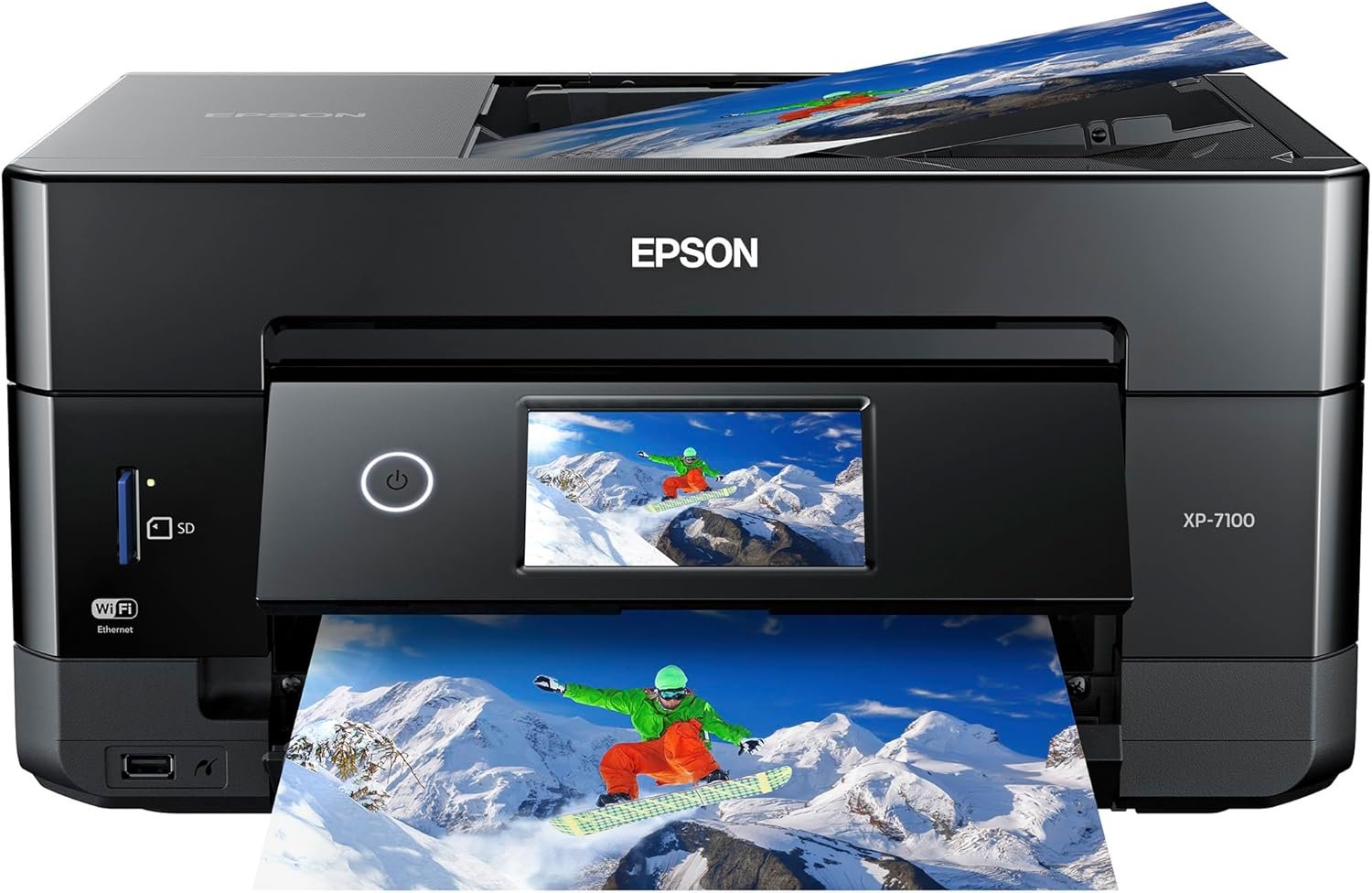
Epson Expression Premium XP-7100 Wireless Color Photo Printer with ADF, Scanner and Copier, Black, Small
$149.00
Related Products


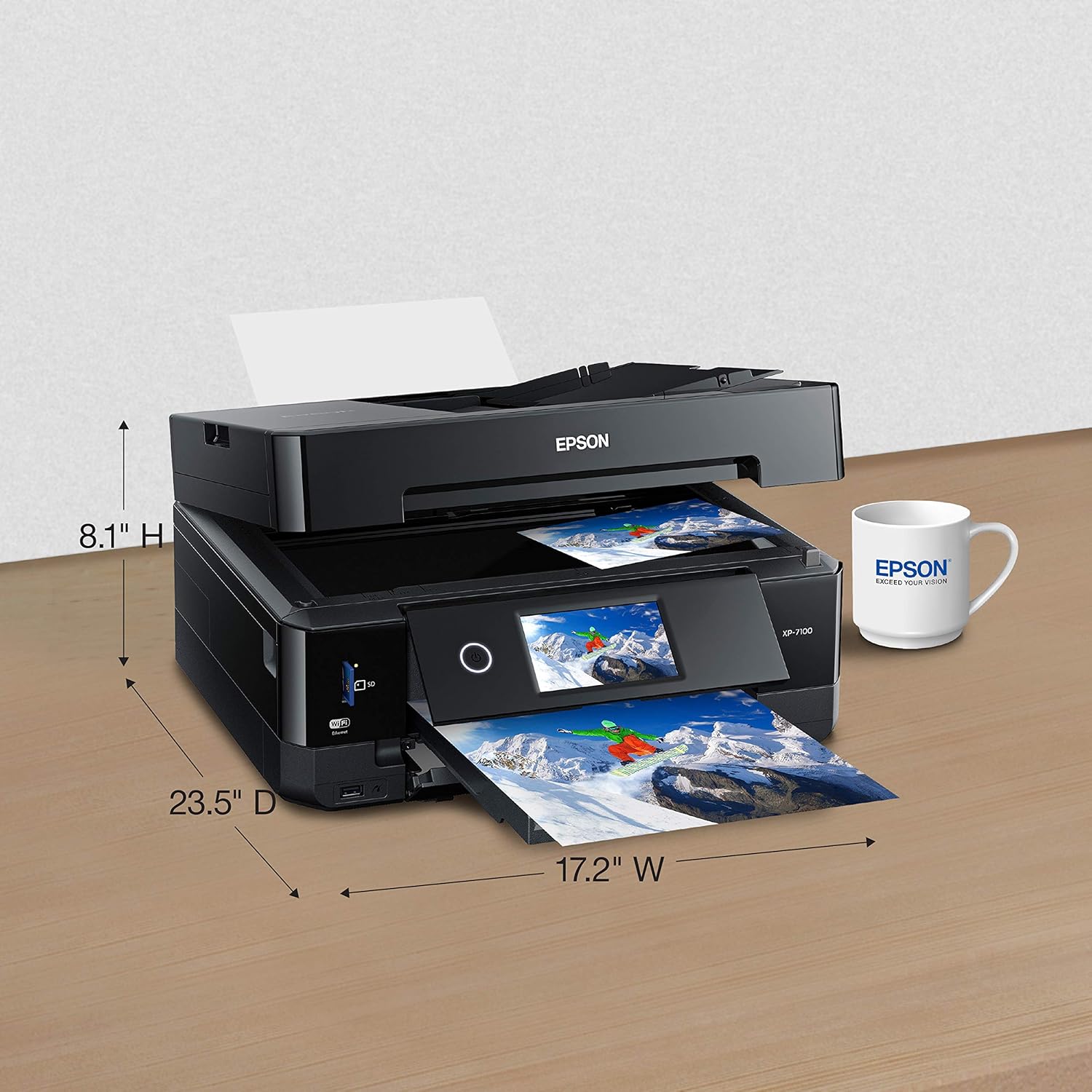


The 5 color expression Premium XP 7100 wireless Small in One printer delivers superior photo quality and versatility, ideal for productive, creative families. Save time with a 30 page auto document feeder and auto 2 sided printing, copying and scanning. Print vivid, borderless photos up to 8″ X 10″, or on specialty paper1 and dads. The intuitive 4. 3″ Touchscreen allows you to view, edit and print photos, directly from a USB or card slot2. And, you can easily Print from your tablet or smartphone3 — with or without a router — at home or on the go. Plus, Print 4″ X 6″ Photos in as fast as 12 seconds5, as well as custom projects with the creative Print app This Epson printer is designed for use with only genuine Epson brand cartridges. Other brands of ink cartridges and ink supplies are not compatible and, even if described as Compatible, may not function properly or at all. Epson provides information about the design of the printer on the box and in many other locations and materials Included with the printer and on the website. Epson periodically provides firmware updates to address issues of security, performance, minor bug fixes and ensure the printer functions as designed. This printer was designed to work only with genuine Epson ink cartridges and some updates may affect the functionality of third party ink. Non epson branded or Altered Epson cartridges that functioned prior to a firmware update may not continue to function. * this product uses only genuine Epson brand cartridges. Other brands of ink cartridges and ink supplies are not compatible and, even if described as Compatible, may not function properly. Black and color print speeds are measured in accordance with ISO/IEC 24734. Actual print times will vary based on factors including system configuration, software, and page complexity. For more information- binational/Print speed 1 specialty paper support accommodated through rear paper feed, maximum 23 Mil paper thickness, manual 2 sided printing only. 2 adapter may be required. 3 Most features require an Internet connection to the printer, as well as an Internet and/or email enabled device. Wi fi Direct may require printer software. 5 color photo in draft mode on premium photo paper glossy measured from start of paper feed. Actual print times will vary based on factors including system configuration, software, and page complexity. For more information, binational/Print speed 6 smudge, scratch, water and fade resistant on Epson photo papers. For CDs/DVDs, resistant only on specially treated discs. 7 for convenient and reasonable recycling options, smart Way is an innovative partnership of the U. S. Environmental Protection Agency that reduces greenhouse gases and other air pollutants and improves fuel efficiency. This Epson printer is designed for use with only genuine Epson brand cartridges. Other brands of ink cartridges and ink supplies are not compatible and, even if described as compatible, may not function properly or at all. Epson provides information about the design of the printer on the box and in many other locations and materials included with the printer. Epson periodically provides firmware updates to address issues of security, performance, minor bug fixes and ensure the printer functions as designed. This printer was designed to work only with genuine Epson ink cartridges and some updates may affect the functionality of third party ink. Non Epson branded or altered Epson cartridges that functioned prior to a firmware update may not continue to function. Rated Voltage – 100 – 120 VAC.
Epson printing system is designed to be used exclusively with Epson Genuine Cartridges. Use of non-genuine ink could cause damage not covered under the printer’s ltd. wnty.
Superior photo quality print stunning photos Plus Sharp text for eye catching documents
Designed for productivity at home 30 page auto document feeder; Auto 2 sided Print/copy/scan; Multiple media feeds
Creativity made easy print on specialty paper (1) and DVDs; Plus, borderless photos upto 8 inches X 10 inches
Convenient, hassle free features use the large, intuitive 4.3 inches touchscreen to view, edit and Print photos directly from USB or SD card slot (2)
8 reviews for Epson Expression Premium XP-7100 Wireless Color Photo Printer with ADF, Scanner and Copier, Black, Small
Add a review
$149.00
Amazon Customer –
🙂 Great printer with an even better price.
I just happened to stumble across the Epson XP-7100 while looking for a small photo printer capable of using Letter size paper. The store did not have print samples and I knew nothing about it so I put off the purchase to do some more research. I came across a PC Magazine article titled The Best Photo Printers for 2019. The XP-7100 was listed a one of seven listed as an Editors’ Choice, but the 7100 was the only Legal size printer with 2 others not fitting the bill and the remaining 4 being large formats costing 2-10 times as much. With a price of $129, I decided to take a chance.The XP-7100 arrived well packaged and heavier than expected (usually a good sign). It is a elegant contemporary design which takes up very little space and looks good anywhere. No ADF or trays sticking out. Setup was easy and straight forward with the quick setup sheet. The 4.3 inch control screen is a delight with its intuitive interface and bright touch screen. Once the ink cartridges are installed, just push the power button (the only button) and the control panels automatically tilts outward for a better viewing angle. After printing a few test sheets for printer head alignment, it was time to set up WiFi (unless you go with USB). WiFi setup was easy. Just select your network and enter its password (if secured). Last step is to install the software and driver on the computer. The CD did not auto run as it was supposed to so I manually opened the CD in File Explorer. At the root level are two app files. EPWizard.exe and Setup.exe. I ran the EPWizard.exe and everything installed fine. WiFi tried to locate the printer and it failed. This was resolved with a simple Restart of the computer.My first few prints were to test different papers and quality setting. The printer has 2 trays supporting cards, photos, envelops and basically anything A4 or Letter size and smaller. It even includes a CD tray to print on CDs. A motorized output tray retracts back into the printer (along with the control panel) when you power off. As far as construction, the port for the power cable is a little wobbly. I do not know what that is about. Some reviewers wrote the printer is flimsy. The trays do not have rollers or bearing, so yes they are a little flimsy to reduce friction, but tighten into place once fully extended. This is common among printers and helps keep cost down. As for the body, it does have thin panels (available in different colors) which are simply not acceptable for a laptop. Oh wait, this is a non-portable printer meant to, at most, be moved from place to place a few times. Remove from box and place on desk.I purchased the printer mainly for its photographic printing abilities. My first real print was a Student of the Month article (about my daughter) from the website of the local newspaper. The photo and text would be a great test of the printers capabilities so I imported the article at 300 dpi with vector text. I printed it with high quality settings and used Epson Ultra-Premium Glossy Photo Paper. The results were phenomenal. The color photo was vibrant and the blending of the 4 photo colors was seamless. Text (some of it 5pt in size) was very crisp and could rival laser printers. The printer is fast for an inkjet on high settings. I estimate around 35 seconds for the 8.5 x 11 print.I’ll add a follow up on the scanner, ADF, and media ports but for now the 7100 is a very impressive photo printer which can be had as low as $99. Of course they will make up for the losses, and then some, with ink and paper sales.
JOHN LESESNE –
Excellent Printer for Windows , WiFi print enabled Android Tablets & Cell Phones
The un-packaging and initial set up on Windows 7 Home Premium was much easier than I had thought it would be . The WiFi & USB connections were made almost with out effort . The connection with my cell phone & Android Tablet were event free. The Hammermill Print App & the Epson Print App both recognized the printer . The Driver Installation showed SD Over USB driver Fail , but I think its because I did not have an SD card in the slot and most likely never will . It will probably become active when I insert an SD card for the first time , or it might be a Windows 7 issue , but it is a feature I would never use any way . Other than this , it performs really well . The initial adjusting of the print heads is a bit tedious , but necessary , and it really doesn’t take much time , just a few pages of paper . The CD /DVD printer software that came with this printer is Excellent ! Some one finally wrote a DVD / CD printer program that is easy to use , intuitive and produces great results on Ink Jet Printable CD/DVD’s . I still use my third party software for printing the Case Inserts . The print quality is superb and the colors are spot on . The ink can be a bit pricey ( Epson 410XL ) , but since I will use it 90% of the time to print CD/DVD’s & Case Inserts , and not as a default printer , I can live with it . I did find some 410XL third party ink on Amazon.com that actually had a 5 star rating for this printer and they were very reasonably priced for a set of all 5 cartridges . I hope these 3rd party cartridges work as well as they are rated . We shall see . I don’t use Windows 10, but others reviewing this printer comment on its use with Windows 10 .
Robert Riffice –
Terrible service
Nice printer until you have a service issue. After 90 days my xp7100 stopped printing Yellow and Magenta. It didn’t recognize the print cartridges.I emailed tech support who got back to me the same day. After discussing the issue, I was referred to customer support via telephone. After going over the same information in the email, I was transferred to a customer representative. Bottom line, they are willing to send me a refurbished unit to replace my 3 month old printer, because I purchased it from Amazon instead of directly from Epson. This is my third and last Epson product.
sgms –
It’s a great printer, but i bought it because it said it had faxing capability….thinking that meant I could fax right from the printer.. It doesn’t have that capability you have to fax from an online app with isn’t always convenient
Leah –
Love this printer!!! It’s so quiet and it prints in excellent quality. I purchased it to make stickers from my drawings! Highly recommend. Great price too!
GenpattonJ –
A lot of negative reviews. Even then I think it’s due to unrealistic expectations. Here’s what I like: prints are of exceptional quality. I’ve always liked Epson for that. I’ve started to print Audio CD’s and Blue ray as well. Great prints! Only printer in this price range that can do that. And do it well.Don’t like: it’s terribly slow. The internal software needs patience. Print costs are high. Then again which ink jet printer isn’t?All in all well worth it and a bargain if on sale!
Austin –
Got a great deal on this printer. The setup process was so easy, light years ahead of the HP, Lexmark and Brother printers I’ve had over the past few years.Print quality is excellent, and it’s fast. My HP printer over-inked the pages at high quality and made the page warp, this has no problem at high quality settings, even small text looks great. Has an ADF and auto duplexing which is rare at this price point.A bit confusing with the remote printing options and setup. Overlapping functionality that wasn’t very clearly explained, and it installed 2 versions of the printer intiially, a Network version and the regular one, that both functioned exactly the same from what I could tell. So I just deleted the extra Network one and I can print remotely and directly just fine to the other one.Overall an amazing purchase and I’m now sold on Epson printers going forward.
kim dion –
I bought this printer based on the reviews that matched 400-500$ printers.I liked it for the first week it worked. It was easy to set up, one of the few left that print via USB cables, the first printer I owned that did borderless images, the ink cartridges were separate (allowing only the needed ones to be changed), and the images used to be crisp and beautiful…. for one week.A week later, I started up the printer again to print more pictures (I was printing portrait-sized images of flowers and birds on semi-gloss paper), and the image quality mysteriously dropped. Ink smudges, horizontal streaks, and the colour itself no longer matched the original pictures. I did everything in the troubleshooting, cleaned everything, tweaked every settings I could think of and was recommended. The same ink and paper was used throughout that week.Nothing. My last test after everything was “fixed” was printing an image I already printed to compare the difference… and the problem remained: the colour no longer matched, ink smudges, and streaks.So, it’ll be used for text-only documents and for the scan feature. Disappointed that the good image quality did not last more than a week.