
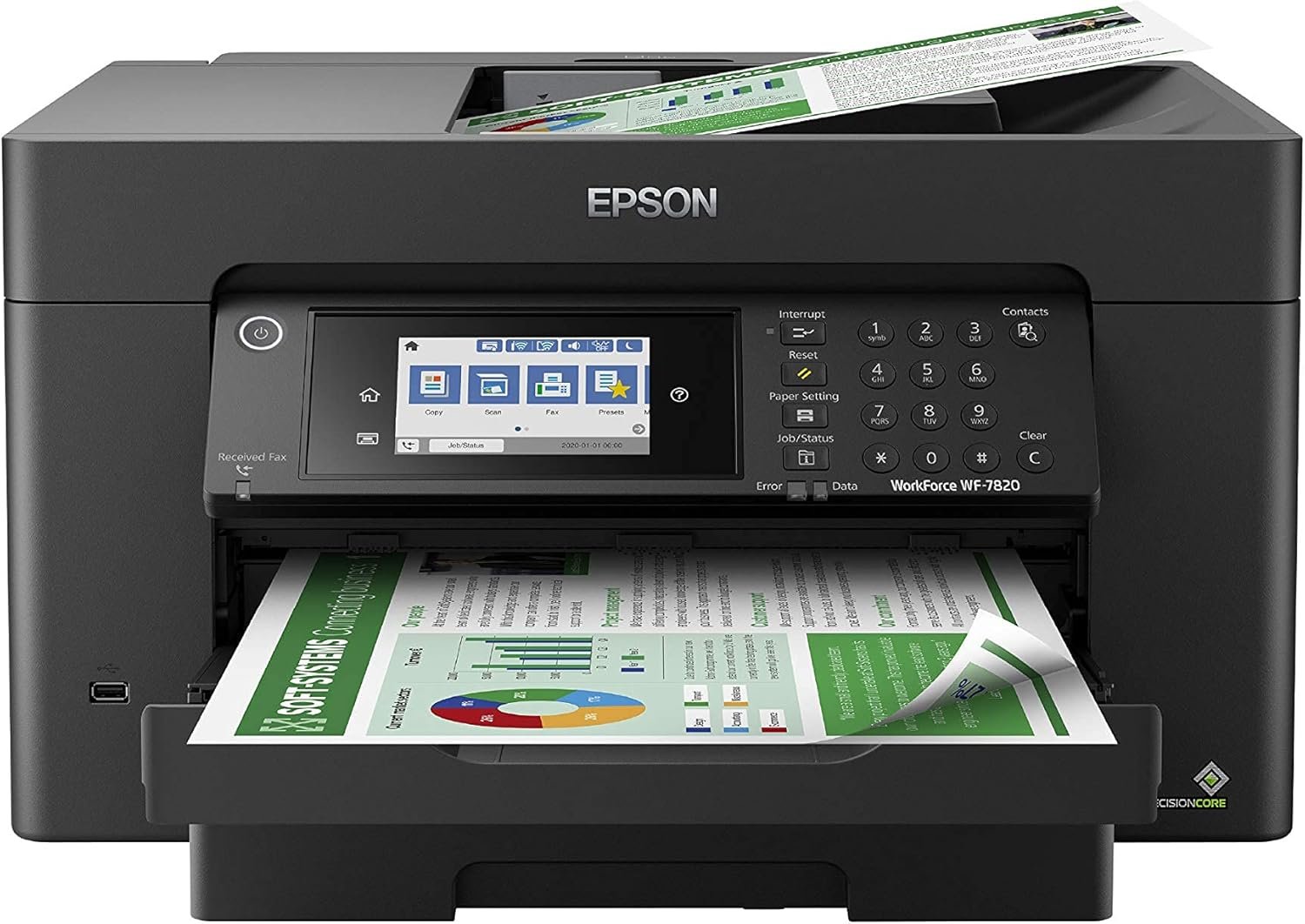
Epson Workforce Pro WF-7820 Wireless All-in-One Wide-Format Printer, Auto 2-Sided Print 13″ x 19″ Copy, Scan & Fax, 50-Page ADF, 250-sheet Paper Capacity, Works with Alexa – Black
$313.49
Related Products


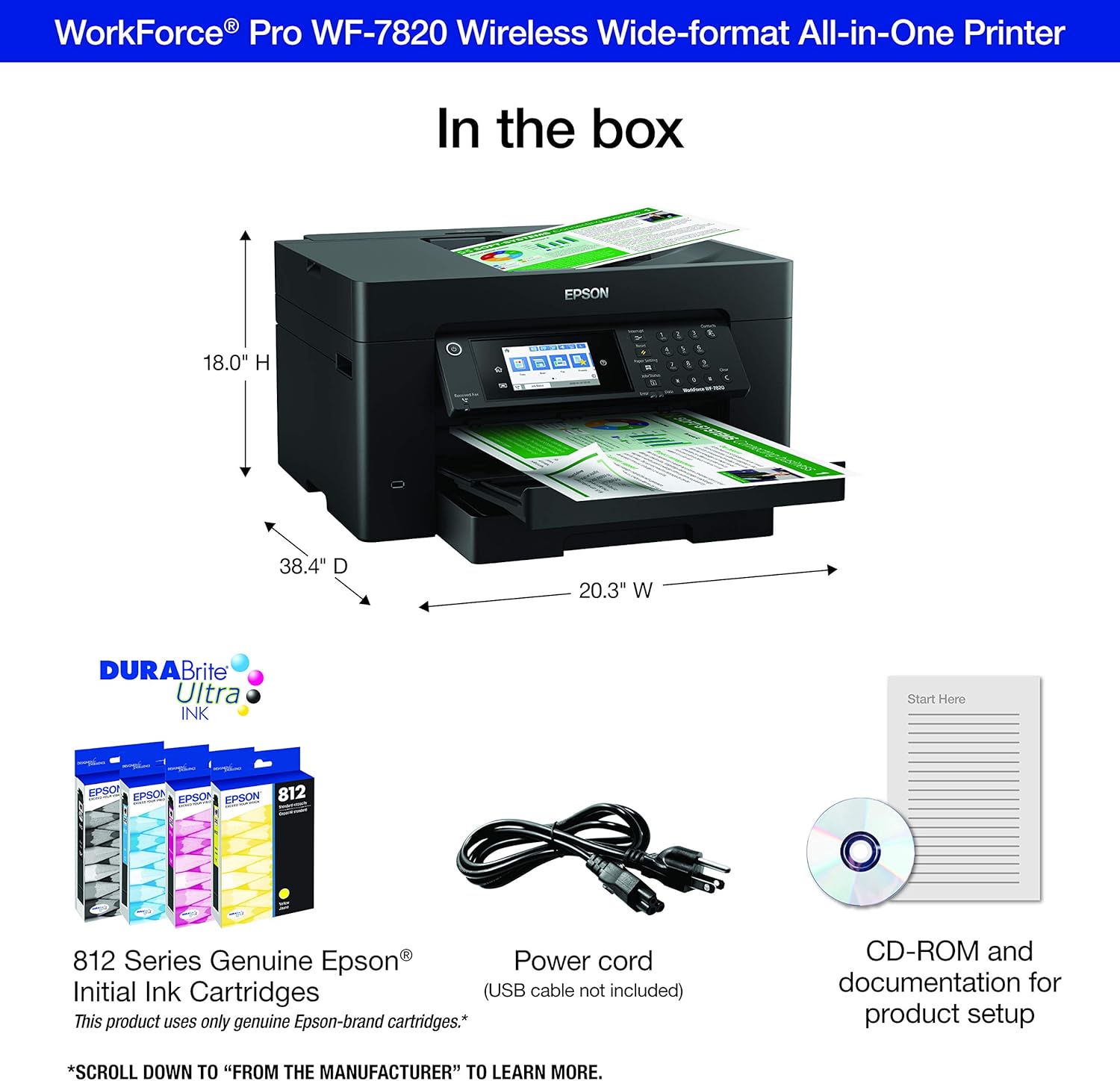

Amplify office productivity with the high-performance WorkForce Pro WF-7820. Built from the ground up for high-volume, wide-format printing up to 13″ x 19″, this powerful, duplex solution offers auto 2-sided print, copy, scan and fax, and a convenient 50-sheet ADF. Featuring state-of-the-art PrecisionCore Heat-Free Technology and vivid DURABrite Ultra inks, the reliable WF-7820 delivers high-speed prints with 25 black/12 color ISO ppm, plus fast first-page-out. Designed with ease-of-use in mind, the WF-7820 offers a variety of features for enhanced convenience and efficiency, including a large, 250-sheet paper capacity, an intuitive 4.3″ color touchscreen and simple wireless setup and connectivity. This product uses only genuine Epson-brand cartridges. Other brands of ink cartridges and ink supplies are not compatible and, even if described as compatible, may not function properly. Black and color print speeds are measured in accordance with ISO/IEC 24734. Actual print times will vary based on factors including system configuration, software, and page complexity. For more information, visit our official site.1. Requires Epson Smart Panel app download and a compatible smart device. Data usage fees may apply. For more information, please visit our official site.2. Most features require an Internet connection to the printer, as well as an Internet- and/or email-enabled device. For a list of Epson Connect enabled printers and compatible devices and apps, visit our official site.3. Wi-Fi CERTIFIED; level of performance subject to the range of the router being used. Wi-Fi Direct may require printer software.4. Based on comparing manufacturers’ reported TEC values of the best-selling, similarly featured color laser printers priced similarly (USD) or less with print speeds of 40 ppm or less as of February 2020.5. For convenient and reasonable recycling options, visit our official site.6. SmartWay is an innovative partnership of the U.S. Environmental Protection Agency that reduces greenhouse gases and other air pollutants and improves fuel efficiency.
The Epson WorkForce Pro WF-7820 Wireless All-In-One Printer is a versatile machine that meets your office’s needs. You can print off standard and wide-format documents swiftly thanks to the PrecisionCore Heat-Free technology, while the DURABrite Ultra ink dries quickly to help prevent smudging. The automatic 2-sided printing and scanning helps you accomplish tasks faster, while the wireless capabilities let you print from almost anywhere using your smart device.
Built-in wireless (802.11a/b/g/n/ac) connection offers cable-free convenience.
Use Epson Connect Solutions to stay productive while on the go. Functions include Epson Email Print, Epson Remote Print, Epson Smart Panel app (iOS and Android), Epson iPrint app (iOS and Android) and Creative Print app (iOS and Android).
Print from almost anywhere using Apple AirPrint, Android printing and Mopria Print Service.
Produces wide-format prints up to 13″ x 19″.
11 reviews for Epson Workforce Pro WF-7820 Wireless All-in-One Wide-Format Printer, Auto 2-Sided Print 13″ x 19″ Copy, Scan & Fax, 50-Page ADF, 250-sheet Paper Capacity, Works with Alexa – Black
Add a review
$313.49
Espy07 –
Reliable, Fast, and Excellent Print Quality — A Great All-Around Printer
I’m extremely happy with this printer and would highly recommend it to anyone looking for a reliable, high-quality device. Setup was quick and straightforward, and it connected seamlessly to both my Wi-Fi and mobile devices. Print quality is excellent—text is crisp, colors are vibrant, and photos come out looking professional. It’s also impressively fast and much quieter than printers I’ve owned in the past. I appreciate the user-friendly interface and the efficient ink usage, which helps keep long-term costs down. Overall, this printer delivers great performance, convenience, and value, making it a fantastic addition to my home office.
Amazon Customer –
I would rather deal with a dot matrix printer…
Let’s start with the positive – scanner works fine. I am not a huge fan of having to use a separate program to initiate and scan but with that said, the scanner part of this “printer” is decent, fast, clear and has some functionality (two sided capabilities, rotation, etc.) that is appreciated. It would be nice if it would have OCR option so that you don’t have to use a separate program to convert but that is just a convenience thing. Well wait, who doesn’t like convenience when it seems like this could be a simple option?!Now for the negative part of this “printer”.Issues:- 9 times out of 10 it will not print upon command and usually requires me to unplug, wait 30 seconds, plug and restart printing. Simply turning it off and on with the power button usually doesn’t solve the problem hence the unplugging. And even unplugging sometimes doesn’t do the trick. Don’t worry, it will print the document randomly if you don’t cancel the print job usually when you least expect it to and have a minor uptick in the heart rate.- Will not print in black and white (even if selecting the option to print only in B&W) once the color cartridges run out. Yes, it allows you maybe to do this a few times with a warning that it can only do that because the color is out however that is temporary and it will eventually not allow you to print in B&W until you replace the color. Completely ridiculous to me…- Speaking of color cartridges, these do not last long. I rarely print in color however I have had this printer for less than a year and have replaced once and now have to replace again. Also finding that these color cartridges are hard to find locally at like walmart or target and when in a pinch, that is bad. So as stated above, when you color goes out, need just a straight B&W print job and can’t find the cartridges around town – you are S.O.L.If you are wanting a multi-use “printer” that just scans – this is a decent option. If you are wanting something more than a scanner that prints ink on paper, do not put this in your cart and move on.
Raymond Skelley –
incredible wide format printer
I had a WF 4530 that I bought over 10 years ago – that printer was a tank and the ability to scan was HUGE. That printer recently died on me – over a decade with inkjet – with no issues despite long stretches of no use – I can’t complain one bit.I bought the 7820 WF – it’s an upgrade in every aspect. Quiet. Fast. Great print quality. Edge to edge printing. Wide format (if/when I need it). I’ve added a photo to the review of a printout I did using HP photo paper (4×6) to give you an idea of the quality – for home printed inkjet it’s (IMO) top of the scale.One note: Don’t use windows 10 or windows 11 drivers – download and install the drivers from Epson – they give you scan to pdf, scan to your computer, and the printout resolution from the windows drivers is horrible – the epson drivers are really needed.
MARY –
WAS a good printer
I was excited to purchase a printer that could print LARGE prints for my small business.After 2 months of using this printer, I had to find a company that sold just the replacement chips. My cartridges would be halfway full of ink but printer would throw a code saying ink was out. Now after using this printer for less than 6 months, it will not read any new chips (on brand new cartridges even). When I purchased it on July 16th for under $200, I thought it was a great deal. Now I know they were trying to get rid of their junk printers!!
Art S. –
Paper tray doesn’t work
First off, Amazon delivery person did not follow my specified delivery instructions. Next, it was not covered, and it was raining today. The paper tray is not working at all. I’m convinced the unit is defective. I’m having a very hard time resolving the issue. It keeps saying insert cassette correctly. There are only so many ways to do this. I’ve done them all. It’s defective. Now I need to go to more trouble than the product is worth to get it fixed!!!I must edit and add to my initial complaint; the paper tray still doesn’t work properly. I decided to keep the printer even though Amazon is sending me another one. It is a very nice all-in-one machine. Everything else works and I got done what I needed to do on 11 x 17 sheets using the rear feed mechanism. It prints an exact duplicate! I almost can’t tell the difference. I think the problem with the paper cassette is not the printer but my paper stock instead. I was using HP 11 x 17 copy paper which may be heavier than others in which case my paper settings are set wrong. I don’t think it’s this machine.
osvaldo colon –
Nice printer
Printer work according to what I was expecting . Prints 🖨 great and fast / copy fast . Set up is easy but wifi and wireless connection is very tricky with phone set up . it may take some extra time . I look at videos on you tube for wifi & wireless set up . The APP there’s a few App . I install the Epson smart App on my phone. Or the Epson iprint . The panel display will walk you through set up . also work great for me great display . I also like the lower tray went ready to print it comes out automatically and closes automatically went turning printer off .
Carlos Eduardo Guevara Flores –
Es una máquina muy efectiva y de gran desempeño
Alexandre Sant Anna –
Indico a compra sem pensar. Melhor custo benefício não tem.
Han van Pelt –
It was easy and quick to set-up (for me). Very important to follow the written instructions correctly. Not using this as a fax machine and not connecting via Wi-Fi. Using USB only. First print head test was flawless. Using machine only for 11 x 17 prints only (and the occasional 13 x 19) thus I do not require the copier, but for the cost of this printer I can tolerate items I will never use. Instructions say to place printer onto desk by the use of two people. A bit far fetched as I installed this by myself and I am over 80 (that’s years). But, then again, it might be better to err on the side of caution.
Jarbas Nunes Barbosa –
Boa qualidade de impressão, velocidade, entre outras funcionalidades. O inconveniente é o uso de cartucho, pois torna-se inviável seu uso pelo custo, salvo a adaptação de bulk ink.
Tamara Goebel –
This started out as a great printer then now it won’t take paper from the front only in the back. Also won’t update anything.